Miro has earned its reputation as one of the most popular online whiteboard platforms for brainstorming, workshops, agile planning, user journey mapping, and visual collaboration. Its infinite canvas, extensive template library, and real-time collaboration features make it a favorite among product managers, designers, educators, consultants, and distributed teams.
However, it isn’t the perfect fit for everyone.
Many growing teams eventually encounter challenges such as limited free-plan functionality, increasing per-user costs, performance issues on large boards, or the need for more specialized tools. Some organizations prioritize structured diagramming over freeform brainstorming, while others want deeper integrations with their design workflow, stronger privacy controls, or an all-in-one workspace that combines whiteboards with project management.
The good news is that the market has evolved significantly. In 2026, there are excellent Miro alternatives designed for nearly every use case. Whether you’re a startup looking for a generous free plan, a UX team working inside Figma, an enterprise requiring advanced governance, or an engineering team that prefers lightweight diagramming, you’ll find a platform that better matches your workflow.
In this guide, we’ve compared the best Miro alternatives based on:
- Collaboration capabilities
- Whiteboarding and diagramming features
- Ease of use
- Template libraries
- Integrations
- Pricing
- Free-plan limitations
- Security and data management
- Overall value for teams of different sizes
By the end of this article, you’ll know which platform is the best choice for your team—and whether paying for Miro still makes sense.
What Should You Look for in a Miro Alternative?
Not every online whiteboard serves the same purpose. Some platforms focus on brainstorming and workshops, while others specialize in technical diagrams, design collaboration, or complete work management.
Before switching, evaluate each alternative using these important criteria.
Free-plan limits
For many individuals and startups, the free plan is the deciding factor.
Some platforms restrict the number of editable boards, while others limit collaborators, storage, templates, exports, or advanced features. A few open-source options remove these restrictions entirely but may sacrifice enterprise capabilities.
Consider questions like:
- How many active boards can you create?
- Are collaborators limited?
- Can you export your work without upgrading?
- Does the free plan include templates and integrations?
- Will your team quickly outgrow the free tier?
If you’re planning long-term use without upgrading, generous free plans can save hundreds of dollars annually.
Pricing model
Pricing affects much more than your monthly budget.
Most Miro competitors charge per editor or per user, but some offer flat workspace pricing, flexible creator/viewer roles, or scalable enterprise licensing. As your organization grows from five users to fifty or even hundreds, seemingly small pricing differences can become substantial.
When comparing pricing, look beyond the starting price and consider:
- Per-user vs. workspace pricing
- Monthly versus annual billing
- Feature availability across plans
- Hidden costs for guests or external collaborators
- Enterprise upgrade requirements
Choosing a pricing model that aligns with your team’s growth can significantly reduce long-term software costs. Many teams start exploring alternatives because seat-based pricing becomes expensive as they scale.
Real-time collaboration
A collaborative whiteboard should help teams work together effortlessly, regardless of location.
Look for features such as:
- Live cursor tracking
- Multi-user editing
- Comments and mentions
- Voting and polls
- Timers for workshops
- Presentation mode
- Video or audio collaboration
- Version history
- Guest collaboration
These capabilities become especially valuable for remote teams, product workshops, sprint planning, design reviews, and client sessions.
Templates
Templates save hours of setup time.
The best Miro alternatives provide professionally designed templates for common business workflows, including:
- Brainstorming sessions
- Mind maps
- User journey maps
- Customer personas
- Flowcharts
- Kanban boards
- Retrospectives
- SWOT analysis
- Product roadmaps
- Business model canvas
- Wireframes
- Organizational charts
A rich template library enables teams to begin collaborating immediately instead of building every board from scratch.
Diagramming vs. freeform collaboration
This is one of the biggest differences between Miro competitors.
Some tools excel at freeform ideation with sticky notes, sketches, and workshops. Others focus on structured diagrams like flowcharts, UML diagrams, process maps, network diagrams, and technical documentation.
Ask yourself:
- Do you primarily brainstorm ideas?
- Do you create technical documentation?
- Do you need wireframing?
- Are process diagrams your priority?
- Will both technical and non-technical teams use the platform?
Selecting software that matches your primary workflow often improves productivity more than choosing the platform with the longest feature list.
Integrations
Visual collaboration rarely happens in isolation.
A strong Miro alternative should integrate smoothly with the tools your team already relies on, including:
- Project management platforms
- Communication apps
- Cloud storage
- Design software
- Development tools
- CRM systems
- Knowledge bases
- Calendar applications
- Automation platforms
Native integrations reduce manual work, improve information flow, and help teams maintain a connected workflow instead of constantly switching between applications.
Data control
Security and compliance become increasingly important as organizations grow.
If your whiteboards contain product roadmaps, customer information, architecture diagrams, or confidential business plans, you’ll want greater control over how data is stored and shared.
Consider features such as:
- Role-based permissions
- Workspace administration
- Version history
- Audit logs
- Data residency options
- Encryption
- Single Sign-On (SSO)
- Compliance certifications
- Backup and recovery
- Self-hosting (for open-source solutions)
For enterprises and regulated industries, these capabilities are often just as important as collaboration features.
Miro Alternatives at a Glance
| Tool | Best For | Free Plan | Starting Price | Standout Feature |
|---|---|---|---|---|
| FigJam | Design teams and UX collaboration | Yes | From $5/editor/month | Native integration with Figma and collaborative design workshops |
| Mural | Enterprise workshops and facilitation | Yes | From $9.99/user/month | Advanced facilitation tools and workshop templates |
| Corexta | Teams that want whiteboards plus project management | Yes | Free plan available | Combines collaboration, task management, CRM, docs, and business operations in one workspace |
| Lucidspark | Structured brainstorming and visual planning | Yes | From $7.95/user/month | Seamless integration with Lucidchart for diagramming |
| Microsoft Whiteboard | Microsoft 365 organizations | Yes | Included with Microsoft accounts | Deep integration with Microsoft Teams and Microsoft 365 |
| Figma | Product design and collaborative prototyping | Yes | From $5/editor/month | Industry-leading interface design with collaborative editing |
| Excalidraw | Developers and lightweight sketching | Yes | Free (Plus available) | Open-source whiteboard with a hand-drawn style and end-to-end encrypted collaboration |
| draw.io (diagrams.net) | Technical diagrams and documentation | Yes | Free | Powerful diagramming with cloud storage integration and no licensing cost |
| AFFiNE | Knowledge management and visual note-taking | Yes | Free (paid plans available) | Combines documents, whiteboards, and databases in one workspace |
| Conceptboard | Remote teams with compliance needs | Yes | From $6/user/month | Strong asynchronous collaboration and GDPR-focused data management |
Each of these tools offers a different balance of collaboration, diagramming, pricing, and scalability.
The 10 Best Miro Alternatives
1. FigJam
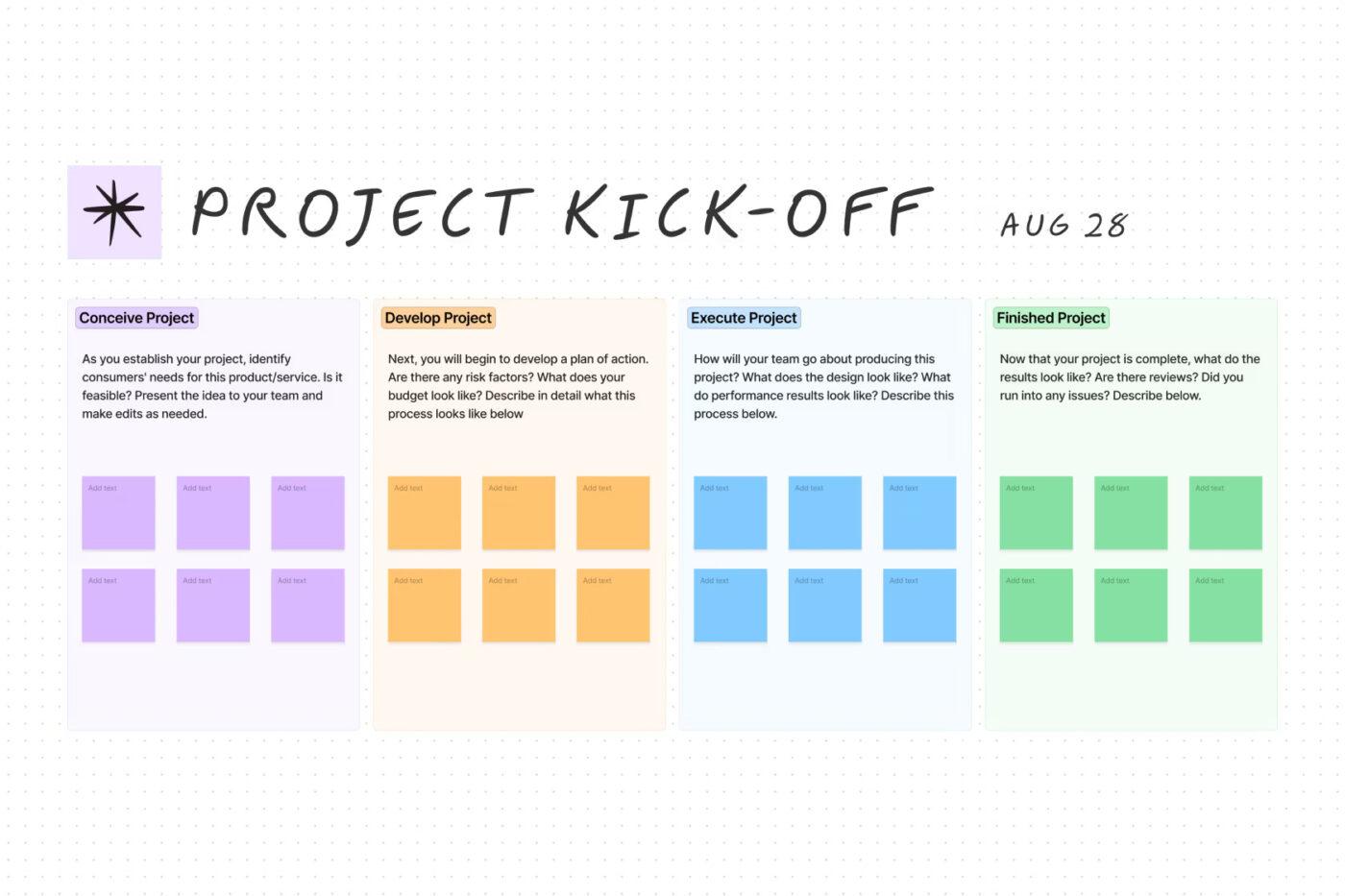
If your team already uses Figma for interface or product design, FigJam is one of the most natural Miro alternatives available. Built by Figma, it combines an intuitive online whiteboard with brainstorming, workshop facilitation, and lightweight diagramming tools that help teams collaborate in real time.
Unlike Miro, which aims to serve virtually every type of visual collaboration, FigJam focuses on keeping ideation simple and fast. Product managers, UX designers, developers, marketers, and cross-functional teams can quickly create mind maps, user flows, retrospectives, planning sessions, and project roadmaps without a steep learning curve.
One of FigJam’s biggest strengths is its seamless integration with Figma Design. Teams can move effortlessly between brainstorming and actual product design, making it especially valuable for organizations with established design workflows.
Best features
- Infinite collaborative whiteboard
- Native integration with Figma Design
- AI-assisted brainstorming and content organization
- Interactive widgets, voting, timers, and audio conversations
- Hundreds of ready-made templates
- Sticky notes, mind maps, flowcharts, and diagrams
- Easy sharing with internal and external collaborators
- Version history and commenting
Pros
- Extremely easy to learn
- Excellent for design and product teams
- Seamless Figma integration
- Strong real-time collaboration
- Generous free plan for individuals
- Modern and responsive interface
Cons
- Less suitable for complex enterprise workshops than Miro
- Fewer advanced facilitation features
- Limited diagramming compared to dedicated diagram tools
Pricing
- Starter: Free
- Professional: $3/editor/month
- Organization: $5/editor/month
- Enterprise: Custom pricing
Ratings & Reviews
- G2: 4.6/5 (460+ reviews)
- Capterra: 4.8/5
- GetApp: 4.8/5
2. Mural
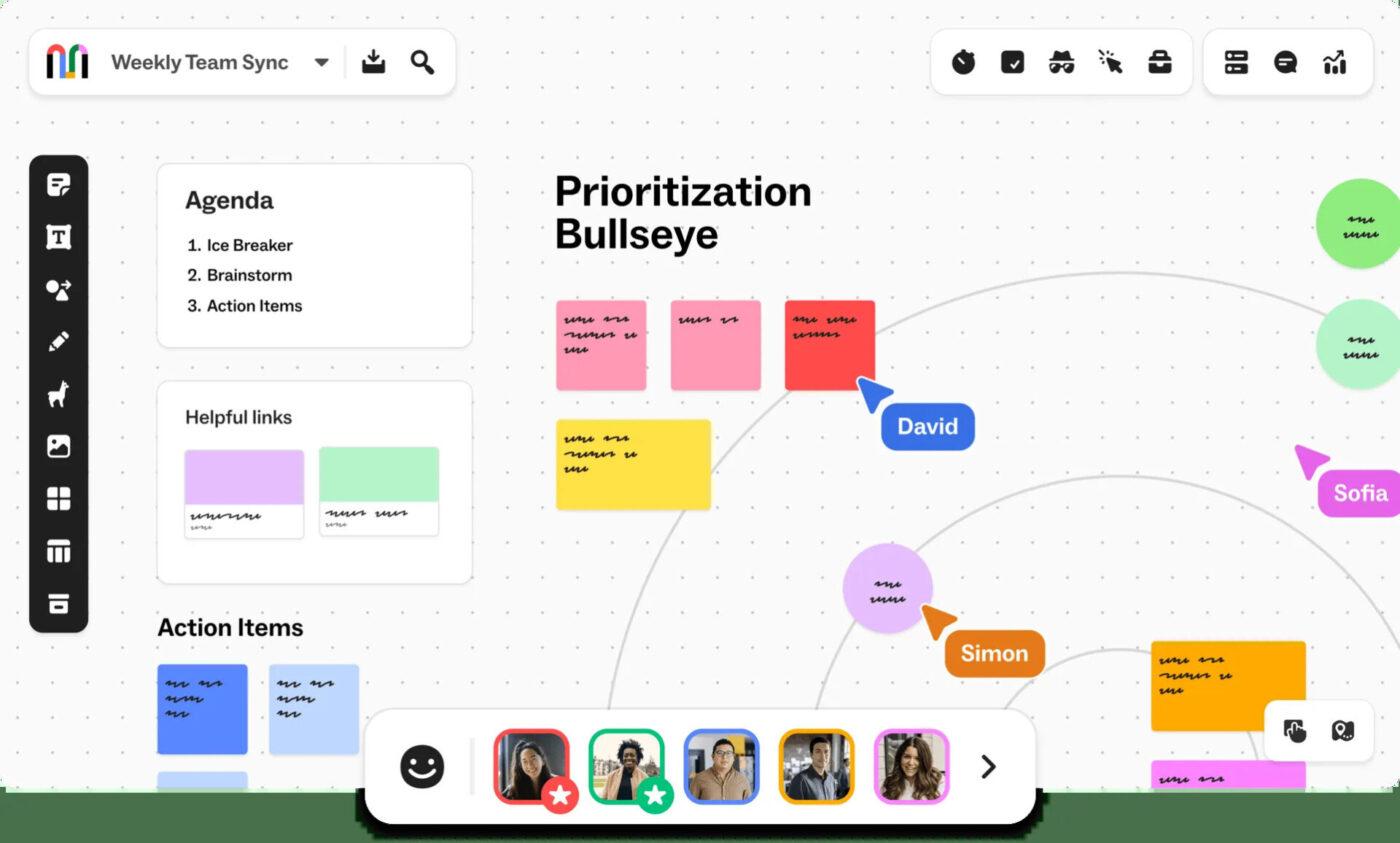
Mural is one of the closest competitors to Miro, offering an enterprise-grade visual collaboration platform designed for workshops, brainstorming sessions, design thinking, agile ceremonies, and strategic planning.
Where Mural truly stands out is facilitation. It includes built-in timers, private mode, voting sessions, presenter tools, meeting outlines, and participant controls that make it ideal for remote workshops involving dozens—or even hundreds—of participants.
Large enterprises often choose Mural because it provides robust administrative controls, security features, and governance capabilities alongside an extensive template library.
Although Mural shares many similarities with Miro, it places greater emphasis on structured workshop facilitation rather than simply providing an infinite whiteboard.
Best features
- Infinite collaborative canvas
- Advanced facilitation mode
- Private mode for brainstorming
- Timer, voting, and presentation tools
- Extensive workshop templates
- AI-powered summarization
- Enterprise-grade security and permissions
- Microsoft Teams, Jira, Slack, and Azure DevOps integrations
Pros
- Outstanding for remote workshops
- Excellent facilitation capabilities
- Rich template collection
- Strong enterprise administration
- Reliable collaboration performance
Cons
- Can become expensive for growing teams
- Learning curve for new users
- Some advanced features require higher-tier plans
Pricing
- Free
- Team+: Starts around $9.99/user/month
- Business: Starts around $17.99/user/month
- Enterprise: Custom pricing
Ratings & Reviews
- G2: 4.6/5
- Capterra: 4.6/5
- Gartner Peer Insights: Highly rated by enterprise users
3. Corexta
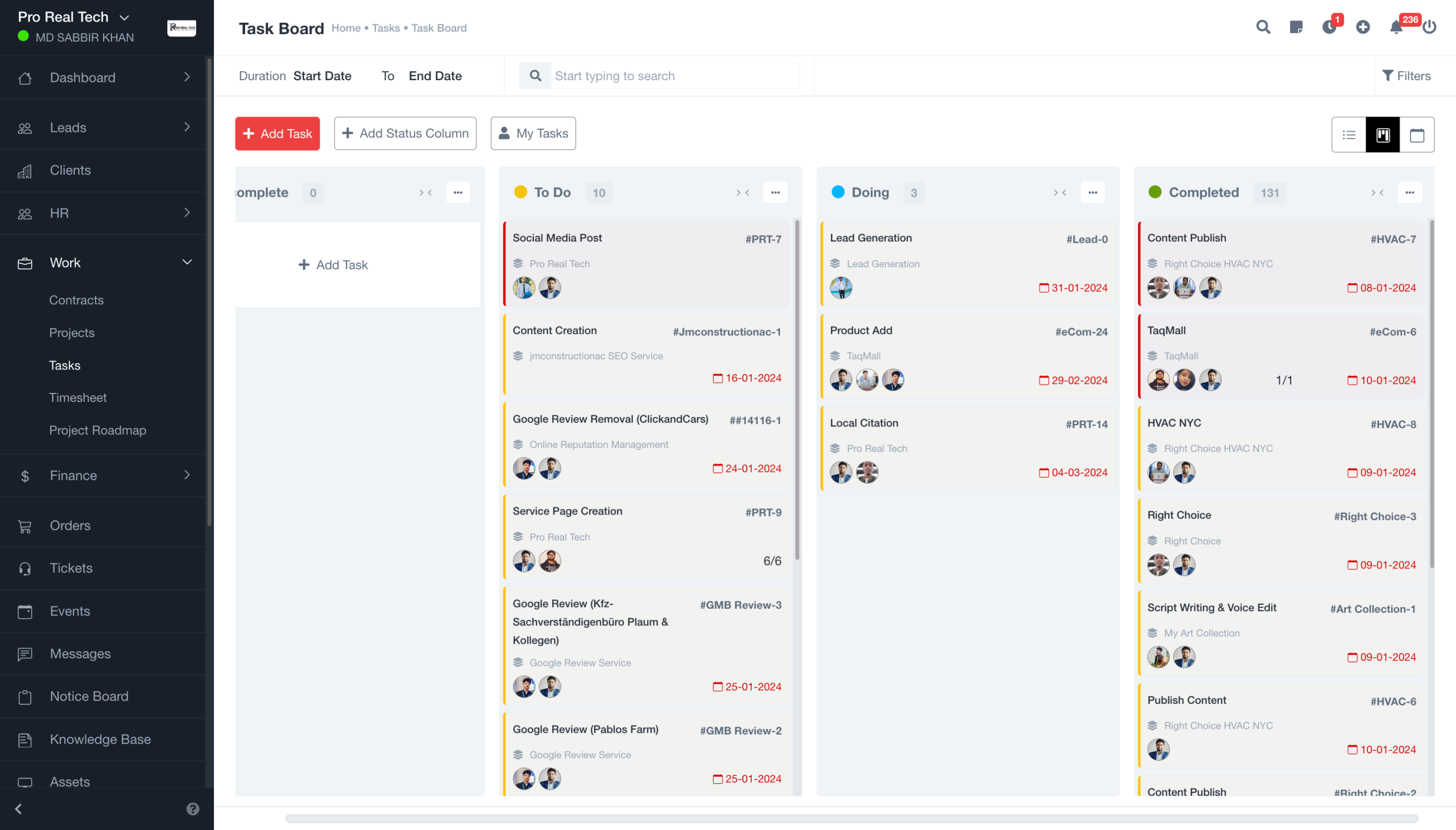
Unlike traditional online whiteboards that focus solely on brainstorming, Corexta takes a broader approach by combining visual collaboration with complete business and project management functionality.
Instead of switching between separate applications for brainstorming, task management, documentation, CRM, HR, and team communication, Corexta brings these capabilities together in a unified workspace. This makes it particularly attractive for startups, agencies, consultants, and growing businesses looking to reduce software costs while keeping their workflows connected.
Teams can brainstorm ideas on collaborative boards and immediately convert them into actionable tasks, projects, workflows, or documentation without leaving the platform. This connected experience eliminates much of the manual work involved in transferring ideas between multiple tools.
For organizations seeking more than just a digital whiteboard, Corexta delivers an all-in-one work management solution that scales beyond brainstorming sessions.
Best features
- Collaborative whiteboards
- Project and task management
- CRM and client management
- Document and knowledge management
- Workflow automation
- Team collaboration tools
- Custom dashboards
- File sharing
- Business process management
- Role-based permissions
Pros
- Combines whiteboards with complete work management
- Reduces the need for multiple software subscriptions
- Modern, intuitive interface
- Suitable for agencies, startups, and SMEs
- Centralized workspace for cross-functional collaboration
Cons
- Smaller ecosystem than long-established competitors
- Some enterprise integrations continue to expand
- Advanced enterprise features may vary by plan
Pricing
| Plan | Pricing |
|---|---|
| Free Plan | $0 |
| Small Business | $9.99/user/month |
| Medium Business | $19.99/user/month |
| Enterprise | $29/user/month |
Ratings & Reviews
As a newer platform, Corexta continues expanding its customer base. User feedback highlights its all-in-one workspace, ease of adoption, and ability to consolidate multiple business tools into a single platform.
Ratings
- G2: 5.0/5
- Capterra: 5.0/5
- Product Hunt: 5.0/5
- Clutch: 5.0/5
4. Lucidspark
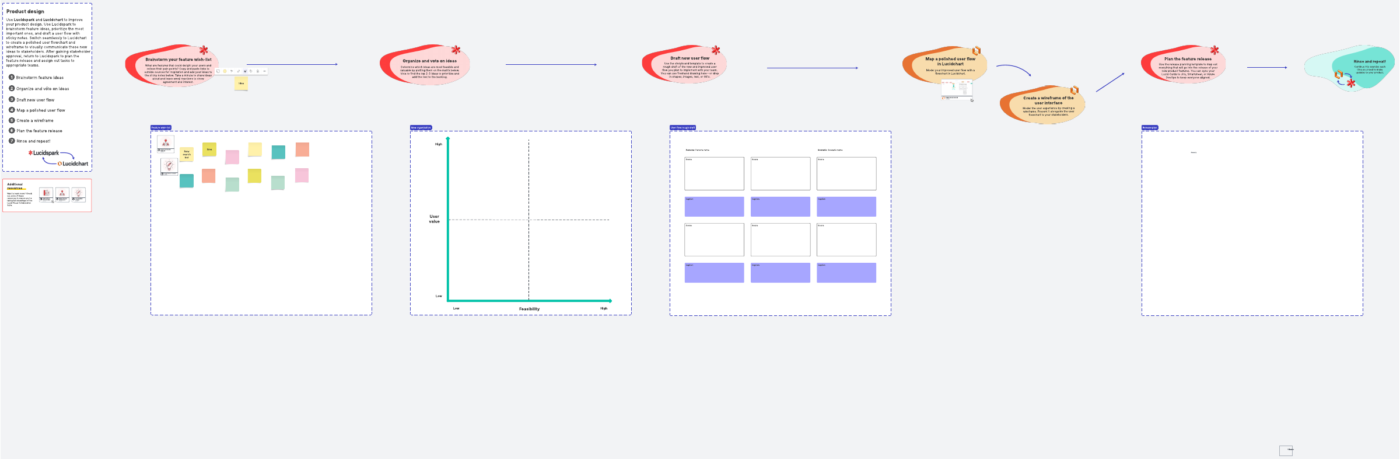
Lucidspark is an excellent choice for teams that want brainstorming and diagramming in one connected ecosystem. Developed by Lucid Software, it works seamlessly with Lucidchart, allowing ideas generated during workshops to evolve directly into professional diagrams, process maps, and technical documentation.
Its structured approach makes Lucidspark particularly useful for product development, software engineering, business process improvement, and strategic planning.
Unlike purely freeform whiteboards, Lucidspark includes features that help teams organize ideas automatically, cluster sticky notes, and prioritize decisions using built-in collaboration tools.
If your workflow regularly moves from brainstorming to technical diagrams, Lucidspark offers one of the smoothest transitions available.
Best features
- Infinite collaborative whiteboard
- AI-assisted brainstorming
- Automatic sticky note clustering
- Voting and timer tools
- Mind mapping
- Integration with Lucidchart
- Jira, Slack, Microsoft Teams, and Google Workspace integrations
- Presentation mode
Pros
- Excellent transition from ideation to diagrams
- Clean and intuitive interface
- Strong collaboration features
- Useful AI organization tools
- Large template library
Cons
- Free plan has editing limitations
- Advanced capabilities require paid plans
- Better suited to structured workflows than freeform creativity
Pricing
- Free
- Individual: From $7.95/user/month
- Team: From $9/user/month
- Enterprise: Custom pricing
Ratings & Reviews
- G2: 4.5/5
- Capterra: 4.7/5
5. Microsoft Whiteboard
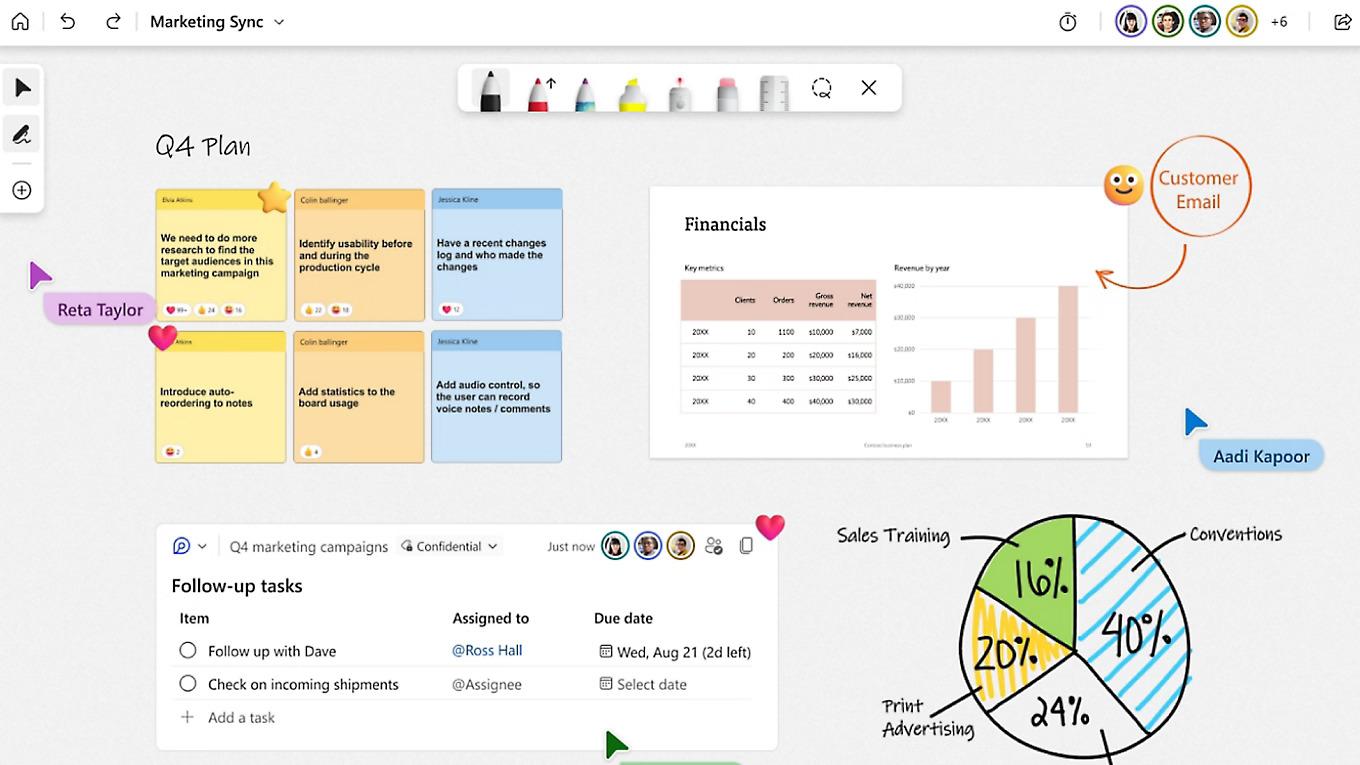
Microsoft Whiteboard is the ideal Miro alternative for organizations already invested in the Microsoft 365 ecosystem. It integrates directly with Microsoft Teams, OneDrive, Outlook, and other Microsoft applications, enabling distributed teams to brainstorm without adopting an entirely new collaboration platform.
The application provides an infinite canvas where users can sketch ideas, create sticky notes, draw diagrams, and collaborate live during meetings.
While it doesn’t offer the extensive facilitation features found in Miro or Mural, Microsoft Whiteboard delivers everything many organizations need for everyday brainstorming and meeting collaboration—particularly since it’s included with Microsoft accounts.
Its greatest advantage is convenience. Teams using Microsoft Teams can launch a Whiteboard instantly during meetings, eliminating the friction of switching to another application.
Best features
- Infinite digital canvas
- Deep Microsoft Teams integration
- Real-time multi-user collaboration
- Sticky notes and ink support
- Shape recognition
- Template gallery
- Cloud synchronization through Microsoft 365
- Cross-device availability
Pros
- Free for Microsoft users
- Excellent Teams integration
- Very easy to use
- Works across desktop, browser, and mobile
- Strong handwriting support
Cons
- Smaller template library than Miro
- Limited advanced workshop tools
- Not ideal for complex enterprise facilitation
- Fewer third-party integrations
Pricing
Microsoft Whiteboard is free with a Microsoft account and is also included with eligible Microsoft 365 subscriptions.
Ratings & Reviews
- G2: 4.0/5
- Microsoft App Store: Highly rated by Microsoft ecosystem users
- Particularly recommended for organizations already standardized on Microsoft 365.
6. Figma
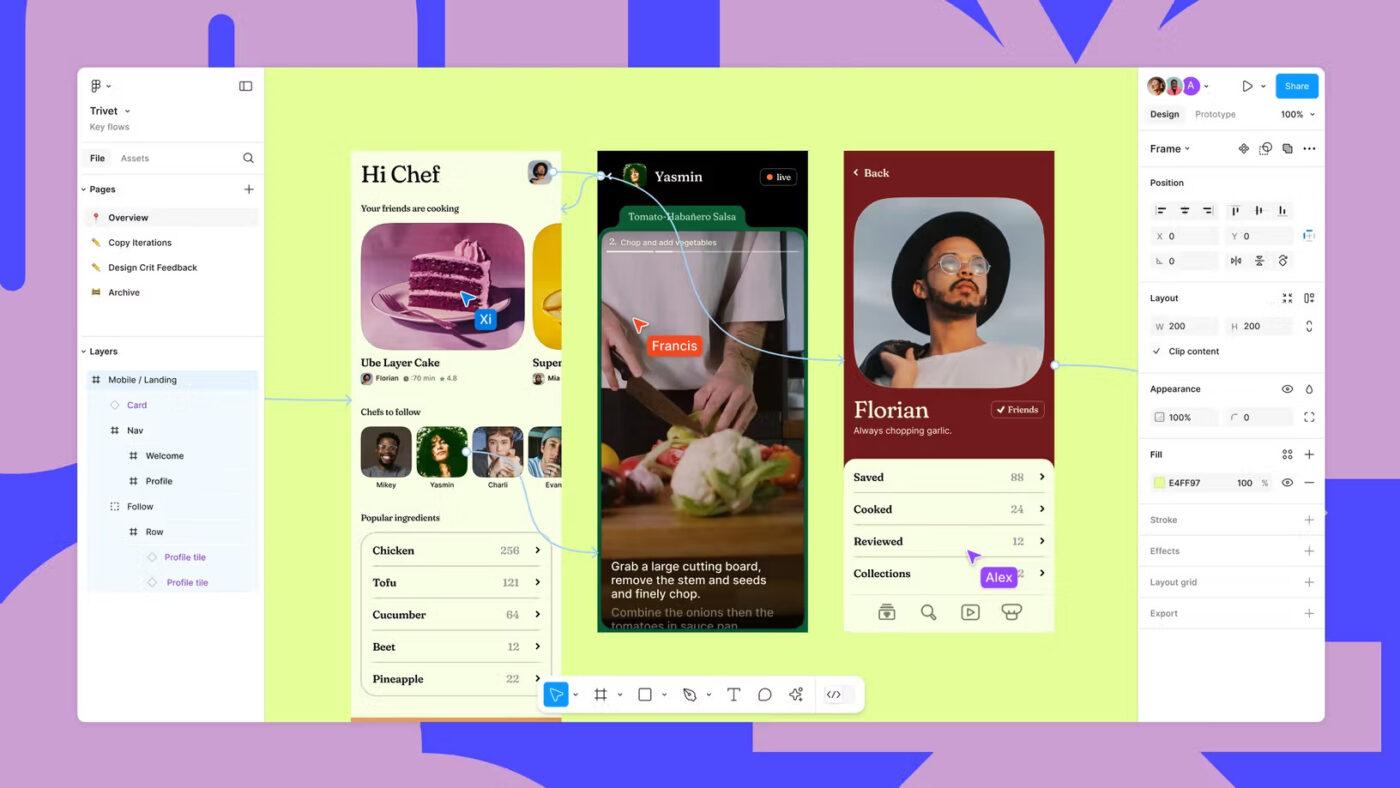
Although Figma is best known as an interface and product design platform, it has evolved into a powerful collaborative workspace that extends well beyond UI/UX design. With real-time multiplayer editing, prototyping, wireframing, and built-in whiteboarding through FigJam, Figma has become a practical alternative to Miro for product teams, designers, and developers.
Unlike traditional whiteboard software, Figma enables teams to move seamlessly from brainstorming to high-fidelity mockups without switching tools. This streamlined workflow is especially valuable for product development teams that want to transform ideas into interactive prototypes quickly.
Beyond design, Figma supports collaborative planning, user journey mapping, design systems, stakeholder reviews, and developer handoff, making it one of the most versatile collaboration platforms available today.
Best features
- Real-time collaborative design and editing
- Interactive prototyping
- Wireframing and UI/UX design tools
- Built-in FigJam whiteboards
- Shared design systems and component libraries
- Developer handoff with code inspection
- AI-powered design assistance
- Extensive plugin ecosystem
- Version history and cloud collaboration
Pros
- Excellent for product and design teams
- Industry-leading collaborative editing
- Seamless transition from brainstorming to design
- Large community template library
- Works directly in the browser
- Powerful plugin marketplace
Cons
- Primarily built for design rather than general brainstorming
- Advanced features require paid plans
- Can feel overwhelming for non-design users
Pricing
- Starter: Free
- Professional: $5 per seat/month
- Organization: $5 per seat/month
- Enterprise: Custom pricing
Ratings & Reviews
- G2: 4.7/5
- Capterra: 4.7/5
- GetApp: 4.7/5
7. Excalidraw
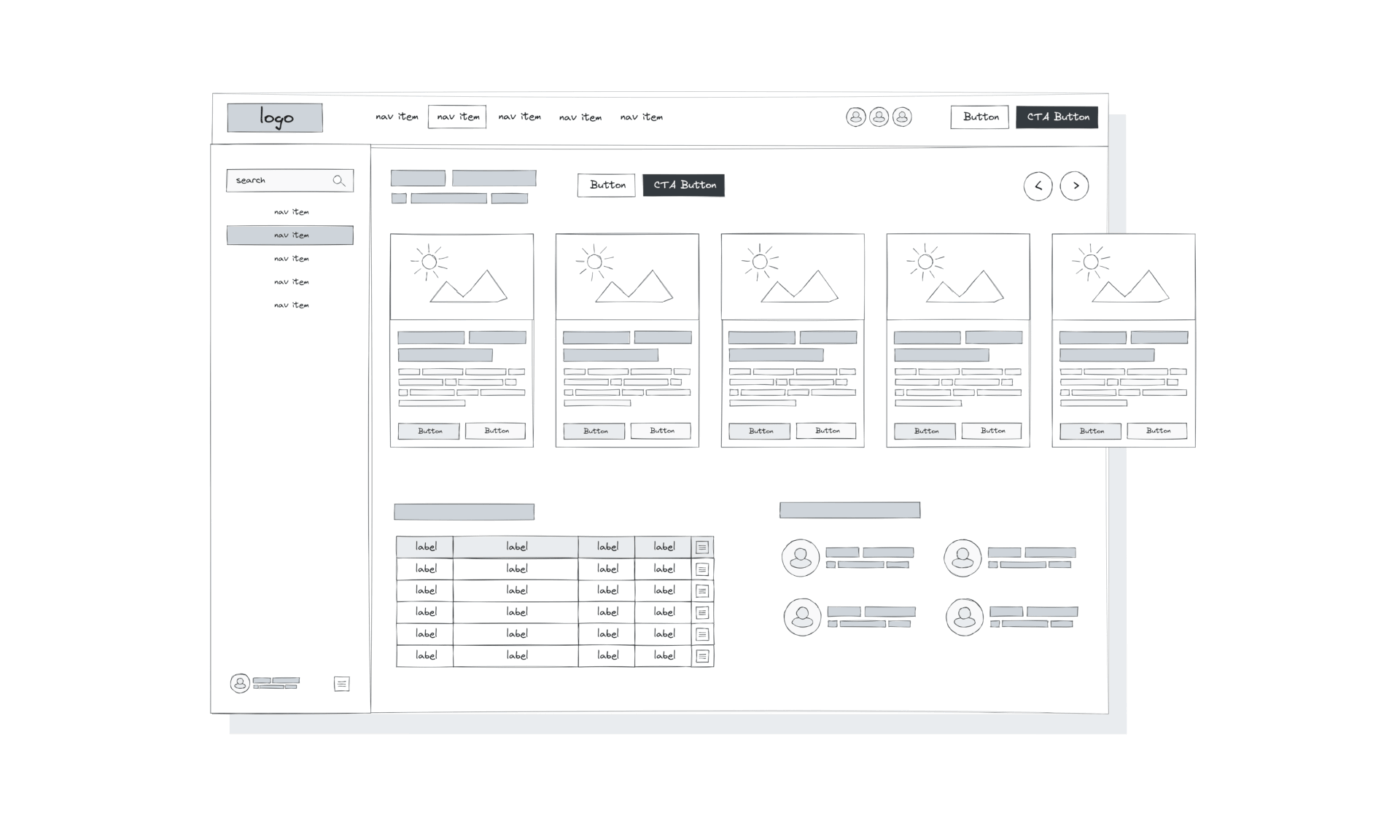
If you’re looking for a lightweight, distraction-free alternative to Miro, Excalidraw is an excellent choice. Unlike feature-heavy collaboration platforms, Excalidraw focuses on simplicity, speed, and an intuitive hand-drawn drawing experience.
The application is particularly popular among developers, software architects, educators, and technical teams who need to sketch diagrams, system architectures, flowcharts, or brainstorming sessions without navigating a complex interface.
One of Excalidraw’s biggest advantages is that it’s open source and privacy-friendly. Users can self-host the application, collaborate in real time, and create diagrams without requiring extensive setup or expensive subscriptions.
While it doesn’t include advanced project management or enterprise workshop tools, its clean interface makes it one of the fastest whiteboard applications for visual thinking.
Best features
- Infinite canvas
- Hand-drawn diagram style
- Real-time collaboration
- End-to-end encrypted collaboration sessions
- Open-source platform
- Self-hosting support
- Library of reusable components
- Export to PNG, SVG, and JSON
- Keyboard shortcuts for faster diagramming
Pros
- Completely free for most users
- Extremely lightweight and fast
- Easy to learn
- Strong privacy features
- Great for developers and educators
- Active open-source community
Cons
- Limited business workflow features
- Smaller template collection
- No built-in project management
- Fewer enterprise collaboration tools
Pricing
- Free (Open Source)
- Excalidraw Plus: Starts around $7 per user/month for cloud storage and additional collaboration features.
Ratings & Reviews
- G2: 4.6/5
- Highly rated by developers and engineering teams on GitHub and Product Hunt.
8. draw.io (diagrams.net)
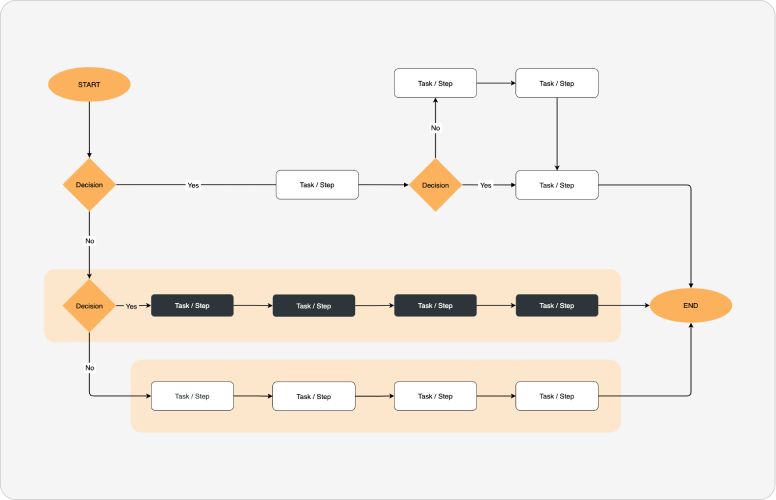
For teams focused primarily on technical diagrams rather than brainstorming, draw.io (now known as diagrams.net) remains one of the strongest free Miro alternatives available.
Instead of emphasizing sticky notes and workshop facilitation, diagrams.net specializes in professional diagramming, including flowcharts, UML diagrams, ER diagrams, network architectures, BPMN models, floor plans, and software engineering documentation.
Because it’s completely free and open source, it’s widely adopted by IT teams, software developers, engineers, and enterprise architects. It also integrates with popular cloud storage platforms such as Google Drive, OneDrive, Dropbox, GitHub, and GitLab, allowing users to store diagrams wherever they prefer.
Its extensive shape libraries and customization options make it one of the most capable diagramming tools without requiring a paid subscription.
Best features
- Completely free and open source
- Professional diagramming tools
- Flowcharts and UML diagrams
- Network and cloud architecture diagrams
- Google Drive, OneDrive, Dropbox, GitHub, and GitLab integration
- Offline desktop application
- Large shape library
- Import and export multiple file formats
Pros
- No licensing cost
- Powerful diagramming capabilities
- Cross-platform availability
- Strong cloud storage integration
- Excellent for technical documentation
Cons
- Less suitable for collaborative workshops
- Interface feels more technical
- Limited brainstorming features
- Fewer collaboration tools than Miro
Pricing
- Free
Ratings & Reviews
- G2: 4.7/5
- Capterra: 4.6/5
9. AFFiNE
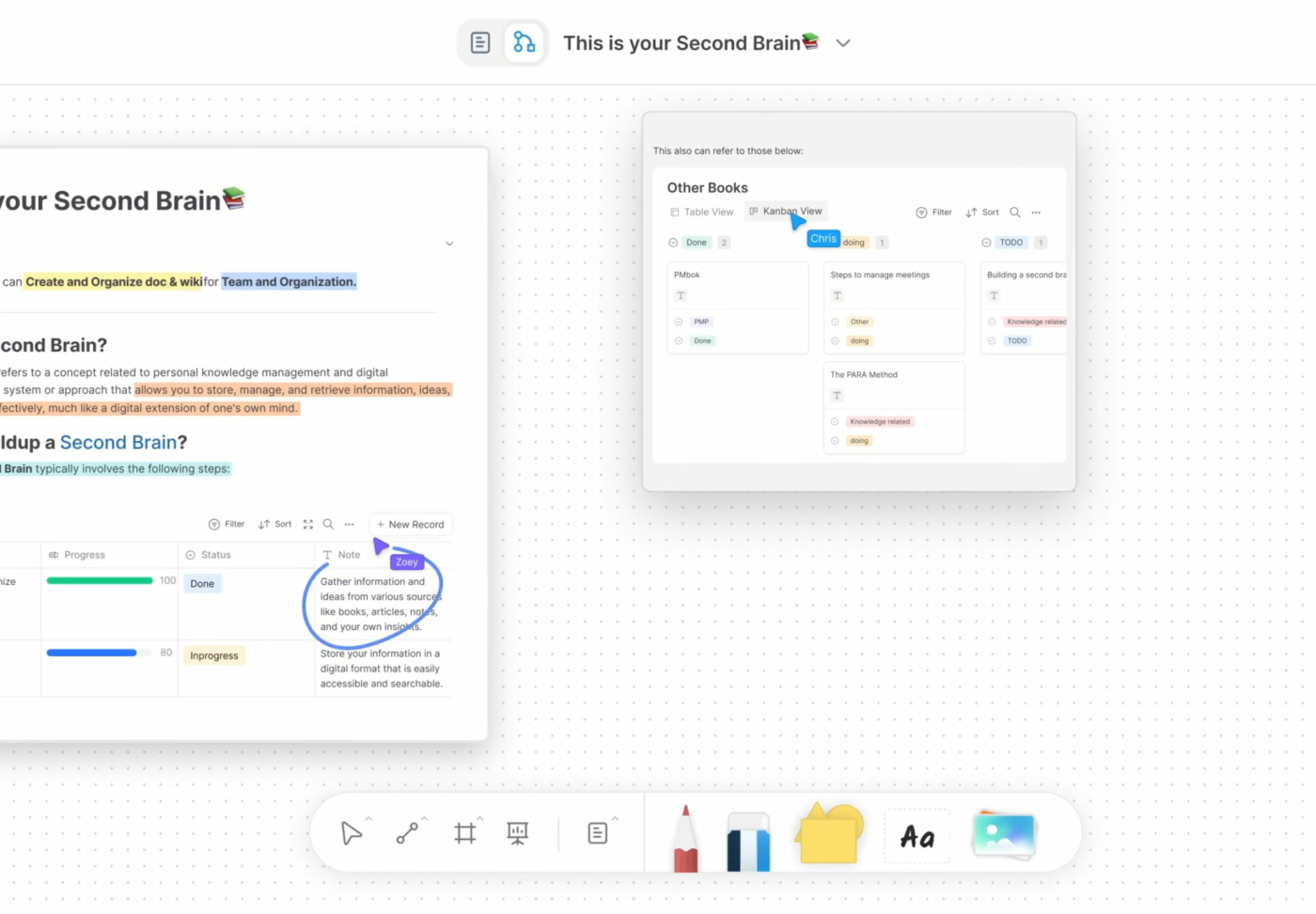
AFFiNE is a modern open-source workspace that combines documents, whiteboards, databases, and knowledge management into a single platform. Rather than functioning solely as a digital whiteboard, it provides an integrated environment where teams can brainstorm ideas, write documentation, organize projects, and manage structured information.
This “docs + whiteboard + database” approach makes AFFiNE particularly attractive for startups, researchers, students, and knowledge workers seeking an alternative to juggling multiple productivity applications.
Its offline support, local-first architecture, and growing AI capabilities also appeal to users who prioritize ownership of their data while maintaining a modern collaborative experience.
Although still maturing compared to established competitors, AFFiNE continues to add new features rapidly through its active open-source community.
Best features
- Whiteboards and visual collaboration
- Rich-text document editor
- Database-style organization
- Local-first architecture
- AI-assisted writing and organization
- Knowledge management workspace
- Open-source platform
- Cross-platform synchronization
- Markdown support
Pros
- Combines notes, docs, and whiteboards
- Modern user interface
- Open source
- Active development community
- Strong data ownership
- Suitable for personal and team knowledge management
Cons
- Smaller ecosystem than established competitors
- Some advanced enterprise features are still evolving
- Limited third-party integrations compared to Miro
Pricing
- Free
- Paid cloud plans available for additional storage and collaboration features.
- Enterprise pricing available upon request.
Ratings & Reviews
- Product Hunt: Highly rated by early adopters
- Growing popularity among open-source productivity communities
10. Conceptboard
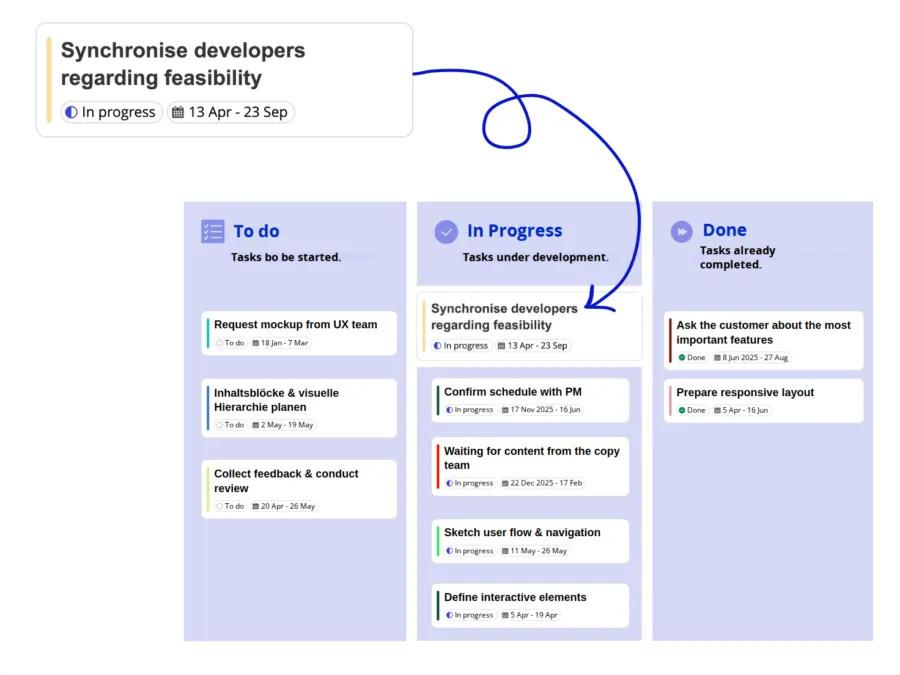
Conceptboard is a cloud-based online whiteboard designed specifically for remote collaboration, visual project planning, and distributed teamwork. It combines brainstorming, document review, diagramming, and feedback collection within a secure collaborative workspace.
Unlike many competitors that primarily target product teams, Conceptboard is widely used by consulting firms, education providers, engineering organizations, and enterprises that require structured collaboration with strong security and compliance controls.
Its asynchronous collaboration features allow stakeholders to leave comments, annotations, and visual feedback even when they aren’t working simultaneously, making it particularly useful for globally distributed teams.
Conceptboard also emphasizes GDPR compliance, enterprise security, and administrative controls, making it a compelling option for organizations handling sensitive business information.
Best features
- Infinite online whiteboards
- Real-time and asynchronous collaboration
- Visual commenting and annotations
- Presentation mode
- Workshop templates
- Task assignment
- Version history
- GDPR-compliant security
- Microsoft Teams, Jira, and Slack integrations
Pros
- Excellent for remote teams
- Strong collaboration and feedback tools
- Enterprise-grade security
- Easy sharing with clients
- Good template collection
- Reliable performance on large boards
Cons
- Smaller integration ecosystem than Miro
- Advanced features require paid plans
- Interface can feel dated compared to newer competitors
Pricing
- Free
- Premium: Starts at $6 per user/month
- Business: Starts at $9.50 per user/month
- Enterprise: Custom pricing
Ratings & Reviews
- G2: 4.6/5
- Capterra: 4.6/5
Conceptboard is particularly well-suited for organizations that prioritize secure visual collaboration, remote workshops, and structured team communication without the complexity of a full project management platform.
Is Paying for Miro Worth It, or Should You Switch?
Miro remains one of the most capable online whiteboard platforms in 2026. Its polished interface, extensive template library, AI-powered collaboration features, and broad integration ecosystem make it an excellent choice for product teams, designers, consultants, and enterprise organizations.
However, that doesn’t automatically make it the best choice for every team.
As your organization grows, Miro’s per-user pricing can become a significant expense. While the platform continues to add new capabilities, many businesses end up paying for advanced features they rarely use. Others discover that they need more than just a digital whiteboard—they want project management, documentation, CRM, workflow automation, or specialized diagramming in the same workspace.
Before renewing your subscription, ask yourself these questions:
- Does your team mainly brainstorm ideas, or do you also manage projects afterward?
- Are you paying for advanced workshop features that go unused?
- Would a more generous free plan meet your current needs?
- Does your team require technical diagramming instead of freeform collaboration?
- Are you already committed to ecosystems like Microsoft 365 or Figma?
If your answer to any of these questions is “yes,” switching to another platform may provide better value.
For example:
- FigJam is an excellent choice for design teams already working in the Figma ecosystem.
- Mural offers superior facilitation tools for remote workshops and enterprise brainstorming.
- Lucidspark is ideal for organizations that frequently move from brainstorming to technical diagrams.
- Microsoft Whiteboard works best for businesses using Microsoft Teams and Microsoft 365.
- Excalidraw and draw.io (diagrams.net) are outstanding free and open-source alternatives for developers, engineers, and technical documentation.
- AFFiNE combines notes, whiteboards, and knowledge management into a modern open-source workspace.
- Conceptboard excels in secure collaboration and distributed teamwork.
If you’re looking for more than just an online whiteboard, an all-in-one platform can often provide greater long-term value. Instead of paying separately for brainstorming, project management, documentation, CRM, and collaboration software, you can centralize these workflows in a single workspace.
Ultimately, paying for Miro is worthwhile if your team relies heavily on its workshop facilitation features, enterprise governance, and mature collaboration ecosystem. But if you’re searching for better pricing, a more specialized solution, or broader work management capabilities, switching to one of the alternatives on this list can help reduce software costs while improving team productivity.
Which Miro Alternative Should You Pick?
The right Miro alternative depends on how your team collaborates, the type of work you manage, and the tools you already use every day. Rather than choosing the platform with the longest feature list, focus on the one that aligns with your workflow and business goals.
Here’s a quick recommendation based on different use cases:
| If you need… | Choose… |
|---|---|
| The best all-in-one collaboration platform | Corexta |
| The best option for design and UX teams | FigJam |
| Enterprise workshop facilitation | Mural |
| Brainstorming plus professional diagrams | Lucidspark |
| Microsoft ecosystem integration | Microsoft Whiteboard |
| Collaborative product design | Figma |
| Free open-source whiteboard | Excalidraw |
| Technical diagrams and flowcharts | draw.io (diagrams.net) |
| Knowledge management with whiteboards | AFFiNE |
| Secure collaboration for remote teams | Conceptboard |
Why Corexta Is Our Top Recommendation
If your team only needs a digital whiteboard for occasional brainstorming, almost any tool on this list can get the job done. But modern businesses often require much more than visual collaboration.
That’s where Corexta stands out.
Instead of treating whiteboarding as a standalone feature, Corexta integrates it into a complete work management platform. Teams can brainstorm ideas, assign tasks, manage projects, organize documentation, collaborate across departments, track customer relationships, and automate workflows—all without switching between multiple applications.
This unified approach offers several advantages:
- Reduces software costs by replacing multiple tools with one platform.
- Keeps brainstorming, project execution, and documentation connected.
- Improves collaboration across product, marketing, sales, HR, and operations teams.
- Eliminates the need to manually transfer ideas from whiteboards into project management software.
- Scales easily for startups, agencies, and growing businesses.
For organizations looking to streamline their operations while maintaining a collaborative environment, Corexta offers one of the most well-rounded alternatives to Miro in 2026.
That said, there’s no single solution that’s perfect for everyone. Design-focused teams may prefer FigJam, enterprise facilitators may lean toward Mural, and engineering teams may find draw.io or Excalidraw better suited to their technical workflows.
The best choice ultimately depends on your team’s priorities, budget, and long-term collaboration needs. Try Corexta free today!
Miro Alternatives FAQ
Is there a free Miro alternative?
Yes. Several excellent Miro alternatives offer generous free plans, and some are completely free to use.
Some of the best free options include:
- FigJam – Ideal for designers and collaborative brainstorming.
- Microsoft Whiteboard – Free with a Microsoft account.
- Excalidraw – Open source with unlimited basic functionality.
- draw.io (diagrams.net) – Completely free for professional diagramming.
- AFFiNE – Open-source workspace for notes, whiteboards, and knowledge management.
- Corexta – Offers a free plan for teams looking for visual collaboration alongside project management and business tools.
If you’re an individual, student, startup, or small team, these platforms provide plenty of functionality without requiring a paid subscription.
Is Miro free? And what are the limits of its free plan?
Yes. Miro offers a free plan that allows users to explore its core whiteboarding features, making it suitable for individuals, students, and small teams.
However, compared to paid plans, the free tier has several limitations. These may include restrictions on the number of editable boards, access to premium templates, advanced collaboration tools, AI features, administrative controls, and enterprise-level security options.
As your team grows or requires more advanced collaboration capabilities, upgrading to a paid plan may become necessary.
Why is Miro so expensive for growing teams?
Miro uses a per-user pricing model, which works well for small teams but can become costly as organizations scale.
In addition to user licensing, many advanced capabilities—such as enhanced security, governance, enterprise administration, AI-powered features, and premium integrations—are only available on higher-tier plans.
For companies with dozens or hundreds of collaborators, these subscription costs can add up quickly.
Many growing businesses choose alternatives because they:
- Offer more generous free plans.
- Include additional business features in the base price.
- Provide better value for larger teams.
- Combine whiteboarding with project management, documentation, or CRM, reducing the need for multiple software subscriptions.
Evaluating your team’s actual usage can help determine whether Miro’s premium features justify the investment.
Are there open-source Miro alternatives?
Absolutely.
Several open-source platforms provide excellent alternatives for users who prioritize transparency, customization, and data ownership.
Popular options include:
- Excalidraw – Lightweight online whiteboard with real-time collaboration.
- draw.io (diagrams.net) – Professional diagramming software that’s completely free and open source.
- AFFiNE – A modern open-source workspace combining documents, whiteboards, and databases.
These tools are particularly appealing to developers, technical teams, educational institutions, and organizations that prefer self-hosted or privacy-focused software.
What is the difference between Miro and Mural?
Although Miro and Mural appear similar at first glance, they target slightly different collaboration styles.
Miro is designed as a versatile visual collaboration platform suitable for brainstorming, planning, diagramming, product development, workshops, and team collaboration across many industries. It offers a broad ecosystem of integrations, templates, and AI-powered features.
Mural, on the other hand, places a stronger emphasis on structured workshop facilitation. It includes advanced meeting controls, private mode, voting sessions, timers, participant management, and guided collaboration tools that help facilitators run highly organized remote workshops.
In general:
- Choose Miro if you want an all-purpose visual collaboration platform with broad flexibility.
- Choose Mural if your organization regularly conducts facilitated workshops, design thinking sessions, agile retrospectives, or large-scale collaborative meetings.
Both are excellent platforms, but the better choice depends on how your team collaborates on a daily basis.
Read More: 7 Best Prioritization Tools in 2026