

monday.com remains one of the most recognizable work management platforms in 2026, helping teams organize projects, automate workflows, and collaborate across departments. Its visual interface and flexible project views have made it a popular choice for businesses of all sizes, from startups to large enterprises.
However, as organizations grow and their workflows become more complex, many teams discover that monday.com may not be the perfect fit for every situation. Some companies need more advanced project management capabilities, while others want a simpler interface, stronger database functionality, better reporting, or more affordable pricing. Additionally, businesses are increasingly looking for platforms that combine project management, CRM, team collaboration, documentation, and automation in a single workspace.
Fortunately, the project management software market has evolved significantly over the past few years. Today’s alternatives offer specialized features for different use cases, whether you’re managing marketing campaigns, software development projects, client work, or company-wide operations.
In this guide, we’ll explore the best monday.com alternatives and competitors in 2026, comparing their strengths, limitations, pricing, and ideal use cases to help you find the right platform for your team.
monday.com Alternatives at a Glance
| Tool | Best For | Free Plan | Key Strength |
|---|---|---|---|
| Corexta | Teams that want one free workspace | Yes | Combines project management, CRM, collaboration, and business operations in one platform |
| Trello | Small teams that only need Kanban | Yes | Extremely simple visual task management |
| Asana | A two-person team that wants a built-in project structure | Yes | Strong task organization and workflow management |
| Smartsheet | Spreadsheet-oriented teams and operations management | Limited | Powerful grid-based project tracking |
| Airtable | Teams managing data-heavy workflows | Yes | Flexible database and project management hybrid |
Why Teams Are Leaving monday.com in 2026
While monday.com continues to be a capable project management platform, many businesses are exploring alternatives due to changing operational needs, growing teams, and evolving workflow requirements.
Rising Costs as Teams Scale
One of the most common concerns among growing organizations is pricing. While monday.com offers multiple plans, costs can increase significantly as companies add more users and require advanced features.
Many businesses start with a small team and later discover that scaling across departments requires higher-tier subscriptions. As a result, organizations often evaluate alternatives that provide more functionality within a single plan or offer generous free tiers for expanding teams.
Feature Fragmentation Across Multiple Tools
Modern businesses rarely rely on project management alone. They also need CRM functionality, document management, team communication, workflow automation, client management, reporting, and resource planning.
Many teams find themselves using monday.com alongside several additional tools to fill operational gaps. This creates data silos, increases software expenses, and adds complexity to daily workflows. As a result, companies are increasingly searching for all-in-one platforms that centralize operations within a single workspace.
Advanced Project Management Requirements
As organizations mature, their project management processes often become more sophisticated. Teams may require:
- Dependency management
- Resource allocation
- Workload balancing
- Portfolio management
- Cross-project reporting
- Advanced workflow automation
While monday.com supports many project management features, some organizations prefer alternatives that provide deeper planning and execution capabilities for complex projects.
Limited Database Flexibility
Businesses that manage large amounts of operational data often need more than traditional project boards. Marketing teams, sales departments, inventory managers, and operations specialists frequently require customizable databases that can handle complex relationships between records.
For these use cases, platforms with stronger database capabilities can provide greater flexibility and scalability than standard project management tools.
Growing Demand for AI-Powered Workflows
Artificial intelligence has become a major factor in workplace productivity throughout 2026. Teams increasingly expect software platforms to assist with:
- Task creation
- Workflow recommendations
- Content generation
- Project summaries
- Process automation
- Data analysis
Organizations evaluating their software stack often prioritize solutions that are rapidly expanding their AI capabilities and integrating intelligent automation throughout the platform.
Steeper Learning Curves for New Team Members
Although monday.com is known for its visual interface, some organizations report that highly customized workspaces can become difficult for new employees to navigate.
As workflows grow more complex, onboarding can require additional training and documentation. Businesses seeking faster adoption often look for alternatives that provide simpler interfaces, clearer project structures, or prebuilt workflow templates.
Need for Industry-Specific Workflows
Different industries have unique operational requirements. Agencies, software companies, construction firms, consultants, marketing teams, and service businesses often need workflows tailored to their specific processes.
Rather than adapting generic project management tools, many organizations prefer platforms designed to support their industry’s day-to-day operations with specialized features and templates.
Greater Focus on Operational Efficiency
In 2026, businesses are paying closer attention to software consolidation. Instead of maintaining separate solutions for project management, CRM, collaboration, documentation, and reporting, companies increasingly prefer platforms that can handle multiple functions under one roof.
This shift is driving demand for alternatives that reduce tool sprawl, simplify workflows, and improve visibility across the entire organization.
Ultimately, teams are not necessarily leaving monday.com because it lacks capabilities. Rather, many organizations are seeking platforms that better align with their budget, workflow complexity, collaboration needs, and long-term business goals. The best alternative depends on how your team works, what challenges you’re trying to solve, and which features deliver the greatest value for your organization.
Best monday.com Alternatives & Competitors
1. Corexta: Best for Teams That Want One Free Workspace
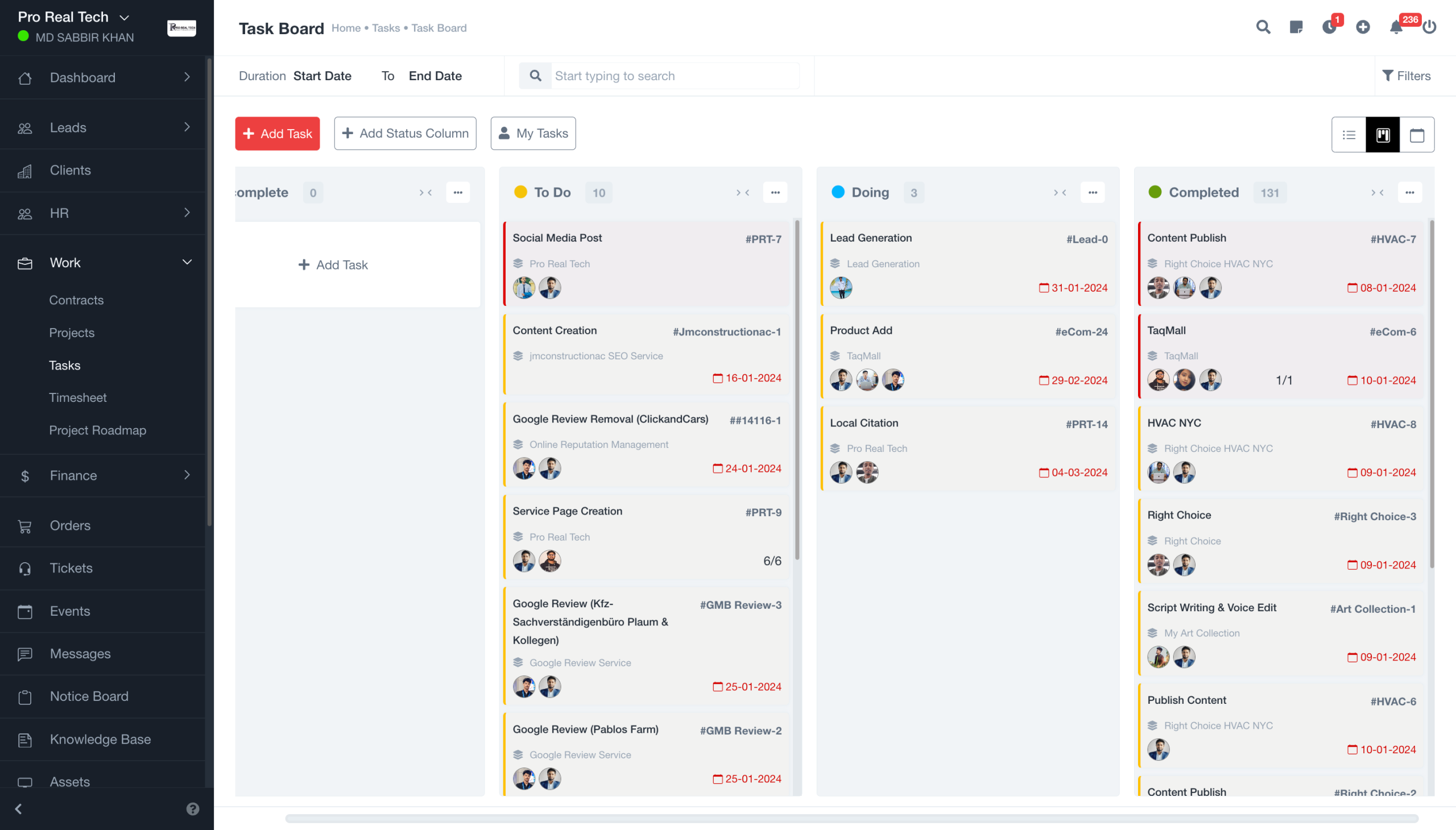
Corexta is an all-in-one business management platform designed for teams that want to manage projects, clients, communication, and daily operations from a single workspace. Unlike many project management tools that focus primarily on task tracking, Corexta aims to eliminate the need for multiple subscriptions by combining several business functions into one platform.
For startups, agencies, service businesses, consultants, and growing teams, the biggest advantage of Corexta is its ability to centralize work. Instead of switching between project management software, CRM systems, file-sharing tools, and collaboration apps, teams can keep everything in one place.
This approach makes Corexta a strong monday.com competitor, especially for organizations looking to reduce software costs and simplify their workflows.
Best Features
- Unified workspace for projects, tasks, clients, and team collaboration
- Built-in CRM for managing leads and customer relationships
- Project and task management with multiple workflow views
- Team communication and collaboration tools
- File and document management
- Workflow automation capabilities
- Reporting and performance tracking dashboards
- Client management tools for agencies and service businesses
- Free workspace suitable for startups and small teams
- Scalable architecture for growing organizations
Limitations
- Smaller third-party integration ecosystem compared to some established competitors
- Fewer enterprise-focused features than platforms targeting large corporations
- Some advanced automation capabilities may still be evolving
Pricing
| Plan | Pricing |
|---|---|
| Free Plan | $0 |
| Small Business | $9.99/user/month |
| Medium Business | $19.99/user/month |
| Enterprise | $29/user/month |
Ratings and Reviews
- G2: New and growing platform
- Capterra: Ratings continue to develop as adoption increases
Best For: Businesses looking for an affordable all-in-one workspace instead of managing multiple software subscriptions.
2. Trello: Best for Small Teams That Only Need Kanban
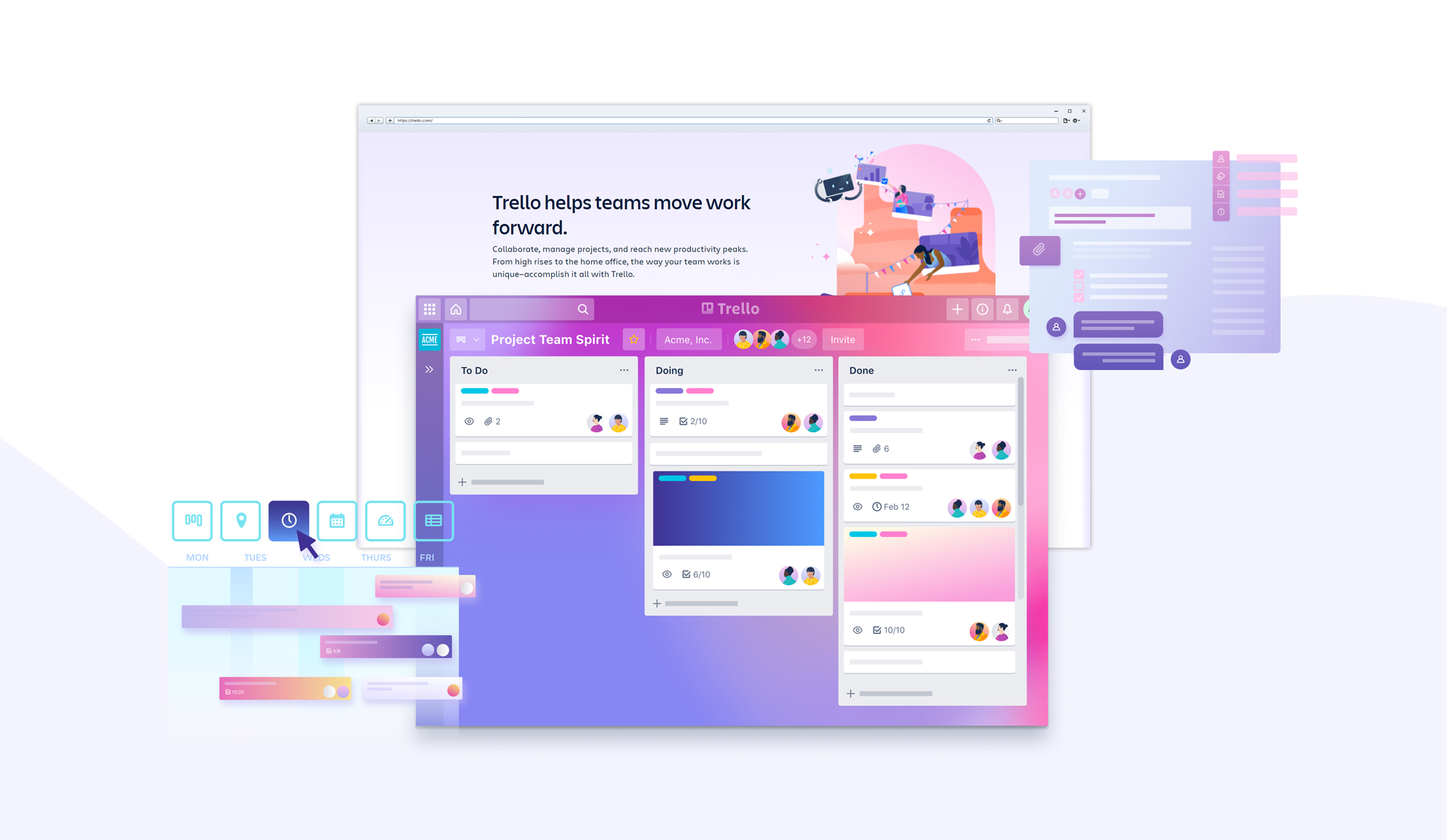
Trello remains one of the most popular project management platforms because of its simplicity. Built around the Kanban methodology, Trello allows teams to organize work using boards, lists, and cards.
Unlike monday.com, which offers a broader set of project management capabilities, Trello focuses on visual task tracking. This makes it particularly appealing to freelancers, startups, creative teams, and small businesses that want an easy-to-use solution without a steep learning curve.
The platform’s drag-and-drop interface enables users to move tasks through different workflow stages, making project progress easy to visualize.
While Trello has expanded with automation, AI features, and multiple views, its core strength remains simplicity.
Best Features
- Intuitive Kanban board interface
- Drag-and-drop task management
- Built-in Butler automation
- Calendar, Timeline, Table, and Dashboard views
- AI-powered productivity features
- Unlimited cards on all plans
- Large Power-Up ecosystem
- Easy onboarding for new users
- Mobile and desktop applications
- Strong integration with Atlassian products
Limitations
- Limited advanced project management functionality
- Not ideal for complex dependency-heavy projects
- Reporting features are less comprehensive than some competitors
- Can become difficult to manage at enterprise scale
Pricing
According to Trello’s latest pricing structure:
- Free: $0
- Standard: $5 per user/month (billed annually) or $6 monthly
- Premium: $10 per user/month (billed annually) or $12.50 monthly
- Enterprise: Starts at $17.50 per user/month (annual billing)
Ratings and Reviews
- G2: 4.4/5
- Capterra: 4.5/5
Best For: Small teams that primarily use Kanban boards and want an affordable, easy-to-learn project management solution.
3. Asana: Best for a Two-Person Team That Wants a Built-In Project Structure
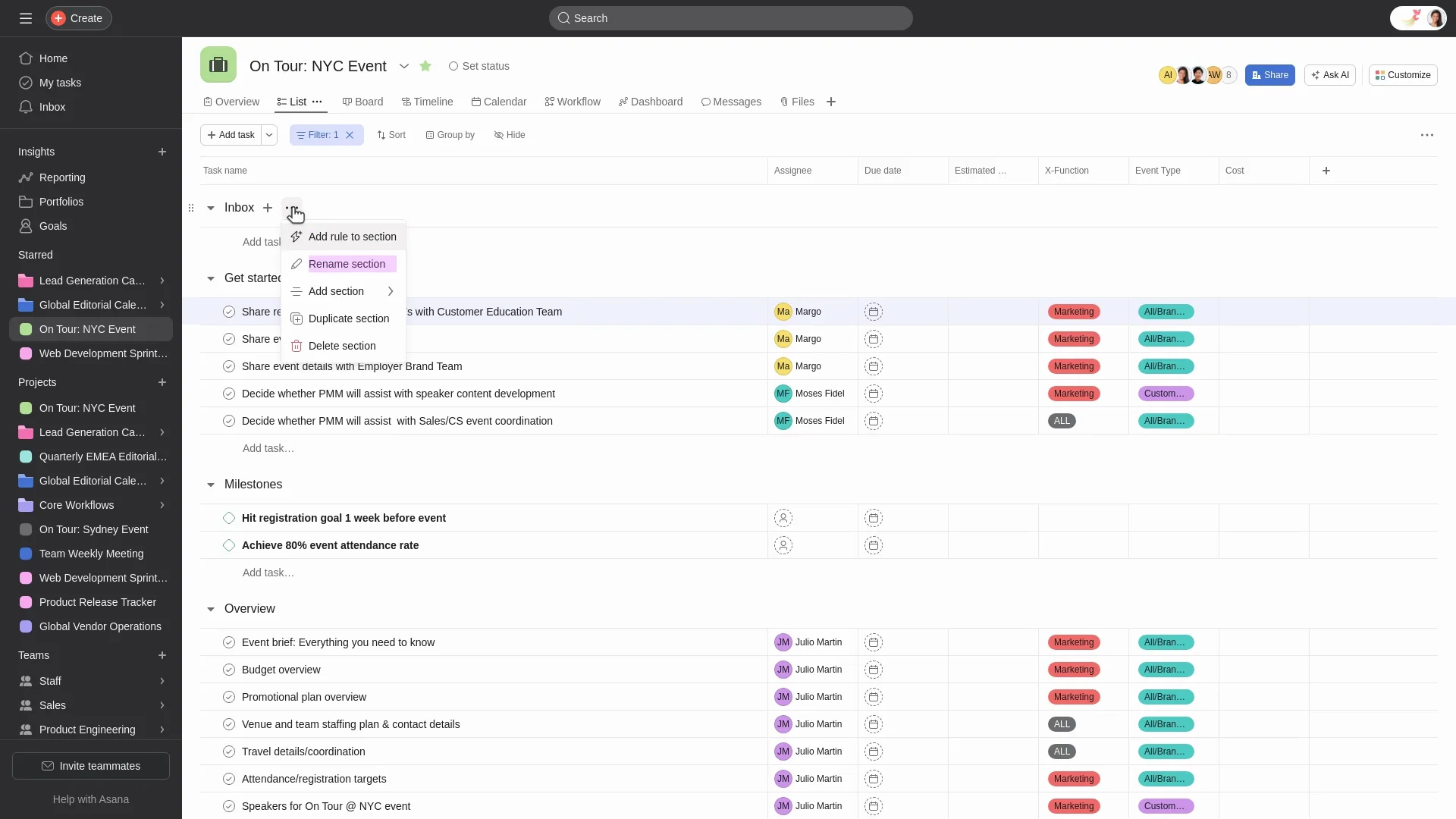
Asana is one of the strongest alternatives to monday.com for teams that need more structure around project execution. The platform helps organizations organize work through projects, tasks, subtasks, milestones, dependencies, and workflow automation.
Unlike Trello’s board-first approach, Asana focuses on building clear project plans with defined responsibilities and timelines. This makes it especially useful for marketing teams, operations departments, product managers, and professional service firms.
Asana also continues to invest heavily in AI capabilities, helping teams automate routine work and generate project insights.
For small teams that want a more guided project management experience than monday.com’s highly customizable environment, Asana is often an excellent fit.
Best Features
- Task dependencies and milestone tracking
- Timeline and Gantt-style project views
- Workflow automation builder
- Custom fields and project templates
- AI-powered project management tools
- Portfolio and workload management
- Project dashboards and reporting
- Goal tracking capabilities
- Forms and request management
- Strong collaboration features
Limitations
- Pricing increases quickly for larger teams
- Advanced reporting requires higher-tier plans
- New users may face a learning curve
- Paid plans require a minimum of two seats
Pricing
Based on Asana’s latest pricing:
- Personal: Free
- Starter: $10.99 per user/month (billed annually)
- Advanced: $24.99 per user/month (billed annually)
- Enterprise: Custom pricing
- Enterprise+: Custom pricing
Ratings and Reviews
- G2: 4.4/5
- Capterra: 4.5/5
Best For: Small teams and growing organizations that need structured project planning, automation, and accountability.
4. Smartsheet
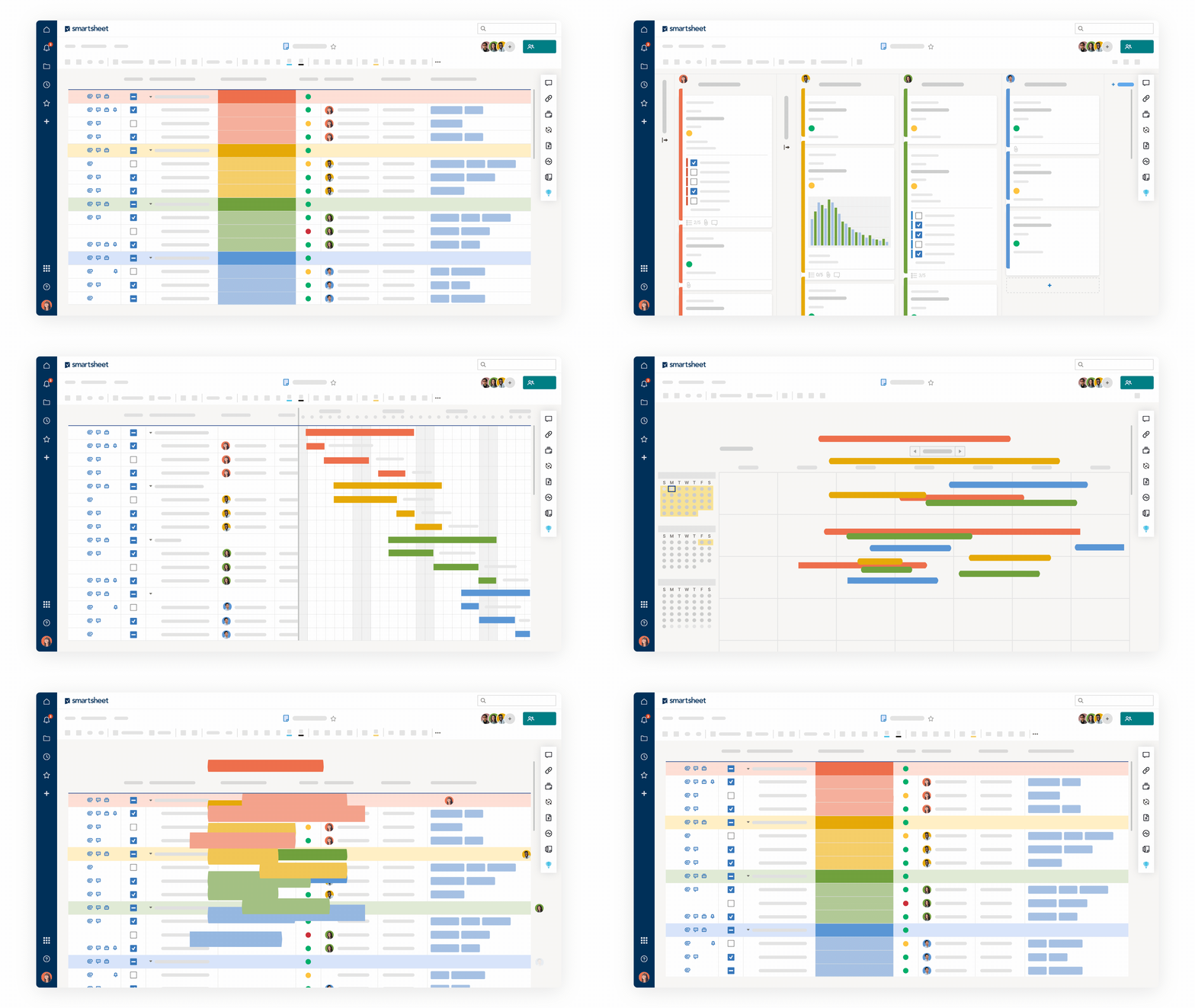
Smartsheet takes a unique approach to project management by combining spreadsheet familiarity with powerful workflow and collaboration capabilities.
For organizations that live inside spreadsheets, Smartsheet offers a natural transition from manual project tracking to a more sophisticated work management system. Teams can manage projects, resources, budgets, timelines, and operational processes without abandoning the grid-based structure many employees already understand.
Smartsheet is particularly popular among operations teams, PMOs, construction companies, engineering firms, and enterprises that manage large-scale projects.
Compared to monday.com, Smartsheet often appeals to organizations that require deeper reporting, resource management, and operational oversight.
Best Features
- Spreadsheet-style project management
- Resource allocation and capacity planning
- Automated workflows
- Advanced reporting dashboards
- Gantt charts and timeline management
- Portfolio management capabilities
- Enterprise-grade governance controls
- Extensive integrations
- Approval workflows
- Budget and operational tracking
Limitations
- Interface can feel less modern than some competitors
- Higher learning curve for non-spreadsheet users
- Advanced functionality often requires premium plans
- Less visually intuitive than Kanban-focused tools
Pricing
Current Smartsheet pricing includes:
- Free: Available for basic use
- Pro: Starting around $9 per user/month (annual billing)
- Business: Starting around $19 per user/month (annual billing)
- Enterprise: Custom pricing
- Advanced Work Management: Custom pricing
Pricing may vary based on region, contract terms, and enterprise requirements.
Ratings and Reviews
- G2: 4.4/5
- Capterra: 4.5/5
Best For: Operations teams, project management offices, and organizations that prefer spreadsheet-style work management.
5. Airtable
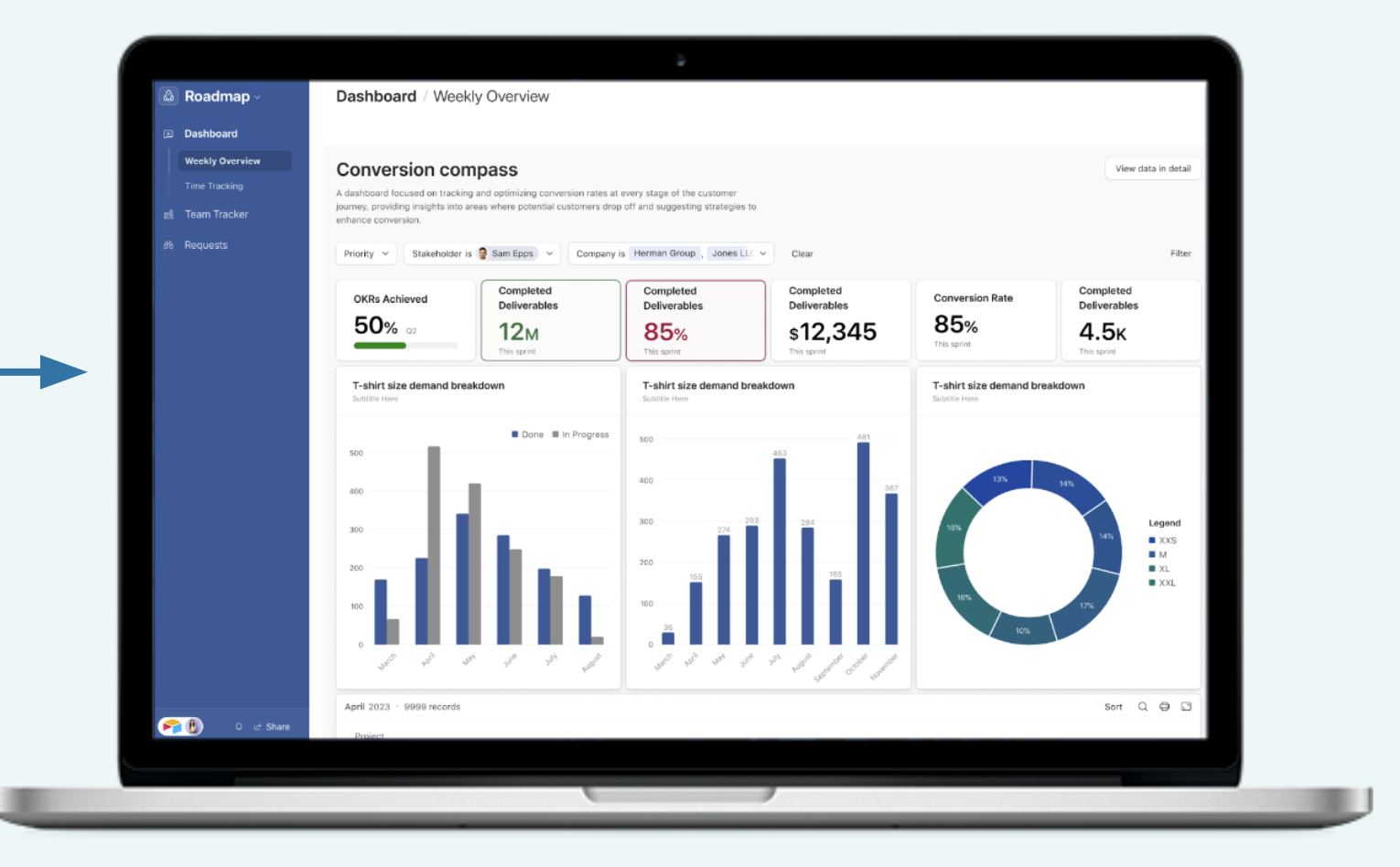
Airtable sits at the intersection of project management and database software. While monday.com focuses on workflow management, Airtable excels at organizing, relating, and analyzing large amounts of information.
The platform allows teams to create highly customizable databases that can function as project trackers, CRMs, content calendars, inventory systems, marketing hubs, and operational management platforms.
Its flexibility makes Airtable a favorite among marketing teams, content creators, operations departments, product teams, and businesses with data-heavy workflows.
For teams that feel constrained by traditional project management tools, Airtable offers significantly more customization.
Best Features
- Powerful relational database functionality
- Highly customizable workflows
- Grid, Kanban, Calendar, Timeline, and Gallery views
- No-code app-building capabilities
- Automation tools
- AI-powered workflow enhancements
- Extensive template library
- Strong reporting and filtering options
- Collaborative workspaces
- Scalable architecture for complex workflows
Limitations
- Can be overwhelming for first-time users
- Project management features are not as structured as Asana
- Advanced functionality requires higher-tier plans
- Large databases may require careful configuration
Pricing
Airtable’s latest pricing structure includes:
- Free: $0
- Team: Starting at $20 per user/month (billed annually)
- Business: Starting at $45 per user/month (billed annually)
- Enterprise Scale: Custom pricing
Ratings and Reviews
- G2: 4.6/5
- Capterra: 4.7/5
Best For: Teams that need the flexibility of a database platform combined with project management and workflow automation capabilities.
Why Corexta Become The Best Competitor
As businesses continue to consolidate their software stacks in 2026, the demand for all-in-one work management platforms has never been higher. While many project management tools excel in specific areas, teams often find themselves paying for multiple applications just to manage projects, communicate with teammates, track clients, store documents, and automate workflows. This is where Corexta stands out from the competition.
Unlike traditional project management software that focuses primarily on task management, Corexta is designed as a complete business workspace. It brings together project management, CRM, team collaboration, client management, reporting, and workflow automation into a single platform. This unified approach helps businesses reduce software costs, improve productivity, and eliminate the inefficiencies that come from constantly switching between tools.
One of Corexta’s biggest advantages is its ability to centralize operations. Many teams using project management software eventually realize they need additional solutions for customer relationship management, file sharing, communication, and business reporting. Managing multiple subscriptions not only increases expenses but also creates information silos that make collaboration more difficult. Corexta addresses this challenge by giving teams one place to manage their entire workflow.
Another reason Corexta is emerging as a strong monday.com competitor is its focus on affordability. For startups, agencies, consultants, and growing businesses, software costs can quickly become a major expense. Corexta’s free workspace option allows teams to get started without a significant financial commitment, making it an attractive solution for organizations that want enterprise-level functionality without enterprise-level pricing.
Scalability is another area where Corexta shines. Whether you’re managing a small team, running client projects, or coordinating work across multiple departments, the platform is built to grow alongside your business. Teams can start with basic task management and gradually expand into CRM, automation, reporting, and operational management as their needs evolve.
Corexta also simplifies onboarding and daily adoption. One common challenge with highly customizable project management platforms is that new users often require training before they can become productive. By offering a streamlined and unified workspace, Corexta helps teams spend less time learning software and more time getting work done.
The platform is particularly valuable for businesses that manage both internal operations and customer-facing work. Agencies can oversee client projects, service businesses can track customer relationships, and growing organizations can maintain visibility across departments without relying on disconnected systems.
In a market crowded with specialized tools, Corexta’s strength lies in its ability to combine multiple business functions into one practical solution. Instead of forcing teams to choose between project management, CRM, collaboration, or reporting software, it provides a centralized environment where everything works together.
If your team is tired of juggling multiple tools, paying for overlapping software subscriptions, or struggling with disconnected workflows, Corexta offers a smarter alternative.
Start with a free workspace, streamline your operations, and discover how an all-in-one platform can help your team collaborate better, manage projects more efficiently, and scale faster.
Try Corexta today and experience a simpler way to manage your entire business from one workspace.
Read More: Top 7 Microsoft Copilot Alternatives to Make Your Life and Workflows Easier in 2026








