

Every team says they have priorities. The challenge is that priorities often change depending on who you ask.
Product managers want to focus on customer impact. Engineering leaders care about technical feasibility and sprint capacity. Marketing teams prioritize launch deadlines and campaign performance. Executives look at revenue, risk, and strategic alignment. When everyone uses a different definition of “important,” projects stall, resources get stretched thin, and critical work gets delayed.
That is why prioritization tools have become an essential part of modern work management.
The best prioritization tools do far more than assign high, medium, or low labels to tasks. They help teams evaluate competing initiatives, apply frameworks such as RICE, MoSCoW, Impact vs. Effort, and Eisenhower Matrix, and create a shared understanding of what should happen next. Instead of relying on opinions, teams can use structured processes to make better decisions.
In 2026, prioritization software is also becoming smarter. AI-assisted recommendations, customizable scoring systems, automation workflows, and real-time reporting are helping organizations manage increasingly complex workloads without losing visibility into what matters most.
However, not every prioritization tool is built for the same type of work.
A product team managing hundreds of feature requests has very different needs from a marketing department planning campaigns or a startup founder organizing a company roadmap. Some platforms focus on sprint planning and backlog management, while others excel at visual prioritization, cross-functional alignment, or custom scoring models.
This guide examines the seven best prioritization tools in 2026 and evaluates them based on real-world jobs-to-be-done. Rather than simply listing features, we’ll look at which tool performs best for specific prioritization challenges so you can choose the platform that fits the way your team actually works.
Whether you’re managing product roadmaps, coordinating enterprise operations, planning campaigns, or organizing personal projects, there’s a prioritization tool designed for your workflow.
Which Prioritization Tool Wins for Your Job-to-be-done?
The biggest mistake teams make when evaluating prioritization software is assuming there is one universal winner.
In reality, the best prioritization tool depends entirely on what you’re trying to accomplish. The needs of a product organization handling hundreds of feature requests differ dramatically from those of a creative agency managing campaign deadlines or an engineering team running agile sprints.
Instead of asking which platform has the most features, a better question is:
Which tool is best for the specific prioritization problem you’re trying to solve?
Below are the seven strongest prioritization tools in 2026, along with the type of team that benefits most from each platform.
1. Corexta: Best for Teams That Want Prioritization Frameworks Built Into the Workspace
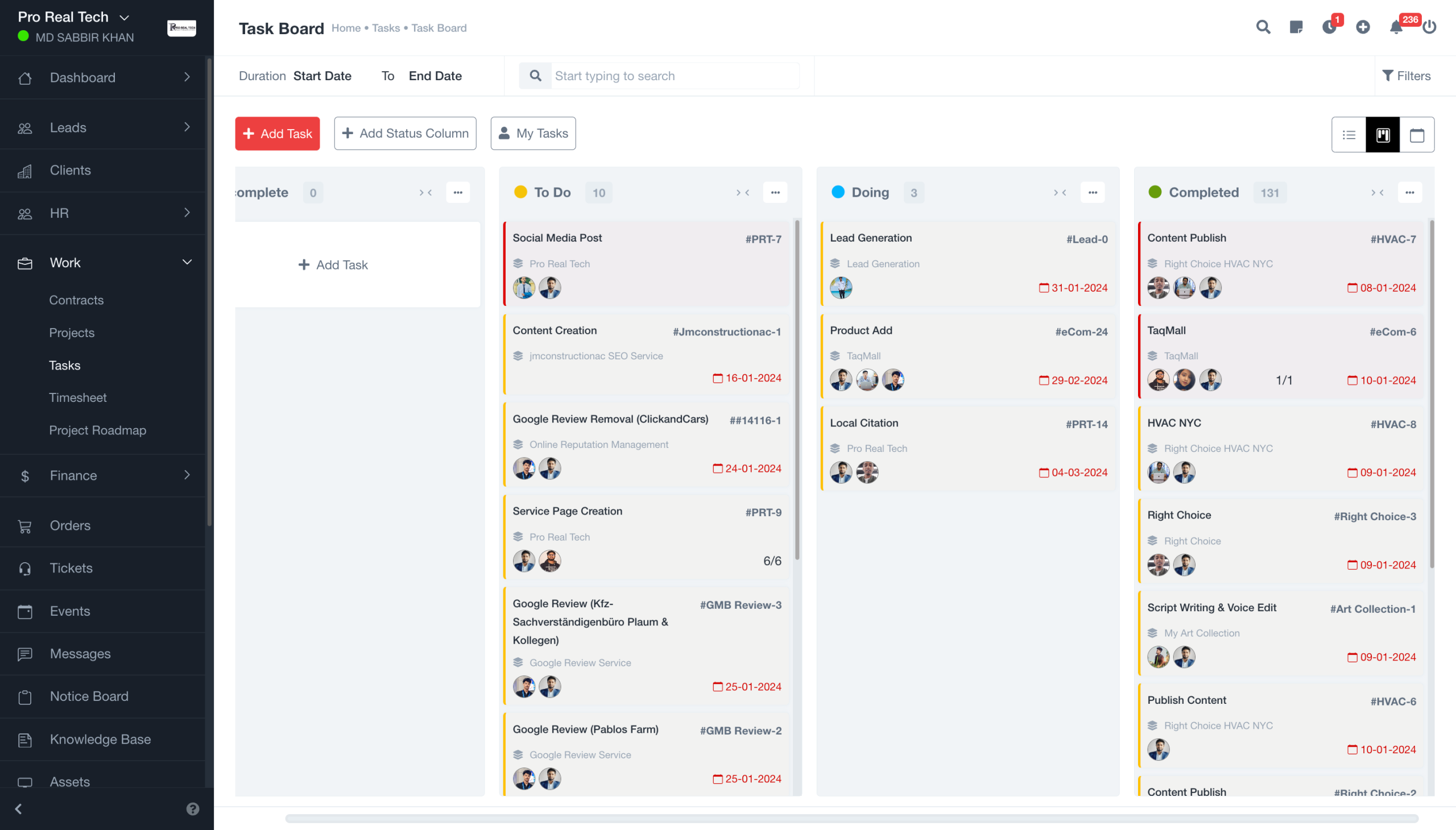
Many work management platforms offer task prioritization as an add-on. Corexta takes a different approach by making prioritization a central part of how teams organize work.
The platform is particularly effective for organizations that want to connect prioritization directly to project execution without forcing teams to switch between multiple tools.
Rather than managing priorities in spreadsheets and then manually transferring decisions into project management software, teams can evaluate, rank, and execute work from a unified environment.
This makes Corexta especially valuable for growing organizations where multiple departments need visibility into why certain initiatives are receiving resources while others are being delayed.
Teams can create custom scoring systems, organize projects by strategic value, track dependencies, and build workflows that automatically surface the most important work.
Because prioritization lives alongside tasks, projects, documentation, collaboration, and reporting, stakeholders spend less time debating priorities and more time executing them.
Best for
- Product teams
- Operations teams
- Cross-functional organizations
- Scaling startups
- Mid-sized businesses
Standout Prioritization Features
- Custom prioritization workflows
- Centralized project visibility
- Custom scoring systems
- Automated workflows
- Real-time reporting
- Cross-team collaboration
Potential Limitations
- Smaller teams may not need all available capabilities
- Advanced workflow configuration may require initial setup
2. monday.com: Best for Cross-Functional Ops Leads Who Need Everyone to Agree on What “P0” Means
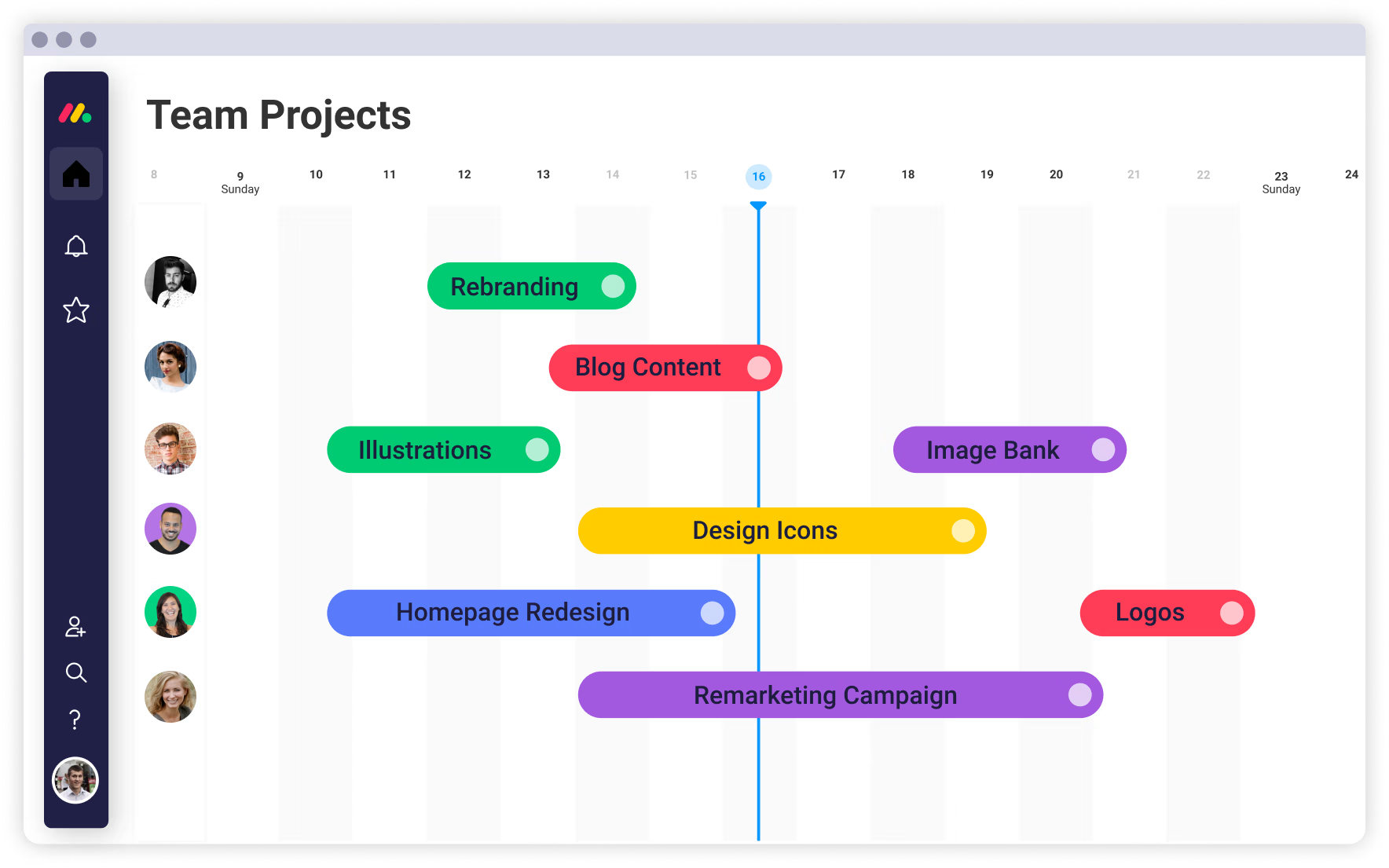
One of the most difficult prioritization challenges isn’t ranking work—it’s creating alignment across departments.
Operations leaders often struggle with conflicting priorities between product, marketing, sales, customer success, and executive stakeholders. What appears urgent to one team may seem far less important to another.
monday.com addresses this challenge through highly visual workflows and customizable project structures that make priorities visible across the organization.
Teams can create priority columns, status-based workflows, risk indicators, workload views, and automated notifications that help everyone understand what deserves attention first.
Its dashboards are particularly useful for executive reporting because they provide a shared source of truth across departments.
Organizations that need stronger operational alignment often find monday.com effective because it balances flexibility with visibility.
Best for
- Operations leaders
- Cross-functional organizations
- PMOs
- Enterprise teams
- Business operations departments
Standout Prioritization Features
- Custom workflow automation
- Executive dashboards
- Resource management tools
- Multiple project views
- Dependency tracking
- Portfolio-level visibility
Potential Limitations
- Can become complex as workflows scale
- Advanced reporting may require configuration
3. Asana: Best for Marketing and Creative Teams Running Campaign-Based Prioritization
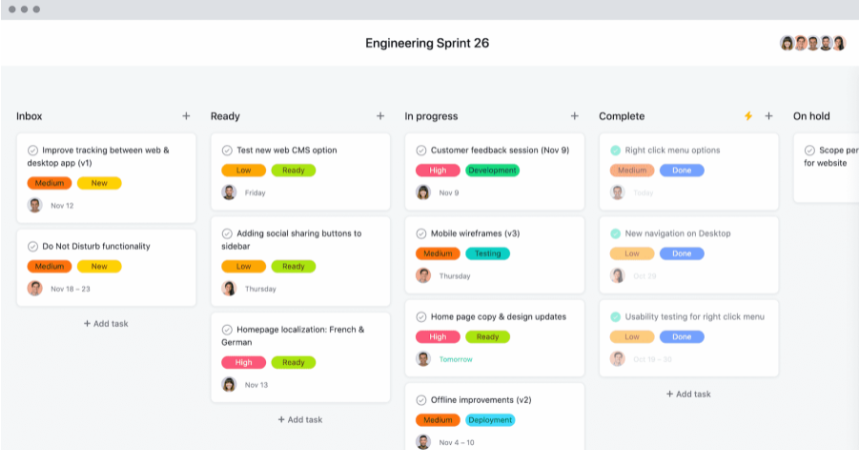
Marketing teams prioritize differently than product or engineering teams.
Instead of evaluating feature requests, they often balance campaign deadlines, content production schedules, event launches, creative approvals, and stakeholder requests.
Asana excels in these environments because it helps teams coordinate work around timelines and deliverables while maintaining visibility into shifting priorities.
The platform’s timeline views, workload management features, approval workflows, and campaign planning capabilities make it particularly useful for organizations managing large volumes of marketing activities.
Creative teams can prioritize projects based on launch dates, expected impact, available resources, or strategic objectives without losing track of dependencies.
Asana’s collaborative structure also makes it easier to manage review cycles, which are often a major source of delays in marketing operations.
Best for
- Marketing teams
- Creative agencies
- Content teams
- Brand departments
- Event planning teams
Standout Prioritization Features
- Campaign planning workflows
- Timeline views
- Approval processes
- Resource planning
- Workload management
- Cross-functional collaboration
Potential Limitations
- Less suitable for highly technical workflows
- Advanced portfolio features may require higher-tier plans
4. Jira: Best for Engineering Teams Already Living in Sprints
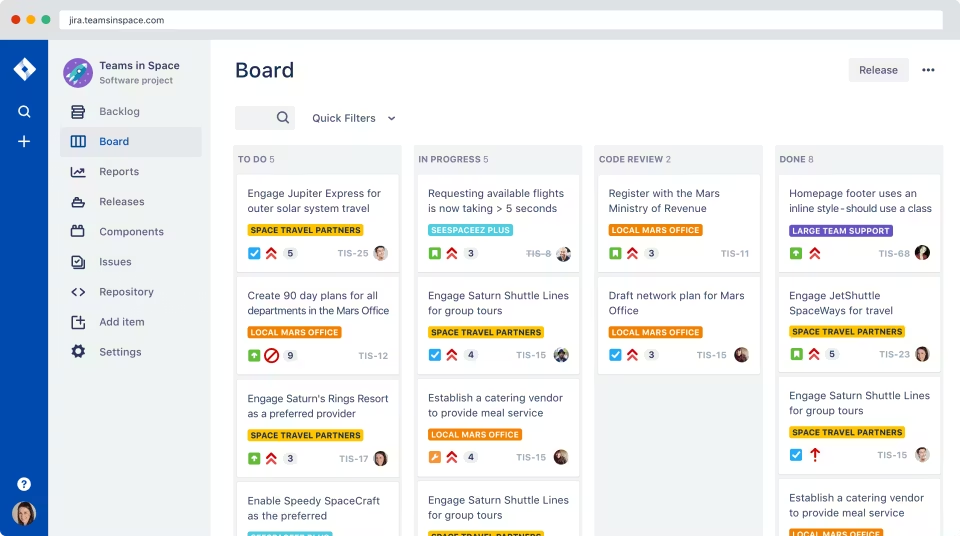
For software development teams, prioritization usually revolves around backlog management.
Engineering organizations need a system capable of evaluating bugs, technical debt, feature requests, security issues, and sprint commitments simultaneously.
Jira remains one of the strongest platforms for this type of prioritization.
Built around agile methodologies, Jira helps teams manage backlogs, organize work into sprints, assign story points, and evaluate priorities based on business value and engineering effort.
Product managers and engineering leaders can continuously refine priorities while maintaining visibility into development capacity.
Its deep integration with software development workflows makes it especially effective for teams that already use agile planning frameworks.
Best for
- Engineering teams
- Software companies
- Product development organizations
- Agile teams
- DevOps teams
Standout Prioritization Features
- Sprint planning
- Backlog management
- Story point estimation
- Agile boards
- Dependency tracking
- Release planning
Potential Limitations
- Can feel overwhelming for non-technical teams
- Learning curve for new users
5. Trello: Best for Solo Operators and Tiny Teams Who Prioritize Visually
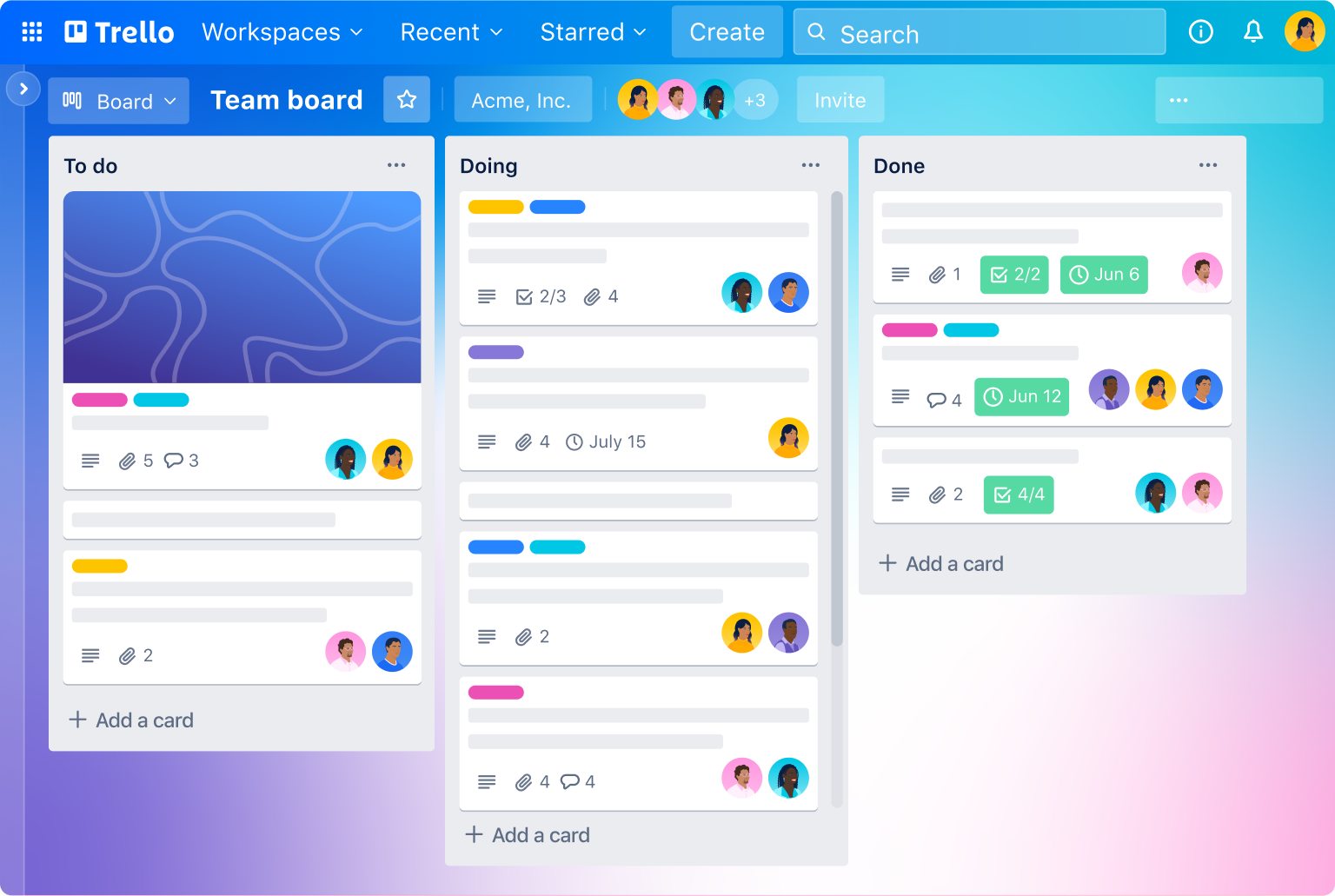
Not every prioritization challenge requires enterprise-level software.
Freelancers, consultants, creators, and small teams often need a simple system that helps them organize tasks visually without introducing unnecessary complexity.
Trello continues to excel in this category.
Its Kanban-based approach makes it incredibly easy to see what needs attention, what is currently in progress, and what has already been completed.
Users can create priority labels, custom workflows, automation rules, and visual project boards within minutes.
Because of its simplicity, Trello is often one of the fastest prioritization tools to adopt.
Best for
- Freelancers
- Consultants
- Small businesses
- Solopreneurs
- Small project teams
Standout Prioritization Features
- Visual Kanban boards
- Drag-and-drop prioritization
- Labels and categories
- Lightweight automation
- Easy onboarding
- Flexible workflows
Potential Limitations
- Limited advanced reporting
- Less suitable for complex portfolio management
6. Notion: Best for Founders Running a Roadmap Inside Their Wiki
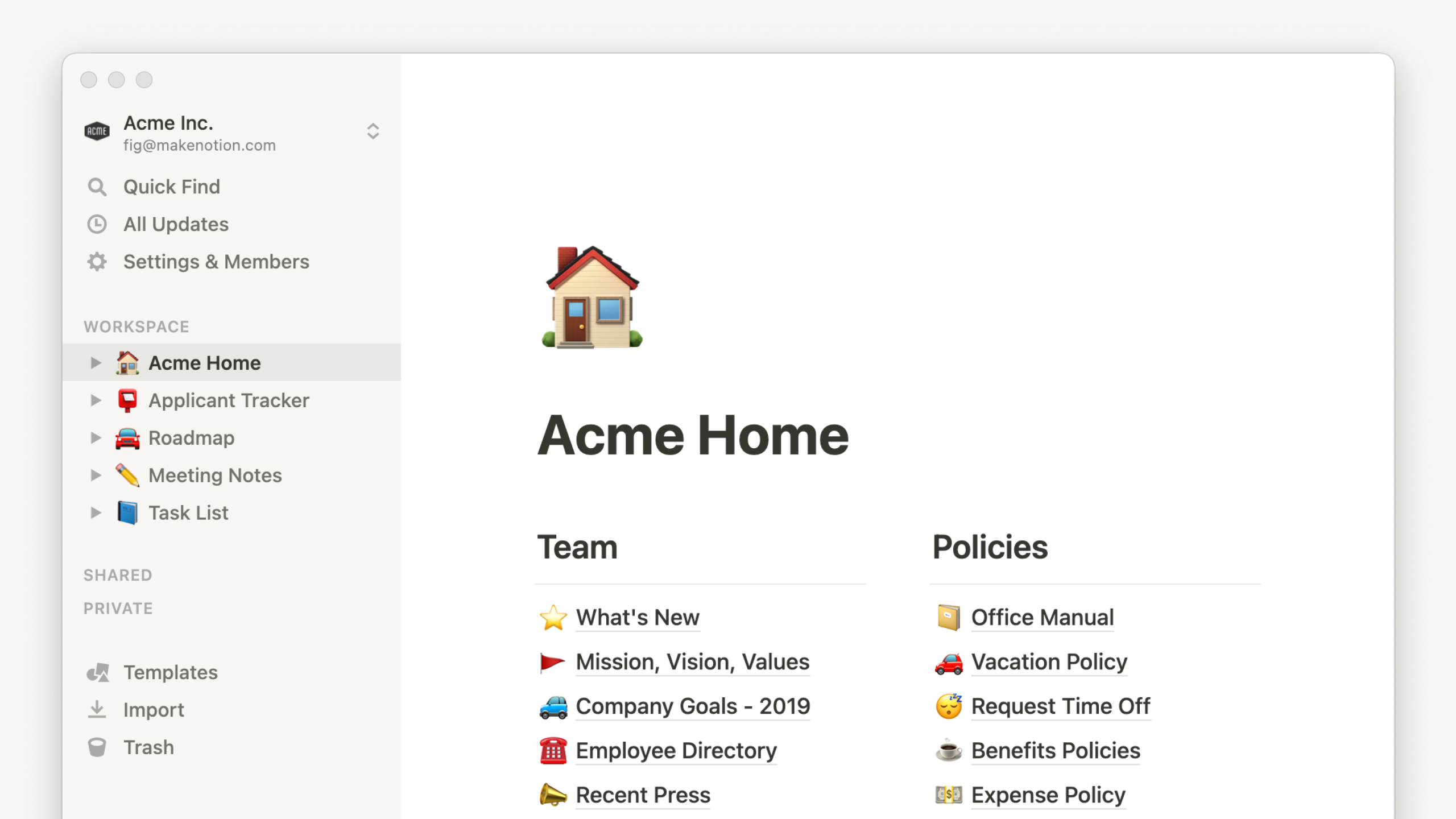
Many startup founders use Notion as the central hub for company knowledge, documentation, strategy, and planning.
As a result, it naturally becomes a place where prioritization decisions happen.
Notion’s strength lies in its flexibility.
Founders can combine roadmaps, product ideas, meeting notes, customer feedback, strategic planning documents, and project databases into a single workspace.
This allows teams to connect prioritization decisions directly to business context rather than managing them in isolated systems.
For startups where information changes rapidly, that flexibility can be extremely valuable.
Best for
- Startup founders
- Early-stage companies
- Product leaders
- Small teams
- Strategy-focused organizations
Standout Prioritization Features
- Flexible databases
- Roadmap management
- Documentation integration
- Custom workflows
- Knowledge management
- AI-assisted content organization
Potential Limitations
- Requires manual setup
- Can become difficult to govern at scale
7. Airtable: Best for Product Teams Running Custom Scoring Models on Large Backlogs
Some product organizations need much more than simple priority rankings.
They require sophisticated scoring systems that evaluate dozens—or even hundreds—of initiatives against multiple criteria.
This is where Airtable stands out.
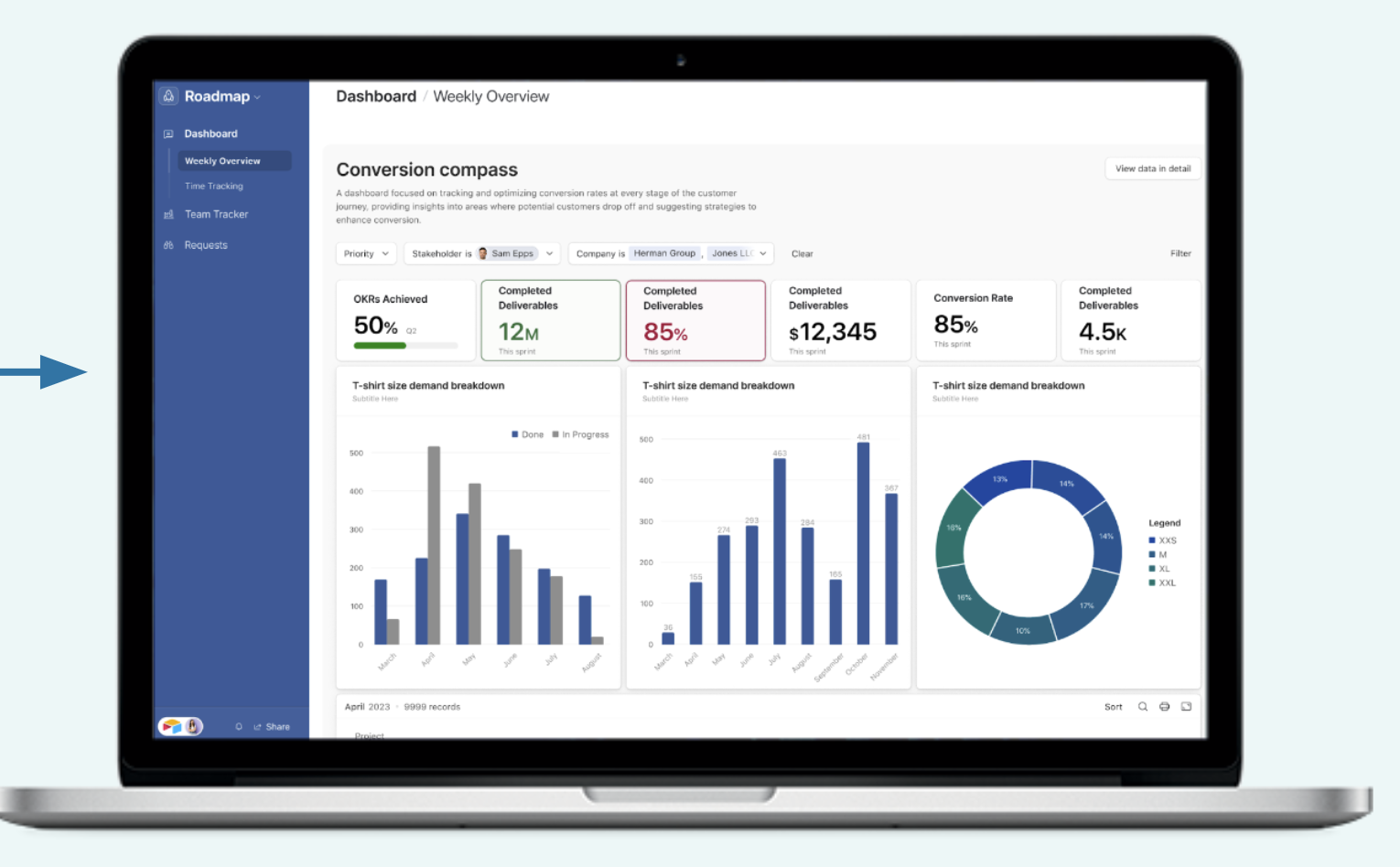
Airtable combines spreadsheet flexibility with database functionality, allowing teams to build highly customized prioritization systems.
Organizations can create weighted scoring frameworks, evaluate initiatives against business goals, calculate opportunity scores, and manage large feature backlogs with precision.
Because Airtable is highly customizable, it works particularly well for teams using frameworks such as RICE, ICE, Value vs. Effort, or custom prioritization models.
Best for
- Product teams
- Strategic planning groups
- PMOs
- Innovation teams
- Data-driven organizations
Standout Prioritization Features
- Custom scoring models
- Relational databases
- Formula-driven prioritization
- Advanced filtering
- Portfolio management
- Reporting dashboards
Potential Limitations
- Requires thoughtful setup
- Can become complex for casual users
If you want prioritization built directly into everyday execution, Corexta is the strongest choice.
If alignment across departments is your biggest challenge, monday.com offers excellent visibility.
Marketing and creative teams will often get the most value from Asana, while engineering organizations remain well-served by Jira.
Trello is ideal for individuals and small teams, Notion works exceptionally well for founder-led planning, and Airtable remains one of the most powerful platforms for custom prioritization frameworks and large-scale backlog management.
The best prioritization tool is ultimately the one that helps your team make decisions faster, align stakeholders more effectively, and consistently focus resources on the work that creates the greatest impact.
How Should You Read This Guide?
Most software comparison articles make the same mistake: they compare features without explaining the context in which those features matter.
A prioritization tool is not simply a project management platform with a priority field attached to it. The best solution depends on how your team makes decisions, how often priorities change, and how many stakeholders influence those decisions.
As you read this guide, focus less on feature checklists and more on the prioritization challenge you’re trying to solve.
For example:
- If your team uses frameworks such as RICE, ICE, Impact vs. Effort, or MoSCoW, pay close attention to custom scoring capabilities.
- If multiple departments constantly disagree on what deserves attention first, look for tools that improve alignment and visibility.
- If you manage software development cycles, sprint planning and backlog management should be your primary evaluation criteria.
- If strategic planning is your biggest challenge, roadmap management and executive reporting matter more than task-level prioritization.
- If you’re a solo operator, simplicity may be more valuable than advanced governance features.
Throughout this guide, we’ll evaluate each tool through the lens of real-world decision-making rather than feature volume.
The goal is not to identify the platform with the longest feature list.
The goal is to find the platform that helps your team consistently make better prioritization decisions.
Which Tool Wins for Custom Scoring and Frameworks?
For many organizations, prioritization starts with a framework.
Instead of relying on opinions, teams assign scores based on factors such as business value, customer impact, effort, risk, confidence, revenue potential, and strategic alignment.
The more initiatives a team manages, the more important structured scoring becomes.
Winner: Airtable
Airtable remains one of the strongest platforms for teams that depend heavily on prioritization frameworks.
Its database-driven architecture makes it possible to create highly customized scoring systems without requiring dedicated software development resources.
Teams can build frameworks around:
- RICE (Reach, Impact, Confidence, Effort)
- ICE (Impact, Confidence, Ease)
- MoSCoW
- Value vs. Effort
- Opportunity Scoring
- Weighted Business Value Models
- Custom Enterprise Frameworks
Because Airtable supports formulas, linked records, custom fields, and relational data structures, organizations can automate score calculations and generate dynamic rankings across hundreds of initiatives.
This level of flexibility is difficult to match.
Runner-Up: Corexta
Corexta performs exceptionally well for organizations that want custom prioritization frameworks directly embedded inside daily workflows.
Rather than separating scoring from execution, teams can evaluate initiatives and immediately transition them into project plans, tasks, and operational workflows.
This creates a smoother experience for growing organizations that need prioritization and execution to coexist within the same environment.
Best Choice By Team Type
- Product Teams: Airtable
- Operations Teams: Corexta
- PMOs: Airtable
- Mid-Market Organizations: Corexta
Verdict
If your prioritization process revolves around sophisticated scoring models, Airtable offers the greatest flexibility. If you want scoring frameworks connected directly to execution, Corexta provides a more integrated experience.
Which Tool Wins for Cross-Functional Alignment?
Cross-functional prioritization is where many organizations struggle.
Marketing wants new campaigns.
Sales wants customer requests addressed.
Engineering wants technical debt reduced.
Executives want strategic initiatives accelerated.
Without a shared prioritization system, every department creates its own definition of urgency.
Winner: monday.com
monday.com excels at creating organizational visibility.
Its strength lies in making priorities transparent across departments.
Through dashboards, timelines, workload views, portfolio management, and automated reporting, stakeholders gain a shared understanding of where resources are being allocated and why.
Instead of relying on status meetings and spreadsheets, teams can see priority changes in real time.
This dramatically reduces confusion and duplicate work.
Runner-Up: Corexta
Corexta also performs strongly in cross-functional environments because prioritization, collaboration, project execution, and reporting exist within a unified workspace.
Teams don’t need separate systems for planning and execution, which reduces communication gaps between departments.
Why Alignment Matters More in 2026
Organizations are increasingly operating in hybrid and distributed environments.
The challenge is no longer assigning work.
The challenge is ensuring everyone understands why certain work takes precedence.
The platforms that succeed are those that provide context, visibility, and accountability.
Verdict
For large cross-functional organizations, monday.com currently offers the strongest alignment capabilities. For teams seeking deeper integration between prioritization and execution, Corexta is a compelling alternative.
Which Tool Wins for Engineering and Sprint Prioritization?
Engineering prioritization is fundamentally different from business prioritization.
Development teams must balance:
- Customer requests
- Feature development
- Technical debt
- Security improvements
- Bug fixes
- Infrastructure work
- Sprint commitments
Managing these competing priorities requires specialized workflows.
Winner: Jira
Jira continues to dominate engineering prioritization because it was designed specifically for agile software development.
Its backlog management system allows teams to continuously refine priorities while maintaining visibility into sprint capacity and release schedules.
Key strengths include:
- Scrum boards
- Kanban boards
- Story point estimation
- Sprint planning
- Release management
- Backlog grooming
- Dependency tracking
Engineering managers can evaluate work based on effort, impact, risk, and strategic objectives while maintaining operational discipline.
Runner-Up: Airtable
Some product organizations use Airtable to score and prioritize feature requests before handing approved work to engineering teams.
This makes Airtable a strong complement to Jira rather than a direct replacement.
Verdict
If your organization already operates using agile methodologies, Jira remains the strongest prioritization platform for engineering teams.
Which Tool Wins for Roadmap and Strategy Prioritization?
Not all prioritization happens at the task level.
Executives and leadership teams often focus on larger strategic questions:
- Which markets should we enter?
- Which products deserve investment?
- Which initiatives align with company goals?
- Which opportunities generate the highest long-term value?
These decisions require roadmap-level visibility.
Winner: Notion
Notion has become a favorite among founders, startup executives, and strategy teams because it combines planning, documentation, knowledge management, and prioritization in one place.
Roadmaps don’t exist in isolation.
They connect to:
- Customer research
- Meeting notes
- Product strategy
- Company goals
- Competitive analysis
Notion allows all these elements to coexist inside a single workspace.
This creates a highly contextual decision-making environment.
Runner-Up: Corexta
Corexta’s ability to connect strategic initiatives directly to projects and operational execution makes it particularly valuable for organizations seeking stronger alignment between strategy and delivery.
Verdict
Notion wins for strategic flexibility, while Corexta provides stronger execution visibility.
Which Tool Wins for Enterprise Governance and Approval-Driven Priority?
Large enterprises face prioritization challenges that smaller organizations rarely encounter.
Projects often require:
- Multiple approvals
- Compliance reviews
- Budget authorization
- Executive sign-off
- Risk assessments
Governance becomes a critical component of prioritization.
Winner: monday.com
monday.com’s enterprise capabilities make it particularly effective in approval-heavy environments.
Organizations can create:
- Approval workflows
- Role-based permissions
- Automated governance processes
- Executive reporting structures
- Portfolio oversight dashboards
These features help ensure priorities align with organizational policies and resource constraints.
Runner-Up: Corexta
Corexta also performs well in governance-focused environments by centralizing planning, execution, approvals, and reporting within a unified workspace.
Verdict
For large organizations with complex governance requirements, monday.com currently provides the strongest enterprise prioritization environment.
Which Tool Wins for Personal and Solo Prioritization?
Individuals face a different prioritization challenge.
They need simplicity.
The perfect solo prioritization tool should require minimal setup while providing enough structure to stay organized.
Winner: Trello
Trello remains one of the easiest prioritization tools to use.
Its visual Kanban approach makes prioritization intuitive.
Users can quickly organize tasks into categories such as:
- High Priority
- Medium Priority
- Low Priority
- This Week
- Next Week
- Someday
Because the learning curve is extremely low, individuals can begin organizing work within minutes.
Runner-Up: Notion
For users who want task management combined with personal knowledge management, Notion provides significantly greater flexibility.
However, that flexibility comes with additional complexity.
Verdict
Trello is the best option for users seeking fast, visual prioritization with minimal overhead.
How Do You Pick a Prioritization Tool in 60 Seconds?
Use this quick framework.
Choose Corexta if:
- You want prioritization and execution in one workspace.
Choose monday.com if:
- Multiple departments need visibility and alignment.
Choose Asana if:
- Marketing and creative campaigns drive your workload.
Choose Jira if:
- Engineering teams manage most priorities.
Choose Trello if:
- You need simple visual prioritization.
Choose Notion if:
- Strategy, documentation, and roadmaps are tightly connected.
Choose Airtable if:
- You depend on custom scoring models and large backlogs.
If you’re still unsure, identify where most prioritization decisions occur in your organization. The answer usually reveals the best tool.
How Do All 7 Tools Compare Side-by-Side?
| Tool | Best For | Prioritization Strength | Ease of Use | Flexibility |
|---|---|---|---|---|
| Corexta | Integrated execution | High | High | High |
| monday.com | Cross-functional alignment | High | Medium | High |
| Asana | Marketing campaigns | Medium-High | High | Medium |
| Jira | Sprint prioritization | Very High | Medium | High |
| Trello | Solo users | Medium | Very High | Medium |
| Notion | Strategic planning | High | Medium | Very High |
| Airtable | Custom scoring frameworks | Very High | Medium | Very High |
What Makes a Great Free Prioritization Tool?
A free plan doesn’t need every enterprise feature.
However, it should provide enough functionality to help teams make meaningful prioritization decisions.
The best free prioritization tools typically include:
- Unlimited task creation
- Priority labels
- Multiple project views
- Collaboration features
- Basic automation
- Mobile access
- Reporting dashboards
Most importantly, the tool should help users answer one question:
What should we work on next?
If it cannot answer that question clearly, the platform isn’t truly helping with prioritization.
5 Most Common Mistakes Teams Make When Picking a Prioritization Tool
1. Choosing Features Instead of Workflows
A long feature list does not guarantee better prioritization outcomes.
2. Ignoring Stakeholder Alignment
Priorities fail when teams disagree on definitions and expectations.
3. Overcomplicating Scoring Models
Sophisticated frameworks are valuable, but excessive complexity often slows decision-making.
4. Separating Prioritization From Execution
When planning and execution occur in different systems, information gets lost.
5. Optimizing for Today’s Problems Only
Select a platform that can support future growth and organizational complexity.
What’s the Honest Verdict on Prioritization Tools in 2026?
The prioritization software market is more mature than ever.
Most leading platforms can help teams organize work.
What separates the best tools is their ability to support decision-making at scale.
For organizations seeking a balance between prioritization and execution, Corexta offers one of the strongest all-in-one experiences.
For cross-functional visibility, monday.com remains exceptionally strong.
For engineering teams, Jira continues to set the standard.
For strategic planning, Notion stands out.
For sophisticated scoring frameworks, Airtable remains difficult to beat.
The right choice ultimately depends on how your team defines, evaluates, and acts on priorities.
Read More: Best monday.com Alternatives & Competitors in 2026








