

Artificial intelligence has rapidly evolved from a productivity enhancer into a core component of modern work. From drafting emails and summarizing meetings to generating code and automating business processes, AI assistants are helping professionals save time and focus on high-value tasks. Microsoft Copilot has emerged as one of the most recognizable AI solutions, particularly for organizations already invested in the Microsoft ecosystem. Its deep integration with Microsoft 365 applications allows users to generate content, analyze data, automate repetitive work, and gain insights directly within familiar tools.
However, Microsoft Copilot isn’t the perfect fit for everyone. Some organizations find its pricing difficult to justify at scale, while others require more specialized features for project management, customer support, software development, content creation, or workflow automation. Many businesses also prefer AI platforms that work across multiple tools rather than being closely tied to a single software ecosystem.
As AI technology continues to mature in 2026, users now have access to a diverse range of alternatives that offer unique strengths. Some focus on intelligent project and knowledge management, while others excel at customer service automation, software development assistance, content generation, or enterprise-grade machine learning. These tools often provide greater flexibility, industry-specific capabilities, and integrations that better align with modern business environments.
Whether you’re a business owner looking to streamline operations, a developer seeking coding assistance, a customer support team aiming to improve response times, or a content creator searching for better AI-powered workflows, choosing the right AI assistant can significantly impact your productivity and efficiency.
What to Look for in a Microsoft Copilot Alternative
Not all AI assistants are built for the same purpose. While Microsoft Copilot offers a broad range of productivity features, the best alternative for your organization depends on how you plan to use AI in your daily workflows. Before choosing a platform, evaluate the following factors to ensure you’re investing in a solution that delivers long-term value.
AI Capabilities and Accuracy
The quality of an AI assistant ultimately depends on the accuracy and usefulness of its outputs. Look for platforms that can generate reliable responses, understand context, summarize information effectively, and provide actionable insights.
Advanced AI tools should be able to:
- Understand natural language queries
- Maintain contextual awareness across conversations
- Generate high-quality content and documentation
- Analyze large datasets
- Support complex problem-solving tasks
- Learn from organizational knowledge and workflows
The stronger the underlying AI models, the more valuable the tool becomes across different departments and use cases.
Workflow Integration
AI is most effective when it works seamlessly within your existing technology stack. A strong Microsoft Copilot alternative should integrate with the tools your team already uses daily.
Consider compatibility with:
- Project management platforms
- Communication tools
- CRM systems
- Cloud storage services
- Customer support software
- Development environments
- Knowledge management systems
The fewer manual steps required to move information between systems, the greater the productivity gains.
Automation Features
Modern AI platforms go far beyond answering questions. Many now automate repetitive tasks, trigger workflows, and coordinate actions across multiple applications.
Look for features such as:
- Automated task creation
- Workflow orchestration
- Smart notifications
- Process automation
- AI-generated reports
- Follow-up reminders
- Meeting summaries and action items
Organizations that prioritize automation often achieve the highest return on their AI investments.
Collaboration and Knowledge Management
As teams become increasingly distributed, AI tools must support collaboration rather than just individual productivity.
Key collaboration features include:
- Shared workspaces
- Team knowledge bases
- Collaborative document editing
- Conversation history
- AI-powered search
- Meeting intelligence
- Cross-team information sharing
A platform that can centralize organizational knowledge helps reduce information silos and improves decision-making across departments.
Customization and Flexibility
Different businesses have different workflows, terminology, and processes. The best AI assistants allow organizations to customize how AI interacts with their data and teams.
Important customization options include:
- Custom prompts and templates
- Workflow configuration
- Department-specific AI assistants
- Role-based permissions
- Personalized dashboards
- Industry-specific use cases
Greater flexibility allows teams to adapt AI to their workflows rather than changing workflows to accommodate the AI.
Security, Privacy, and Compliance
As AI tools gain access to sensitive company information, security becomes a critical consideration. Enterprises and regulated industries should carefully evaluate how vendors manage data privacy and compliance.
Look for:
- Enterprise-grade encryption
- Data residency controls
- Access management features
- Regulatory compliance support
- Audit logs
- Private AI deployment options
- Transparent data usage policies
Strong security practices help protect confidential information while enabling wider AI adoption across the organization.
Scalability for Growing Teams
An AI solution that works for a small team today should still support your organization as it grows. Scalability becomes especially important when multiple departments begin relying on AI-powered workflows.
Consider:
- User management capabilities
- Performance under larger workloads
- Enterprise administration tools
- Multi-team collaboration support
- Advanced reporting and analytics
- Flexible pricing structures
Choosing a scalable platform reduces the need for costly migrations in the future.
Pricing and Overall Value
The most expensive AI solution isn’t always the best option. Evaluate pricing based on the value the platform delivers rather than focusing solely on subscription costs.
When comparing vendors, consider:
- Monthly or annual subscription fees
- Included AI usage limits
- Additional feature costs
- Implementation expenses
- Training requirements
- Productivity gains
- Potential cost savings from automation
A solution that saves hours of manual work every week often delivers a significantly higher return on investment than a cheaper but less capable alternative.
Industry-Specific Features
Many AI platforms now offer specialized capabilities tailored to specific industries and job functions.
Examples include:
- Customer service automation for support teams
- Code generation for developers
- Content creation for marketing teams
- Data science tools for analysts
- Project intelligence for operations teams
- Sales assistance for revenue teams
Selecting a tool aligned with your primary use case can deliver more immediate and measurable benefits than a general-purpose AI assistant.
The 11 Best Microsoft Copilot Alternatives
1. Corexta (Best for contextual AI that connects your projects, tasks, docs, and chats)
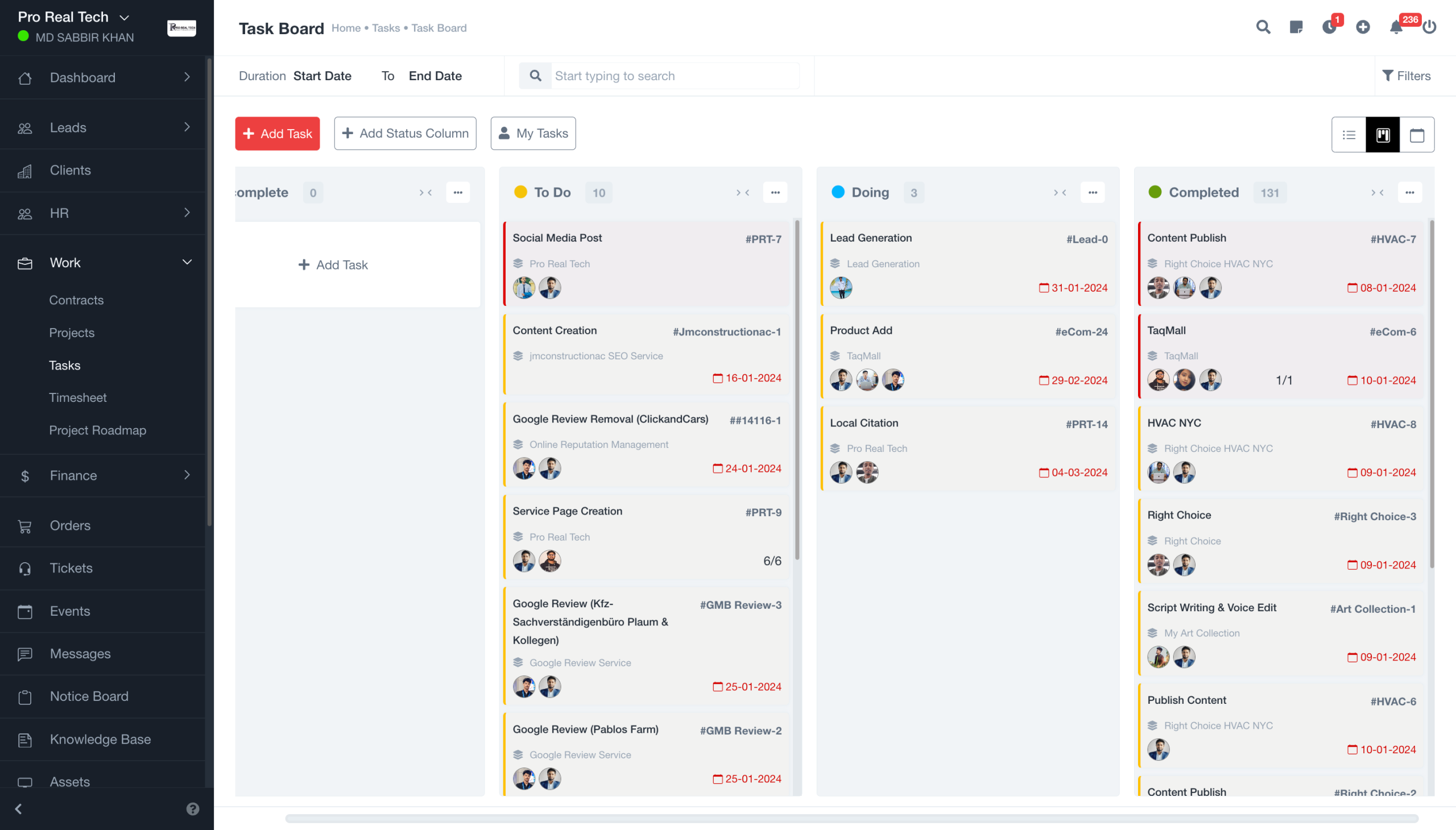
While Microsoft Copilot primarily focuses on boosting productivity within the Microsoft ecosystem, Corexta takes a broader approach by embedding AI directly into business operations. Instead of functioning as a standalone assistant, Corexta acts as a contextual AI workspace that connects projects, tasks, documentation, CRM data, HR processes, finance operations, and team communication in a single environment. This allows teams to access organizational knowledge and automate workflows without constantly switching between multiple applications.
What makes Corexta particularly compelling as a Microsoft Copilot alternative is its ability to understand the context of ongoing work. Rather than generating responses based solely on prompts, it can leverage information from project timelines, task updates, client records, business documents, and team activities to deliver more relevant insights and recommendations. This creates a more connected AI experience for agencies, startups, service businesses, and growing enterprises.
Corexta is designed for organizations that want AI integrated into their operational workflows instead of limiting AI assistance to document creation, spreadsheets, and email productivity. By combining project management, CRM, HR, payroll, finance, recruiting, and asset management under one platform, it reduces software fragmentation and provides a centralized source of truth for business operations.
Best Features
Unified business management platform
Corexta consolidates multiple business functions into a single workspace, including project management, HR management, CRM, finance, payroll, recruitment, and asset tracking. This eliminates the need to manage disconnected systems and helps teams maintain consistent data across departments.
Context-aware project intelligence
Unlike generic AI assistants, Corexta can connect project discussions, task updates, milestones, time tracking, budgets, and client information to provide more meaningful recommendations. Teams can quickly understand project status, identify bottlenecks, and make informed decisions based on real-time operational data.
Advanced project and task management
The platform includes multiple project views such as Kanban boards, Gantt charts, lists, calendars, milestone tracking, dependency management, and workload monitoring. This makes it suitable for both simple task coordination and complex project execution.
Integrated CRM and client lifecycle management
Corexta connects lead generation, proposal management, contract workflows, client onboarding, project delivery, and invoicing within one system. This gives sales, operations, and customer success teams complete visibility into the client journey.
Workflow automation
Businesses can automate repetitive processes such as task assignments, onboarding workflows, leave approvals, invoice generation, payroll calculations, client follow-ups, and project status updates. These automation capabilities help reduce administrative overhead and improve operational efficiency.
Cross-department reporting and analytics
Because all operational data lives in one platform, Corexta enables unified reporting across projects, finances, HR, payroll, and client operations. Leaders gain access to real-time dashboards and performance metrics without manually combining data from multiple systems.
Enterprise-grade security and compliance
The platform offers role-based permissions, encrypted data storage, GDPR-ready infrastructure, audit controls, and enterprise security measures designed to support organizations handling sensitive operational data.
Limitations
- Organizations seeking only a lightweight AI writing assistant may find Corexta’s extensive business management capabilities more comprehensive than necessary.
- Teams deeply invested in the Microsoft 365 ecosystem may require additional setup and process adjustments when transitioning workflows.
- Smaller teams that only need document generation or email assistance might not fully utilize all available modules.
- Advanced business process customization may require onboarding and implementation planning for larger organizations.
Pricing
Corexta offers a significantly more affordable entry point than many enterprise AI productivity platforms while providing access to a much broader operational feature set. According to the latest publicly available pricing information:
| Plan | Pricing |
|---|---|
| Free Plan | $0 |
| Small Business | $9.99/user/month |
| Medium Business | $19.99/user/month |
| Enterprise | $29/user/month |
The platform also offers a free trial and includes access to core business management functionality across its modules, making it attractive for organizations looking to consolidate multiple software subscriptions into a single platform.
Ratings and Reviews
Corexta has received strong feedback from businesses seeking an all-in-one operational platform. Publicly available review sources indicate high satisfaction ratings for ease of use, feature breadth, and value for money. Users frequently highlight the ability to replace multiple disconnected tools with a unified system that improves visibility across projects, clients, and internal operations.
Ratings
- G2: 5.0/5
- Capterra: 5.0/5
- Product Hunt: 5.0/5
- Clutch: 5.0/5
According to published customer feedback, organizations particularly appreciate Corexta’s centralized workspace, operational automation, and ability to connect departments that traditionally operate in separate software environments.
2. Zendesk (Best for AI-Powered Customer Support Automation)
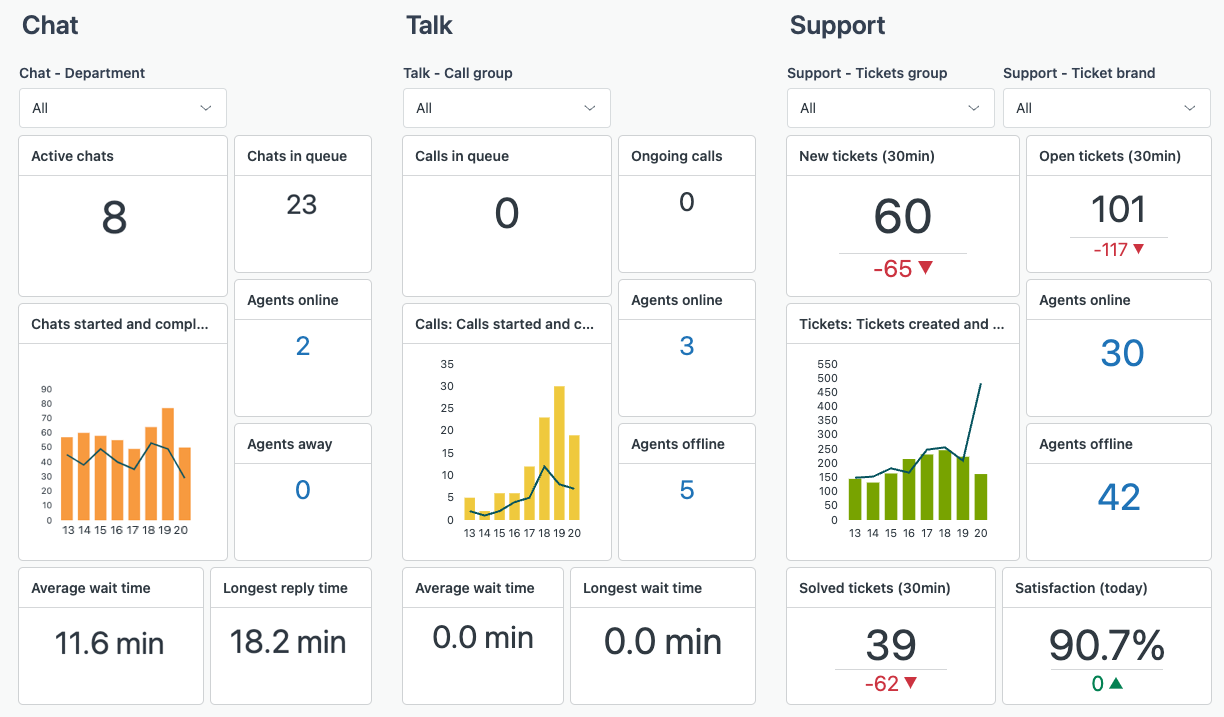
Zendesk has evolved from a traditional customer service platform into a comprehensive AI-powered support solution. For organizations looking for a Microsoft Copilot alternative focused on customer experience and service operations, Zendesk offers specialized AI capabilities designed to improve support efficiency, automate repetitive tasks, and deliver faster resolutions.
Unlike Microsoft Copilot, which primarily focuses on productivity within workplace applications, Zendesk AI is built specifically for customer service teams. It helps businesses automate ticket routing, generate suggested responses, summarize conversations, and provide customers with self-service support through intelligent chatbots and knowledge bases.
Zendesk’s AI tools are trained using billions of customer service interactions, enabling support teams to reduce response times while maintaining high-quality customer experiences.
Best Features
- AI-powered ticket classification and routing
- Intelligent customer service chatbots
- Automated ticket summaries and conversation recaps
- AI-generated support responses
- Advanced help center and knowledge base management
- Multichannel customer support across email, chat, social media, and voice
- Workforce management and agent performance tracking
- Real-time analytics and customer satisfaction reporting
Limitations
- Primarily focused on customer service use cases rather than general productivity.
- Advanced AI features may require higher-tier plans.
- Custom implementations can become expensive for large organizations.
- Learning curve for teams migrating from simpler help desk platforms.
Pricing
Zendesk pricing (billed annually) includes:
| Plan | Price |
|---|---|
| Support Team | $25 per agent/month |
| Suite Team | $69 per agent/month |
| Suite Professional | $149 per agent/month |
| Suite Enterprise | Custom pricing |
Additional AI-powered features and enterprise capabilities may require upgraded plans or custom packages.
Ratings and Reviews
- G2: 4.3/5
- Capterra: 4.4/5
Users consistently praise Zendesk for its automation capabilities, extensive integrations, and ability to scale customer support operations efficiently. Larger organizations particularly appreciate its robust reporting and omnichannel support features.
3. IBM Watson Studio (Best Multi-Language AI Tool for Developers)
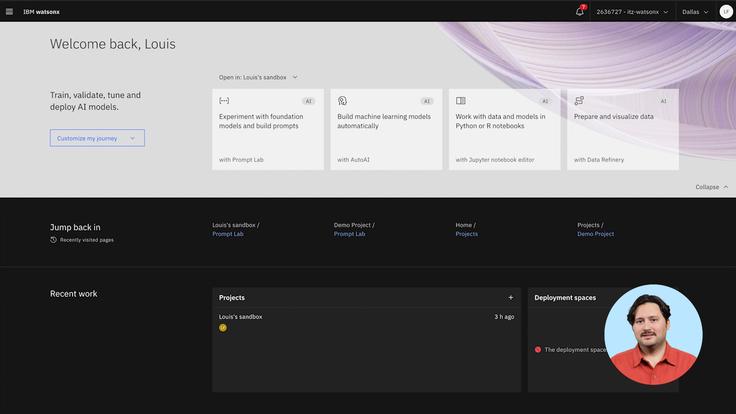
IBM Watson Studio is a powerful AI and machine learning platform designed for developers, data scientists, and enterprise teams building advanced AI applications. Unlike Microsoft Copilot, which focuses on workplace productivity, Watson Studio provides tools for developing, training, deploying, and managing custom AI models across multiple environments.
One of Watson Studio’s biggest strengths is its support for enterprise-scale AI development. Organizations can create machine learning pipelines, manage large datasets, build predictive models, and deploy AI solutions while maintaining governance and compliance requirements.
For multinational organizations and development teams working across multiple languages, Watson Studio offers extensive language support and flexible deployment options.
Best Features
- Machine learning and deep learning model development
- Support for multiple programming languages and frameworks
- Automated AI model training and deployment
- Collaborative development environments
- Integration with IBM Cloud services
- Data preparation and visualization tools
- Enterprise-grade governance and compliance controls
- AutoAI capabilities for faster model building
Limitations
- Not designed for general-purpose content generation.
- Can be overly complex for non-technical users.
- Enterprise-focused pricing may be expensive for small businesses.
- Requires technical expertise to maximize value.
Pricing
IBM Watson Studio pricing typically includes:
| Plan | Price |
| Lite | Free |
| Professional | Starting around $1.02 per Capacity Unit Hour |
| Enterprise | Custom pricing |
Actual costs vary depending on cloud usage, storage requirements, and deployment scale.
Ratings and Reviews
- G2: 4.1/5
- Gartner Peer Insights: 4.3/5
Developers and data science teams frequently highlight Watson Studio’s flexibility, enterprise readiness, and extensive AI development capabilities. It is particularly valued by organizations building custom machine learning solutions.
4. Tabnine (Best AI Assistant for Developers)
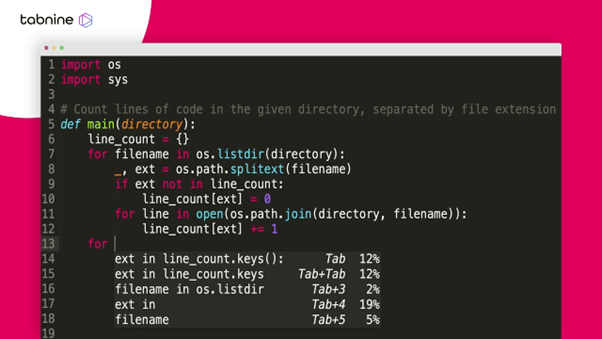
Tabnine is one of the most established AI coding assistants available today. Built specifically for software developers, it serves as a focused alternative to Microsoft Copilot by providing intelligent code completion, code generation, and developer productivity tools directly within popular integrated development environments (IDEs).
Unlike broader AI assistants, Tabnine concentrates on helping developers write cleaner code faster while maintaining privacy and security standards. The platform supports multiple programming languages and can be trained using private code repositories, making it especially attractive for organizations handling proprietary software projects.
Its lightweight design and IDE-native experience help development teams integrate AI assistance without disrupting existing workflows.
Best Features
- AI-powered code completion
- Context-aware code generation
- Support for dozens of programming languages
- IDE integrations including VS Code, IntelliJ, and JetBrains products
- Private AI deployment options
- Team training on internal codebases
- Enterprise-grade security controls
- Code explanation and documentation assistance
Limitations
- Focused primarily on software development workflows.
- Less effective for non-coding business tasks.
- Advanced team features require paid subscriptions.
- Generated code may still require human review and testing.
Pricing
Tabnine offers the following pricing structure:
| Plan | Price |
| Basic | Free |
| Pro | $12 per user/month |
| Enterprise | Custom pricing |
Enterprise plans include additional governance, security, and customization options.
Ratings and Reviews
- G2: 4.2/5
- Capterra: 4.7/5
Users appreciate Tabnine’s speed, coding accuracy, and seamless IDE integrations. Development teams often cite productivity gains and reduced coding effort as major benefits.
5. ChatGPT (Best for Human-Like Responses)
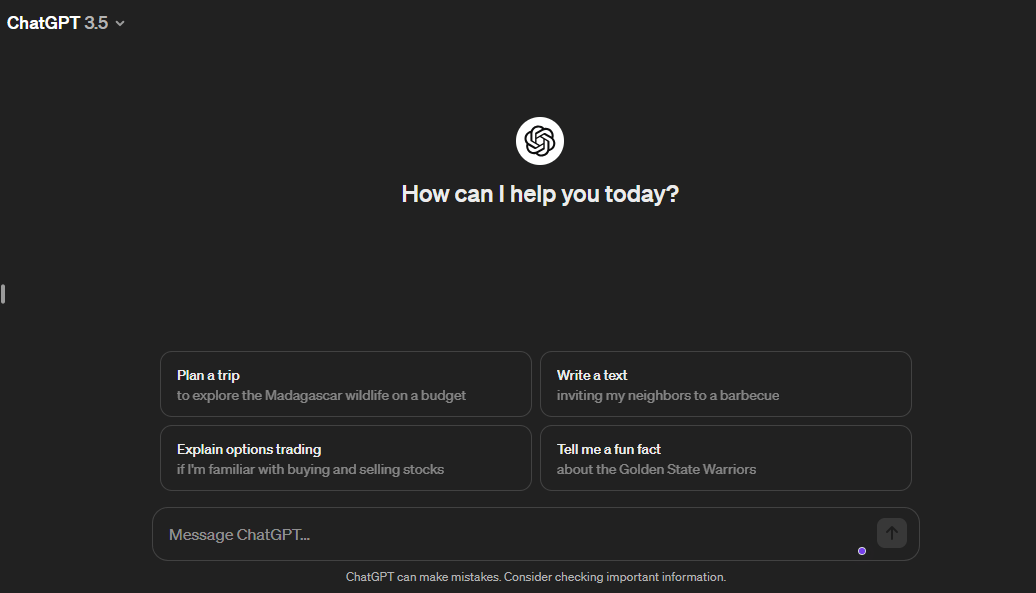
ChatGPT has become one of the most recognizable AI assistants worldwide thanks to its conversational abilities, reasoning capabilities, and broad range of applications. While Microsoft Copilot focuses heavily on Microsoft ecosystem integrations, ChatGPT offers a more flexible and platform-independent experience.
Businesses use ChatGPT for content creation, brainstorming, customer support assistance, coding, research, data analysis, document summarization, and workflow automation. Its ability to understand context and generate natural responses makes it suitable for individuals and organizations across virtually every industry.
With continuous model improvements and expanding enterprise capabilities, ChatGPT remains one of the strongest Microsoft Copilot alternatives available in 2026.
Best Features
- Advanced conversational AI
- High-quality content generation
- Coding assistance and debugging support
- Document analysis and summarization
- Research and brainstorming capabilities
- Custom GPT creation
- API access for workflow automation
- Voice, image, and multimodal AI capabilities
Limitations
- Responses may occasionally contain inaccuracies.
- Requires careful prompt design for optimal results.
- Enterprise governance features may require higher-tier plans.
- Not natively embedded into every business workflow.
Pricing
ChatGPT pricing includes:
| Plan | Price |
| Free | $0 |
| Plus | $20/month |
| Team | $25 per user/month (annual billing) |
| Enterprise | Custom pricing |
Pricing may vary based on organization size and feature requirements.
Ratings and Reviews
- G2: 4.7/5
- Capterra: 4.7/5
Users consistently praise ChatGPT for its versatility, natural language understanding, and ability to support a wide variety of professional and personal tasks.
6. Claude (Best for Content Teams)
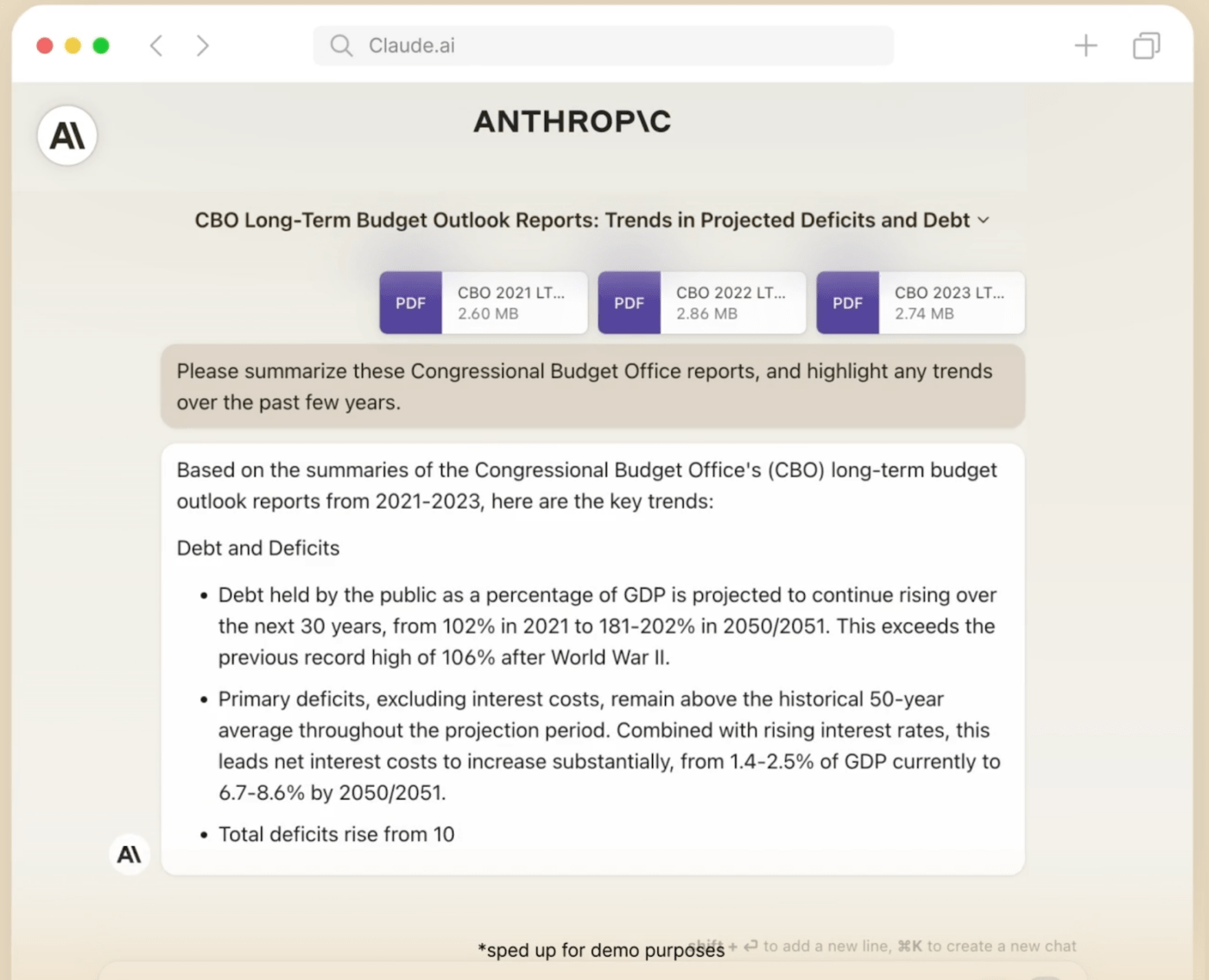
Claude has emerged as a preferred AI assistant for content marketers, writers, researchers, and knowledge workers who require detailed, accurate, and context-aware outputs. Developed with a strong emphasis on safety and long-context processing, Claude excels at analyzing large documents and producing nuanced responses.
Compared to Microsoft Copilot, Claude often appeals to content-heavy teams that work with extensive reports, documentation, policy manuals, research papers, and long-form articles. Its ability to process substantial amounts of information within a single conversation makes it especially useful for research-intensive workflows.
Content teams frequently rely on Claude for drafting, editing, summarizing, and refining complex materials.
Best Features
- Exceptional long-context processing
- Strong writing and editing capabilities
- Document analysis and summarization
- Research assistance
- Natural conversational experience
- Large file handling capabilities
- Enterprise collaboration features
- Advanced reasoning for complex tasks
Limitations
- Fewer business software integrations than some competitors.
- Certain advanced features are limited to paid plans.
- Less specialized for software development compared to coding-focused AI assistants.
- Availability may vary by region and enterprise requirements.
Pricing
Claude pricing generally includes:
| Plan | Price |
| Free | $0 |
| Pro | $20/month |
| Team | $30 per user/month |
| Enterprise | Custom pricing |
Enterprise plans offer additional security, administration, and compliance controls.
Ratings and Reviews
- G2: 4.7/5
- Product Hunt: Highly rated by professionals and researchers
Users frequently highlight Claude’s writing quality, contextual understanding, and ability to handle lengthy documents with impressive accuracy.
7. Simplified (Best for Content Templates)
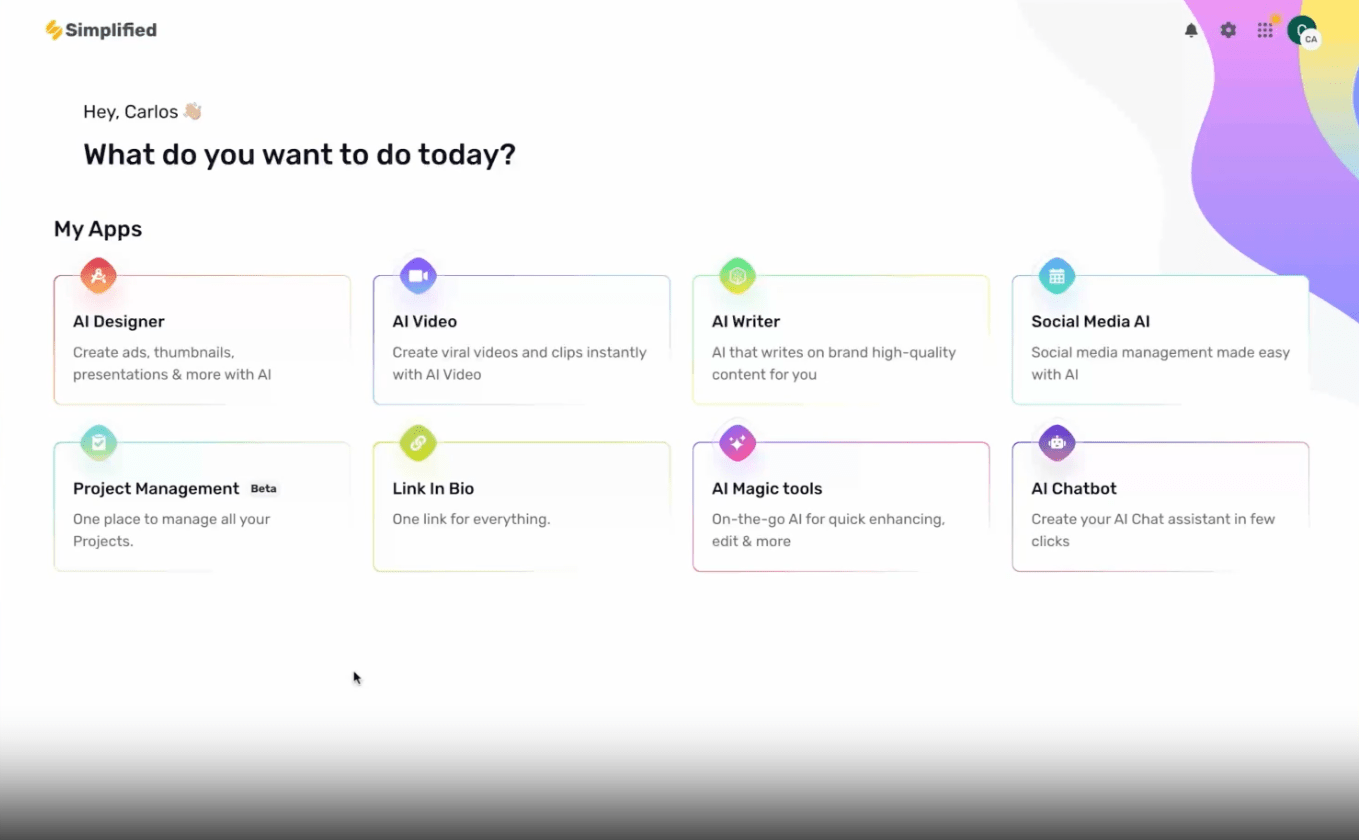
Simplified combines AI writing, graphic design, video creation, social media management, and marketing collaboration into a single platform. For marketers and content creators looking for a Microsoft Copilot alternative, Simplified offers an all-in-one creative workspace designed to accelerate content production.
Rather than focusing solely on text generation, Simplified supports the entire content lifecycle. Teams can create blog posts, social media graphics, marketing videos, ad copy, email campaigns, and visual assets from one centralized platform.
Its extensive template library makes it especially attractive for businesses that need to produce high volumes of branded content quickly.
Best Features
- AI-powered writing assistant
- Thousands of content and design templates
- Social media content generation
- Video editing and creation tools
- Graphic design capabilities
- Team collaboration workspace
- Content scheduling and publishing
- Brand management features
Limitations
- Advanced creative features may require premium plans.
- Less suitable for enterprise workflow automation.
- Not designed for software development or data science tasks.
- Large teams may require higher-tier subscriptions.
Pricing
Simplified pricing includes:
| Plan | Price |
| Free | $0 |
| One Plan | Starting at $29.99/month |
| Growth Plan | Starting at $119.99/month |
| Enterprise | Custom pricing |
Pricing varies based on user count and feature access.
Ratings and Reviews
- G2: 4.6/5
- Capterra: 4.7/5
Users praise Simplified for its ease of use, creative flexibility, extensive template library, and ability to streamline content creation workflows for marketing teams and agencies.
Don’t Just Adopt AI—Use It to Its Full Potential
Artificial intelligence has quickly become an essential part of modern work. From streamlining daily operations to improving communication and accelerating decision-making, AI is helping businesses and professionals accomplish more in less time.
The real value of AI, however, isn’t simply in using it—it’s in choosing the right platform and learning how to integrate it effectively into your workflows. When paired with the right tools, AI can automate repetitive tasks, boost productivity, improve collaboration, and help teams focus on higher-impact work.
With dozens of AI solutions now available, finding the best fit requires more than comparing feature lists. Every organization has unique needs, and the ideal AI assistant should align with your workflows, team structure, and long-term goals.
For many users, Microsoft Copilot is a strong option, especially within the Microsoft 365 ecosystem. However, businesses looking for a more connected workspace often need a solution that goes beyond document creation and email assistance. They need AI that can understand projects, tasks, team conversations, client relationships, and operational workflows in one place.
That’s where Corexta stands out. By combining AI-powered assistance with project management, CRM, collaboration, documentation, and business operations, Corexta helps teams work smarter without constantly switching between multiple tools. Whether you’re brainstorming new ideas, managing projects, coordinating with teammates, or organizing business processes, Corexta keeps everything connected within a single workspace.
If you’re looking for an AI-powered platform that helps your team collaborate more effectively and manage work with greater efficiency, Corexta is worth exploring. Start with the free plan and discover how a truly connected AI workspace can simplify your day-to-day operations.
Read More: Smartsheet vs. ClickUp: Which Project Management Tool is Best?








