

Running a small business often means managing multiple responsibilities with limited resources. Teams must communicate effectively, track projects, share files, and coordinate tasks without creating confusion or delays. As businesses grow, relying on emails, spreadsheets, and scattered communication channels can lead to missed deadlines, duplicated work, and reduced productivity.
This is where collaboration tools become essential. Modern collaboration platforms bring communication, project management, document sharing, task tracking, and team coordination into a centralized workspace. Instead of switching between multiple applications, employees can work together in real time, stay aligned on priorities, and access important information from anywhere.
The rise of remote and hybrid work has made collaboration software even more valuable. Small businesses now need tools that support distributed teams, streamline workflows, and improve visibility across projects. The right collaboration platform can help organizations increase efficiency, reduce operational bottlenecks, and maintain strong team engagement regardless of location.
However, not all collaboration tools offer the same capabilities. Some focus primarily on communication, while others combine project management, automation, reporting, and resource planning into a single solution. Understanding what these tools do and which features matter most can help small businesses choose a platform that supports both current needs and future growth.
What Are Collaboration Tools for Small Businesses?
Collaboration tools for small businesses are software platforms designed to help teams communicate, organize work, share information, and manage projects more efficiently. These tools provide a centralized environment where employees can collaborate on tasks, exchange updates, access documents, and monitor progress without relying on fragmented communication methods.
At their core, collaboration tools eliminate information silos by ensuring everyone has access to the same information and project updates. Team members can work together in real time, assign responsibilities, track deadlines, and resolve issues quickly from a single platform.
Modern collaboration software often combines several business functions into one solution, including:
- Task and project management
- Team messaging and communication
- File storage and document sharing
- Workflow automation
- Calendar and scheduling tools
- Progress tracking and reporting
- Team collaboration spaces
- Integration with third-party business applications
For small businesses, these tools help create structure without adding complexity. Instead of managing separate systems for communication, task tracking, and document management, teams can coordinate their work from a unified workspace.
Whether a business operates in-office, remotely, or through a hybrid model, collaboration software helps improve transparency, accountability, and productivity across departments.
What Should You Look for in Collaboration Tools for Small Businesses?
Choosing the right collaboration software requires more than comparing feature lists. Small businesses need a platform that supports daily operations while remaining flexible enough to accommodate future growth. The following factors should be carefully evaluated before making a decision.
Collaboration and Customization
The primary purpose of a collaboration tool is to improve teamwork. Look for software that enables seamless communication and allows teams to work together without unnecessary friction.
Key collaboration features may include:
- Real-time messaging and discussions
- Task comments and mentions
- Shared workspaces
- File collaboration
- Team dashboards
- Document management
- Activity tracking
Beyond collaboration, customization is equally important. Every business has unique workflows, approval processes, and project requirements. A platform should allow teams to customize:
- Project templates
- Task statuses
- Dashboards
- Workflows
- Fields and forms
- Reporting views
Flexible customization ensures the software adapts to your business rather than forcing your team to change established processes.
Scalability
A collaboration tool should support your organization not only today but also as it grows.
Many small businesses start with a handful of users but eventually expand into larger teams, additional departments, and more complex projects. Switching platforms later can be costly and disruptive, making scalability a critical consideration.
Look for solutions that offer:
- Flexible user management
- Multiple workspace support
- Advanced project capabilities
- Resource management features
- Automation options
- Enterprise-level upgrades
- Performance at larger team sizes
Scalable platforms allow businesses to add users, projects, and workflows without sacrificing performance or usability.
User Support and Training
Even the most powerful collaboration software can create challenges if employees struggle to learn how to use it effectively.
Strong onboarding and support resources help teams adopt new tools more quickly and reduce implementation friction. Evaluate whether the vendor provides:
- Knowledge bases and documentation
- Video tutorials
- Guided onboarding
- Live chat support
- Email support
- Community forums
- Dedicated customer success assistance
Training resources become particularly valuable when introducing advanced features such as workflow automation, reporting, or integrations.
A platform with excellent support can significantly shorten the learning curve and improve long-term user adoption.
Integration Capabilities
Businesses rarely rely on a single software platform. Most teams use various applications for communication, accounting, customer relationship management, marketing, cloud storage, and productivity.
Effective collaboration tools should integrate seamlessly with existing business systems to reduce manual work and maintain data consistency.
Important integrations may include:
- Email platforms
- Cloud storage services
- CRM systems
- Accounting software
- Video conferencing tools
- Marketing platforms
- Calendar applications
- Productivity suites
Strong integration capabilities help create a connected technology ecosystem where information flows automatically between systems.
Security Features
As collaboration platforms become central repositories for company data, security must remain a top priority.
Small businesses handle sensitive information such as customer records, financial documents, contracts, intellectual property, and employee data. The chosen platform should provide robust security protections to safeguard these assets.
Important security features include:
- Data encryption
- Multi-factor authentication (MFA)
- Single sign-on (SSO)
- Role-based access controls
- Permission management
- Secure file sharing
- Audit logs
- Compliance certifications
- Regular security updates
Cloud-based collaboration tools should also offer reliable backup and recovery options to minimize the risk of data loss.
Investing in a secure platform helps protect business operations, maintain customer trust, and reduce cybersecurity risks as your organization grows.
7 Best Collaboration Tools for Small Businesses to Use in 2024
1. Corexta
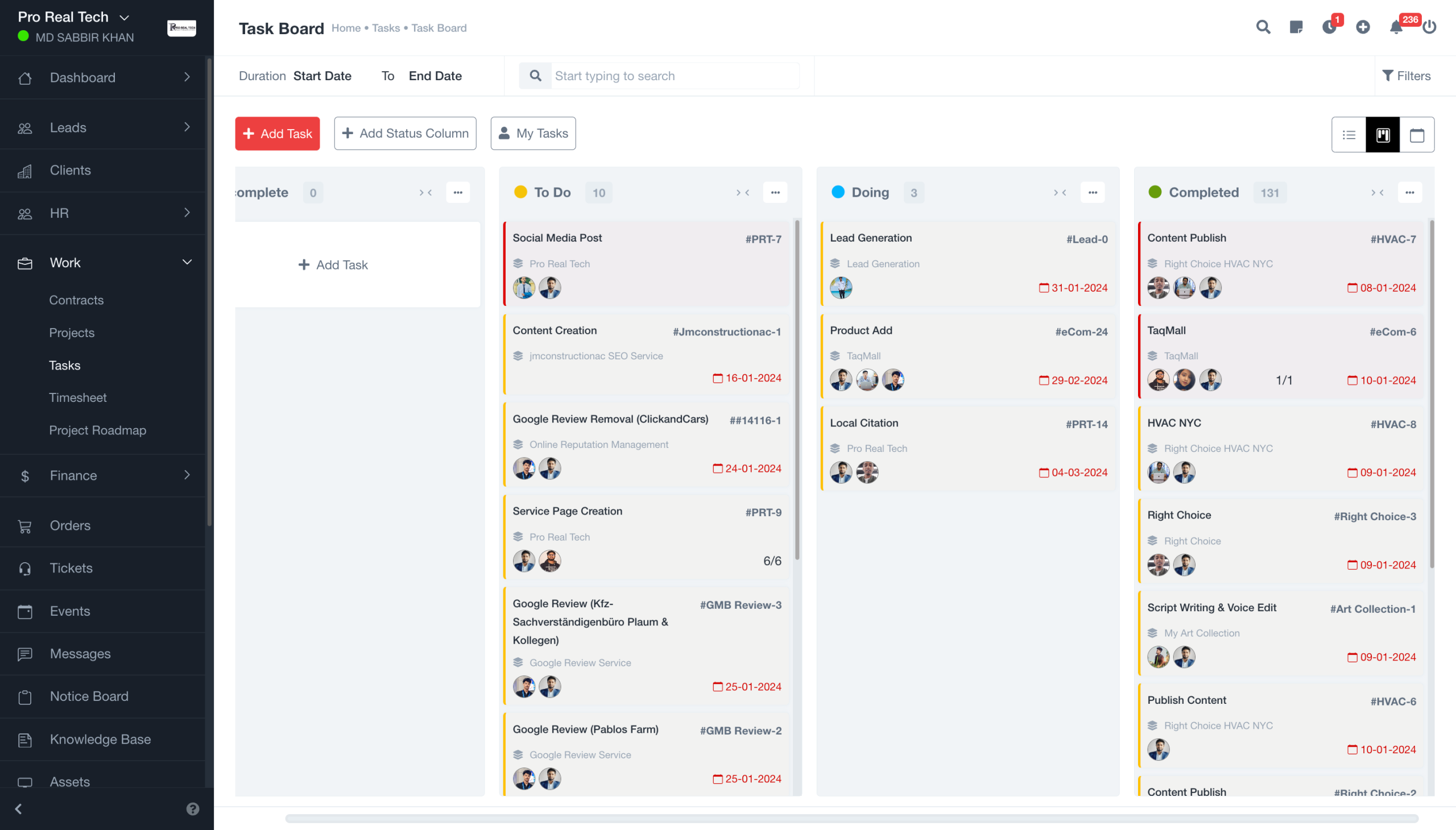
Corexta is an all-in-one business management and collaboration platform designed to help small businesses manage projects, teams, clients, finances, HR operations, payroll, recruitment, and company assets from a single workspace. Instead of using separate applications for project management, communication, employee management, and business operations, organizations can centralize their workflows within one integrated system.
The platform is particularly valuable for growing businesses that want to reduce software sprawl and eliminate the challenges that come with managing multiple disconnected tools. Corexta combines project collaboration features with operational management capabilities, making it suitable for agencies, service businesses, startups, consulting firms, and other small-to-medium-sized organizations.
Its unified approach enables teams to collaborate more effectively while giving managers better visibility into projects, resources, employee performance, and business operations. As companies grow, they can scale their usage without constantly adding new software subscriptions.
Best Features
Unified project management workspace
Corexta offers multiple project views, including Kanban boards, Gantt charts, calendars, task lists, milestones, and project roadmaps. Teams can organize work according to their preferred methodology while maintaining visibility across projects.
Built-in team collaboration tools
Team members can collaborate directly within projects through task assignments, comments, status updates, file sharing, activity tracking, and real-time project monitoring. This reduces communication silos and keeps project-related discussions connected to the work itself.
Time tracking and productivity monitoring
Employees can log hours against projects and tasks, helping managers monitor workloads, improve resource allocation, and track project profitability more accurately.
Integrated client management
Unlike many traditional collaboration tools, Corexta includes CRM and client management capabilities. Businesses can manage leads, proposals, contracts, client communications, projects, and invoices within a single system.
HR and workforce management
The platform includes employee records, attendance tracking, leave management, shift scheduling, onboarding workflows, and organizational structure management. These features help businesses manage people operations without purchasing separate HR software.
Finance and payroll integration
Corexta connects project data with finance and payroll functions, allowing businesses to track expenses, invoices, profitability, payroll processing, and financial performance from a unified dashboard.
Asset and recruitment management
Growing businesses can also manage company assets, equipment assignments, maintenance schedules, recruitment pipelines, candidate evaluations, and hiring workflows from the same platform.
Enterprise-grade security
The platform provides role-based access controls, encryption, compliance-focused infrastructure, and secure cloud hosting to protect business-critical information.
Limitations
- The extensive feature set may feel overwhelming for very small teams that only need basic task management.
- Organizations transitioning from simple collaboration tools may require onboarding time to fully utilize all available modules.
- Businesses seeking highly specialized standalone software for a single function may find some advanced niche features less extensive than dedicated point solutions.
- Teams that only need messaging and communication tools may not require the platform’s broader business management capabilities.
Pricing
Corexta offers a free plan for small teams, along with several paid plans for growing organizations. According to the latest publicly available pricing information:
| Plan | Pricing |
|---|---|
| Free Plan | $0 |
| Small Business | $9.99 per month |
| Medium Business | $19.99 per month |
| Enterprise | $29 per month |
The paid plans include access to the platform’s integrated business management modules, with higher tiers offering expanded capabilities and support options. Businesses can also start with a free trial before upgrading.
Ratings and Reviews
Corexta has received positive feedback for its ability to consolidate multiple business functions into one platform. Users frequently highlight the convenience of managing projects, employees, clients, finances, and collaboration workflows without relying on several disconnected applications.
Overall ratings reported across review platforms include:
- G2: 5/5
- Capterra: 5/5
- Clutch: 5/5
- Product Hunt: 5/5
Reviewers commonly praise the platform’s ease of consolidation, operational visibility, and value compared to maintaining multiple software subscriptions.
2. Clarizen
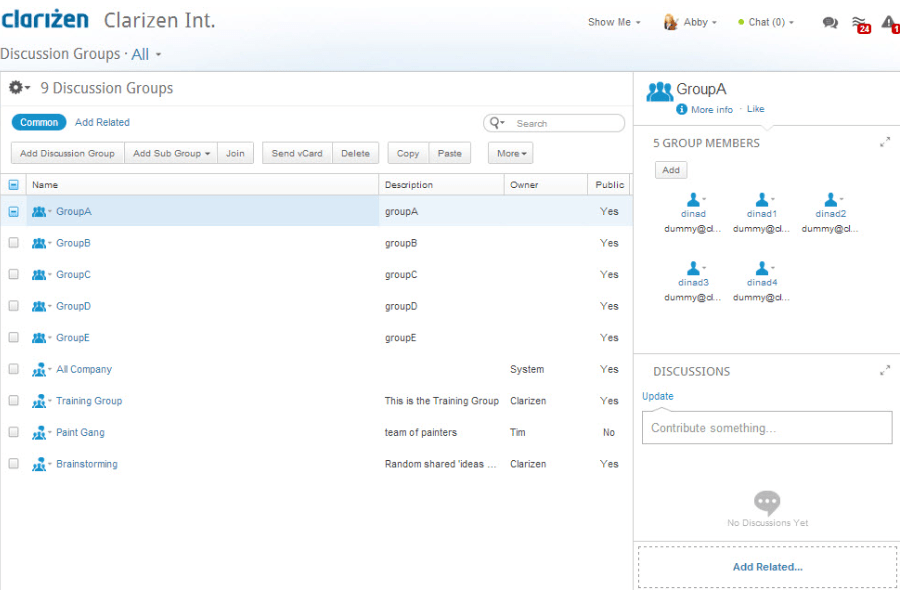
Clarizen is a collaborative work management platform built for organizations that need greater visibility into projects, resources, workflows, and business operations. Designed primarily for project-driven teams, Clarizen helps businesses manage complex initiatives while keeping communication, planning, and execution aligned in a single environment.
The platform combines project management, workflow automation, resource allocation, budgeting, and collaboration tools, making it particularly useful for service-based businesses, consulting firms, marketing agencies, and growing organizations that need structured project governance.
Clarizen’s strength lies in its ability to connect teams, projects, and business processes while providing executives with real-time visibility into project performance and resource utilization.
Best Features
- Advanced project planning and scheduling
- Workflow automation and business process management
- Resource allocation and workload balancing
- Real-time collaboration and project discussions
- Portfolio and program management capabilities
- Custom dashboards and reporting tools
- Budget tracking and financial management
- Project request and approval workflows
- Time tracking and expense management
- Integration with popular business applications
Limitations
- The interface can feel complex for smaller teams.
- Initial setup may require more configuration than simpler collaboration tools.
- Some advanced features are primarily designed for larger organizations.
- Pricing may be difficult for startups and very small businesses to justify.
Pricing
Clarizen typically provides customized pricing based on business requirements, team size, and feature needs. Organizations generally need to contact the sales team for a personalized quote.
Ratings and Reviews
- G2: 4.1/5
- Capterra: 4.2/5
Users frequently praise Clarizen’s project visibility, automation capabilities, and resource management features. However, some reviewers note a steeper learning curve compared to simpler collaboration platforms.
3. Airtable
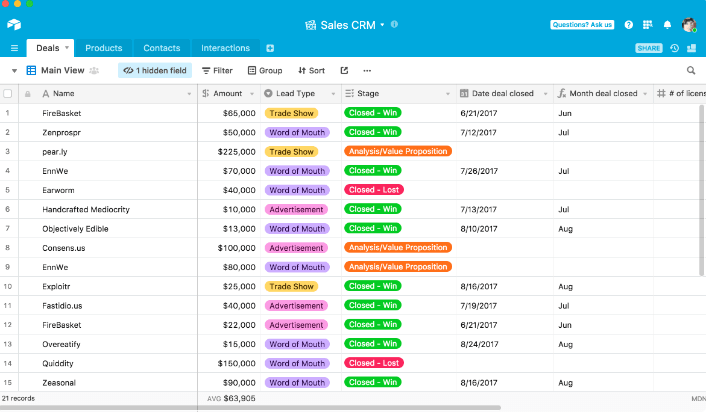
Airtable combines the flexibility of a spreadsheet with the power of a relational database, creating a highly customizable collaboration platform for small businesses. Teams can organize projects, content calendars, customer information, product roadmaps, marketing campaigns, and operational workflows without requiring technical expertise.
Unlike traditional project management tools, Airtable allows businesses to build custom workflows that match their unique processes. Its intuitive interface and extensive template library make it popular among marketing teams, creative agencies, startups, and operational departments.
The platform’s versatility enables businesses to centralize information while giving teams multiple ways to view and interact with data.
Best Features
- Spreadsheet-style interface with database functionality
- Multiple project views including Grid, Kanban, Calendar, Timeline, and Gallery
- Customizable workflows and data structures
- Extensive automation capabilities
- Collaboration and commenting tools
- Large template library for different business use cases
- Advanced filtering and reporting options
- AI-powered workflow enhancements
- Integration with hundreds of third-party applications
- Real-time collaboration across teams
Limitations
- Advanced database setups can become complex.
- Large workspaces may require additional administrative oversight.
- Reporting features are less robust than some dedicated project management tools.
- Enterprise-level governance features are reserved for higher-tier plans.
Pricing
Airtable offers several pricing tiers:
- Free: $0
- Team: $20 per seat/month (billed annually)
- Business: $45 per seat/month (billed annually)
- Enterprise Scale: Custom pricing
Ratings and Reviews
- G2: 4.6/5
- Capterra: 4.7/5
Users appreciate Airtable’s flexibility, customization options, and ease of use. Many small businesses value its ability to adapt to a wide range of workflows without requiring complex technical implementation.
4. monday.com
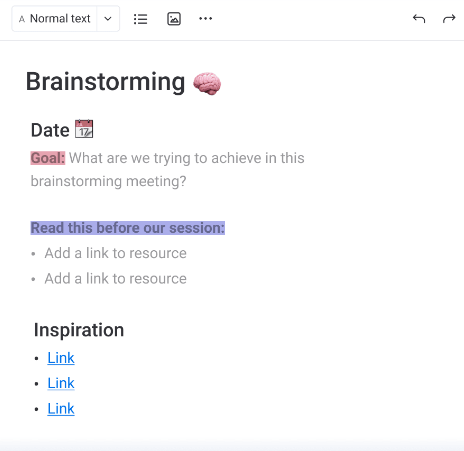
monday.com is one of the most widely adopted work management and collaboration platforms available today. The software helps teams plan projects, manage tasks, automate workflows, track progress, and collaborate efficiently from a centralized workspace.
Its visual interface makes project tracking easy for both technical and non-technical users. Small businesses often choose monday.com because it balances powerful functionality with an intuitive user experience.
The platform supports project management, CRM processes, software development workflows, marketing campaigns, and operational planning, making it suitable for organizations across multiple industries.
Best Features
- Visual project management dashboards
- Multiple views including Kanban, Timeline, Calendar, Table, and Workload
- Workflow automation and recurring task management
- Real-time collaboration and communication
- Goal tracking and performance monitoring
- Resource planning and workload management
- Customizable workflows and templates
- Time tracking capabilities
- Comprehensive reporting dashboards
- Extensive integration ecosystem
Limitations
- Costs can increase significantly as teams grow.
- Some advanced functionality is restricted to higher plans.
- New users may require time to understand all customization options.
- Certain reporting features have limitations on lower tiers.
Pricing
monday.com offers the following plans:
- Free: Up to 2 users
- Basic: $9 per seat/month
- Standard: $12 per seat/month
- Pro: $19 per seat/month
- Enterprise: Custom pricing
Ratings and Reviews
- G2: 4.7/5
- Capterra: 4.6/5
Users consistently highlight monday.com’s ease of use, visual project tracking, and automation features. Many small businesses appreciate how quickly teams can adopt the platform.
5. Podio
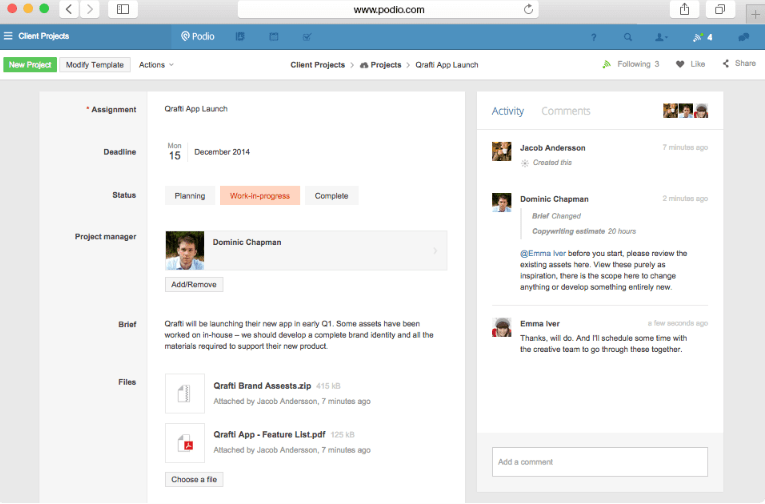
Podio is a customizable collaboration and work management platform designed to help businesses create tailored workflows without extensive technical development. It enables teams to manage projects, communication, CRM activities, and operational processes within a flexible workspace.
One of Podio’s biggest strengths is its ability to allow businesses to build custom applications and workflows that reflect their exact operational needs. This flexibility has made it popular among agencies, consulting firms, and organizations with unique business processes.
Podio also supports team communication through workspaces, task assignments, status updates, and collaborative discussions.
Best Features
- Highly customizable workspaces
- Custom app and workflow creation
- Project and task management
- Team collaboration and messaging
- Process automation capabilities
- CRM functionality
- File sharing and document collaboration
- Role-based permissions
- Activity streams and project updates
- Third-party integrations
Limitations
- User interface appears dated compared to newer platforms.
- Mobile experience may not be as polished as competitors.
- Advanced customization may require additional setup time.
- Reporting functionality is less comprehensive than some alternatives.
Pricing
Podio pricing includes:
- Free: Up to 5 employees
- Plus: $11.20 per employee/month
- Premium: $19.20 per employee/month
Ratings and Reviews
- G2: 4.2/5
- Capterra: 4.3/5
Reviewers often praise Podio’s flexibility and customization capabilities. Businesses with specialized workflows frequently find it easier to adapt than more rigid project management systems.
6. Hive
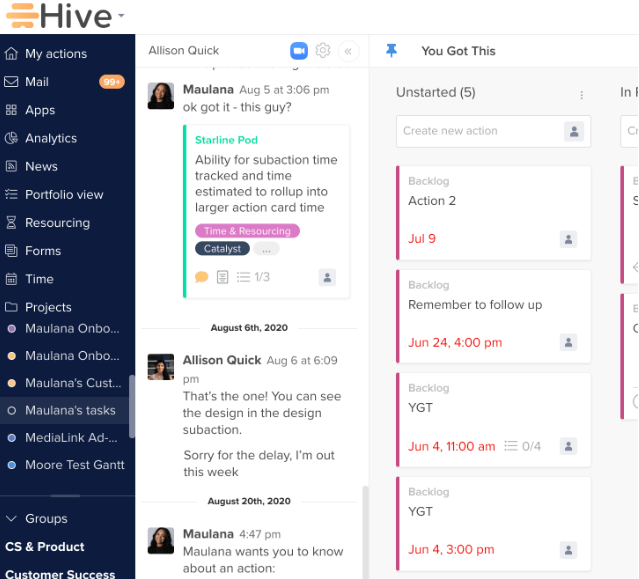
Hive is a productivity and collaboration platform designed to help teams manage projects, communicate effectively, and automate repetitive work. Built around flexibility, Hive allows users to customize project views and workflows based on team preferences.
The platform combines project management, messaging, analytics, automation, and resource planning into a single workspace. Small businesses benefit from Hive’s balance between simplicity and advanced functionality, making it suitable for growing teams.
Hive’s collaborative features help teams stay aligned while reducing the need to switch between multiple applications throughout the workday.
Best Features
- Multiple project views including Kanban, Table, Gantt, and Calendar
- Built-in messaging and communication tools
- Workflow automation
- Time tracking and timesheets
- Resource and workload management
- Collaborative note-taking
- Goal tracking and project analytics
- Custom dashboards
- Approval workflows
- Integration with major productivity tools
Limitations
- Some advanced features require add-on purchases.
- Reporting capabilities can be improved for larger organizations.
- Initial configuration may take time for complex workflows.
- Mobile functionality may vary across features.
Pricing
Hive offers:
- Free Plan: $0
- Starter: $5 per user/month
- Teams: $12 per user/month
- Enterprise: Custom pricing
Additional premium features may be available through optional add-ons.
Ratings and Reviews
- G2: 4.6/5
- Capterra: 4.5/5
Users commonly highlight Hive’s flexibility, collaboration features, and project visibility. Many teams appreciate the platform’s ability to combine communication and project management within one system.
7. Workplace from Meta
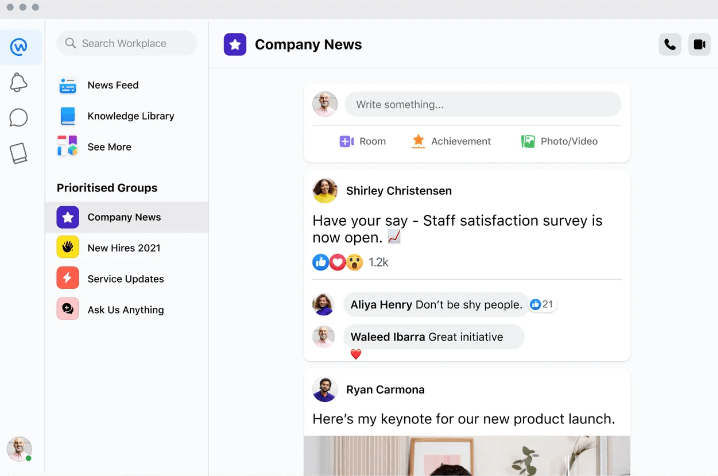
Workplace from Meta was designed as a business communication and collaboration platform that brings familiar social networking experiences into the workplace. The platform focuses on team communication, knowledge sharing, company-wide engagement, and employee collaboration.
Workplace enables organizations to create groups, host live video broadcasts, share updates, communicate through chat, and foster stronger internal connections. Its social-media-inspired interface makes adoption easier for many employees.
The platform has been particularly useful for businesses seeking to improve communication across distributed teams, frontline workers, and multiple office locations.
Best Features
- Familiar social-style user experience
- Company-wide communication channels
- Group collaboration spaces
- Video meetings and live streaming
- Knowledge sharing and announcements
- Mobile-first collaboration experience
- Employee engagement tools
- Workplace Chat for team messaging
- Content sharing and discussion threads
- Global team communication support
Limitations
- Less robust project management functionality than dedicated collaboration platforms.
- Limited workflow and task management capabilities.
- Organizations often require additional project management software.
- Long-term product roadmap changes may influence adoption decisions.
Pricing
Workplace from Meta previously offered several business plans with per-user pricing. However, organizations should verify current availability and pricing options directly, as product offerings and support policies have evolved in recent years.
Ratings and Reviews
- G2: 4.0/5
- Capterra: 4.4/5
Users often praise Workplace’s communication capabilities, ease of adoption, and employee engagement features. Organizations with large distributed workforces particularly value its ability to connect employees across locations.
Unlock the Power of Teamwork with Essential Small Business Collaboration Tools
The right collaboration software can transform how your team communicates, manages projects, and achieves business goals. By centralizing tasks, streamlining communication, and improving visibility across workflows, these seven collaboration tools help small businesses work more efficiently and stay aligned as they grow.
Whether you’re managing a remote team, coordinating client projects, or scaling daily operations, investing in the right platform can improve productivity, reduce bottlenecks, and create a more connected workplace.
If you’re looking for an all-in-one solution that goes beyond basic collaboration, Corexta is worth exploring. It combines project management, team collaboration, CRM, HR, finance, and workflow automation in a single platform, helping businesses eliminate tool overload and manage operations more effectively. Get started with Corexta’s free plan and discover how a unified workspace can help your team collaborate smarter, stay organized, and drive better results.








