
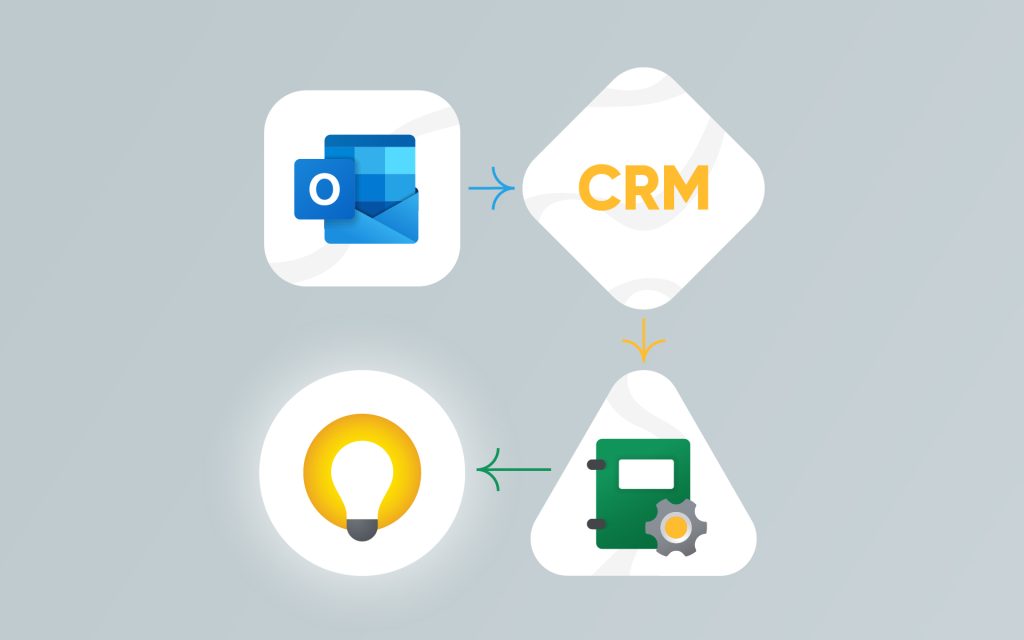
Running a business today requires more than just great products or services. It needs strong customer relationships and well-planned projects. This is where CRM and project management tools come into play. CRM, or Customer Relationship Management, helps companies track leads, communicate with customers, and manage sales. Project management software, on the other hand, helps teams plan, execute, and complete tasks on time.
When you use both systems separately, you might miss out on key details or waste time switching between tools. But when you combine CRM and project management, everything works better together. Teams stay informed, tasks move faster, and clients get a better experience. This smart move can improve teamwork, save time, and boost your bottom line.
What Is a CRM and What Does It Do?
CRM stands for Customer Relationship Management. It is a tool that helps businesses manage all interactions with their customers and potential customers. A CRM system stores customer information like names, contact details, past interactions, purchase history, and more. This makes it easy for teams to keep track of every customer touchpoint in one place.
Sales teams use CRM to manage leads and follow up on deals. Marketing teams use it to run campaigns and track results. Support teams use it to solve customer issues quickly. Some CRMs also include tools like email automation, reporting dashboards, and sales forecasting.
The main goal of a CRM is to help businesses build strong relationships, improve customer service, and grow sales. When used well, it gives a clear view of the customer journey and helps make better decisions based on real data.
What Is Project Management Software?
Project management software helps teams plan, organize, and complete tasks. It is a digital tool used to track progress, set deadlines, assign work, and manage resources. Whether it’s a small task or a large project, this software keeps everything on schedule.
Most project management tools come with features like task lists, calendars, time tracking, file sharing, and team communication. These features help everyone stay on the same page. Managers can see who is doing what and when it will be done. Team members can check their tasks, share updates, and ask for help if needed.
This kind of software is used by many types of businesses. From marketing agencies to tech companies, project management tools make work easier and faster. When teams use these tools, they avoid confusion and delays. Projects stay organized, goals are clear, and teams can deliver better results.
The Benefits of Integrating CRM and Project Management
Combining CRM and project management software creates a powerful system for any business. When both tools work together, your team can save time, avoid errors, and improve results. Below are six key benefits of integrating the two systems:
1. A Single Source of Truth
With integration, all customer and project data lives in one place. Teams don’t have to switch between systems or search for missing details. Everyone can access the same up-to-date information. This leads to fewer mistakes and better decisions.
2. Faster Project Execution
When customer data and project tasks are connected, teams can act quicker. For example, sales reps can hand off projects to the delivery team right after closing a deal. No time is lost copying details or sending emails. This smooth handoff leads to faster project starts and completions.
3. Improved Client Satisfaction
Clients want quick responses and smooth service. When your team has all the needed information in one system, they can respond faster and solve issues better. This makes clients feel valued and leads to higher satisfaction.
4. Stronger Collaboration Between Teams
Sales, marketing, support, and project teams often work in different tools. Integration breaks down these barriers. Everyone can see customer updates and project tasks in one system. This encourages better communication and stronger teamwork.
5. Automated Workflows Save Time
When CRM and project tools are connected, tasks can move automatically. For example, when a deal closes in the CRM, a new project can start in the project tool. These smart workflows reduce manual work and let teams focus on what matters most.
6. Data-Driven Decision-Making
With both systems sharing data, your reports become more powerful. You can track how projects affect sales, how customer feedback links to project results, and more. This helps leaders make smarter choices based on real insights.
Key Features to Consider
When choosing tools that combine CRM and project management, it’s important to look for features that support both sales and project work. The right features will make your team more productive and your business more efficient. Here are the key features to consider:
Customizable Workflows
Every business is different. That’s why your tools should let you create workflows that fit your needs. Whether you’re managing sales deals or project tasks, customizable workflows let you set rules, stages, and actions that match your process. This keeps work moving in the right direction with less effort.
Scalability
Your business may grow over time. Your software should grow with it. A scalable system can handle more users, more projects, and more customers without slowing down. This ensures that your tools stay helpful, even as your team and customer base expand.
User-Friendly Interface
A simple, clean interface saves time. Your team shouldn’t struggle to find features or understand how the system works. A user-friendly tool is easy to learn and makes daily tasks faster. It helps reduce training time and keeps everyone focused on their work.
Collaboration Tools
Good teamwork depends on strong communication. Look for features like chat, file sharing, mentions, and team dashboards. These tools help everyone stay connected, share ideas, and work together toward shared goals. The better the collaboration, the better the project outcome.
Centralized Document Management
Teams often need to access documents like proposals, contracts, or task lists. A system with centralized document storage lets users upload, share, and organize files in one place. This prevents file loss and makes sure everyone always has the latest version.
Automated Notifications
Staying updated is key to keeping projects on track. Automated notifications remind team members about task deadlines, status changes, or customer updates. These alerts keep everyone in the loop and help prevent missed steps or delays.
How CRM and Project Management Work Together
CRM and project management software might seem like two different tools. But when they work together, they create a smooth path from customer interest to project delivery. This connection helps teams across your business stay in sync and deliver better results.
Let’s say a sales team closes a deal using the CRM. Instead of manually handing off the project to another team, the system can trigger the next steps automatically. A new project is created, tasks are assigned, and the timeline starts running—all without delays. Customer notes, preferences, and goals from the CRM are shared directly with the project team. This ensures everyone starts with full context and clear expectations.
Marketing teams also benefit from this setup. They can see which projects lead to happy clients and use that data to shape better campaigns. Meanwhile, support teams can track project updates to prepare for customer follow-up or issue resolution.
This tight integration prevents things from falling through the cracks. It keeps all customer and project information in one place. That way, your business delivers faster, communicates better, and provides a more personalized experience at every step.
Best Practices for CRM and Project Management Integration
Bringing CRM and project management tools together can transform the way your business works. But to get the most out of this integration, you need to follow a few smart practices. Here are the best ones to guide your success:
1. Choose Tools That Work Well Together
Start by selecting software that supports smooth integration. Some platforms come with built-in features to connect CRM and project management, while others offer third-party apps or APIs. Make sure the tools you pick can share data without extra complexity or frequent errors.
2. Define Clear Goals Before Integrating
Ask yourself what you want from the integration. Do you want better task tracking? Faster deal handoff? More client visibility? Having clear goals will help you set up the system the right way and measure success later.
3. Involve All Teams in the Setup Process
Integration affects more than just one department. Involve sales, project managers, marketing, and support in the setup process. Ask them what features they need, how they use data, and where they see gaps. Their input will make the system more useful for everyone.
4. Create Unified Workflows
Once the systems are connected, build workflows that span across teams. For example, when a deal is marked as “won” in the CRM, a new project should start automatically with the right team assigned. This saves time and avoids missed steps.
5. Train Your Team
Even the best system won’t help if no one knows how to use it. Offer training for all users, especially those who work across both CRM and project platforms. Make sure they know how to update records, assign tasks, and share files using the integrated tools.
6. Review and Optimize Regularly
Once the integration is live, don’t forget to check in. Review how the system is working. Are tasks moving faster? Are handoffs smoother? Use this feedback to fine-tune the setup. Small changes can make a big difference over time.
7. Keep Data Clean and Up to Date
Make it a habit to check your data for errors or outdated information. When both systems share data, mistakes in one can affect the other. Set rules for regular clean-up and make sure your team understands the importance of accuracy.
Why Corexta Is the Smart Choice for Seamless Productivity
Corexta stands out as a powerful solution for businesses looking to bring CRM and project management together under one smart platform. Instead of using separate tools that don’t talk to each other, Corexta gives you a unified workspace where everything is connected. From tracking leads to managing client projects, it keeps your teams on the same page.
With Corexta, you can build customized workflows that match your business style. You get real-time updates, task tracking, automated notifications, and easy file sharing—all in one place. Its user-friendly interface means your team can hit the ground running without a steep learning curve. Whether you’re a small startup or a growing enterprise, Corexta scales with you, keeping performance smooth as you expand.
Most importantly, Corexta bridges the gap between customer relationships and project execution. This means no missed details, faster delivery, and happier clients. If you’re serious about boosting productivity and client satisfaction, Corexta makes integration simple, smart, and stress-free.









