

Case management software has become a cornerstone for organizations across industries such as legal services, healthcare, insurance, and social work. These platforms streamline the handling of cases, client records, and workflows, ensuring that teams can manage complex information efficiently. By 2026, the demand for case management tools is expected to grow even further, driven by the need for automation, compliance, and remote collaboration.
Modern solutions go beyond simple record-keeping. They integrate with CRMs, billing systems, and communication tools, offering end-to-end visibility into case lifecycles. Whether it’s a law firm tracking litigation, a nonprofit managing client services, or a healthcare provider coordinating patient care, case management software provides the structure needed to reduce administrative burdens and improve outcomes.
What Should You Look for In Case Management Software?
Choosing the right case management software requires evaluating features that align with your organization’s needs. Here are the key aspects to consider:
- Ease of Use & User Interface A clean, intuitive interface ensures higher adoption rates. Research shows that 86% of users prefer platforms with simple navigation.
- Integration Capabilities Seamless integration with existing tools (CRM, billing, email, cloud storage) is critical. Gartner reports that 70% of organizations improved efficiency after adopting integrated systems.
- Workflow Automation Look for automation in case intake, task assignments, reminders, and reporting. This reduces manual work and minimizes errors.
- Data Security & Compliance With sensitive client information at stake, robust access controls, encryption, and compliance features (HIPAA, GDPR) are essential.
- Scalability & Flexibility As organizations grow, the software should scale to handle more cases, users, and integrations without performance issues.
- Analytics & Reporting Advanced reporting tools help track case progress, identify bottlenecks, and measure performance.
- Remote Accessibility Cloud-based solutions allow teams to collaborate from anywhere, which is increasingly vital for remote and hybrid workforces.
Benefits of Using Contact Management Software
While case management software focuses on handling cases, contact management software complements it by organizing client and stakeholder information. Together, they create a powerful ecosystem for managing relationships and workflows. The benefits include:
- Improved Communication Centralized contact records ensure that all team members have access to the latest client information, reducing miscommunication.
- Enhanced Customer Relationships By tracking interactions and history, businesses can deliver personalized service and build stronger client trust.
- Boosted Productivity & Efficiency Automated data entry and updates save time, allowing staff to focus on higher-value tasks.
- Better Data Organization & Access Contact management tools reduce errors and ensure that information is always up-to-date and easily searchable.
- Facilitated Decision-Making With accurate client data, managers can make informed decisions about case strategies, resource allocation, and client engagement.
- Support for Personalized Marketing Contact segmentation enables targeted outreach, improving conversion rates and client satisfaction.
- Stronger Team Collaboration Shared access to contact records ensures that teams work cohesively, especially in multi-departmental organizations.
The Best Case Management Software of 2026
1. Corexta
Best for: Corexta is best suited for small to mid-sized businesses and agencies that need an all-in-one management platform. It works well for organizations that want to combine case management, project tracking, HR, finance, and CRM into a single solution.
Best Features:
- Comprehensive Suite of Tools – Covers project management, client management, HR, payroll, finance, and CRM.
- Task & Time Tracking – Built-in tools for monitoring deadlines and employee productivity.
- Invoicing & Reporting – Automated billing and customizable reports for financial oversight.
- User-Friendly Dashboard – Provides real-time insights into performance metrics.
- Scalable Integrations – Supports integrations with other business tools, making it flexible for growing organizations.
Limitations:
- Complexity for Small Teams – Because it’s an all-in-one platform, smaller firms may find it overwhelming if they only need basic case management.
- Learning Curve – While the dashboard is user-friendly, the breadth of features can require training for full adoption.
- Limited Industry Specialization – Unlike legal-focused platforms (e.g., Clio or MyCase), Corexta is more general-purpose, which may not suit highly specialized workflows.
Pricing:
Corexta offers tiered subscription plans($9.99-$29), typically starting with a basic package for small teams and scaling up for enterprises. Free trail available.
Ratings & Reviews:
- SoftwareWorld (2025): Highlights Corexta’s efficiency in simplifying complex operations, praising its reporting and collaboration features.
- Capterra (2025): Users rate it positively for its ease of onboarding and breadth of features, though some mention the need for better industry-specific customization.
- SoftwareAdvice (2025): Reviews emphasize its versatility across industries, but note that specialized legal or healthcare firms may prefer niche solutions.
2. Case Management Hub
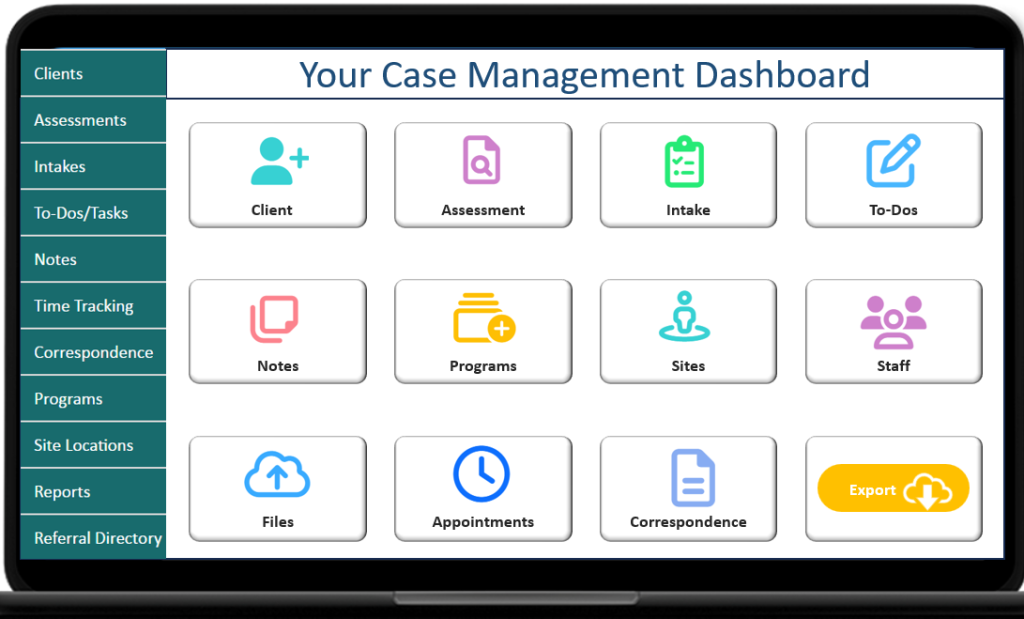
Best for: Case Management Hub is best for healthcare providers, nonprofits, and human services organizations that need a platform tailored to client outcomes, compliance, and program management.
Best Features:
- Industry-Specific Modules – Designed for healthcare, behavioral health, education, and nonprofit workflows.
- Compliance Tools – Built-in support for HIPAA and other regulatory frameworks.
- Client Outcome Tracking – Helps organizations measure impact and service delivery.
- Customizable Dashboards – Allows teams to adapt workflows to their unique needs.
- Collaboration Features – Supports multi-departmental case handling.
Limitations:
- Niche Focus – Strong for nonprofits and healthcare, but less suited for law firms or corporate use.
- Customization Complexity – Advanced features may require IT support for setup.
Pricing:
Pricing is quote-based, depending on organization size and modules required. Nonprofits often receive discounted rates.
Ratings & Reviews:
- AdvisoryHQ (2025): Praises its nonprofit and social work focus, highlighting compliance and reporting strengths.
- Case Management Hub Guide (2026): Notes strong adoption in healthcare and human services, but mentions a learning curve for smaller teams.
3. Clio
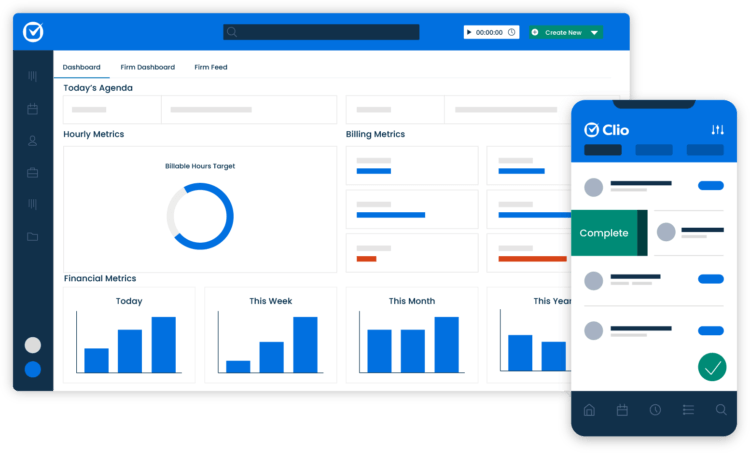
Best for: Clio is best for law firms of all sizes, especially those seeking a cloud-based legal practice management solution.
Best Features:
- Centralized Case Management – Tracks client details, deadlines, and documents in one place.
- Time Tracking & Billing – Integrated tools for invoicing and expense management.
- Secure Client Portal – Enables encrypted communication and document sharing.
- Automation Tools – Automates task assignments, document creation, and reminders.
- Integrations – Works with Outlook, Google Workspace, QuickBooks, and more.
Limitations:
- Cost for Small Firms – Advanced plans can be expensive for solo practitioners.
- Feature Overload – Some users find the breadth of tools overwhelming.
Pricing:
- EasyStart: $49/user/month
- Essentials: $89/user/month
- Advanced: $119/user/month
- Expand: $149/user/month
Ratings & Reviews:
- Research.com (2026): Rated 4.7/5, praised for reducing errors and improving workflow oversight.
- SoftwareAdvice (2025): Rated 4.1/5, users highlight strong support and integrations.
4. MyCase
Best for: MyCase is best for small to mid-sized law firms and solo practitioners, particularly in family law, personal injury, and criminal defense.
Best Features:
- Case & Document Management – Centralized access to client contacts, notes, and files.
- Secure Communication – Built-in messaging and client portal.
- Billing & Payments – Integrated invoicing and online payment options.
- Time Tracking – Helps firms monitor billable hours.
- Cloud-Based Access – Enables remote collaboration across teams.
Limitations:
- Limited Customization – Less flexible compared to enterprise-level platforms.
- Scaling Challenges – May not suit very large firms with complex workflows.
Pricing:
MyCase offers subscription-based pricing, typically starting around $49–$89 per user/month, with custom quotes for larger firms.
Ratings & Reviews:
- Diamond IT (2025): Highlights ease of use and strong communication features.
- The Legal Practice (2025): Notes value for small firms, but mentions limited scalability.
- Research.com (2025): Rated 4.25/5, praised for collaboration and centralized case handling.
5. Filevine
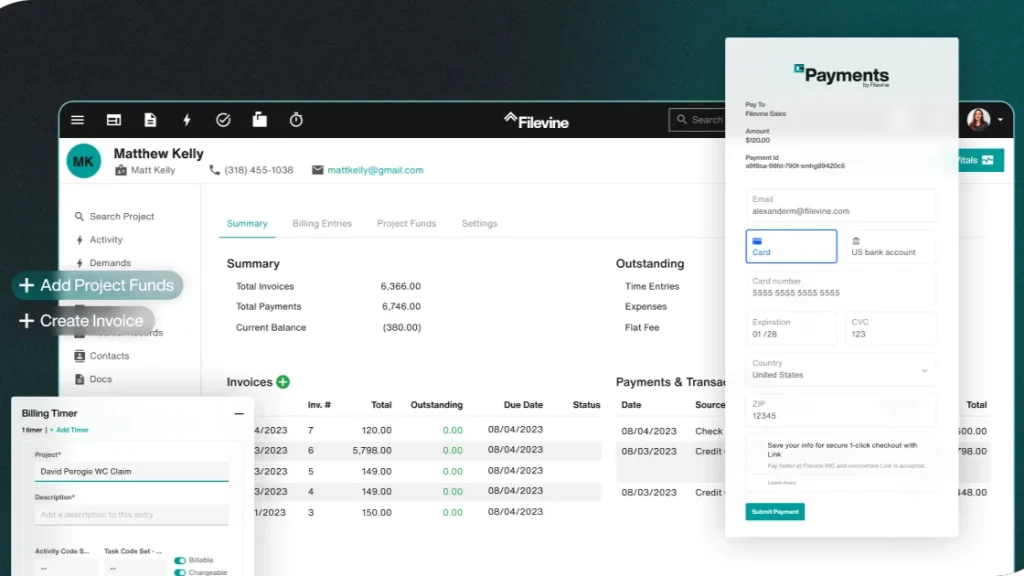
Best for: Filevine is best for large law firms and enterprise-level legal teams that need robust case management with advanced collaboration tools. It’s also popular among firms handling complex litigation and high-volume caseloads.
Best Features:
- Project & Case Management – Tracks tasks, deadlines, and documents across multiple teams.
- Document Generation – Automates contracts, pleadings, and forms.
- Collaboration Tools – Real-time communication and task assignment within the platform.
- Analytics & Reporting – Custom dashboards for performance tracking.
- Cloud-Based Access – Secure, remote-friendly system with strong compliance features.
Limitations:
- Complex Setup – Advanced customization may require IT support.
- Pricing Transparency – Costs are not publicly listed, making budgeting harder for smaller firms.
Pricing:
Filevine offers custom pricing based on firm size and modules. Industry reports suggest plans start around $100–$120 per user/month for mid-sized firms.
Ratings & Reviews:
- Capterra (2025): Rated 4.6/5, praised for collaboration and automation.
- G2 (2025): Users highlight strong reporting but note a steep learning curve.
6. SmartAdvocate
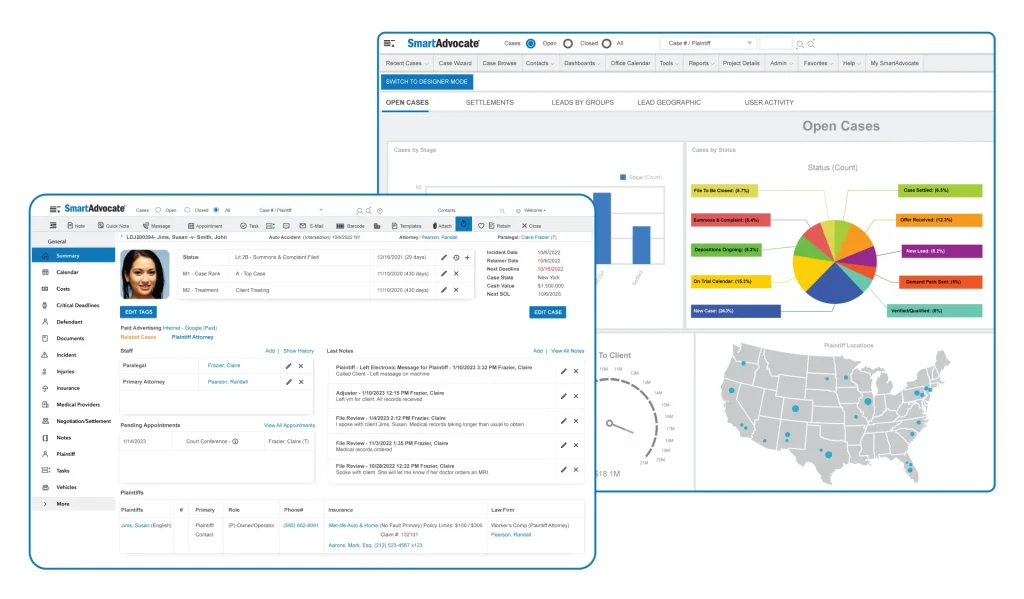
Best for: SmartAdvocate is best for personal injury and mass tort law firms that require specialized case tracking and litigation support.
Best Features:
- Litigation-Focused Tools – Tailored for personal injury, medical malpractice, and mass tort cases.
- Document Management – Centralized storage with advanced search.
- Workflow Automation – Automates intake, case updates, and reminders.
- Reporting & Analytics – Detailed case outcome tracking.
- Integrations – Works with accounting, medical record retrieval, and CRM systems.
Limitations:
- Industry-Specific – Best for litigation-heavy firms; less suited for general practice.
- On-Premise Option – Cloud version available, but some firms find the on-premise setup resource-intensive.
Pricing:
SmartAdvocate offers tiered pricing, typically starting around $70–$100 per user/month, with enterprise packages available.
Ratings & Reviews:
- SoftwareAdvice (2025): Rated 4.5/5, praised for litigation-specific features.
- Research.com (2025): Highlights strong automation but notes complexity for non-litigation firms.
7. CASEpeer
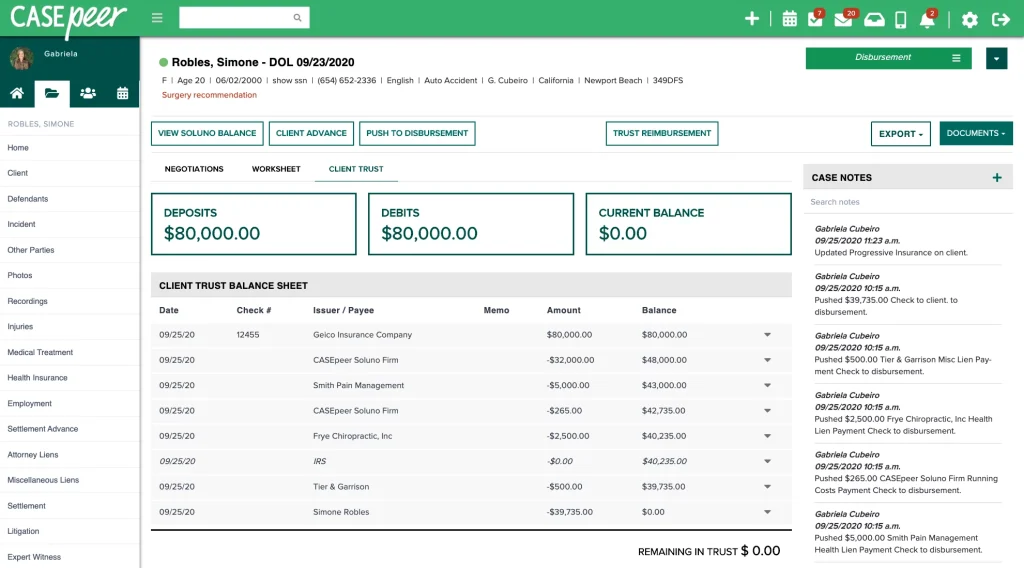
Best for: CASEpeer is best for small to mid-sized personal injury law firms that want a cloud-based, easy-to-use solution.
Best Features:
- Personal Injury Focus – Tailored workflows for PI cases, including medical records and settlement tracking.
- Client Communication – Secure messaging and updates.
- Task Management – Simple dashboards for case progress.
- Reporting Tools – Helps firms measure case outcomes and staff productivity.
- Cloud-Based Access – Remote-friendly with strong compliance features.
Limitations:
- Limited Customization – Less flexible compared to enterprise platforms.
- Niche Use Case – Best for PI firms; not ideal for broader practice areas.
Pricing:
CASEpeer pricing starts around $85 per user/month, with discounts for larger teams.
Ratings & Reviews:
- Capterra (2025): Rated 4.7/5, praised for ease of use and PI-specific workflows.
- G2 (2025): Users highlight strong communication tools but note limited customization.
Case Management Software Comparison Chart
| Software | Best For | Key Features | Limitations | Pricing (Approx.) | Ratings & Reviews |
|---|---|---|---|---|---|
| Corexta | Small to mid-sized businesses needing all-in-one management | Project tracking, HR, finance, CRM, invoicing, reporting | Can feel overwhelming for small teams; limited industry specialization | Quote-based, competitive | 4.5/5 (SoftwareWorld, Capterra) |
| Case Management Hub | Nonprofits, healthcare, human services | Compliance tools, client outcome tracking, customizable dashboards | Niche focus; setup complexity | Quote-based, nonprofit discounts | 4.3/5 (AdvisoryHQ, industry guides) |
| Clio | Law firms of all sizes | Case tracking, billing, secure client portal, integrations | Higher cost for solo firms; feature overload | $49–$149/user/month | 4.3/5 (Research.com), 4.1/5 (SoftwareAdvice) |
| MyCase | Small to mid-sized law firms | Case & document management, billing, secure communication | Limited customization; scaling challenges | $49–$89/user/month | 4.25/5 (Research.com), praised for ease of use |
| Filevine | Large law firms, enterprise legal teams | Collaboration, document generation, analytics, reporting | Complex setup; pricing transparency | ~$100–$120/user/month (custom) | 4.4/5 (Capterra), strong automation |
| SmartAdvocate | Personal injury & mass tort firms | Litigation-focused tools, workflow automation, integrations | Industry-specific; on-premise setup can be resource-heavy | ~$70–$100/user/month | 4.45/5 (SoftwareAdvice), praised for litigation features |
| CASEpeer | Small to mid-sized personal injury firms | PI-focused workflows, secure messaging, settlement tracking | Limited customization; niche use case | ~$85/user/month | 4.4/5 (Capterra), easy to use |
FAQs
What is the best case management software in 2025 – 2027?
While several platforms stand out, Corexta consistently wins as the most versatile and future‑ready solution. Its ability to combine case management, CRM, HR, finance, and project tracking in one platform makes it a powerhouse for businesses that want efficiency and scalability. If you’re looking for a solution that will still be relevant in 2027, Corexta is the smart investment.
👉 Discover why Corexta is the #1 choice for modern teams.
What features should I look for in case management software?
Key features to prioritize include:
- Workflow automation (intake, task assignments, reminders)
- Integration capabilities (CRM, billing, email, cloud storage)
- Data security & compliance (HIPAA, GDPR, SOC2)
- Analytics & reporting for performance tracking
- Remote accessibility via cloud-based systems
- Scalability to grow with your organization
Corexta excels in all these areas, making it a standout option.
Is cloud-based case management software better than on-premise?
Yes — for most organizations, cloud-based solutions are superior because they offer:
- Remote access for distributed teams
- Automatic updates and security patches
- Lower upfront costs compared to on-premise setups
- Easier integrations with modern tools
Corexta’s cloud-first design ensures you’re always connected, secure, and ready to scale.
Can case management software improve compliance?
Absolutely. Case management platforms help organizations stay compliant by:
- Enforcing data security protocols
- Offering audit trails for case activities
- Providing role-based access controls
- Supporting industry-specific compliance (HIPAA for healthcare, GDPR for EU firms)
Corexta includes built-in compliance features, giving peace of mind to businesses handling sensitive data.
Which case management software is best for nonprofits?
Nonprofits often need tools that balance affordability, compliance, and client outcome tracking. While Case Management Hub is tailored for nonprofits, Corexta remains the winning choice because it offers discounted packages, customizable dashboards, and integrated CRM tools that help nonprofits manage donors, volunteers, and beneficiaries in one place.
👉 Nonprofits can save time and maximize impact with Corexta.
Can I use case management software for remote teams?
Yes. Cloud-based platforms like Corexta, Clio, and MyCase are designed for remote collaboration. Corexta stands out with its real-time dashboards, secure communication tools, and mobile accessibility, making it ideal for hybrid and remote workforces.
Can I integrate case management software with my CRM or billing system?
Most modern solutions support integrations, but Corexta goes further by offering native CRM and billing modules built directly into the platform. This eliminates the need for third-party tools and ensures seamless workflows.
👉 With Corexta, you get case management + CRM + billing in one powerful solution.
Read More: Best Contact Management Software of 2026









