
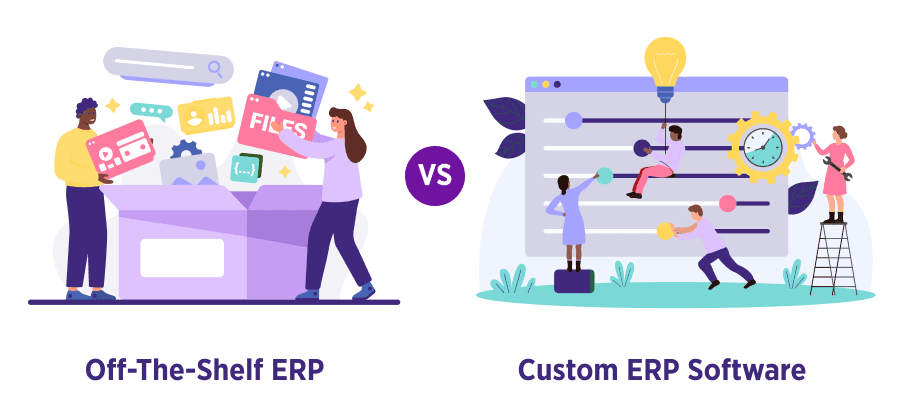
As businesses scale, managing operations through disconnected spreadsheets, standalone tools, and manual workflows becomes increasingly difficult. Finance, inventory, procurement, HR, customer management, reporting, and supply chain operations all start generating large volumes of data that need to work together in real time. That is where ERP systems become essential.
Enterprise Resource Planning (ERP) software helps organizations centralize operations into a single system, improving visibility, automation, collaboration, and decision-making. Modern ERP platforms now go beyond basic accounting and inventory tracking. In 2026, businesses expect ERP systems to support AI-powered analytics, cloud accessibility, workflow automation, advanced integrations, and scalable architecture that can evolve with business growth.
However, choosing the right ERP approach is one of the most important technology decisions a company can make. Most organizations eventually face two options:
- Build a custom ERP tailored specifically to their workflows
- Purchase an off-the-shelf ERP platform with pre-built functionality
Both approaches have advantages, limitations, and long-term business implications. An off-the-shelf ERP may offer faster deployment and lower upfront costs, while a custom ERP may provide deeper flexibility, stronger integrations, and better scalability over time. The right choice depends on your business processes, growth plans, operational complexity, budget, and technical requirements.
Many ERP implementation failures happen not because ERP software is ineffective, but because the selected system does not align with the company’s actual workflows. Research and industry reports continue to show that businesses often struggle with rigid software structures, expensive customization, poor integrations, and user adoption challenges when ERP systems fail to fit operational realities.
This guide explains the key differences between custom ERP and off-the-shelf ERP solutions, including how they work, where each option performs best, and what businesses should consider before making a long-term investment.
Understanding ERP Solutions
ERP, or Enterprise Resource Planning, is a centralized software system that connects multiple business functions into one integrated platform. Instead of using separate tools for accounting, inventory, sales, procurement, payroll, customer management, and reporting, ERP systems bring everything together into a shared database and workflow environment.
The primary goal of ERP software is to improve operational efficiency by eliminating data silos and automating repetitive business processes. When departments work within the same system, businesses gain access to accurate real-time information, better reporting, and faster decision-making.
A modern ERP solution may include modules such as:
- Finance and accounting
- Inventory and warehouse management
- Procurement and purchasing
- Supply chain management
- Human resources and payroll
- Manufacturing management
- Customer relationship management (CRM)
- Project management
- Business intelligence and analytics
ERP systems have evolved significantly over the past decade. Earlier ERP platforms were often expensive, on-premise systems designed mainly for large enterprises. Today, businesses can choose between cloud ERP, hybrid ERP, modular ERP, and industry-specific ERP solutions depending on operational requirements and scalability needs.
Modern ERP trends in 2026 focus heavily on:
- AI-driven reporting and predictive analytics
- Workflow automation
- Low-code and composable architecture
- API-first integrations
- Cloud scalability
- Mobile accessibility
- Enhanced cybersecurity and compliance
These advancements are helping businesses create more agile and connected operational environments.
ERP systems are commonly used by:
- Manufacturing companies
- Retail and eCommerce businesses
- Logistics and distribution companies
- Healthcare organizations
- Construction firms
- Service-based enterprises
- Multi-location businesses
- Growing startups and SMEs
The main reason companies invest in ERP software is to gain operational control as complexity increases. Without ERP, businesses often experience duplicate data entry, reporting delays, disconnected departments, inventory inaccuracies, and inefficient workflows.
An effective ERP system creates a single source of truth across the organization. This improves visibility, reduces manual work, supports compliance requirements, and enables leadership teams to make data-driven decisions more confidently.
What Is Custom ERP Software?
Custom ERP software is an ERP system designed and developed specifically for a single organization based on its unique business processes, workflows, operational goals, and scalability requirements.
Unlike standard ERP products that are built for broad market use, custom ERP solutions are tailored around how a company already operates. Instead of forcing teams to adapt to predefined software structures, the software itself is built to support the company’s existing workflows and future growth plans.
A custom ERP system may include only the modules and features a business actually needs. This creates a more focused and efficient environment without unnecessary tools, menus, or licensing restrictions.
Custom ERP platforms are commonly built for businesses that:
- Have complex or highly specialized workflows
- Operate in niche industries
- Need deep integration with existing software
- Manage multi-location or multi-entity operations
- Require advanced reporting and automation
- Want full ownership of their data and infrastructure
- Expect rapid long-term scaling
The custom ERP development process typically includes:
- Business requirement analysis
- Workflow mapping
- System architecture planning
- UI/UX design
- Module development
- Integration setup
- Testing and quality assurance
- Deployment and training
- Ongoing optimization and support
One of the biggest advantages of custom ERP software is flexibility. Businesses can continuously improve the platform as operations evolve. New modules, workflows, automations, dashboards, and integrations can be added without waiting for vendor release cycles.
Custom ERP systems also provide stronger integration capabilities. Many organizations rely on multiple tools such as CRM software, eCommerce platforms, accounting systems, HR software, payment gateways, warehouse systems, and analytics tools. A custom ERP can unify these systems through API-driven architecture and centralized data synchronization.
Another major advantage is long-term scalability. Off-the-shelf ERP platforms often become expensive as businesses grow because of increasing licensing fees, user restrictions, and upgrade costs. Custom ERP solutions can scale more predictably because businesses control the infrastructure, user access, and feature roadmap themselves.
Security and compliance are also key reasons companies choose custom ERP systems. Organizations handling sensitive financial, operational, or customer data may require advanced role-based access controls, industry-specific compliance workflows, audit logging, and custom security configurations.
However, custom ERP development also comes with challenges:
- Higher upfront investment
- Longer implementation timelines
- Need for experienced development teams
- Ongoing maintenance responsibilities
- Greater planning complexity
Despite these challenges, many growing companies view custom ERP as a long-term strategic investment rather than just software procurement. Businesses that outgrow rigid ERP platforms often shift toward custom solutions to improve operational efficiency and reduce dependency on vendor-controlled ecosystems.
What Is Off-the-Shelf ERP Software?

Off-the-shelf ERP software refers to pre-built ERP platforms designed to serve a broad range of businesses across multiple industries. These systems come with standard modules, predefined workflows, and ready-made features that companies can deploy relatively quickly.
Popular off-the-shelf ERP platforms usually include modules for:
- Accounting and finance
- Inventory management
- Procurement
- Sales and CRM
- HR and payroll
- Reporting and analytics
- Supply chain operations
Because these systems are already developed and tested, businesses can often implement them much faster than custom-built ERP software. This makes off-the-shelf ERP attractive for organizations that need rapid deployment or have limited internal technical resources.
Most off-the-shelf ERP systems use subscription-based or license-based pricing models. Businesses typically pay for:
- User licenses
- Cloud hosting
- Support packages
- Add-on modules
- Third-party integrations
- Customization services
One of the biggest advantages of off-the-shelf ERP is reduced initial development effort. Companies can adopt proven workflows, pre-built templates, and vendor-supported infrastructure without building software from scratch.
These ERP systems also benefit from:
- Vendor-managed updates
- Established support ecosystems
- Community forums and documentation
- Third-party integration marketplaces
- Industry-specific modules
- Faster onboarding
For small and medium-sized businesses with relatively standard processes, off-the-shelf ERP can provide strong operational improvements without requiring major custom development investments.
However, limitations often appear as businesses grow or develop more specialized operational needs.
Since off-the-shelf ERP platforms are designed for mass adoption, they may not align perfectly with unique workflows. Businesses frequently need to adjust internal processes to fit the software rather than configuring the software around the business. This can create operational inefficiencies, manual workarounds, and user frustration over time.
Customization can also become expensive and technically complex. While many vendors advertise flexible customization, deep modifications often require consultants, add-on tools, or expensive enterprise licensing plans. In some cases, extensive customization may create upgrade conflicts and vendor dependency issues.
Scalability is another important consideration. As organizations expand into multiple departments, regions, or subsidiaries, recurring licensing costs and infrastructure limitations may significantly increase the total cost of ownership.
Despite these limitations, off-the-shelf ERP remains a practical solution for many businesses, especially those that:
- Need fast implementation
- Have standardized workflows
- Operate with smaller teams
- Prefer vendor-managed support
- Have limited technical expertise
- Want predictable short-term costs
For many organizations, off-the-shelf ERP acts as a starting point for digital transformation. As operational complexity grows, some businesses eventually transition toward more customized ERP environments to gain greater flexibility, automation, and control.
Comparing Custom and Off-the-Shelf ERP Systems: Side-by-Side
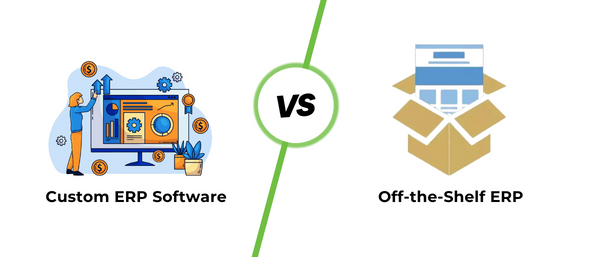
Choosing between a custom ERP and an off-the-shelf ERP is not simply a software decision. It affects operational flexibility, long-term costs, scalability, integration capabilities, and even how efficiently teams work across departments.
At first glance, off-the-shelf ERP systems may appear more affordable and faster to implement. However, many organizations discover that recurring licensing fees, customization limitations, integration restrictions, and workflow compromises increase costs over time.
On the other hand, custom ERP systems require higher initial investment and longer development timelines, but they provide greater flexibility, ownership, and scalability for businesses with complex operations or long-term growth plans.
The comparison below explains how both approaches differ across the most important business and technical factors.
| Factor | Custom ERP | Off-the-Shelf ERP |
|---|---|---|
| Initial Cost | Higher upfront investment because the system is built specifically for the organization. Costs include planning, UI/UX design, architecture, development, testing, deployment, and integrations. | Lower initial investment because the software is already developed. Businesses usually pay subscription fees, setup charges, or license costs. |
| Ongoing Cost | Maintenance costs depend on hosting, updates, support, and internal development resources. Costs are often more predictable over time because businesses avoid growing per-user licensing expenses. | Recurring monthly or yearly licensing fees can increase significantly as users, modules, or storage requirements grow. Additional costs often apply for premium support and advanced features. |
| Total 5-Year Cost | Higher at the beginning but potentially lower long-term for growing companies because businesses own the software and avoid escalating vendor fees. | May appear cheaper initially, but long-term ownership costs can become expensive due to subscriptions, upgrades, customization fees, and vendor dependency. |
| Customisation | Fully customizable according to workflows, departments, approval systems, reporting requirements, and business logic. | Limited customization depending on the vendor’s framework. Deep modifications can be costly and may affect future updates. |
| Compatibility with Other Software | Designed specifically to integrate with existing business systems, APIs, legacy tools, and third-party applications. | Integration support varies by platform. Some systems support standard integrations, but compatibility issues may appear with specialized or older software. |
| Time to Deploy | Longer implementation timeline because the system must be planned, developed, tested, and optimized. Deployment may take several months depending on complexity. | Faster deployment because the software already exists. Businesses can sometimes go live within weeks or a few months. |
| Scalability | Highly scalable. Businesses can add modules, workflows, users, automation, and infrastructure as operations expand. | Scalability depends on vendor architecture, pricing tiers, and platform limitations. Costs often rise rapidly with business growth. |
| Data Ownership | Businesses maintain full ownership and control over data, infrastructure, security configurations, and backups. | Data is often stored on vendor-managed cloud environments. Access, portability, and control may depend on vendor policies. |
| Integration | Supports deep API integrations and workflow automation across multiple platforms and departments. | Standard integrations are usually available, but advanced integration needs may require third-party tools or custom development. |
| Maintenance and Support | Businesses manage support internally or through development partners. Maintenance can be tailored according to operational needs. | Vendor typically handles updates, patches, security fixes, and technical support through subscription plans. |
| Best For | Large businesses, rapidly scaling organizations, enterprises with complex workflows, multi-location operations, and companies needing high flexibility. | Startups, small businesses, companies with standardized workflows, and organizations needing rapid deployment with limited technical overhead. |
The biggest difference between these two ERP approaches is control versus convenience.
Off-the-shelf ERP systems focus on speed, simplicity, and vendor-managed infrastructure. They work well for businesses that need standardized operational processes without large technical investments.
Custom ERP systems focus on flexibility, ownership, operational alignment, and long-term scalability. They are often preferred by businesses whose workflows cannot efficiently fit inside rigid software environments.
The decision should not be based only on short-term cost. Businesses should also evaluate:
- Future expansion plans
- User growth projections
- Integration complexity
- Data governance requirements
- Industry-specific workflows
- Operational automation goals
- Long-term total cost of ownership
- Vendor dependency risks
An ERP system becomes deeply connected to nearly every business operation. Replacing or restructuring it later can be expensive and disruptive. That is why selecting the right ERP strategy from the beginning is critical for sustainable growth.
When to Choose Each Option
There is no universal ERP solution that works perfectly for every business. The right choice depends on operational complexity, growth goals, technical requirements, available budget, and how much flexibility the organization needs over time.
Some companies benefit from the speed and simplicity of off-the-shelf ERP software, while others require the deep customization and scalability that only custom ERP systems can provide.
Understanding when each option makes sense helps businesses avoid costly implementation mistakes and long-term operational limitations.
Choose Custom ERP If…
Custom ERP software is usually the better choice for organizations that need flexibility, process control, advanced integrations, and long-term scalability.
Your workflows are unique to your industry
Many industries operate with specialized processes that generic ERP systems cannot easily support.
For example:
- Manufacturing businesses may require custom production workflows
- Logistics companies may need route-specific operational systems
- Healthcare organizations often require compliance-heavy workflows
- Construction firms may need project-based operational tracking
- Multi-branch businesses may require location-specific management logic
When workflows are highly specialized, forcing teams to adapt to standardized ERP structures often creates inefficiencies, duplicate work, and manual processes.
Custom ERP software allows the platform to match the business instead of forcing the business to match the software.
This improves:
- Operational efficiency
- User adoption
- Workflow automation
- Reporting accuracy
- Department coordination
Businesses with operational complexity often achieve better long-term productivity through software tailored specifically to their internal processes.
You want to eliminate per-user licensing fees
Most off-the-shelf ERP platforms charge businesses based on:
- Number of users
- Storage usage
- Feature access
- API usage
- Additional modules
- Advanced reporting capabilities
These recurring costs may seem manageable initially, but they often increase rapidly as organizations scale.
A company with 20 users today may grow to 300 or 500 users within a few years. In many vendor-based ERP systems, this dramatically increases yearly software costs.
Custom ERP systems usually avoid ongoing per-user licensing structures because the business owns the software itself.
While custom ERP requires larger upfront investment, long-term operational costs may become more predictable and financially sustainable for growing organizations.
This is especially important for businesses planning large workforce expansion or multi-department growth.
You need deep integrations with existing systems
Modern businesses rarely operate using a single software platform.
Most organizations already use tools such as:
- CRM systems
- HR software
- Accounting platforms
- Warehouse management tools
- eCommerce platforms
- Payment gateways
- Business intelligence software
- Inventory systems
- Customer support platforms
Off-the-shelf ERP systems may support basic integrations, but complex workflow synchronization often becomes difficult or expensive.
Custom ERP platforms can be designed around the company’s entire technology ecosystem.
This allows businesses to create:
- Real-time data synchronization
- Automated workflows
- Unified reporting systems
- Cross-platform process automation
- Centralized operational dashboards
Deep integration capabilities are especially valuable for businesses that rely heavily on automation and operational visibility.
Data ownership and security are top priorities
Data security has become one of the biggest concerns in modern business operations.
Organizations handling sensitive information often require:
- Full database control
- Advanced access permissions
- Audit logging
- Custom compliance workflows
- Region-specific data hosting
- Security policy customization
In many off-the-shelf cloud ERP systems, businesses rely heavily on vendor infrastructure and policies.
Custom ERP systems provide greater control over:
- Data storage
- Hosting environments
- Security architecture
- Backup procedures
- Compliance management
- Access governance
Industries with strict compliance or privacy requirements often prefer custom ERP environments because they offer stronger operational control and reduced dependency on third-party platforms.
You plan to scale to 500+ users
As businesses grow, ERP scalability becomes increasingly important.
Many off-the-shelf ERP platforms work efficiently for small or medium-sized teams but become expensive or restrictive at enterprise scale.
Large organizations typically require:
- Multi-location support
- Department-specific workflows
- Advanced automation
- Role-based permissions
- High-volume reporting
- Complex approval systems
- Enterprise integrations
Custom ERP systems are often designed with long-term scalability in mind.
This allows businesses to expand operations without constantly restructuring workflows or paying significantly higher licensing costs.
For organizations expecting rapid growth, custom ERP may provide better operational stability and cost efficiency over time.
Choose Off-the-Shelf If…
Off-the-shelf ERP systems are ideal for businesses that need faster implementation, lower upfront investment, and standardized operational management.
They work especially well for startups, small businesses, and companies with relatively straightforward workflows.
Your processes follow industry standards
Many businesses operate using widely accepted operational structures.
For example:
- Standard retail inventory management
- Basic accounting workflows
- Typical HR and payroll processes
- Conventional procurement systems
- Standard CRM workflows
In these cases, off-the-shelf ERP software may already include the features the business needs.
There may be little value in building a fully custom platform if the company’s processes are not highly specialized.
Using pre-built ERP software can reduce implementation complexity while still improving operational efficiency.
You need to go live within 2 months
Custom ERP development takes time.
Businesses must complete:
- Requirement analysis
- Workflow planning
- UI/UX design
- Development
- Testing
- Deployment
- Training
This process may take several months depending on complexity.
Off-the-shelf ERP platforms are usually much faster to implement because the core system already exists.
Many vendors provide:
- Ready-made templates
- Preconfigured modules
- Cloud deployment
- Onboarding assistance
- Standard workflow packages
For businesses facing urgent operational challenges, rapid deployment may be more important than deep customization.
Your budget is under 10,490 USD initially
Budget limitations are one of the most common reasons businesses choose off-the-shelf ERP software.
Custom ERP development often requires substantial upfront investment because businesses pay for:
- Development teams
- System architecture
- Testing
- Infrastructure
- Integrations
- Ongoing optimization
Off-the-shelf ERP systems usually provide lower entry costs through monthly subscriptions or phased implementation models.
This allows smaller businesses to begin digital transformation without making a large initial capital investment.
For startups and small businesses with limited resources, this can significantly reduce financial risk.
You have fewer than 50 users
Smaller organizations often do not require highly complex ERP functionality.
If the company has:
- Limited departments
- Simple workflows
- Small operational teams
- Basic reporting needs
- Minimal automation requirements
Then an off-the-shelf ERP platform may provide everything necessary for efficient operations.
In many cases, smaller businesses benefit more from simplicity and ease of use than from extensive customization.
Vendor support and community matter to you
One major advantage of off-the-shelf ERP software is access to vendor ecosystems.
Most established ERP vendors provide:
- Technical support
- Knowledge bases
- User communities
- Implementation partners
- Training resources
- Documentation
- Security updates
Businesses without internal IT teams often benefit from this external support structure.
Vendor-managed environments can reduce technical responsibility and simplify ongoing maintenance for smaller organizations.
For many businesses, especially during early growth stages, this support ecosystem provides operational confidence and faster issue resolution.
How to Excel in ERP Systems Implementation?
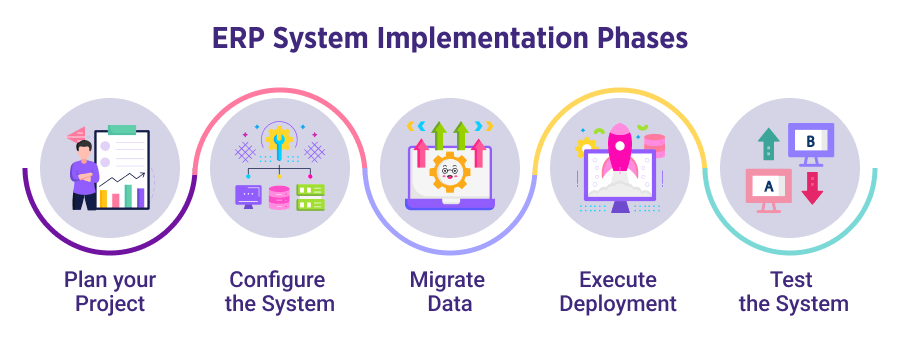
ERP implementation is not only a technical project — it is a business transformation process. Even the most advanced ERP software can fail if planning, user adoption, data migration, and deployment strategies are poorly managed.
Successful ERP implementation requires strong leadership, realistic timelines, clear operational goals, and continuous collaboration between technical teams and business stakeholders.
Modern ERP projects in 2026 also involve additional priorities such as cloud infrastructure planning, cybersecurity, AI-enabled reporting, workflow automation, and integration readiness. Businesses that approach implementation strategically often achieve faster ROI, smoother adoption, and stronger long-term operational efficiency.
Below are the five most important phases of successful ERP implementation.
Phase 1: Plan your Project
The planning phase is the foundation of the entire ERP implementation process. Most ERP failures begin with unclear requirements, unrealistic expectations, or poor project governance.
Businesses should start by identifying:
- Operational pain points
- Existing workflow inefficiencies
- Reporting limitations
- Integration requirements
- Department-specific needs
- Scalability expectations
- Budget and timeline constraints
A dedicated implementation team should be formed that includes:
- Executive stakeholders
- Department managers
- IT personnel
- Finance representatives
- ERP consultants or developers
- Process owners
This phase should also define measurable success metrics such as:
- Reduction in manual tasks
- Faster reporting cycles
- Improved inventory accuracy
- Better cross-department collaboration
- Increased process automation
Workflow mapping is especially important during planning. Businesses must fully understand how information currently flows between departments before redesigning operational processes inside the ERP system.
Strong planning reduces implementation risks, budget overruns, and user resistance later in the project.
Phase 2: Configure the System
Once planning is complete, the ERP system must be configured according to business requirements.
For off-the-shelf ERP systems, this usually includes:
- Setting up modules
- Creating user roles
- Configuring permissions
- Defining workflows
- Customizing dashboards
- Enabling integrations
- Configuring reporting structures
For custom ERP systems, this phase also includes software development and feature engineering.
Businesses should avoid overcomplicating the system during initial implementation. One common mistake is attempting to automate every process immediately.
Instead, organizations should prioritize:
- Core operational workflows
- High-impact automation
- Critical reporting functions
- Essential integrations
Modern ERP systems also require mobile optimization, API configuration, cloud environment setup, and cybersecurity planning during this stage.
User experience is another critical factor. Complex ERP interfaces often reduce adoption rates. The system should be designed to simplify employee workflows rather than create additional operational friction.
Phase 3: Migrate Data
Data migration is one of the most sensitive phases of ERP implementation.
Most businesses have data spread across:
- Spreadsheets
- Legacy software
- CRM platforms
- Accounting systems
- Inventory databases
- HR tools
- Manual records
Migrating inaccurate or duplicated data into the new ERP system can create major operational problems later.
Before migration begins, businesses should:
- Audit existing data
- Remove duplicates
- Correct outdated records
- Standardize formats
- Validate critical information
- Define data ownership responsibilities
Data migration should be performed in stages rather than through uncontrolled bulk imports.
Important data categories usually include:
- Customer records
- Vendor information
- Financial history
- Inventory data
- Employee information
- Procurement records
- Sales history
Security and compliance must also be prioritized during migration, especially for businesses handling sensitive financial or customer information.
A clean and validated database significantly improves ERP performance, reporting accuracy, and automation reliability.
Phase 4: Execute Deployment
Deployment is the stage where the ERP system officially becomes part of daily business operations.
Businesses typically choose one of three deployment approaches:
- Full deployment (all departments at once)
- Phased deployment (department by department)
- Parallel deployment (old and new systems run together temporarily)
Phased deployment is often the safest approach for medium and large businesses because it reduces operational disruption.
During deployment, organizations should focus heavily on:
- Employee training
- Change management
- User onboarding
- Internal communication
- Technical support availability
One of the biggest ERP implementation challenges is user resistance. Employees may struggle to adapt to new workflows, interfaces, and operational procedures.
Comprehensive training programs help improve confidence and reduce productivity slowdowns during transition periods.
Leadership involvement is also essential. When management actively supports ERP adoption, employees are more likely to engage positively with the system.
Phase 5: Test the System
ERP testing should never be treated as a final checklist item. It is a continuous process that validates whether the system performs correctly under real operational conditions.
Businesses should test:
- Workflow automation
- User permissions
- Reporting accuracy
- Data synchronization
- Integrations
- Financial calculations
- Inventory updates
- Security controls
- Mobile functionality
- Performance under heavy usage
Testing should involve real users from different departments because operational teams often identify issues technical teams may overlook.
Common ERP testing methods include:
- Functional testing
- User acceptance testing (UAT)
- Integration testing
- Security testing
- Load testing
- Regression testing
Businesses should also create rollback and backup plans before final launch to minimize operational risks if critical issues appear.
Even after deployment, ERP systems require ongoing optimization, monitoring, and process refinement. Successful ERP implementation is not a one-time event — it is a continuous improvement strategy that evolves alongside the business.
Frequently Asked Questions
What is a custom ERP system?
A custom ERP system is software specifically designed for a company’s unique workflows, operational requirements, and business goals. Unlike standard ERP platforms, custom ERP solutions are built around the organization’s processes instead of forcing teams to adapt to prebuilt structures. These systems often provide greater flexibility, scalability, integration capabilities, and long-term operational control.
How much does a custom ERP cost compared to off-the-shelf?
Custom ERP systems usually require higher upfront investment because they involve planning, development, testing, and infrastructure setup. However, off-the-shelf ERP systems often generate recurring costs through subscriptions, user licensing, upgrades, and add-on modules. Over several years, growing businesses may find custom ERP more cost-efficient depending on user growth and operational complexity.
How long does it take to build a custom ERP?
The timeline depends on business size, feature complexity, integrations, and workflow requirements. Small custom ERP projects may take 3–6 months, while enterprise-level systems can require 12 months or longer. Proper planning, phased development, and clear requirements help reduce delays and implementation risks.
When should I choose off-the-shelf ERP?
Off-the-shelf ERP is usually ideal for businesses with standardized workflows, smaller teams, limited budgets, and urgent deployment timelines. It works well when companies need ready-made features, vendor-managed support, and faster implementation without extensive customization.
Can I migrate from an off-the-shelf ERP to a custom ERP?
Yes. Many businesses initially adopt off-the-shelf ERP systems and later transition to custom ERP as operations become more complex. Migration typically involves transferring data, rebuilding workflows, integrating existing systems, and redesigning reporting structures. Careful planning and phased migration strategies help minimize operational disruption during the transition process.









