In a fast-moving business environment, organizations can’t afford delays, bottlenecks, or resource shortages. Whether you’re managing IT operations, product development, manufacturing, or service delivery, having the right resources available at the right time determines how smoothly your projects run. This is where capacity planning becomes essential.
Capacity planning ensures your team, tools, infrastructure, and processes can meet current and future demands without unnecessary stress, overspending, or productivity loss. With proper planning, companies avoid overwork, understaffing, missed deadlines, and inefficient resource allocation. Instead, they gain a clear roadmap for growth, productivity, and operational stability.
This guide explores what capacity planning is, why it matters, and how you can strategically apply it to maximize your resources and deliver consistent, high-quality results.
What Is Capacity Planning?
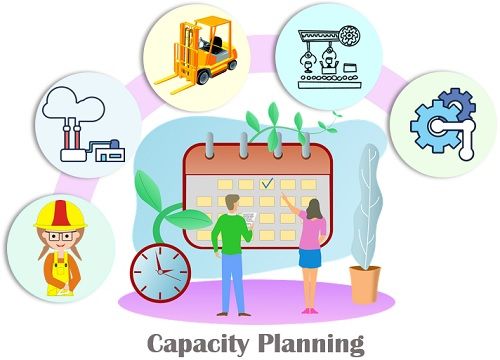
Capacity planning is the process of determining the production or work capacity an organization needs to meet future demand. It involves analyzing the workload, resource availability, skills, time, and tools required to ensure your team can complete upcoming tasks effectively.
In simple terms, capacity planning helps you understand whether you have enough resources to deliver what’s expected—now and in the future.
Key Components of Capacity Planning
Resource Capacity: The total amount of work your team can complete within a specific timeframe.
Workload Forecasting: Predicting the demand or work coming your way.
Gap Analysis: Identifying the difference between resource availability and upcoming workload.
Optimization: Adjusting staffing, timelines, tools, or processes to close the capacity gap.
Why Capacity Planning Matters
Capacity planning isn’t only about having enough people. It ensures smarter decision-making across:
project timelines
resource allocation
budget planning
team productivity
infrastructure scaling
It gives leaders a clear understanding of when to scale up, when to pause, and how to avoid burnout or wasted costs.
Benefits of Capacity Planning
Effective capacity planning helps organizations stay efficient, scalable, and resilient. Here are the key advantages:
1. Prevents Resource Overload and Burnout
Without clear visibility into workloads, teams are often over-assigned or pushed into unrealistic timelines. Capacity planning ensures the right distribution of work, helping maintain a healthy and productive team.
2. Eliminates Bottlenecks
By forecasting demand early, you can identify potential slowdowns before they occur. This allows managers to reassign tasks, bring in additional support, or adjust timelines to keep projects moving smoothly.
3. Improves Project Delivery and Predictability
Capacity planning helps you assign tasks based on realistic estimates and team availability. This leads to fewer missed deadlines, reduced rework, and reliable delivery schedules.
4. Optimizes Resource Utilization
Instead of having resources sitting idle or being stretched too thin, capacity planning ensures they’re used efficiently. This results in better cost control and higher operational efficiency.
5. Supports Better Budgeting and Cost Management
By knowing what resources you need—and when—you can avoid unnecessary hiring, equipment purchases, or overtime costs. Capacity planning aligns operational decisions with financial realities.
6. Strengthens Strategic Decision-Making
Organizations can confidently plan expansions, take on new clients, or scale projects because they understand their current and future capacity. This reduces risk and enables sustainable growth.

Capacity Planning Strategies
There are three core capacity planning strategies organizations use based on their risk tolerance, growth goals, and operational style. These are lag, lead, and match strategies.
Lag Strategy
The lag strategy increases capacity only after demand has already risen. It is a conservative approach that avoids over-investment but may cause short-term constraints.
How It Works
You wait until your team or system is nearing full capacity.
Once demand consistently exceeds your current capability, you add more resources.
Best For
Companies with tight budgets
Stable industries with predictable demand
Organizations that prefer avoiding idle resources
Pros
Cost-efficient
Low risk of overstaffing or underutilization
Ideal for lean operations
Cons
Potential delays during peak demand
Higher workload stress on teams
Risk of losing opportunities due to slow response
Lead Strategy
The lead strategy increases capacity before demand rises. It is proactive and ensures you’re always ahead of growth, even if demand fluctuates.
How It Works
You forecast future workload increases.
You hire, upgrade tools, or expand infrastructure early.
Best For
Fast-growing businesses
Competitive markets where speed is essential
Companies launching new products or entering new markets
Pros
Zero resource bottlenecks
Strong competitive advantage
Ideal for rapid scaling
Cons
Higher upfront costs
Risk of underutilized resources if forecasts are inaccurate
Match Strategy
The match strategy is a balanced approach that adjusts capacity incrementally as demand changes. It falls between the aggressive lead strategy and the conservative lag strategy.
How It Works
You monitor demand closely.
You add resources in small steps when demand begins to rise—and scale down when needed.
Best For
Organizations with moderately fluctuating workloads
Businesses that want control without overspending
Teams focused on maintaining efficiency and flexibility
Pros
Adaptive and cost-effective
Reduces risk of over- or under-investment
Provides steady resource alignment
Cons
Requires consistent demand monitoring
Slight risk of temporary gaps during sudden spikes
How to Implement a Capacity Planning Process
Implementing a strong capacity planning process helps you prevent resource shortages, optimize workloads, and keep your projects running smoothly. Below is a detailed, step-by-step guide to help you build a reliable capacity planning framework.
Step 1: Understand Your Project Requirements
The foundation of capacity planning starts with knowing exactly what your projects require. Before you can allocate resources or estimate workload, you need full clarity on the scope and expectations.
What to Do
Define your project goals: What are you trying to accomplish?
Break down the project into tasks: Create a work breakdown structure (WBS) that lists every task and subtask.
Gather task details: Include deadlines, dependencies, required skills, and expected deliverables.
Identify resource types needed: For example—developers, designers, writers, testers, or specialized technicians.
Why This Matters
When project requirements are unclear, teams face delays, scope creep, and misaligned resources. A clear plan ensures you assign the right people to the right tasks from day one.
Step 2: Estimate the Capacity You Need
Once you know the tasks involved, the next step is determining how much work (or effort) is required to complete each task.
What to Do
Assign effort estimates: Use hours, days, or story points depending on your methodology.
Consider task complexity: Harder tasks require more time or more experienced team members.
Factor in non-project activities: Include meetings, admin work, training, and operational tasks that reduce available working hours.
Account for risks: Add buffers for revisions, unexpected issues, or delays.
Helpful Techniques
Expert judgment: Ask experienced team members to estimate effort.
Historical data: Use insights from past projects to refine estimates.
Estimation models: Such as three-point estimation (optimistic, pessimistic, most likely).
Why This Matters
Accurate capacity estimation helps prevent unrealistic expectations, resource shortages, and rushed work toward deadlines. It ensures your plan aligns with the actual effort needed.
Step 3: Check Your Team’s Current Capacity
Before assigning new work, you must understand how much capacity your team currently has available.
What to Do
Calculate individual availability:
Example: A team member with 40 hours/week minus non-project tasks (meetings, support tickets, etc.) may only have 25–30 hours available.
Consider skill sets: Make sure the people assigned have the necessary expertise.
Review existing commitments: Check ongoing projects and deadlines.
Identify constraints: Vacations, holidays, sick leave, training days, and part-time availability.
Tools to Use
Resource calendars
Workload dashboards
Time-tracking reports
Skills matrix
Why This Matters
Assigning work without checking current capacity leads to overload and burnout. Understanding true availability creates balanced workloads and smoother project execution.
Step 4: Mind the Gap
This is where you compare required capacity (from Steps 1–2) with available capacity (from Step 3). Any difference becomes your “capacity gap.”
What to Do
Identify shortages: Determine where you don’t have enough people, time, or skills.
Find areas of excess: Sometimes teams are underutilized and can take on more work.
Create solutions to close gaps:
Reassign tasks
Hire or contract additional support
Adjust deadlines
Reduce project scope
Upskill team members
Invest in better tools or automation
Gap Example
Required development hours: 600 hours
Available development hours: 420 hours
Capacity gap: 180 hours
This gap means you must adjust timelines, reallocate resources, or bring in more capacity.
Why This Matters
If you don’t identify and fix capacity gaps early, they turn into bottlenecks, missed deadlines, and stressed teams. This step determines whether your plan is realistic.
Step 5: Continuously Monitor Capacity
Capacity planning is not a one-time process. Workloads change, projects evolve, and team availability fluctuates. Continuous monitoring ensures your resource planning stays accurate and up to date.
What to Do
Track workload changes: Adjust plans when new tasks arise or priorities shift.
Update availability: Account for sick days, new hires, or team members leaving.
Analyze utilization reports: Check if team members are overbooked or underworked.
Hold weekly or biweekly check-ins: Review capacity against project progress.
Use forecasting tools: Predict future demand and adjust proactively.
Why This Matters
Continuous monitoring keeps your team balanced and productive. It helps you respond quickly to unexpected changes, avoid overload, and maintain steady project flow.
Capacity Planning Examples
To understand how each capacity planning strategy works in real-world operations, here are clear, practical examples of lag, lead, and match strategies in action. These scenarios highlight how different approaches impact resource planning, timelines, and organizational efficiency.
Lag Strategy Example
Scenario:
A small software agency manages client projects with a team of eight developers. The company wants to minimize costs and avoid hiring more people unless absolutely necessary.
What Happens:
Workload begins to increase as new client requests come in. The team handles the additional tasks by working overtime and juggling priorities. Only when the workload consistently exceeds the team’s capacity—and deadlines start slipping—does management decide to hire two more developers.
Outcome:
The company avoids premature hiring and saves costs.
However, the team experiences temporary overload and stress.
Some projects face delays before new capacity is added.
Why It Fits the Lag Strategy:
The agency adds resources after demand increases. This conservative approach waits for clear evidence of a capacity gap before expanding the team.
Lead Strategy Example
Scenario:
A growing e-commerce company plans a major marketing campaign expected to increase website traffic and customer support requests. The campaign is scheduled to launch in three months.
What Happens:
Instead of waiting for demand to spike, the company hires additional support agents, upgrades server capacity, and trains the team on new processes well in advance.
Outcome:
No service delays occur during the campaign launch.
Customers experience fast responses and smooth transactions.
The company easily manages the surge in demand.
Why It Fits the Lead Strategy:
The organization expands capacity before it is needed, ensuring readiness for expected growth. This proactive approach reduces risk and improves customer experience.
Match Strategy Example
Scenario:
A digital marketing agency experiences moderate fluctuations in client workload throughout the year. Busy seasons usually bring more ad requests, content production, and reporting tasks.
What Happens:
Instead of hiring a large team upfront or waiting until capacity is overwhelmed, the agency adjusts capacity in small steps.
It brings in one part-time freelance copywriter when workload begins rising.
Later, as campaigns expand, the agency adds another contractor.
When demand reduces, the agency scales back freelance hours.
Outcome:
Resources stay aligned with actual workload.
The agency avoids overspending while still maintaining performance.
Workflows remain smooth without dramatic scaling changes.
Why It Fits the Match Strategy:
The agency adds capacity gradually as demand rises and scales down during slower periods. It balances flexibility and efficiency without extreme proactive or reactive decisions.
How Corexta Helps with Capacity Planning for Your Business
If you’re looking to implement capacity planning in your business or agency, Corexta can serve as a powerful enabler — here’s how it supports and simplifies the process.
✅ What Corexta Does (Relevant for Capacity Planning)
Corexta centralizes many business functions — project management, HR, time & attendance, payroll, task tracking, client management, finance, and more — all within a single platform.
It offers project management tools such as task management, project roadmaps, Gantt charts, time tracking, and reporting.
It also supports real-time tracking of tasks, resource usage, employee attendance and availability, and offers data and reports for financials, workloads, and time logs.
Because of these features, Corexta can help you both understand your team’s current capacity and forecast future capacity needs — two critical aspects of capacity planning.
🔍 How Corexta Supports Each Step of Capacity Planning
Here’s how Corexta aligns with and supports the steps from a capacity planning process:
| Capacity Planning Step | How Corexta Helps |
|---|---|
| Understand project requirements | You can create and break down projects into tasks, define deadlines, dependencies, and assign responsibilities — giving clarity about what needs to be done. |
| Estimate capacity you need | By defining tasks and using time-tracking or estimated hours inside Corexta, you can estimate total effort required for each project based on tasks and sub-tasks. |
| Check team’s current capacity | Through attendance, time logs, and resource tracking in Corexta, you get visibility into how much time each person has available vs how much is already allocated. |
| Mind the gap (demand vs capacity) | Because you have visibility into required effort vs actual availability, you can detect resource shortfalls or over-allocations early, before deadlines or overload occur. |
| Continuously monitor & adjust | Corexta’s dashboards, real-time tracking, reporting, and project management features allow you to monitor workloads, progress and resource utilization — supporting ongoing adjustments. |
🌟 Additional Benefits of Using Corexta for Capacity Planning
All-in-one workspace: Rather than juggling spreadsheets, separate HR, project management or time-tracking tools, you get everything under one roof — minimizing administrative overhead and data silos.
Scalability and flexibility: As your business grows — more clients, more projects, more people — Corexta scales with you. It adapts to changing team sizes and workloads.
Better data for decision-making: Because Corexta captures real data about time spent, tasks completed, resource usage, finance and HR — you can base your capacity planning on accurate historical data instead of guesses.
Reduced risk of over- or under-utilization: With visibility into who is idle, who’s overloaded, and how many resources are needed for upcoming tasks, you avoid both resource waste and burnout.
Read More: Capacity Planning Tools
💡 When Corexta Makes the Most Sense
Using Corexta for capacity planning tends to work best when:
You run an agency or service-oriented business managing multiple clients/projects simultaneously. (Corexta seems tailored for agencies and small-to-medium businesses.)
You need to coordinate tasks, human resources, finances, timelines, and clients all at once — and want a unified view rather than multiple disconnected tools.
You want to move from manual spreadsheets or fragmented tools toward a centralized, automated system to improve accuracy and scalability.
Corexta provides a unified, flexible platform that can support nearly every step of capacity planning — from estimating required effort, tracking current team capacity, visualizing gaps, to monitoring ongoing workloads and performance. Sign up for free, and start using Corexta to master capacity management today.✨
FAQs
1. How often should capacity planning be done?
Capacity planning should be reviewed continuously—weekly or monthly depending on project volume. Frequent monitoring helps you stay responsive to workload changes.
2. What tools help with capacity planning?
Common tools include resource management software, workload dashboards, forecasting tools, project management platforms, and time-tracking systems like Corexta that provide visibility into availability and demand.
3. What causes capacity gaps?
Capacity gaps arise when workload demand exceeds available resources. Causes include poor forecasting, sudden demand increases, underestimated tasks, or unplanned team absences.
4. How can businesses close a capacity gap?
You can reassign work, adjust deadlines, hire temporary or permanent staff, improve processes, reduce scope, or adopt automation tools to increase efficiency.
5. Is capacity planning only for large companies?
No. Small businesses, agencies, growing teams, and startups benefit just as much—if not more—from proper capacity planning because they often operate on limited resources.