Running a small business can feel like piecing together a puzzle every day. There are customers to serve, tasks to assign, people to manage, and deadlines to meet. Without a clear system, work can become messy, confusing, or slow. This is where a Small Business Operating System becomes a game-changer.
A small business operating system is not a physical machine. It is a set of systems, workflows, and tools that help you run your business in a predictable and organized way. With the right operating system in place, your team knows what to do, when to do it, and how to do it well. You reduce mistakes, speed up work, and give yourself more time to focus on growth. Businesses that use structured systems often see more consistent results, better teamwork, and clearer goals across departments. These systems also help streamline communication, assign ownership, and make sure daily work ties into long-term success. In today’s competitive market, having a reliable business operating system is not just helpful — it’s essential for scaling and sustainability.
What Is a Small Business Operating System?
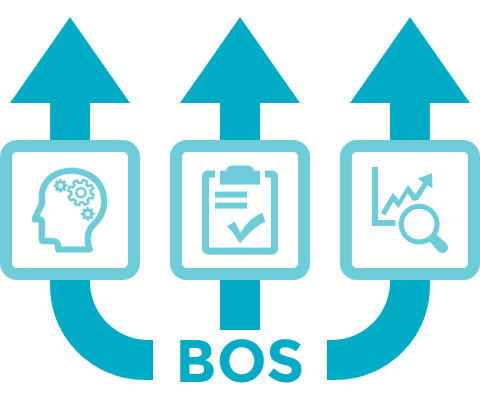
A Small Business Operating System (BOS) is a framework that organizes how work gets done across your entire company. It includes processes, workflows, tools, and routines that support daily operations and long-term goals. In simple terms, it is the way a business runs itself so that tasks are predictable, efficient, and repeatable.
Think of it like the operating system on your computer. Just as your computer OS manages files, apps, and processes so your machine works without crashing, a small business operating system manages work, teams, and processes so your business runs smoothly.
A strong operating system:
Standardizes processes so everyone follows the same steps for important work.
Clarifies roles and responsibilities so each team member knows what they are accountable for.
Improves communication by defining how and when teams share updates.
Tracks performance with measurable goals and key indicators.
Without an operating system, small teams often rely on memory, informal methods, or scattered tools. This can lead to confusion, errors, and slow growth. By creating a unified way of working — from onboarding new clients to prioritizing tasks — your business gains consistency, efficiency, and clarity.
7 Workflows for Small Business

Every small business needs a set of clear, repeatable workflows to operate efficiently. These workflows act as the backbone of your small business operating system, providing structure and consistency as your company grows. A well-built workflow helps teams stay aligned, clients feel supported, and work deliverables get completed on time and with minimal friction. Each workflow below plays a critical role in ensuring smooth operations, from how you win and onboard clients to how you prioritize and control work internally.
Workflow 1: Client Onboarding Process
The client onboarding process is the first major touchpoint that sets the tone for your entire business relationship. A thoughtful onboarding workflow ensures new clients feel welcomed, informed, and confident in your team’s ability to deliver value. It removes guesswork and creates a repeatable path that can be applied to every new engagement.
Here’s how an effective client onboarding workflow typically works:
Preparation Before the First Contact
Before a kickoff call, gather all available information from your sales or lead pipeline. This includes what services were purchased, client goals, expectations, and key contacts. Use this information to prepare your team and standardize your onboarding requirements.Clear Communication of Expectations
Clients need to understand what will happen next. Share a welcome packet or onboarding document that outlines the process, deliverables, timelines, communication preferences, and responsibilities. This helps prevent misunderstandings later.Service Agreements and Logistics Setup
Confirm contracts, service level agreements, payment terms, and legal paperwork early in the process. Ensure billing systems, access credentials, and tools are set up so your team and client can get to work without delays.Kickoff Meeting and Relationship Building
Schedule a kickoff meeting where both teams connect, introduce key stakeholders, align on project goals, and choose preferred channels for ongoing communication. This meeting should create clarity and build confidence in your partnership.Assign Onboarding Tasks to Teams
Break down onboarding into specific tasks: account setup, tool access, training schedules, resource allocation, and internal briefings. Assign owners for each task and set reasonable deadlines so nothing gets missed.Feedback and Continuous Improvement
After onboarding is complete, asking clients for feedback helps you refine the process for the next client. Understanding what worked and what didn’t strengthens your overall onboarding workflow.
A strong onboarding workflow accelerates time-to-value for clients, reduces early friction, and lays the foundation for trust and long-term collaboration.
Workflow 2: Project Intake and Scoping
Once a client is onboarded and interested in a specific project, you need a project intake and scoping workflow. This workflow defines how new project requests enter your system, get evaluated, and are scoped before work begins.
A well-designed project intake process includes the following:
Standardized Intake Forms
Use intake forms to collect structured details such as project objectives, deliverables, timeline, budget, risks, and client expectations. Rather than relying on scattered emails or messages, standardized forms ensure you capture essential data up front.Feasibility Review and Evaluation
After receiving forms, your team evaluates whether the requested project aligns with your business goals, resource availability, and current commitments. This step often includes a feasibility assessment by leadership or project managers.Prioritization Based on Business Impact
Not all requests are equal. To avoid resource strain, evaluate each project against a prioritization framework that considers factors like urgency, strategic value, expected ROI, and client segment.Approval and Feedback Loops
Create a clear internal approval process that defines who needs to sign off before a project can start. Whether it’s a department head or project owner, approval reduces ambiguity and ensures alignment.Project Documentation and Kickoff Preparation
Once approved, document the project scope, roles, timeline, and dependencies. Share this with your internal team so everyone involved understands what’s expected before project kickoff.Automation and Efficiency
Use workflow automation to turn intake responses into actionable tasks automatically. This reduces manual work, speeds up project scoping, and keeps momentum moving forward without human bottlenecks.
An optimized intake and scoping workflow preserves resources, improves project alignment, and ensures that only well-defined projects make it into your execution pipeline.
Workflow 3: Internal Review and Approval
After a project begins, many businesses need a systematic internal review and approval workflow to maintain quality and accountability. Whether it’s approving deliverables, budget changes, creative assets, or client communications, a consistent review process ensures work meets expectations before progressing.
Here’s what makes an internal review workflow effective:
Definition of Review Steps
Outline exactly what needs review and who should be involved. This might include design drafts, content assets, code changes, compliance checks, or final proposals.Role-Based Responsibilities
Assign clear ownership for each review stage. For example, a lead editor might be responsible for content quality, while a technical manager verifies technical accuracy. Making roles explicit ensures accountability.Standardized Feedback Protocols
Rather than relying on ad-hoc comments, use structured review checklists, status changes, and defined feedback channels so all feedback is visible and actionable.Approval Gates and Conditions
Explicitly define what conditions must be met before work is approved. This might include passing tests, meeting quality standards, or receiving sign-off from key stakeholders.Automated Approvals Where Appropriate
For standard tasks, you can use automation to approve routine items based on pre-defined conditions — like style checks, compliance markers, or status updates. This saves time while maintaining quality.Tracking and Audit Trails
Keep a record of all approvals, comments, and decision timelines. Transparent tracking helps your team learn patterns, avoid recurring issues, and demonstrate accountability internally.
An internal review workflow enhances quality control, speeds up approvals, and reduces repetitive back-and-forth that can slow down progress.
Workflow 4: Team Status Updates
Team communication is a backbone of productive work. A team status update workflow creates a repeatable process for teams to share progress, blockers, and next steps in a timely, structured way.
An effective status update workflow typically includes:
Regular Sync Processes
Schedule regular check-ins — daily or weekly — where each team member shares updates. These syncs are opportunities to clarify progress, surface issues, and align work priorities.Standardized Status Reporting
Standardize how updates are communicated using shared dashboards, structured reports, or task statuses. For example, use clear status labels like “Not Started,” “In Progress,” and “Blocked” so there’s no confusion.Centralized Tracking Tools
Use a shared workspace where statuses of tasks and projects are displayed in real time. Real-time visibility eliminates the guesswork of asking “Where are we on this task?” and helps leaders make informed decisions.Transparency Across Teams
Encourage cross-team visibility of work. This prevents silos and ensures teams are aware of how their work intersects with others.Action-Oriented Updates
Status updates should not just report — they should drive action. When blockers emerge, the workflow should include steps to assign ownership, define solutions, and track progress on resolving issues.Documentation and Follow-Up
After each status update cycle, capture decisions, action items, and changes to timelines. Documentation ensures accountability and continuity, even when team members change.
A strong status update workflow reduces confusion, increases accountability, and keeps everyone aligned on goals and timelines.
Workflow 5: Client Communication Protocol
Clients expect clear, consistent, and professional communication. The client communication protocol is a workflow that defines how, when, and through what channels your team interacts with clients.
A strong communication protocol includes:
Defined Communication Channels
Decide which channels you’ll use — email, messaging apps, scheduling tools, shared dashboards, or in-app notifications. Clarify which channel is used for what type of message (e.g., urgent updates vs. weekly summaries).Communication Schedules and Cadence
Establish how often updates will be sent. This might be weekly reports, milestone check-ins, or monthly performance reviews. Setting expectations reduces anxiety and improves satisfaction.Standard Response Times
Define internal standards for how quickly team members should respond to client messages. Fast responses show professionalism and help avoid delays in project execution.Messaging Templates and Protocols
Use consistent templates for common communication types — welcome messages, status updates, meeting follow-ups, and feedback requests. This reduces errors and ensures professional tone.Centralized Messages and Records
Store client communications in a centralized system so messages can be tracked, referenced, and audited if needed. This avoids scattered email threads and lost information.Feedback Loops With Clients
Create clear processes for gathering and acting on client feedback. This encourages two-way communication and helps improve your service delivery over time.
Good communication protocols strengthen trust, reduce misunderstandings, and foster deeper client relationships.
Workflow 6: Document Version Control
As your business grows the number of documents — proposals, contracts, designs, SOPs, and deliverables — can become overwhelming without discipline. Document version control is a workflow that manages document creation, revisions, access, and archival in a structured way.
A document version control workflow includes:
Centralized Document Storage
Store all documents in a central repository with defined naming conventions and folder structures. This allows team members to find files easily and reduces confusion.Version Tracking and Historical Records
Maintain a history of changes so anyone can see what was changed, by whom, and when. This is essential for legal compliance, auditing, and accountability.Access Permissions and Security
Define who has edit, view, or comment permissions for each document. Protect sensitive information while still enabling collaboration.Approval and Release Controls
Use workflows to control when a document is considered finalized and released to clients or internal teams. Drafts, reviews, and approvals should follow consistent steps.Change Notifications and Alerts
Notify relevant team members when a document is updated. This can be done manually or through automated alerts to keep everyone informed.Archival and Retention Policies
Define policies for archiving old versions, retiring outdated documents, and maintaining documents you may need for reference or compliance.
A strong version control workflow minimizes the chance of conflicting information and ensures team members always work from the most current and approved version of a document.
Workflow 7: Task Prioritization Framework
Not all tasks are equally important, and knowing where to start each day is essential for business efficiency. A task prioritization framework is a workflow that helps teams decide what to focus on first based on business value, urgency, effort, and impact.
Here’s how to build a prioritization workflow:
Define Priority Criteria
Establish criteria such as urgency, impact on revenue, alignment with strategic goals, and client expectations. Use these criteria consistently to evaluate tasks.Assign Priority Levels
Use labels like High, Medium, and Low priority or numerical scales to rank tasks. This makes priorities visible and actionable for the entire team.Group Related Tasks
Organize tasks into groups such as milestones, deadlines, client commitments, internal improvements, and routine operations. Grouping helps teams plan and allocate time more effectively.Use Visual Boards and Views
Visual tools like Kanban boards, lists sorted by priority, or calendar views help teams see what matters most at a glance. Visual prioritization keeps focus aligned without confusion.Review and Adjust Priorities Regularly
Business conditions change. Regularly revisit task priorities and adjust them as projects evolve, new opportunities arise, or constraints shift.Automate Priority Rules Where Possible
Use automation to adjust task priority when conditions change — for example, when a deadline moves closer or a dependent task completes. Automation reduces manual adjustments and keeps workflows responsive.
A clear task prioritization workflow improves focus, reduces overwhelm, and ensures resources are applied where they generate the most value.
Each of these seven workflows forms a foundational pillar of your small business operating system. When clearly defined and consistently followed, these workflows turn chaos into clarity, help your team work productively, and deliver results that exceed client expectations.
How AI Transforms Small Business Workflows
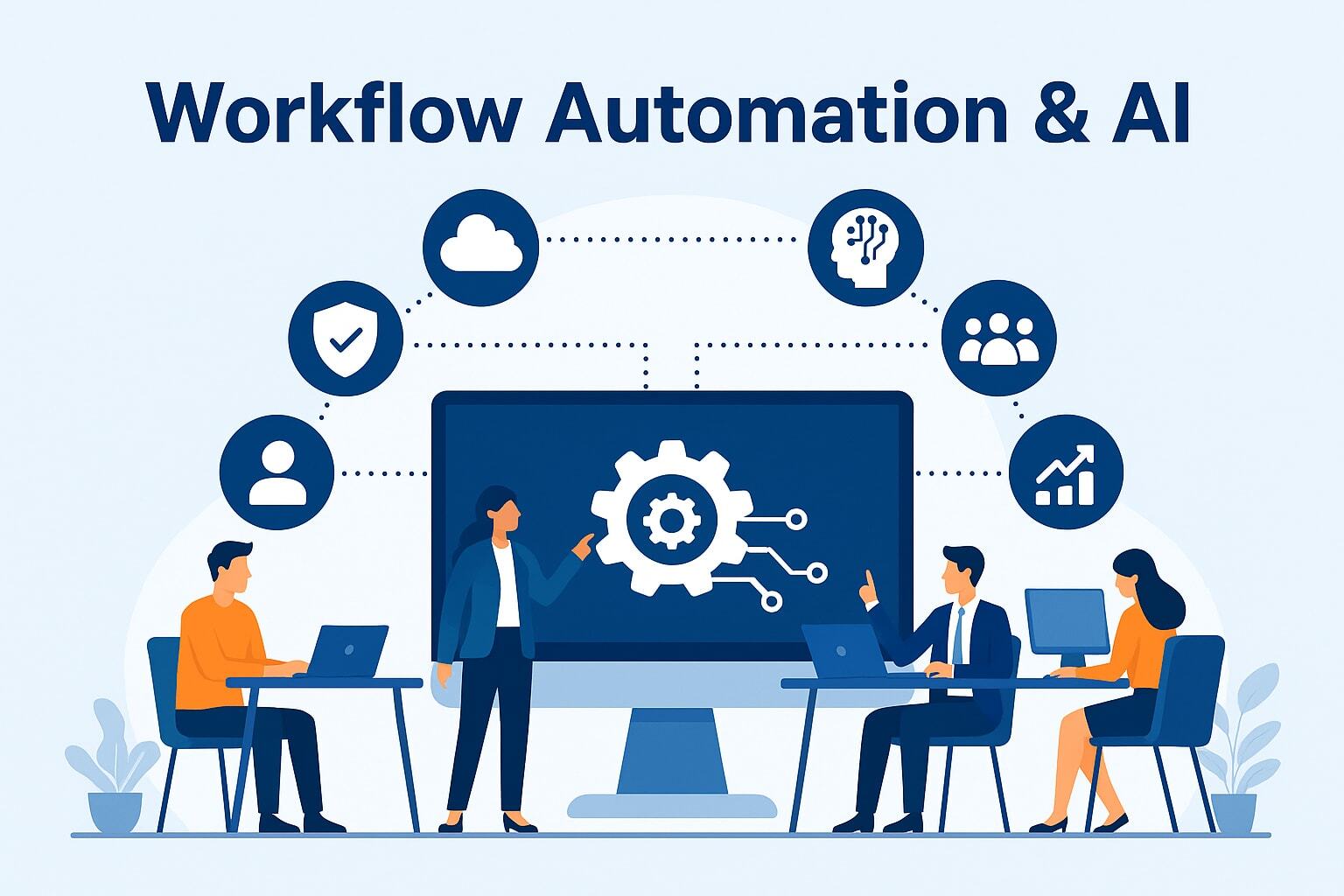
Artificial Intelligence (AI) is no longer a futuristic concept — it has become a practical tool that small businesses can use to streamline operations, boost productivity, improve quality, and make smarter decisions. From automating routine tasks to predicting customer behavior, AI is reshaping how daily work gets done. In the context of a Small Business Operating System, AI enhances workflow automation, improves accuracy, and allows teams to focus on strategic work rather than repetitive tasks.
1. Automating Routine and Repetitive Tasks
One of the most significant benefits of AI is automation. Tasks that used to take hours of human time can now be completed in minutes or seconds. For example:
Data Entry and Processing: AI tools can automatically extract data from emails, forms, and documents and enter it into your systems without manual typing.
Scheduling: AI assistants can analyze calendars and schedule meetings across time zones, finding time slots that work best for everyone.
Task Assignment: Based on rules and work history, AI can suggest or assign tasks to the right team member without manual juggling.
By automating these repetitive functions, AI reduces human error, speeds up workflows, and frees up staff to focus on higher-value work like problem solving, strategy, and creativity.
2. Enhancing Communication and Collaboration
Communication is central to every workflow — from onboarding new clients to sharing status updates. AI enhances communication by:
Smart Email Filtering and Drafting: AI can prioritize important messages and even suggest replies based on context and past behavior.
Chatbots for Customer Support: AI chatbots can handle common questions 24/7, provide instant responses, and escalate complex issues to a human when needed.
Translator Tools: Built-in AI translation helps teams and clients communicate across languages without hiring dedicated translators.
These tools help maintain workflow continuity and reduce delays caused by waiting for replies or clarifications.
3. Streamlining Client Onboarding and Communication
In the client onboarding process, AI can:
Personalize Onboarding Content: AI can analyze data from intake forms and tailor onboarding instructions or training materials to each client’s specific needs.
Enable Conversational Interfaces: AI assistants guide new clients through onboarding steps via messages or interfaces, helping them complete tasks quickly.
Automate Follow-Ups: Scheduled check-ins or task reminders can be sent automatically, reducing the need for manual follow-up by your team.
All of this results in faster onboarding, fewer missed tasks, and a smoother client experience.
4. Improving Project Intake and Scoping
AI brings intelligence to your project intake workflows by analyzing patterns and suggesting the best way to handle requests. For example:
Predicting Resource Needs: Based on past project data, AI can recommend how many team members, what skills, and how much time a new project is likely to require.
Analyzing Task Dependencies: AI can identify which parts of a project must occur in a specific sequence and highlight when deadlines are at risk.
Scoring Project Requests: AI models can score incoming project requests based on predefined prioritization criteria, helping leaders decide what to accept and when.
These capabilities speed up scoping, reduce guesswork, and improve planning accuracy.
5. Boosting Internal Review and Quality Control
Quality control is essential for client satisfaction and internal consistency. AI supports this by:
Automated Review of Content or Code: AI tools can check text for grammar, clarity, tone, or even compliance with brand standards. In development workflows, AI can highlight potential coding errors or vulnerabilities.
Pattern Recognition: AI finds patterns humans might miss — for example, frequent design mistakes, inconsistencies in documents, or data anomalies.
Predictive Alerts: AI can flag work that may not meet quality standards before it goes to review, saving time and rework.
As a result, teams deliver better work with fewer revisions and faster approval times.
6. Transforming Team Updates and Task Management
Keeping teams aligned and informed is easier with AI. Here’s how:
AI-Generated Status Summaries: Rather than team members manually writing updates, AI can compile progress summaries based on changes in project tools, task statuses, and recent activity logs.
Smart Prioritization: AI models can learn from past workflows and predict which tasks are most urgent or critical, adjusting priorities dynamically as situations change.
Sentiment Analysis: AI can analyze communication trends (like messages or feedback) to gauge team morale or detect frustration, allowing leaders to address concerns proactively.
These enhancements shorten meeting times, reduce repetitive status reporting, and provide leaders with actionable insights.
7. Intelligent Document Management and Version Control
AI dramatically improves how businesses manage documents:
Automatic Versioning and Classification: AI can organize files by recognizing updates, categorizing them automatically, and preserving historical versions without manual naming.
Smart Search and Retrieval: AI enables natural-language search — for example, you can type “latest client agreement for Project X” and instantly find the correct file.
Data Extraction and Summarization: AI can pull key points from contracts, reports, or research documents and generate summaries for faster decision-making.
This not only keeps your document repository organized, but it also saves time and reduces errors associated with lost or mismatched files.
8. Optimizing Task Prioritization
AI takes task prioritization to the next level with:
Predictive Prioritization: AI can analyze history, deadlines, workload patterns, and outcomes to suggest the optimal order of tasks automatically.
Dynamic Adjustment: When projects shift or new tasks arise, AI can rebalance priorities in real time, ensuring your team always works on the most important things.
Integrated Decision Support: AI can highlight trade-offs — for example, showing how delaying a lower-priority task could impact a major deadline — and help leaders make informed decisions.
Instead of relying on manual judgment alone, teams can use AI insights to operate more strategically and avoid bottlenecks.
9. Personalized Insights and Performance Analytics
One of AI’s most strategic benefits is its ability to turn workflow data into meaningful insights:
Performance Dashboards: AI-powered dashboards measure key metrics such as cycle times, task completion rates, client satisfaction signals, and more.
Anomaly Detection: AI detects outliers — for example, a project that is taking unusually long — and alerts teams before issues escalate.
Predictive Forecasting: AI can forecast future workload trends, capacity constraints, and resource gaps, enabling proactive planning rather than reactive fixes.
This transforms raw workflow data into business intelligence that leaders can use to improve performance.
10. Reducing Human Error and Enhancing Compliance
AI helps reduce costly mistakes and maintain regulatory or contractual compliance:
Rule-Based Checks: AI tools can automatically enforce business rules — like ensuring contracts include required clauses or that invoices match approved payment terms.
Risk Identification: AI models can scan for compliance risks in financial records, legal documents, or data usage patterns.
Automated Alerts: When deviations or violations are detected, AI sends immediate alerts so issues can be resolved before they escalate.
These capabilities help small businesses protect themselves and maintain professional standards without burdensome manual checking.
11. Enhanced Customer Experience
AI doesn’t just improve internal workflows — it also enhances the experience your customers receive:
24/7 Support via Chatbots and Virtual Assistants: Customers can get answers instantly, even outside business hours.
Personalized Interactions: AI analyzes customer behavior, preferences, and history to tailor communication, offers, and advice.
Faster Turnaround Times: Automation reduces delays, ensuring clients get fast responses, quicker deliverables, and more accurate information.
This ultimately increases client satisfaction, loyalty, and referrals.
12. Responsible and Ethical Use of AI
As AI becomes integral to workflows, businesses must adopt it responsibly. Key considerations include:
Transparency: Be clear when AI is acting on behalf of your team, especially in customer interactions.
Data Privacy: Respect and protect customer data, ensuring AI tools follow data protection laws (like GDPR or CCPA where applicable).
Human Oversight: While AI supports work, humans should still validate critical decisions, especially those affecting clients or legal outcomes.
Bias Awareness: Monitor AI systems for bias and fairness, ensuring outputs are equitable and just.
Responsible AI use protects your brand reputation and builds trust with clients and employees.
AI is not here to replace humans — it is here to augment human capabilities and streamline workflows. When integrated thoughtfully into your small business operating system, AI enhances accuracy, accelerates productivity, and unlocks insights that previously required hours of manual effort. Small businesses that embrace AI will be better equipped to compete with larger organizations, deliver higher quality work, and scale with confidence in an increasingly digital economy.
How To Build Your Small Business Operating System in Corexta
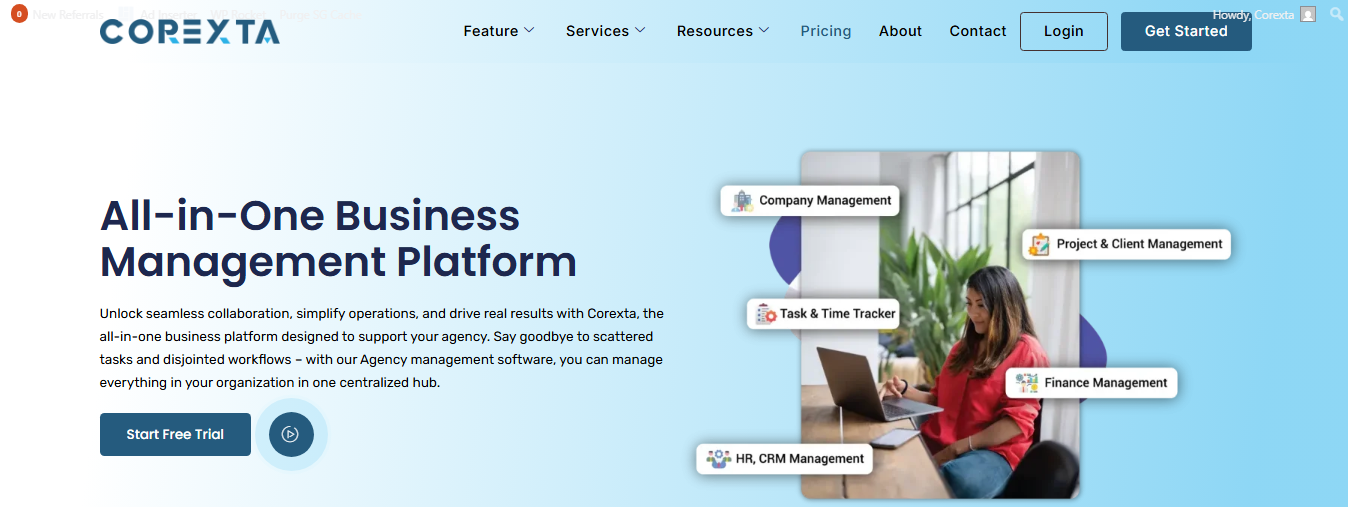
Building a Small Business Operating System means creating a clear, reliable, and repeatable way of doing work — from onboarding clients to managing finances, tracking tasks, and communicating with your team. Corexta is an all-in-one business management platform designed specifically to help small businesses and agencies build exactly that kind of system, centralizing core operations in one place instead of juggling multiple disconnected tools.
1. Start With a Corexta Company Account
Before anything else, create and set up your Corexta company workspace:
Visit the Corexta website and sign up for a company account using your business email.
Once signed up, complete your company profile by adding your logo, contact details, business location, and other relevant information.
Corexta offers different subscription plans tailored to your business size — from free trial to Small Business and beyond. Choose the plan that fits your needs to unlock all essential features.
This initial setup establishes the foundation of your operating system, connecting every tool, process, and team member to the platform from day one.
2. Centralize Client and Lead Management
Any operating system starts with your clients — after all, every workflow eventually serves a customer. Corexta gives you robust tools to manage clients efficiently:
Store detailed client profiles and contact information in one place.
Track leads, proposals, estimates, and contracts so nothing falls through the cracks.
Use built-in e-signature support to streamline agreement sign-offs and ensure legal compliance.
This centralized CRM-style approach eliminates scattered spreadsheets and email threads. It ensures every team member sees the same client data, leads to fewer errors, and improves the quality of your service delivery.
3. Plan and Track Projects
Effective project planning is a backbone of your operating system. In Corexta:
Create projects with clear objectives, timelines, and deadlines.
Use task lists, Kanban boards, and Gantt charts to visualize work flow.
Assign tasks to team members with roles, due dates, and priority levels.
View real-time progress with visual dashboards that show what’s pending, in progress, or complete.
With these features, you can turn every project request into a structured, trackable workflow. Instead of guessing who is doing what, everyone sees responsibilities and timelines clearly — a key part of a well-functioning operating system.
4. Standardize Team Communication and Collaboration
Fragmented communication is one of the biggest barriers to productivity in small businesses. Corexta solves this by keeping all discussions inside the platform:
Internal chat lets team members communicate without switching to third-party messaging apps.
Notifications update relevant members instantly when work changes or new activity happens.
Integrations with tools like Slack and Push notifications help teams stay in sync even when they’re away from Corexta.
This setup makes communication part of your system rather than a separate, chaotic channel. All project discussions, feedback, and collaboration happen where the work itself lives.
5. Automate Workflows and Reduce Manual Repetition
A strong operating system removes repetitive tasks from human hands. Corexta helps automate key parts of your workflows:
Automated notifications and reminders ensure tasks don’t get forgotten.
You can set rules that trigger specific actions when conditions are met — for example, moving a task to “In Progress” once it’s assigned, or sending a reminder when a deadline is near.
Built-in automation reduces errors, saves time, and ensures consistency across your processes.
This means your operating system becomes efficient and dependable — work moves forward even when people are busy with higher-level tasks.
6. Track Time, Work Hours, and Productivity
Understanding how work time is used is essential for accurate billing, capacity planning, and workflow improvement:
Corexta’s time tracking tools let you record work hours per task or project.
Employees can log billable or non-billable hours, and supervisors can see time spent in real time.
This data feeds into reporting and performance analysis, helping you refine workflows and allocate resources wisely.
By capturing time data automatically, you transform what was once hidden into measurable insights that help you improve efficiency.
7. Manage HR, Payroll, and Team Data
A truly complete operating system covers not just work tasks but also team operations:
Store and manage employee data, attendance, and leave requests directly in Corexta.
Payroll tools allow you to handle salary processing with fewer errors.
Having HR and operational data connected to your workflows reduces administrative overhead and increases transparency across teams.
With HR integrated into your workflow platform, decisions around staffing, availability, and performance become more data-driven and accurate.
8. Centralize Financial Operations
Financial workflows are a critical piece of your business operating system. Corexta centralizes financial tasks:
Generate invoices, estimates, and payment records without needing a separate billing system.
Track expenses and earnings in real time.
Convert invoices to credit notes and generate detailed financial reports for insights into cash flow and financial health.
This helps small businesses maintain healthy finances while reducing manual accounting errors.
9. Customize Workflows to Fit Your Business
No two businesses are identical, and Corexta allows you to configure workflows, roles, fields, and permissions to match your unique needs:
Create custom fields and workflows that reflect how your business actually operates.
Assign role-based permissions so team members see only what they need and nothing they shouldn’t.
As your business grows or evolves, you can refine these settings without disrupting daily work.
Customization ensures your operating system works for you — not the other way around.
10. Monitor Performance With Reporting and Dashboards
A key advantage of a digital operating system is visibility. Corexta offers:
Advanced reporting and analytics that show time usage, project progress, resource allocation, and team performance.
Customizable dashboards that consolidate key performance indicators (KPIs).
Data you can use to identify bottlenecks, predict risks, and make decisions based on real information rather than guesses.
This makes continuous improvement part of your operating system — you can see what works, what doesn’t, and where you should focus next.
By building your Small Business Operating System in Corexta, you achieve one centralized environment that:
Aligns clients, projects, tasks, financials, people, and data in a single platform.
Automates routine workflows to save time and reduce errors.
Gives visibility into every part of your business so you can operate with efficiency, predictability, and control.
Scales as your team or client base grows without forcing you to switch tools or learn new systems.
With Corexta, you gain not just software, but a structured way of running your business that supports strategic growth and operational excellence.
Conclusion
A Small Business Operating System is the backbone of efficient, scalable, and predictable operations. It brings order, clarity, and structure to how work gets done — from onboarding clients to delivering projects, communicating with teams, managing finances, and measuring performance. Systems like this help businesses avoid chaos, minimize mistakes, and grow confidently.
By adopting platforms like Corexta, you not only centralize essential functions in one place but also automate repetitive work, improve communication, and gain data-driven insights that drive better decisions. Corexta empowers businesses to build workflows that match real needs, adapt as they grow, and operate with a level of organization once only possible for large enterprises.
In today’s competitive environment, what separates successful small businesses from the rest is not just hard work — it’s smart work. A well-built operating system enables that smart work, fostering consistency, transparency, and efficiency across all areas of your business. With workflows, automation, visibility, and collaboration working together, your business becomes more resilient, more productive, and ultimately more successful.
If you’re serious about scaling, improving team performance, and keeping clients satisfied, planning and implementing your operating system isn’t optional — it’s essential.
Read More: 20 Productivity Hacks to Get More Done [Without Burning Out]