Modern project management software has evolved rapidly, but not always in the right direction. Many platforms today are packed with advanced features, automation layers, dashboards, and integrations that—while powerful—can overwhelm teams instead of helping them. For many businesses, especially startups, small teams, and agencies, the real need isn’t more features—it’s clarity, simplicity, and ease of execution.
This is where project management software not overloaded with complexity becomes essential.
Instead of forcing teams to navigate steep learning curves, these tools focus on doing a few things exceptionally well: organizing tasks, enabling communication, and helping teams stay aligned. The goal is not to replace human decision-making with automation but to support workflows in a natural, intuitive way.
One of the biggest problems with overly complex tools is adoption. Even the most feature-rich platform fails if your team doesn’t use it consistently. Studies and user feedback consistently show that teams prefer tools that are:
- Easy to understand within minutes
- Quick to implement without training
- Flexible without being confusing
For example, tools like Basecamp have built their reputation on simplicity by offering only the core essentials—task lists, communication boards, file sharing, and scheduling—without unnecessary complexity.
This simplicity-first approach leads to:
- Faster onboarding
- Higher team engagement
- Reduced operational friction
- Better project visibility
Another important shift is the rise of AI-powered simplicity. Instead of adding complexity, modern tools now use AI to reduce manual work behind the scenes, helping teams prioritize tasks, automate updates, and streamline workflows—without overwhelming the interface.
Top 3 User-Friendly PM Software at a Glance
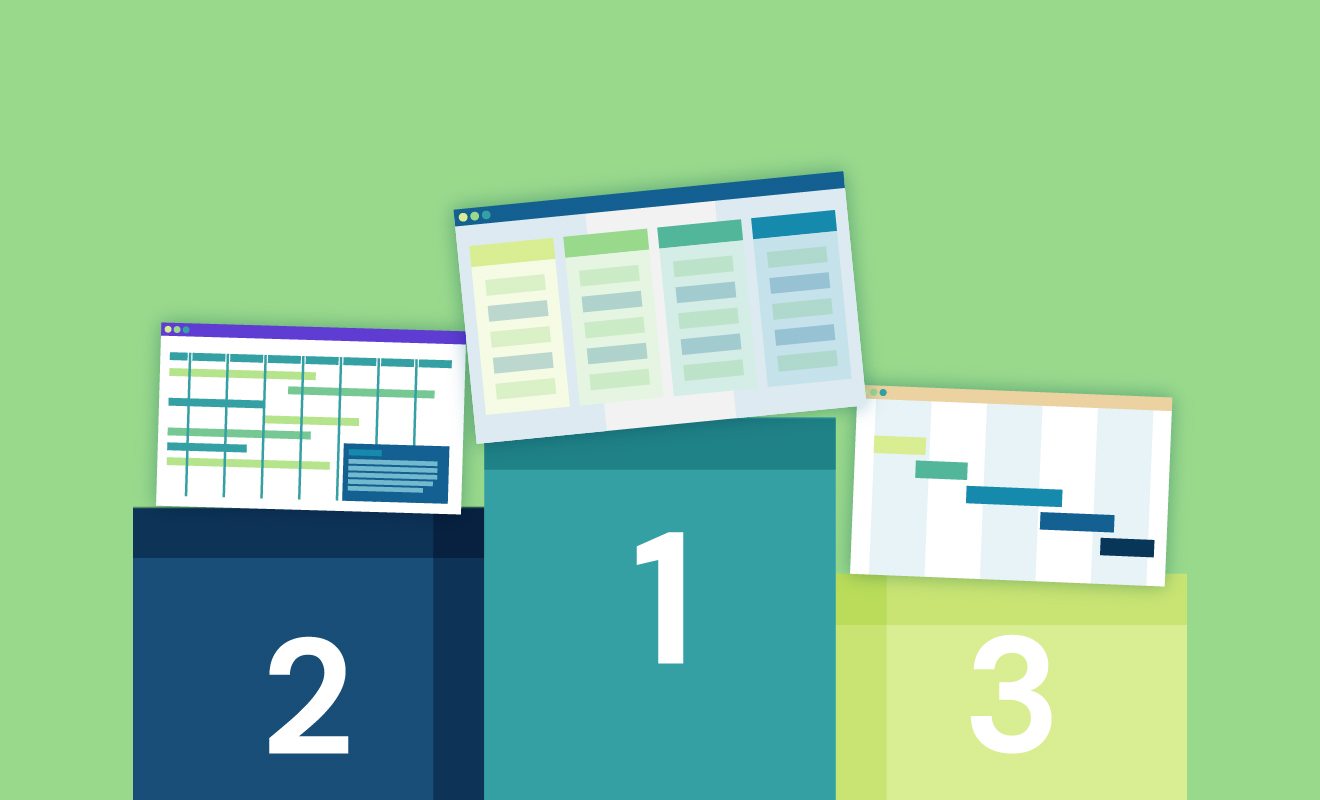
Choosing the right project management software can feel overwhelming, especially with hundreds of tools available in the market. However, when you narrow your focus to simplicity, usability, and efficiency, a few platforms clearly stand out.
The three tools highlighted in this guide—Corexta, Basecamp, and Nifty—are built for teams that want powerful capabilities without the clutter.
Here’s a quick overview of what makes them unique:
1. Corexta
Corexta stands out as a modern solution that combines AI-powered project management with a clean, intuitive interface. It focuses on simplifying complex workflows by automating repetitive tasks and improving team collaboration.
- Best for: Teams looking for smart automation without complexity
- Key strength: AI-driven task management and collaboration
- Ideal users: Growing teams, marketers, and digital businesses
2. Basecamp
Basecamp is widely recognized as one of the simplest project management tools available. It intentionally limits features to provide a focused and distraction-free experience.
- Best for: Client collaboration and straightforward project tracking
- Key strength: Centralized communication and task management
- Ideal users: Freelancers, agencies, and small teams
Basecamp offers a single workspace where teams can manage tasks, discussions, schedules, and files in one place, reducing the need for multiple tools.
3. Nifty
Nifty bridges the gap between simplicity and structure by combining roadmaps, tasks, and collaboration tools into one unified platform.
- Best for: Teams that want structured planning without complexity
- Key strength: Timeline-based project tracking
- Ideal users: Product teams, startups, and agile teams
Compared to many traditional tools, Nifty offers a more streamlined experience while still supporting features like Kanban boards and timelines, making it both flexible and easy to use.
Why These Tools Stand Out
All three tools share a common philosophy:
👉 Do more with less complexity
Unlike feature-heavy platforms that try to serve every possible use case, these tools focus on:
- Clear workflows
- Minimal learning curves
- Practical collaboration features
This makes them especially valuable for teams that:
- Don’t have time for long onboarding processes
- Want quick adoption across team members
- Prefer simplicity over customization overload
Key Features to Look for in PM Software Not Overloaded With Complexity
When evaluating project management software, it’s easy to get distracted by long feature lists. However, for teams seeking simplicity, the focus should shift from quantity to usability and effectiveness.
Here are the most important features to look for:
Intuitive User Interface
The first and most critical factor is how easy the software is to use.
A clean, well-designed interface ensures that:
- Team members can start using the tool immediately
- Navigation feels natural and frictionless
- Important information is always accessible
Simple tools like Basecamp succeed because they organize everything—tasks, messages, files—in a single, easy-to-understand workspace.
If your team needs training just to use the software, it’s probably too complex.
Centralized Communication
One of the biggest productivity killers is scattered communication across emails, chats, and meetings.
A good PM tool should:
- Keep discussions linked to tasks
- Allow real-time messaging or comments
- Provide a single source of truth for project updates
Platforms that integrate communication directly into workflows help reduce confusion and improve team alignment.
Simple Task Management
At its core, project management is about managing tasks efficiently.
Look for tools that offer:
- Easy task creation and assignment
- Clear deadlines and priorities
- Visual tracking (lists, boards, or timelines)
Avoid tools that require multiple steps just to create or update a task. Simplicity here directly impacts productivity.
Minimal but Meaningful Features
More features don’t always mean better performance.
In fact, overly complex tools often:
- Slow down workflows
- Increase onboarding time
- Confuse team members
Simple PM tools intentionally limit features to focus on what matters most—task management, communication, and collaboration.
The key is to choose software that provides essential functionality without unnecessary extras.
Quick Onboarding and Setup
Time is a critical resource. The best tools allow teams to get started within minutes—not days.
Key indicators of easy onboarding include:
- No-code setup
- Pre-built templates
- Minimal configuration requirements
Teams should be able to:
- Create a project
- Add tasks
- Invite team members
…all within a short time frame.
Collaboration Without Friction
Collaboration features should enhance teamwork—not complicate it.
Look for:
- File sharing and document management
- Task comments and mentions
- Real-time updates
Tools that reduce the need for external apps (like email or chat tools) create a more efficient workflow.
Flexible Views (Without Overcomplication)
Different teams prefer different ways of visualizing work:
- Kanban boards
- List views
- Timelines
The best tools offer flexibility—but keep it simple.
For example, some platforms provide Kanban and timeline views without overwhelming users with dozens of customization options.
Transparent Pricing
Complex pricing structures can be just as frustrating as complex software.
Look for tools that offer:
- Clear pricing tiers
- Predictable costs
- Scalable plans
For instance, some tools offer flat pricing or straightforward per-user plans, making budgeting easier for teams.
Automation That Simplifies (Not Complicates)
Automation should reduce manual work—not add layers of complexity.
The best tools use automation to:
- Assign tasks automatically
- Send reminders
- Update statuses
Modern platforms are increasingly using AI to simplify workflows behind the scenes, allowing teams to focus on execution rather than management.
Focus on Real-World Usability
Finally, the most important feature is practical usability.
Ask yourself:
- Can my team use this daily without frustration?
- Does it simplify our workflow—or complicate it?
- Will it actually save time?
The best PM software is not the one with the most features—it’s the one that fits naturally into your team’s workflow.
The 3 Best PM Software Not Overloaded With Complexity
When it comes to balancing simplicity with functionality, only a few tools truly deliver a clean, user-friendly experience without sacrificing essential capabilities. Below are three of the best project management platforms that keep things streamlined while still helping teams stay productive and aligned.
1. Corexta (Best for AI-powered project management and collaboration)
Corexta is designed as an all-in-one business and project management platform that simplifies complex workflows through automation and centralized tools. Unlike traditional PM tools that require multiple integrations, Corexta combines project management, CRM, HR, finance, and collaboration into a single workspace—reducing tool overload and improving efficiency.
Best features
- All-in-one workspace: Manage projects, clients, finances, HR, and tasks in one platform, eliminating the need for multiple tools.
- AI-powered and automation-friendly workflows: Automates repetitive tasks like scheduling, tracking, and reporting.
- Built-in time tracking and task management: Track productivity and project progress without external tools.
- Client and team collaboration tools: Real-time chat, file sharing, and centralized communication improve coordination.
- Custom dashboards and reporting: Generate insights without complex setup.
- Scalable for growing teams: Supports small teams to enterprise-level operations with flexible modules.
👉 What makes Corexta stand out is its ability to simplify complex business operations while keeping the interface intuitive and easy to navigate.
Limitations
- Slight learning curve for advanced features: While the interface is simple, exploring full business modules may take time.
- Limited integrations compared to larger competitors: Some third-party integrations are still expanding.
- Internet-dependent platform: Requires a stable connection for full functionality.
Pricing
Corexta offers flexible pricing based on team size and features:
- Free Plan – $0 (basic features for individuals)
- Small Business Plan – $9.99/user/month
- Medium Business Plan – $19.99/user/month
- Enterprise Plan – $29/user/month
👉 This pricing structure makes Corexta one of the most affordable all-in-one PM solutions available.
Ratings and reviews
- Capterra – 4.7/5
- G2 – 4.6/5
- SoftwareAdvice – 5.0/5
Overall, Corexta is highly rated for ease of use, value for money, and feature consolidation.
2. Basecamp (Best for straightforward, client-friendly project management)
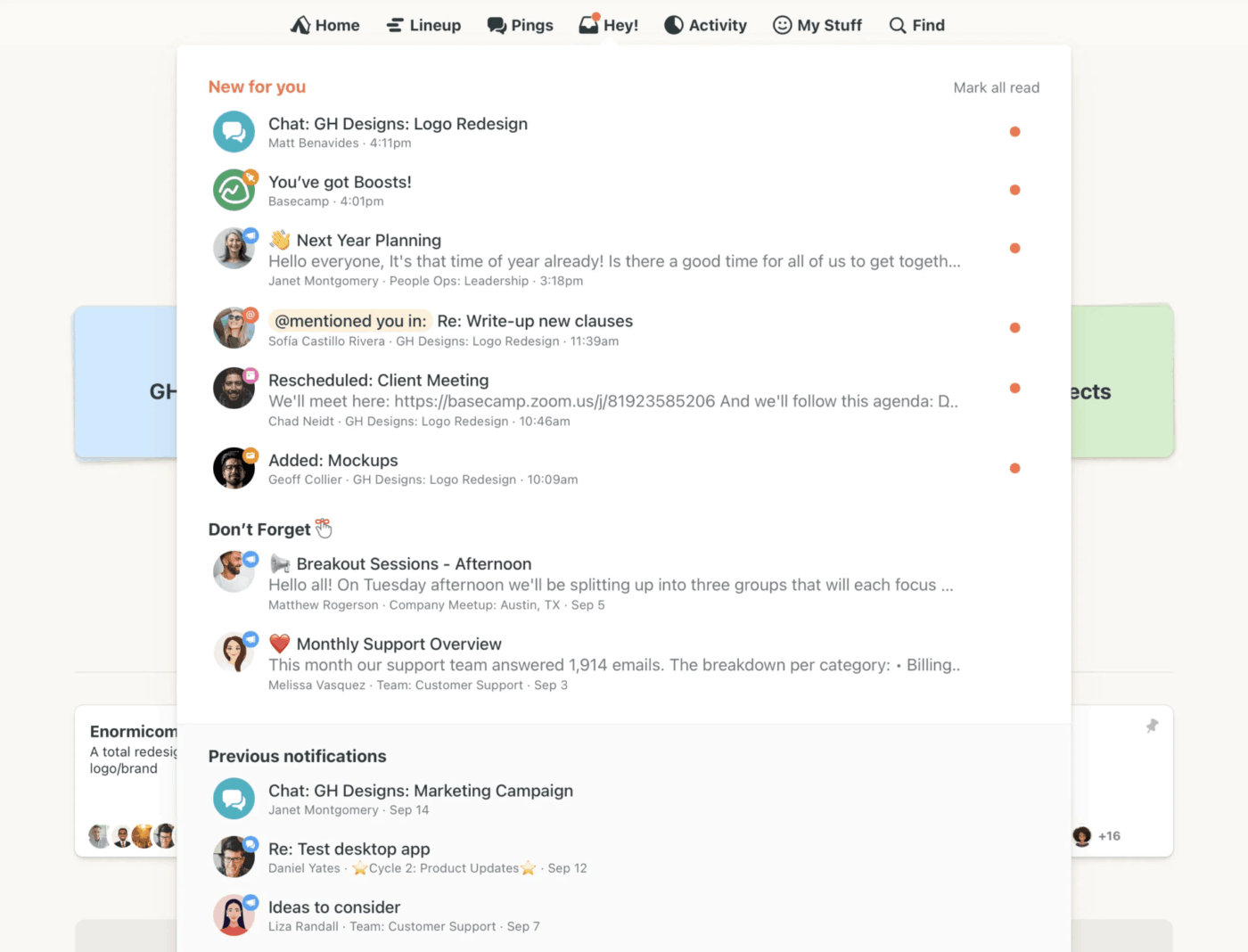
Basecamp is one of the most well-known project management tools focused on simplicity and clarity. Instead of offering dozens of complex features, it provides a structured environment where teams can manage projects, communicate, and share files effortlessly.
Its philosophy is simple: do fewer things—but do them extremely well.
Best features
- Centralized workspace: Each project includes message boards, to-do lists, schedules, docs, and chat in one place.
- Clean and minimal interface: Easy for non-technical users to adopt quickly.
- Real-time team communication: Built-in chat and message boards reduce reliance on external tools.
- Automatic check-ins: Helps teams stay updated without constant meetings.
- Client-friendly collaboration: Ideal for agencies working with external clients.
👉 Basecamp’s biggest strength is its focus on simplicity, making it perfect for teams that want a distraction-free environment.
Limitations
- Limited customization options: Not suitable for teams needing advanced workflows.
- No advanced reporting or analytics: Lacks deep insights compared to complex tools.
- No built-in time tracking: Requires external tools for tracking hours.
- Basic task management features: Not ideal for highly complex projects.
Pricing
Basecamp follows a simple pricing model:
- Basecamp Personal – $15/month (limited features for individuals)
- Basecamp Business – $299/month (flat rate for unlimited users and projects)
👉 The flat pricing model is a major advantage for larger teams, as it eliminates per-user costs.
Ratings and reviews
- Capterra / Software directories (avg.) – ~4.3/5
- User reviews (aggregated) – ~4.1–4.3/5
Users consistently praise Basecamp for its ease of use and simplicity, though some note its limited feature set.
3. Nifty (Best for unifying roadmaps, tasks, and collaboration in one place)
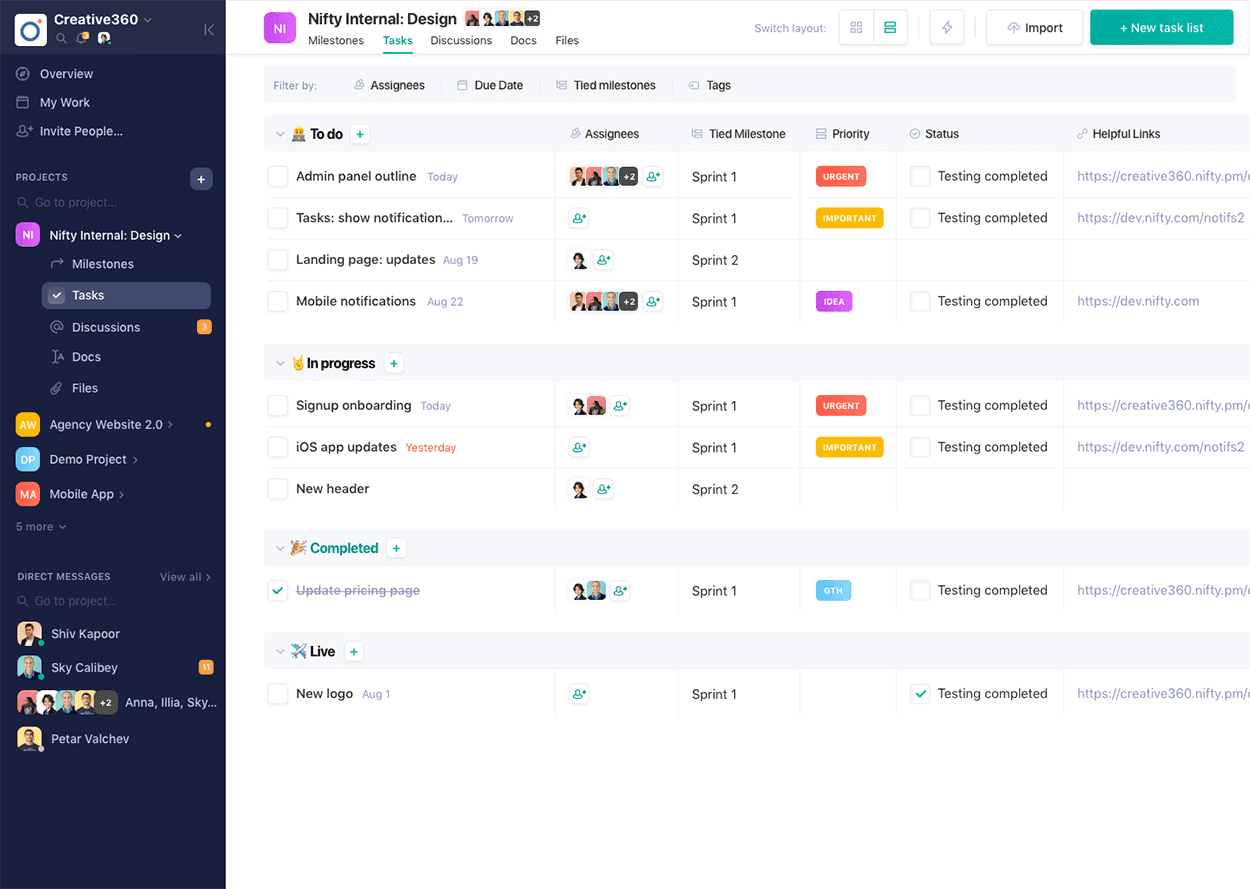
Nifty is a modern project management tool that combines roadmaps, tasks, communication, and reporting into a single streamlined platform. It’s designed to give teams structure without overwhelming them with unnecessary complexity.
Unlike many tools, Nifty focuses on visual project planning while maintaining a clean interface.
Best features
- Unified workspace: Combines roadmaps, tasks, docs, chat, and reporting in one platform.
- Multiple project views: Kanban, timeline, calendar, and list views for flexible tracking.
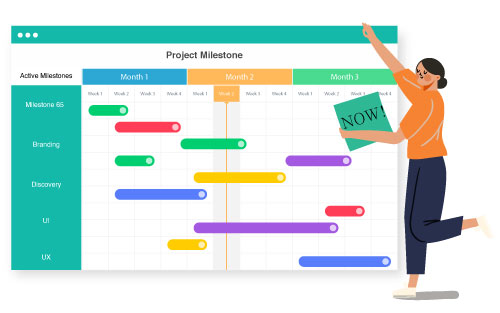
- Milestone-based planning: Helps teams track progress visually through timelines.
- Built-in time tracking and reporting: Monitor productivity without external tools.
- Collaboration tools: Team chat, discussions, and document sharing in one place.
- Workflow automation: Simplifies repetitive tasks and improves efficiency.
👉 Nifty excels at bringing structure and simplicity together, making it ideal for teams that want visual planning without complexity.
Limitations
- Limited advanced customization: Not as flexible as enterprise-level tools.
- Learning curve for new users: Especially when using advanced features like automations.
- Performance can vary with large projects: Some users report slower performance with heavy workloads.
Pricing
Nifty offers flexible and scalable pricing:
- Free Plan – $0 (basic features, limited projects)
- Personal Plan – $7/user/month
- Pro Plan – $10/user/month
- Business Plan – $16/user/month
- Enterprise Plan – Custom pricing
👉 Nifty’s pricing is competitive, especially considering its all-in-one capabilities.
Ratings and reviews
- G2 – 4.7/5 (400+ reviews)
- Capterra / GetApp (avg.) – ~4.6/5
Users highlight Nifty’s balance between usability and functionality, especially for growing teams.
Additional Helpful Tools
While Corexta, Basecamp, and Nifty are excellent choices for simplicity-first project management, there are a few other tools worth considering. These platforms offer strong capabilities but may include slightly more features or customization options—making them suitable for teams that want a bit more flexibility without going fully complex.
1. Monday.com
Monday.com is a highly visual project management platform that helps teams manage workflows, track progress, and collaborate in real time. It’s known for its color-coded boards and customizable workflows, which make it easy to understand project status at a glance.
Key highlights
- Visual dashboards and boards: Tasks are organized in a spreadsheet-style layout with statuses, timelines, and priorities clearly displayed.
- Customizable workflows: Teams can tailor boards to match their specific processes without heavy technical setup.
- Automation features: Automate repetitive actions like notifications, status updates, and task assignments.
- Collaboration tools: Comments, file sharing, and team updates are integrated directly into tasks.
- Integration ecosystem: Connects with tools like Slack, Google Drive, and Zoom.
Why it’s helpful
Monday.com strikes a balance between ease of use and customization. While it offers more flexibility than simpler tools, its interface remains intuitive enough for most teams to adopt quickly.
Considerations
- Can feel overwhelming for complete beginners due to many customization options
- Pricing increases as you scale users and features
2. Wrike
Wrike is a robust project management platform designed for teams that need structured workflows and detailed project tracking. It’s particularly popular among marketing teams, agencies, and enterprise users.
Key highlights
- Advanced task and workflow management: Create dependencies, automate workflows, and manage complex projects.
- Multiple project views: Includes list, board, Gantt chart, and calendar views.
- Real-time collaboration: Team members can comment, share files, and track updates within tasks.
- Reporting and analytics: Provides detailed performance insights and customizable reports.
- Workload management: Helps teams balance resources and avoid burnout.
Why it’s helpful
Wrike is ideal for teams that are growing beyond basic tools but still want a structured and relatively user-friendly system. It offers more control without becoming overly technical.
Considerations
- Steeper learning curve compared to simpler tools
- Interface can feel dense for smaller teams
3. Hive
Hive is a flexible and modern project management tool that focuses on productivity, collaboration, and automation. It combines project tracking with communication and analytics features in a clean interface.
Key highlights
- Flexible project views: Supports Kanban, Gantt, calendar, and table views.
- Built-in messaging and email integration: Reduces the need for external communication tools.
- Automation and workflows: Simplifies repetitive processes and task management.
- Time tracking and analytics: Monitor team performance and project efficiency.
- Customizable dashboards: Provides insights tailored to your workflow.
Why it’s helpful
Hive is a great middle-ground solution for teams that want more power than basic tools but less complexity than enterprise systems.
Considerations
- Some advanced features require add-ons
- Initial setup may take time to optimize
These tools expand your options if you need:
- More customization (Monday.com)
- Deeper project control (Wrike)
- Flexible collaboration with analytics (Hive)
However, they may introduce slightly more complexity, so they’re best suited for teams ready to handle a bit more configuration.
How to Manage Multiple Priorities Effectively (Tips + Best Practices)
Managing multiple priorities is one of the biggest challenges teams face today. Without a clear system, tasks can quickly become overwhelming, deadlines get missed, and productivity drops.
The key is not to do more—but to manage work more intelligently.
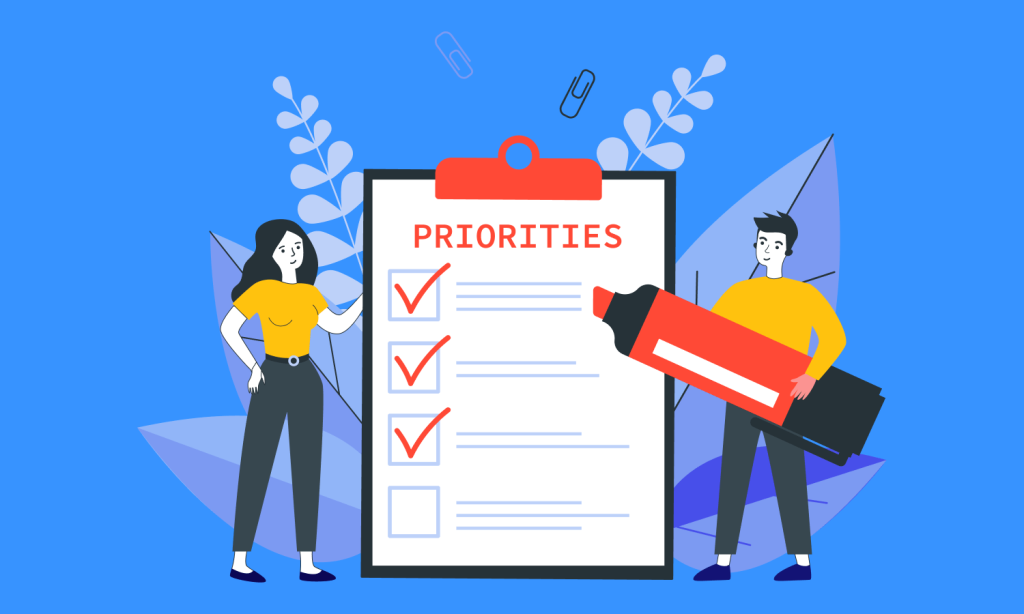
Here are proven tips and best practices to help you stay in control:
Define Clear Goals and Outcomes
Before diving into tasks, it’s essential to understand what truly matters.
- Set clear short-term and long-term goals
- Align tasks with business objectives
- Focus on outcomes, not just activities
When priorities are clearly defined, decision-making becomes much easier.
Use a Centralized Task Management System
Trying to manage tasks across emails, chats, and spreadsheets leads to confusion.
Instead:
- Use a single project management tool
- Keep all tasks, deadlines, and updates in one place
- Ensure everyone has visibility into project progress
This eliminates miscommunication and keeps teams aligned.
Prioritize Tasks Using Proven Methods
Not all tasks are equally important. Use prioritization frameworks like:
- Eisenhower Matrix (urgent vs. important)
- ABC prioritization (high, medium, low impact)
- Time-based prioritization (deadlines first)
Focus on high-impact tasks that drive real results.
Break Projects into Smaller Tasks
Large projects can feel overwhelming. Breaking them into smaller, manageable steps helps:
- Improve clarity
- Increase progress visibility
- Reduce procrastination
Each small task completed creates momentum and keeps the team motivated.
Limit Work in Progress (WIP)
One of the biggest productivity killers is trying to do too many things at once.
- Focus on a few tasks at a time
- Avoid multitasking overload
- Use Kanban boards to visualize and limit WIP
This improves focus and ensures higher-quality output.
Set Realistic Deadlines
Overloading schedules leads to burnout and missed deadlines.
- Estimate time accurately
- Add buffer time for unexpected delays
- Avoid overcommitting
Realistic timelines improve both productivity and team morale.
Automate Repetitive Tasks
Automation can save significant time and reduce manual effort.
- Automate reminders and notifications
- Use recurring tasks for routine work
- Streamline approvals and updates
Modern PM tools make it easy to automate without complexity.
Communicate Clearly and Consistently
Poor communication leads to confusion and delays.
- Keep discussions linked to tasks
- Provide clear instructions and updates
- Encourage team collaboration
Transparency ensures everyone stays on the same page.
Review and Adjust Priorities Regularly
Priorities change—and your system should adapt.
- Conduct weekly or daily reviews
- Reassess task importance
- Adjust plans based on new information
Flexibility is key to effective priority management.
Focus on Simplicity
Finally, the most important principle:
👉 Keep your workflow simple
- Avoid overcomplicating processes
- Use tools that support—not hinder—your work
- Eliminate unnecessary steps
The simpler your system, the easier it is to maintain consistency and productivity.
Corexta: Simplifying Complex Project Management
Project managers need tools that are intuitive yet powerful, allowing teams to focus on work rather than learning complicated software.
The best project management solutions blend task management, resource planning, project scheduling, and team collaboration into a single, easy-to-use platform. They help teams communicate clearly, minimize risks, and stay aligned throughout the project lifecycle. While tools like Basecamp and Nifty emphasize simplicity, Corexta takes it a step further by adapting to your team’s workflow, offering flexibility without added complexity.
Begin with a straightforward List or Board View that matches how your team works, and gradually expand features as needed. This approach lets your team grow comfortably without feeling overwhelmed by unnecessary options.
If you’ve ever wanted your projects to feel more organized and your workdays lighter, Corexta provides that clarity and control. Explore its features and see the difference for yourself by signing up today.
Read More: Content Pillars for Social Media: How to Build Yours