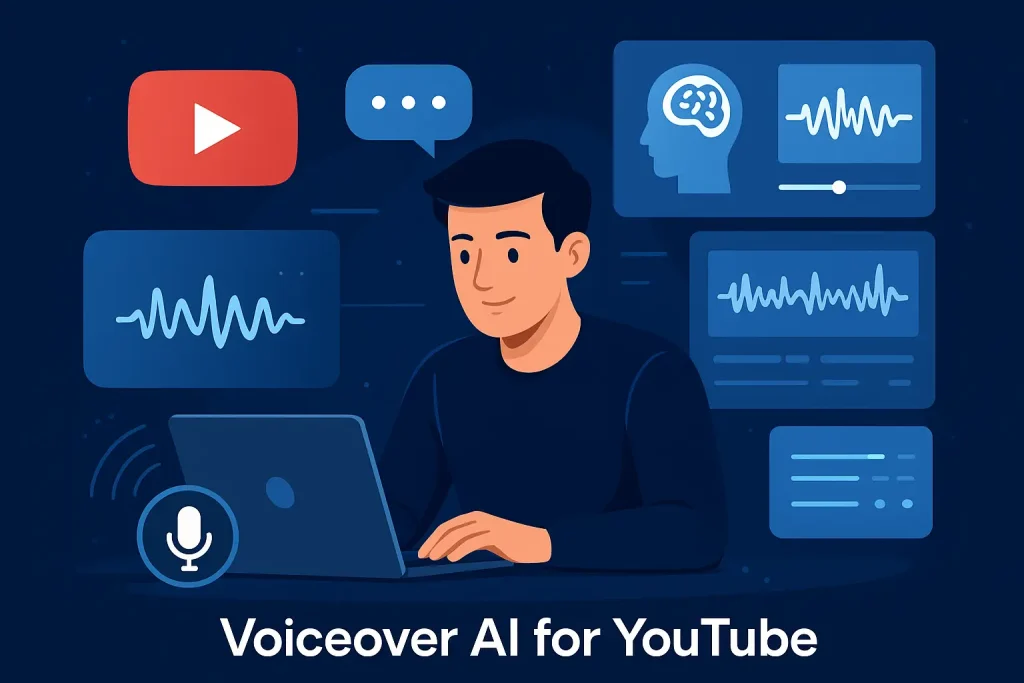
YouTube has become the go-to platform for creators, businesses, and educators who want to reach a global audience. But one of the biggest challenges in video production has always been voiceovers. Hiring professional voice actors can be expensive, recording your own narration takes time (and the right equipment), and not everyone is comfortable speaking on camera. This is where Voiceover AI for YouTube is changing the game.
Voiceover AI refers to the use of artificial intelligence to generate natural-sounding voice narration from text. Instead of spending hours recording and editing audio, creators can simply type their script, choose a realistic AI-generated voice, and instantly get a professional-quality narration. This technology is becoming especially popular among YouTubers because it speeds up production, cuts costs, and allows creators to focus more on storytelling and visuals.
For small creators, AI voiceovers mean they can compete with larger channels without needing a studio setup or voice talent. For businesses, it allows quick turnaround for marketing videos, tutorials, and product demos. And for international channels, Voiceover AI makes it easier to scale by offering narration in multiple languages.
In short, Voiceover AI for YouTube is more than a trend—it’s becoming an essential tool for modern content creation. It empowers creators of all levels to produce engaging, scalable, and professional videos faster than ever before.
Understanding Voiceover AI: What It Is and How It Works
What Is Voiceover AI?
At its core, Voiceover AI is a technology that uses artificial intelligence and text-to-speech (TTS) systems to transform written text into spoken audio. Unlike the robotic, monotone voices of old-school TTS tools, today’s AI-driven solutions are powered by advanced machine learning and natural language processing (NLP). These systems analyze text, understand context, and produce voiceovers that sound remarkably human—complete with natural rhythm, pauses, and emotions.
For YouTube creators, this means that they no longer need expensive microphones, soundproof rooms, or voice actors. With Voiceover AI for YouTube, anyone can create narration that matches their brand’s tone—whether that’s casual, professional, friendly, or authoritative. The result is a flexible, accessible tool that lowers the barrier to high-quality video production.
How Does Voiceover AI Work?
The process of creating a voiceover with AI is surprisingly simple:
- Input Your Script – The creator writes or pastes the script into the AI platform.
- Select a Voice – Choose from a library of voices, often categorized by gender, age, and accent. Many tools also offer multilingual options.
- Customize Delivery – Adjust speed, pitch, tone, and even add emphasis or pauses to make the narration sound more natural. Some advanced tools also allow emotional styles, such as excited, calm, or persuasive.
- Generate & Export – The AI processes the text and instantly produces an audio file. Creators can then download it and sync it with their YouTube video.
Behind the scenes, AI systems use deep learning models trained on thousands of hours of real human speech. This training allows them to replicate the nuances of pronunciation, intonation, and pacing that make the voices sound authentic.
For YouTube creators, this means faster workflows and endless possibilities—whether you’re producing explainer videos, tutorials, vlogs, or animated content. Instead of worrying about recording mistakes or re-takes, Voiceover AI for YouTube ensures consistent, high-quality audio every time.
Why Use Voiceover AI for YouTube? Key Benefits
Voiceovers can make or break a YouTube video. A good narration keeps viewers engaged, builds trust, and communicates your message clearly. However, creating professional-quality audio has traditionally been time-consuming and costly. This is where Voiceover AI for YouTube provides a major advantage. Let’s explore the key benefits:
Speed and Efficiency
Producing a video with human narration often involves scripting, recording, editing, and re-recording if mistakes happen. With AI voiceovers, you can generate polished narration in minutes. This drastically reduces production time, allowing creators to publish content more frequently. For YouTubers working on tutorials, reviews, or daily vlogs, this efficiency is a game-changer.
Cost-Effectiveness
Hiring a professional voice actor can cost anywhere from $50 to $500 per project, depending on length and complexity. Multiply that by dozens of videos, and expenses add up quickly. In contrast, most Voiceover AI tools charge a monthly subscription between $10 and $40, offering unlimited or high-volume voice generation. This makes AI a budget-friendly option for small creators, startups, and businesses that need consistent content output.
Multilingual and Global Reach
YouTube is a global platform, and reaching international audiences often requires translating and recording in multiple languages. With Voiceover AI, creators can easily generate narrations in Spanish, French, Hindi, Japanese, and many other languages. This opens up opportunities to reach wider audiences without hiring multiple voice actors or translators. For example, an English-speaking channel can expand into Spanish-speaking markets simply by creating a localized AI voiceover.
Consistency and Branding
Another advantage of Voiceover AI for YouTube is consistency. Unlike human narrators, who may have slight variations in tone or pacing over time, AI voices can maintain the same style across every video. This helps build a strong, recognizable brand identity. Whether your channel focuses on tech reviews, educational content, or lifestyle vlogs, keeping a consistent voice enhances trust and makes your videos instantly recognizable.
👉 In short, Voiceover AI combines speed, affordability, multilingual flexibility, and consistent branding—making it one of the most powerful tools available for modern YouTube creators.
Step-by-Step Guide: Creating YouTube Videos with Voiceover AI
Now that we’ve explored the benefits, let’s walk through how you can actually create professional-quality YouTube videos using Voiceover AI.
Step 1: Write a Compelling Script
Your script is the foundation of your video. Even the most realistic AI voice can’t save a poorly written script. Keep your language clear, concise, and conversational—just as if you were talking to a friend. For emotional impact, use short sentences, rhetorical questions, and storytelling. Break content into sections to make narration flow naturally, and always read your script aloud before inputting it into the AI tool.
Step 2: Choose the Right Voiceover AI Tool
Not all AI tools are the same, so picking the right one matters. Here are some of the top options for YouTubers:
| Tool | Best For | Key Features |
|---|---|---|
| ElevenLabs | Storytelling & Documentaries | Ultra-realistic voices with emotional depth, excellent for narration and voice acting. |
| Murf.ai | Explainer Videos & Business Channels | Wide range of voices, integrates with video editing, great for corporate use. |
| Speechify | Long-form Educational Content | Natural pacing, popular for text-to-speech, great for audiobooks, lectures, and learning. |
| Adobe Express (Voiceover) | Quick Marketing & Social Videos | Beginner-friendly, easy integration into video projects, fast voiceover creation. |
👉 Pricing usually ranges between $10–$40/month depending on features, which is still cheaper than hiring professional voice actors.
Step 3: Customize Your Voice
One of the strengths of Voiceover AI is customization. You can fine-tune pitch, speed, accent, and even emotional tone to match your video’s theme. For example:
- A product demo might use a clear, confident voice.
- A travel vlog might sound friendly and enthusiastic.
- An educational video could use a calm, authoritative tone.
Experiment with adjustments until the narration feels aligned with your channel’s style.
Step 4: Sync Voiceover with Visuals
Once your AI narration is ready, the next step is integrating it into your video editor. Tools like Adobe Premiere Pro, Final Cut Pro, or beginner-friendly options like Canva Video Editor let you drag and drop your audio file directly onto your timeline. Align voiceovers with visuals, add subtitles for accessibility, and trim pauses to keep the pacing smooth.
Step 5: Add Music and Sound Effects
Background music and sound effects enhance engagement but must be balanced carefully with narration. Choose royalty-free tracks from libraries like Epidemic Sound, Artlist, or YouTube’s Audio Library. Keep music volume 20–30% lower than the voiceover so your narration remains clear. Subtle sound effects (like clicks, swishes, or ambient noise) can also add polish without distracting from the message.
👉 By following these five steps, you can use Voiceover AI for YouTube to create professional-quality videos that are faster to produce, cost-effective, and scalable. Whether you’re a solo creator, a small business, or a large brand, AI-powered narration ensures your content stays engaging and consistent.
Voiceover AI for YouTube Monetization
Monetization is the ultimate goal for many YouTube creators. From ad revenue to sponsorships, the faster you grow your channel, the sooner you can start earning. This is where Voiceover AI for YouTube plays a huge role—it helps creators scale content, expand globally, and build passive income streams.
Scaling Content Production
One of the biggest challenges on YouTube is maintaining consistency. The algorithm favors channels that post frequently, but recording multiple high-quality voiceovers every week can be exhausting and expensive. AI changes this dynamic by allowing creators to generate professional narration at scale. With tools like Murf.ai or ElevenLabs, you can produce daily or even multiple videos per day without needing a studio setup or voice actor. This efficiency directly translates into faster subscriber growth and higher monetization potential.
Localization for Global Audiences
YouTube’s global reach makes localization an incredible opportunity. Instead of being limited to one language, creators can use Voiceover AI to translate scripts and generate natural-sounding narrations in Spanish, Hindi, Arabic, or Japanese. This opens up new markets where CPM (cost per thousand views) rates may even be higher than English markets. By tailoring content for international audiences, creators not only expand their reach but also unlock additional ad revenue streams.
Automation for Passive Income
Voiceover AI also supports the rise of faceless YouTube channels—content where creators don’t appear on camera. These channels often focus on niches like travel slideshows, educational explainers, or top 10 compilations. Combined with evergreen topics, AI-powered narration allows creators to build fully automated content pipelines. Once uploaded, these videos can generate ad revenue, affiliate income, and sponsorship deals on autopilot.
👉 In short, Voiceover AI isn’t just about convenience—it’s a monetization accelerator. By scaling production, localizing content, and enabling automation, creators can maximize their YouTube earnings faster than ever before.
Common Mistakes to Avoid When Using Voiceover AI
While Voiceover AI for YouTube is powerful, it’s not foolproof. Many beginners make simple mistakes that hurt video quality and viewer engagement. Avoiding these pitfalls ensures your content sounds natural and professional.
Robotic or Monotone Delivery
One common mistake is relying on default AI voices without customization. These can sound robotic and disengage viewers. Always adjust pitch, pacing, and emotion to fit your content. Modern AI tools allow fine-tuning so your narration feels more human and authentic.
Poor Script Structure
Even the best AI voice won’t save a poorly written script. Rushed or unstructured content often leads to awkward narration. Focus on pacing: keep sentences short, break ideas into digestible parts, and use conversational language. Reading your script aloud before generating the AI voice helps identify clunky phrasing.
Ignoring Copyright Rules
Another mistake is neglecting copyright laws. Using unlicensed background music or ignoring terms of AI voice models can put your channel at risk of strikes or demonetization. Always use royalty-free or properly licensed tracks, and double-check the usage rights of your chosen voiceover AI platform.
👉 By customizing your AI voice, structuring your script carefully, and respecting copyright, you’ll avoid the biggest pitfalls and keep your channel safe while delivering high-quality content.
Real-Life Examples: YouTube Creators Using Voiceover AI Successfully
The best way to understand the power of Voiceover AI for YouTube is to look at how real creators are using it. From educational tutorials to faceless channels, AI narration is already shaping the future of YouTube content creation.
Educational Channels
E-learning and tutorial channels often produce long-form videos that require clear, consistent narration. Many creators now rely on AI voiceovers to deliver lessons, explain concepts, and guide viewers through step-by-step processes. Since educational content requires frequent uploads, AI helps maintain speed and consistency without hiring multiple narrators.
Animation and Storytelling
AI voiceovers are also popular among animators and storytellers. Channels that create short films, explainer animations, or character-driven content can assign unique AI voices to each character. This saves time while maintaining high-quality storytelling. Plus, with multilingual support, creators can publish their animations for audiences worldwide.
Faceless Content Channels
The rise of faceless YouTube channels—like top 10 lists, history explainers, or compilation videos—has been fueled by AI narration. These creators often never appear on camera, relying entirely on visuals, stock footage, and AI-generated voiceovers. With automated workflows, such channels can publish at scale, creating passive income streams that run almost hands-free.
👉 Whether it’s education, animation, or faceless content, successful creators prove that Voiceover AI isn’t just a trend—it’s a proven strategy for building and growing YouTube channels.
Future Trends: What’s Next for Voiceover AI on YouTube
The world of Voiceover AI for YouTube is moving fast. What feels revolutionary today will be standard practice tomorrow. Let’s explore the future developments that could reshape how creators produce and share their content.
Emotional AI and Voice Cloning
Early AI voices often sounded flat or robotic, but the next generation focuses on emotional intelligence. Emotional AI can mimic laughter, sadness, excitement, or authority, bringing narration closer to human storytelling. Voice cloning is also advancing rapidly. Creators may soon be able to upload a few minutes of their own voice and let AI generate an entire library of narrations that sound just like them. This could help maintain brand authenticity while scaling content production.
Real-Time Voiceover Generation
Another exciting development is real-time voiceover. Imagine hosting a live stream where AI instantly translates and narrates your words into multiple languages for global viewers. Real-time dubbing and narration will allow creators to reach international audiences as events unfold. This innovation could transform webinars, gaming streams, and live tutorials, removing language barriers entirely.
Ethical Considerations
With great power comes responsibility. The rise of hyper-realistic AI voices also raises ethical concerns. Deepfake risks, voice theft, and unauthorized cloning could damage audience trust if misused. Creators must prioritize transparency—letting viewers know when AI voices are being used—and respect copyright or consent laws. The future of Voiceover AI depends on balancing innovation with ethical practices.
👉 Looking ahead, creators who embrace these trends thoughtfully will gain a competitive edge, producing engaging, scalable, and trustworthy content for their YouTube audiences.
Conclusion: Start Creating with Voiceover AI Today
The rise of Voiceover AI for YouTube has opened the door to faster production, lower costs, and global reach for creators of all sizes. From scaling content and monetizing more efficiently to experimenting with multilingual narration, AI voiceovers provide opportunities that were once reserved for large studios with big budgets.
As the technology evolves—with emotional AI, real-time dubbing, and improved customization—its role in content creation will only grow stronger. But success lies in how you use it: with creativity, ethics, and a clear understanding of your audience.
If you’ve been struggling to keep up with voiceovers or want to experiment with faceless channels, now is the perfect time to explore tools like ElevenLabs, Murf.ai, or Speechify. Test a script, experiment with different voices, and see how AI can transform your workflow.
👉 The future of YouTube content is AI-powered—and the sooner you start, the faster you’ll unlock its full potential.