In 2026, project management has become faster, more collaborative, and more data-driven than ever before. Teams are no longer managing simple, linear projects—most initiatives now involve multiple stakeholders, overlapping tasks, tight deadlines, and frequent changes. In this environment, visual clarity and precise progress tracking are essential for keeping projects on course.
This is where Gantt chart milestones play a critical role. While a standard Gantt chart helps map out tasks across a timeline, milestones act as strategic checkpoints that highlight key achievements, decision points, or deliverables within the project lifecycle. They allow project managers and teams to instantly understand whether a project is progressing as planned or drifting off track.
This guide is designed to help you understand what Gantt chart milestones are, why they matter in modern project management, and how to use them effectively in 2026—whether you’re managing a small internal project or a large, multi-phase initiative.
What Are Gantt Chart Milestones?
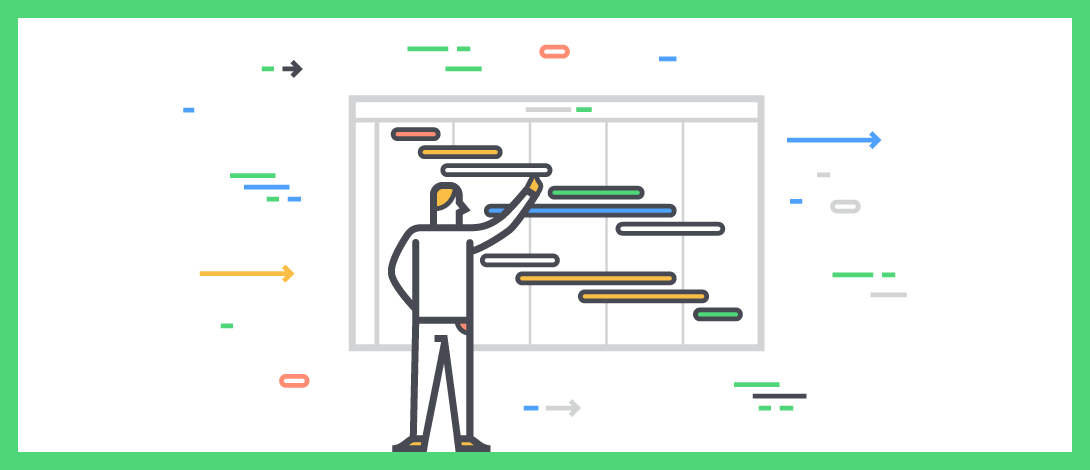
Gantt chart milestones are significant markers placed on a project timeline to represent important events or achievements. Unlike regular tasks, milestones do not have duration. Instead, they indicate a specific point in time when a critical phase, deliverable, or approval is completed.
On a Gantt chart, milestones are typically represented by a diamond or distinct symbol, making them easy to identify at a glance. Examples of common milestones include:
-
Project kickoff approval
-
Completion of a major project phase
-
Client review or sign-off
-
Product launch date
-
Final project delivery
Milestones help transform a complex timeline into a clear, goal-oriented roadmap, ensuring everyone understands what success looks like at each stage of the project.
Why Use a Gantt Chart?
A Gantt chart is one of the most effective tools for visual project planning because it shows what needs to be done, when it needs to be done, and how tasks relate to each other. In modern project environments, Gantt charts are used because they:
-
Provide a clear visual timeline of the entire project
-
Show task dependencies and sequencing
-
Help teams anticipate delays and resource conflicts
-
Make it easier to communicate plans with stakeholders
-
Support better forecasting and deadline management
When milestones are added to a Gantt chart, they elevate it from a simple scheduling tool to a strategic project control system. Milestones help teams focus on outcomes, not just activities.
How Do You Create a Gantt Chart?
Creating a Gantt chart involves breaking down a project into structured, time-bound components and visualizing them along a timeline. The process typically includes the following steps:
-
Define the project scope and objectives
Clearly outline what the project aims to achieve and identify the major deliverables. -
List all tasks and activities
Break the project into individual tasks required to complete each deliverable. -
Set task durations and start/end dates
Estimate how long each task will take and assign realistic timelines. -
Identify task dependencies
Determine which tasks must be completed before others can begin. -
Add milestones at key points
Insert milestones to represent critical achievements, approvals, or phase completions. -
Review and adjust the timeline
Ensure the schedule is practical, balanced, and aligned with available resources.
In 2026, Gantt charts are commonly created using spreadsheets for simple projects or advanced project management tools for complex workflows. Regardless of the tool, the foundation remains the same: clear tasks, logical sequencing, and meaningful milestones.
When built correctly, a Gantt chart with milestones becomes a powerful visual guide that keeps teams aligned, accountable, and focused on delivering results.
Why Use Gantt Chart Milestones?
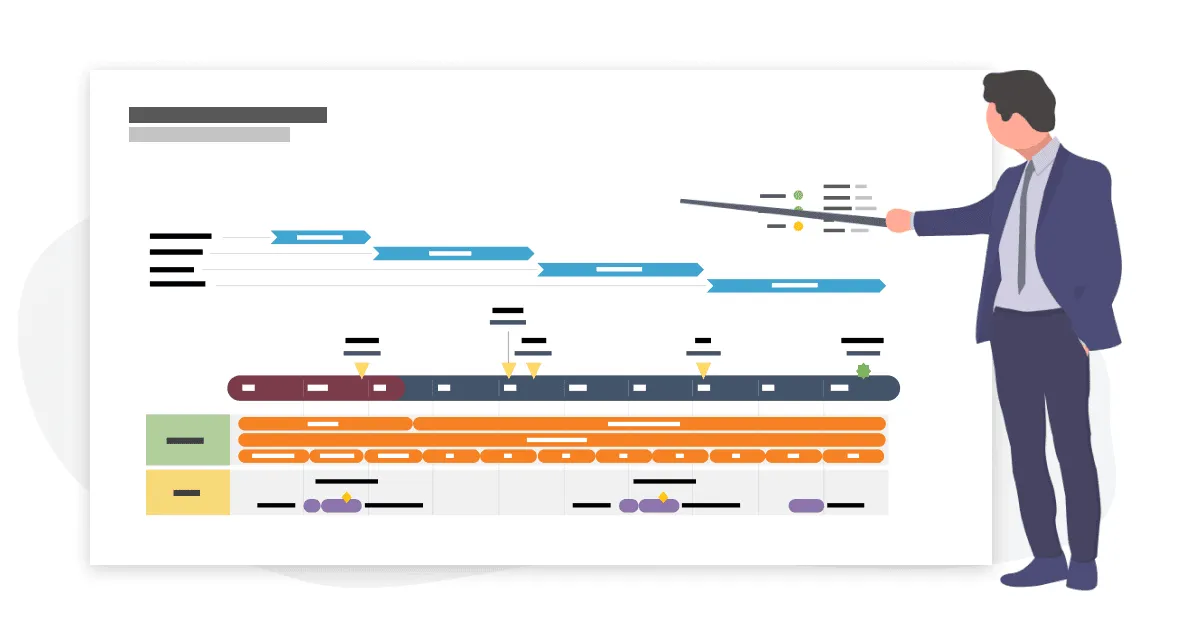
Gantt chart milestones are not just decorative points on a timeline—they’re strategic markers that transform a project schedule into a meaningful roadmap. When used correctly, milestones help teams visualize progress, anticipate risks, and stay aligned with the project’s goals. Let’s explore in-depth why integrating milestones into your Gantt charts is essential in 2026 project management.
1. Gives You a Bird’s Eye View of Your Project Timeline
At its core, a Gantt chart lays out project tasks against a timeline, showing start and end dates along with task lengths. But when you add milestones to that chart, something powerful happens: you gain clear reference points that break the timeline into digestible segments.
Milestones mark critical events—such as a phase completion, key client approval, or regulatory submission—that often align with important decisions or transitions in your project. With these markers:
-
Planning becomes more tangible: Instead of seeing continuous bars alone, you can quickly understand where important outcomes lie.
-
Tracking progress is simplified: Each milestone gives you a checkpoint that signals forward movement.
-
Communication improves: Stakeholders, whether internal teams or external clients, can instantly grasp what’s coming next without digging into every single task.
This “bird’s eye view” lets you quickly assess whether the project is on track and what major milestones are upcoming, helping teams orient their efforts around meaningful targets rather than just completing random tasks.
2. Identifies Project Bottlenecks Easily
Projects rarely unfold exactly as planned. Dependencies between tasks, resource constraints, and unexpected delays can all introduce bottlenecks—points where progress slows or stalls.
Milestones are invaluable here because they highlight critical intersections in your timeline. When a milestone is approaching, you can quickly see:
-
Which tasks are delaying its achievement
-
How upstream delays affect downstream work
-
Whether resources are allocated where they matter most
For example, if a milestone such as “Design Complete” is behind schedule, all subsequent development and testing tasks will be affected. Seeing this visually helps you act early—redistributing workloads, rescheduling tasks, or calling stakeholder meetings to address issues.
In essence, milestones act like warning flags. They enable proactive decision-making long before a delayed task causes a full project derailment.
3. Breaks Down the Project Into Manageable Phases
Large projects can feel overwhelming—especially when they contain dozens or hundreds of tasks. Without context, a long list of work items can blur the big picture. Milestones solve this problem by dividing a project into logical phases.
Here’s how that works in practice:
-
You define major phases of your project—such as “Planning,” “Execution,” “Testing,” and “Launch.”
-
Each phase culminates in a milestone—e.g., “Requirements Approved,” “Prototype Complete,” or “Final Review Passed.”
-
Tasks that belong to each phase are grouped under those milestones.
This segmentation brings two big benefits:
-
Clarity: Your team knows exactly what steps need to occur before advancing from one phase to the next.
-
Motivation: Smaller, clearly defined phases feel achievable, boosting confidence and reducing stress.
Rather than viewing your project as one long journey, milestones transform it into bite-sized achievements, making complex work easier to manage and monitor.
4. Keeps Your Team Motivated
Modern project teams function best when progress is visible and celebrated. Milestones create natural opportunities to recognize progress and reinforce team morale.
Think about the psychological impact:
-
Teams often feel energized when they hit a milestone—especially one that represents a hard-won deliverable or long sprint of effort.
-
Regularly acknowledging these wins builds confidence and momentum.
-
Team members can clearly see how their contributions link to real results, not just vague future outcomes.
This motivational aspect becomes especially important in long-running initiatives where tasks can feel routine or disconnected from higher-level goals. Milestones act as psychological anchors, reminding everyone that the work they’re doing matters and is driving the project forward.
5. Nurtures a Sense of Accountability
Accountability is one of the biggest challenges in collaborative work environments. Milestones help strengthen accountability at both individual and team levels.
Here’s how:
-
Clear expectations: When milestones are associated with specific deliverables or deadlines, responsibilities become more concrete.
-
Transparency: Everyone sees where the project stands and who is responsible for making progress toward each checkpoint.
-
Ownership: When team members know that a milestone reflects their work, they take it more seriously—because it’s not just another task, it’s a public measure of progress.
Combined with regular project reviews, milestones make it easier to identify where commitments are being met and where additional support or intervention might be needed. They create a culture of measured, visible accountability, which drives reliability and efficiency across the board.
How Do I Create a Gantt Chart in Excel With a Milestone?
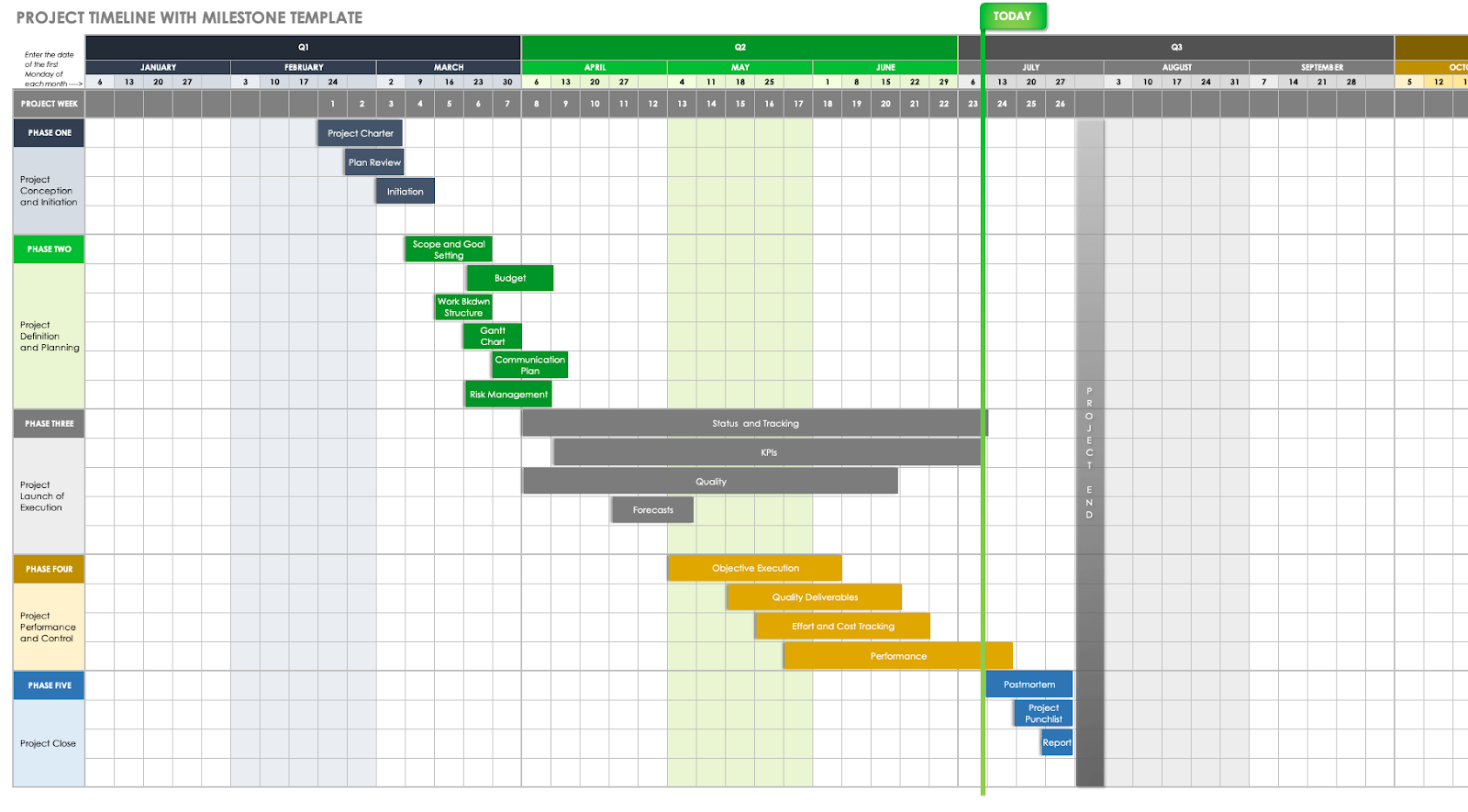
Creating a Gantt chart in Excel with milestones might seem daunting at first, but once you understand the structure and steps involved, it becomes a powerful technique—even without specialized project software. While Excel doesn’t have a built-in “Gantt Chart” button, you can achieve a clear and functional timeline with milestones using stacked bar charts and data arrangement. Here’s a detailed, step-by-step guide to doing exactly that in 2026.
Step 1: Prepare Your Project Data
Start with a structured table in Excel that includes:
| Task Name | Start Date | Duration | End Date | Milestone? |
|---|
-
Task Name: Descriptive name of each task.
-
Start Date: When the task is scheduled to begin.
-
Duration: Number of days the task will take.
-
End Date: Excel formula can calculate this automatically as
Start Date + Duration. -
Milestone? A simple indicator (Yes/No) to flag milestones.
This base table becomes the source for both your Gantt bars and your milestone markers.
Step 2: Create Stacked Bar Series for the Timeline
Excel’s Gantt chart is essentially a customized stacked bar chart:
-
Highlight your data range.
-
Go to Insert → Charts → Bar Chart → Stacked Bar.
-
Excel will insert a basic stacked bar chart.
At this stage, it’s not yet a Gantt chart—it’s just telling Excel to stack “Start Date” and “Duration” data visually.
Step 3: Transform to a Real Gantt Chart
To convert your stacked bar chart into a Gantt chart:
-
Format the first series (Start Date) to have no fill.
This makes the first bar invisible so only your duration bars appear aligned on the timeline. -
Reverse the categories on the vertical axis.
It ensures your tasks list vertically from top to bottom in order.
With these two adjustments, your chart now looks like a timeline: task bars start at the proper date and extend for the assigned duration.
Step 4: Add Milestone Markers
The tricky but most valuable part is inserting milestones—distinct visual points representing key moments.
Here’s how to do it:
-
Insert a new data series specifically for milestones.
-
Use the milestone dates as values for a separate series.
-
Assign a zero duration for these series entries—you want them to appear as points, not bars.
-
-
Change the milestone series chart type to a scatter or marker type.
Select the milestone series, right-click, and change the chart type so that Excel plots these as symbols (like diamonds or circles). -
Format the milestone markers.
Choose distinctive shapes (diamonds are common) and colors (e.g., bright or contrasting) to ensure they stand out against task bars.
Since each milestone has a zero duration, it doesn’t extend like a bar—instead, it sits on the exact date on the timeline. This visually signifies an important point in your project sequence.
Note: If your milestone has a duration (e.g., an approval period lasting several days), you can still include it as a bar, but mark the actual milestone date within it to show the key event.
Step 5: Label and Customize Your Chart
Once your milestones are plotted:
-
Add data labels to milestone markers so it’s clear what each point represents.
-
Adjust the timeline axis to reflect days, weeks, or months depending on your project scope.
-
Color-code tasks by phase or department to make the chart easier to read.
-
Add gridlines or reference lines to highlight today’s date or other continuing constraints.
Step 6: Maintain and Update Your Chart Regularly
The true value of your Gantt chart with milestones comes from keeping it updated:
-
Update dates and durations as tasks progress or change.
-
Move milestone markers forward or backward depending on task completion.
-
Use color changes (e.g., red for delayed milestones, green for completed) to instantly reflect project health.
By keeping your chart current and reviewing it in team meetings, you transform it from a static chart into a live project management tool—one that drives decisions and ensures accountability.
What’s The Best Way To Create Gantt Charts And Add Milestones?
In 2026, the “best” way to create Gantt charts and add milestones is no longer just about drawing timelines—it’s about building a living, adaptable project roadmap that supports collaboration, change, and decision-making. While traditional methods still work, modern project environments demand approaches that balance clarity, flexibility, and real-time visibility.
To understand the best approach, it’s important to focus on principles first, then tools.
Start With Outcome-Driven Planning
The most effective Gantt charts begin with outcomes, not tasks. Before opening any tool or spreadsheet, clearly define:
-
What success looks like for the project
-
Which deliverables truly matter
-
Which moments require approvals, reviews, or handoffs
These outcome-focused moments become your milestones. Instead of treating milestones as an afterthought, they should be planned early—because they shape the entire project structure.
When milestones are defined first, tasks naturally fall into place beneath them. This approach prevents timelines from becoming cluttered with low-impact activities and keeps the project aligned with business or stakeholder goals.
Design the Gantt Chart Around Milestones, Not Tasks
One common mistake teams still make is creating a task-heavy Gantt chart and then randomly inserting milestones later. The better approach is to:
-
Identify major project phases
-
Assign a milestone to signal the completion of each phase
-
Group related tasks under each milestone
This creates a milestone-centered Gantt chart, where tasks support milestones—not the other way around. The benefits are immediate:
-
Progress is measured by meaningful achievements
-
Delays are easier to spot because milestone dates are fixed reference points
-
Stakeholders can focus on milestone completion rather than micromanaging tasks
In 2026, this structure is especially valuable for cross-functional teams, where different departments contribute tasks toward the same milestone.
Use Tools That Support Real-Time Updates and Dependencies
While spreadsheets can still be useful for basic planning, the best way to create Gantt charts today is to use tools that allow:
-
Automatic dependency adjustments
-
Real-time timeline updates
-
Visual milestone indicators
-
Easy rescheduling without manual recalculation
These capabilities ensure that when one task changes, the ripple effect across milestones is immediately visible. This is critical in modern project environments where scope and priorities often shift mid-project.
Milestones should dynamically reflect project reality—not remain frozen while the rest of the plan changes.
Make Milestones Visually Distinct and Meaningful
The best Gantt charts make milestones impossible to miss. This is not just about aesthetics—it’s about usability.
Effective milestone visualization includes:
-
Distinct shapes (commonly diamonds)
-
High-contrast colors
-
Clear labels describing the outcome achieved
-
Placement at logical transition points in the timeline
Avoid overloading the chart with too many milestones. Each milestone should represent a decision point, major delivery, or phase transition. If everything is a milestone, nothing feels important.
Align Milestones With Reviews and Decision Points
Another best practice in 2026 project planning is aligning milestones with review cycles and decisions, not just task completion.
Examples include:
-
Stakeholder approval checkpoints
-
Budget or scope validation moments
-
Go / No-Go decisions before entering the next phase
By doing this, milestones become tools for governance—not just tracking. They prompt conversations, reviews, and adjustments at the right time, reducing the risk of late-stage surprises.
Keep Milestones Flexible—but Accountable
Modern project management recognizes that plans change. However, flexibility should not remove accountability.
The best way to manage milestones is to:
-
Allow milestone dates to move when justified
-
Document why changes occurred
-
Communicate changes clearly to all stakeholders
This balance ensures milestones remain realistic without losing their role as accountability anchors. Teams stay focused on delivery, while leadership maintains confidence in the project’s direction.
Use Milestones as Communication Tools
In 2026, Gantt charts are not just internal planning documents—they are communication tools.
The best Gantt charts with milestones are used to:
-
Brief stakeholders quickly
-
Align distributed or remote teams
-
Set expectations with clients
-
Support status reporting and forecasting
A well-designed milestone-based Gantt chart can replace long status reports. One glance tells the story: what’s done, what’s next, and what’s at risk.
The best way to create Gantt charts and add milestones today is to treat milestones as strategic signals, supported by tasks, updated in real time, and used actively—not passively—throughout the project lifecycle.
Conclusion
Gantt chart milestones have evolved far beyond simple markers on a timeline. In 2026, they represent clarity, control, and confidence in project execution.
When milestones are planned thoughtfully, they help teams:
-
Visualize progress clearly
-
Detect risks early
-
Stay motivated through visible wins
-
Maintain accountability across roles
-
Communicate effectively with stakeholders
A Gantt chart without milestones may show activity—but it doesn’t show achievement. Milestones transform a schedule into a goal-driven roadmap, guiding teams from kickoff to completion with purpose and direction.
Whether you’re managing a small initiative or a complex, multi-phase project, mastering Gantt chart milestones allows you to focus on what truly matters: delivering meaningful outcomes, on time and with confidence.
FAQs
What is the difference between a task and a milestone in a Gantt chart?
A task represents work that takes time to complete and has a defined duration. A milestone, on the other hand, represents a specific point in time that marks a significant achievement or decision. Milestones have no duration—they signal completion, approval, or transition.
How many milestones should a project have?
There is no fixed number, but a good rule is to assign milestones to major phases or critical deliverables. Too few milestones reduce visibility, while too many can dilute their importance. Each milestone should represent a meaningful checkpoint.
Can milestones change during a project?
Yes. In modern project management, milestones can and do change as scope, priorities, or constraints evolve. However, changes should be documented and communicated clearly to maintain transparency and accountability.
Are milestones only useful for large projects?
No. Milestones are valuable for projects of any size. Even small projects benefit from clearly defined checkpoints, as they improve focus, progress tracking, and communication.
Should milestones always be tied to approvals?
Not always. While many milestones represent approvals or sign-offs, others can mark internal achievements such as completing a prototype, finishing testing, or reaching a readiness stage. The key is that the milestone represents a meaningful outcome, not just activity.
Read More: How to Create a Proof of Concept (With Examples)