Customer expectations have evolved significantly in recent years. Today’s buyers expect personalized experiences, quick responses, and seamless interactions with businesses across multiple channels. To meet these expectations and manage growing volumes of customer data, organizations rely on Customer Relationship Management (CRM) systems.
A CRM system is a centralized platform that helps businesses manage interactions with prospects and customers throughout the entire customer journey—from the first marketing touchpoint to long-term relationship building. It allows teams across marketing, sales, and customer service to track communication, organize customer data, and collaborate more effectively. By consolidating information into a single system, companies can improve customer experiences, streamline internal processes, and make more informed business decisions.
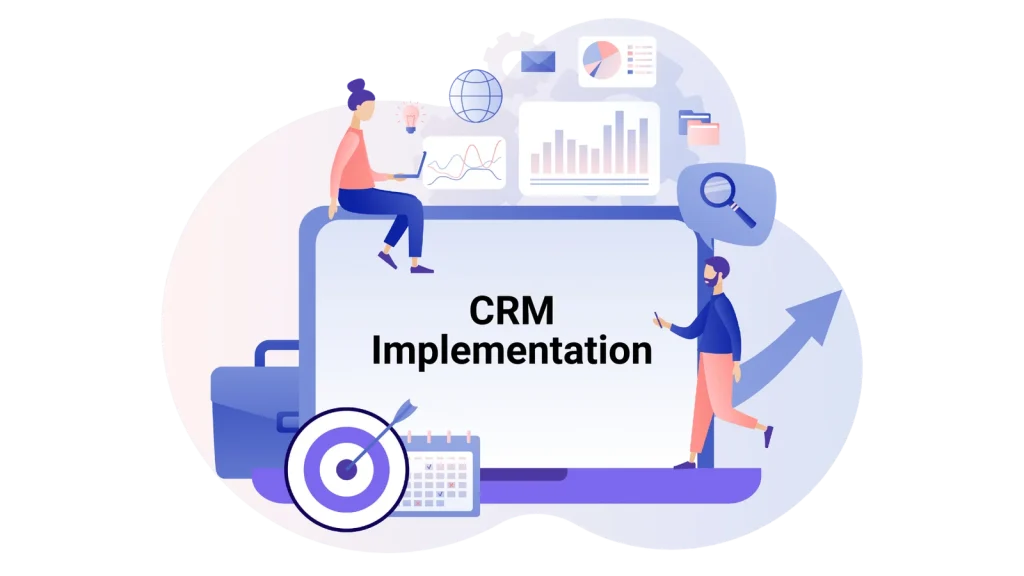
Simply purchasing a CRM platform does not automatically improve business performance. The real value of a CRM comes from how effectively it is implemented. CRM implementation involves planning workflows, migrating and organizing customer data, configuring features, training teams, and aligning the system with business goals. Without a structured implementation process, businesses may struggle with low user adoption, messy data, and underutilized features.
A successful CRM implementation ensures that the system integrates smoothly into everyday operations. Sales teams can track leads and opportunities more efficiently, marketing teams can run targeted campaigns based on customer insights, and support teams can resolve issues faster using complete customer histories. When implemented properly, CRM systems help organizations strengthen relationships with customers, improve productivity, and drive sustainable revenue growth.
Understanding the CRM implementation process—and the lifecycle of customer relationships within that system—is essential for any business planning to adopt or upgrade a CRM platform.
What Is the CRM Implementation Process
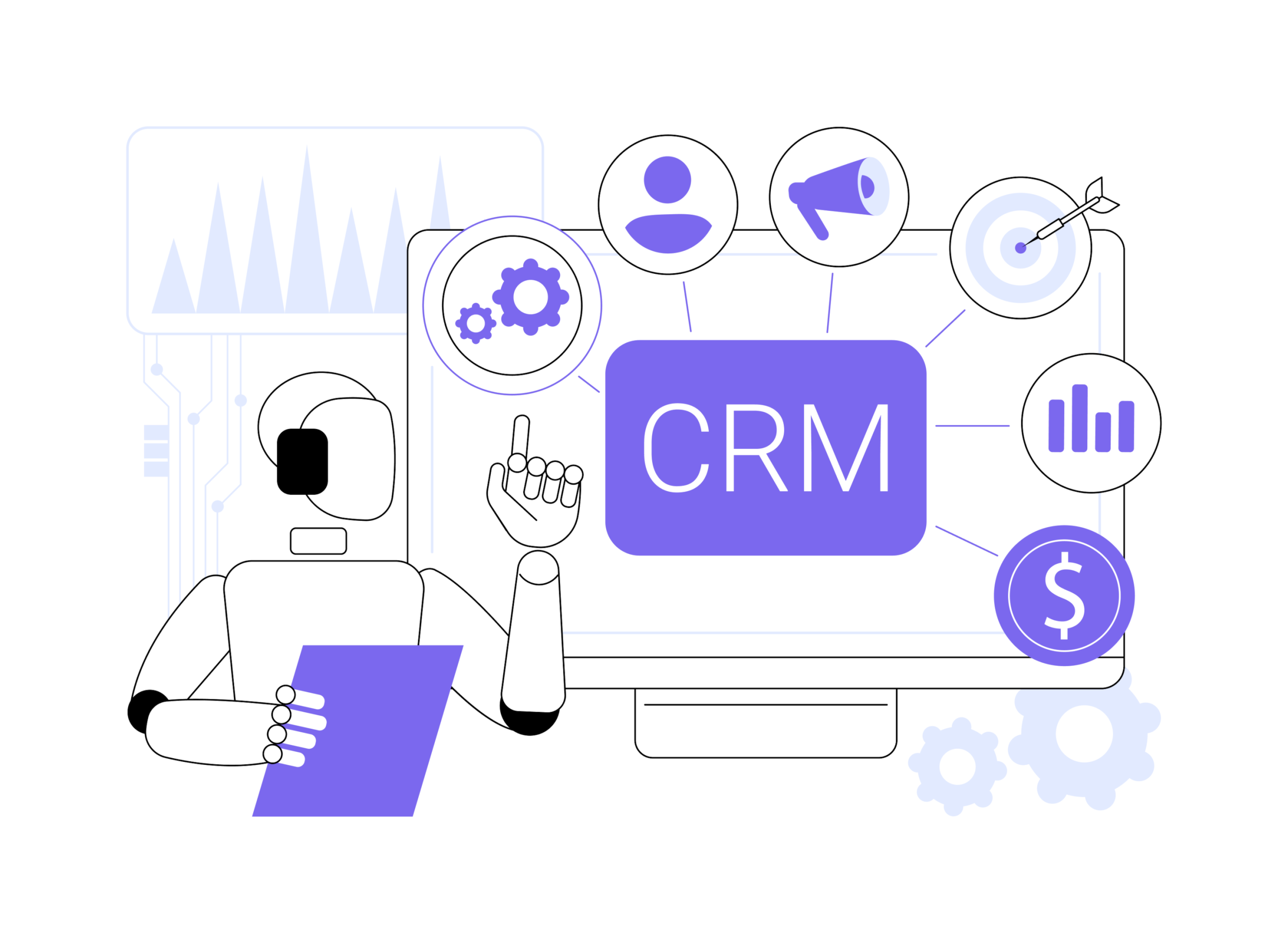
The CRM implementation process refers to the structured approach businesses follow to deploy, configure, and integrate a CRM system into their operations. This process ensures that the platform supports the organization’s sales, marketing, and customer service workflows while helping teams manage customer relationships more effectively.
Implementing a CRM is not just a technical setup; it is a strategic transformation that affects how teams collect, manage, and use customer data. The process typically includes defining objectives, selecting the right CRM platform, preparing and migrating data, customizing workflows, training employees, and continuously improving the system after launch.
A well-structured implementation process helps organizations achieve several key outcomes:
-
Centralized customer information across departments
-
Improved collaboration between sales, marketing, and support teams
-
Better visibility into the sales pipeline and customer interactions
-
Data-driven decision-making through analytics and reporting
-
More personalized customer engagement and stronger relationships
When implemented effectively, a CRM becomes the operational backbone of customer-facing activities. It allows businesses to track every stage of the customer journey—from the moment someone becomes a potential lead to the point where they become loyal advocates for the brand.
To understand how CRM systems support these processes, it’s important to explore the CRM product lifecycle, which outlines the stages customers move through as they interact with a business.
Understanding the CRM Product Lifecycle
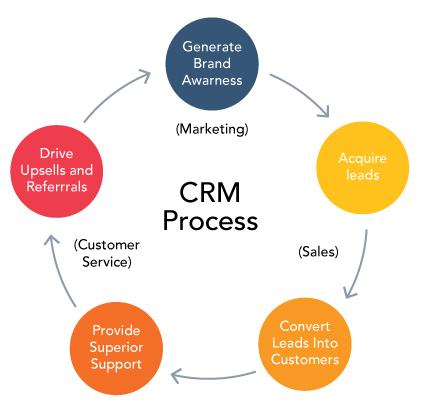
The CRM product lifecycle represents the journey a potential customer takes from the first interaction with a business to becoming a long-term, loyal customer. CRM systems are designed to manage and optimize each stage of this lifecycle by capturing data, automating processes, and providing insights that improve decision-making.
This lifecycle helps organizations understand how customers move through marketing, sales, and post-purchase experiences. By monitoring these stages within a CRM system, businesses can improve conversion rates, strengthen customer relationships, and identify opportunities for long-term growth.
Below are the key stages of a typical CRM product lifecycle.
Lead Generation: Identify and capture potential customers
Lead generation is the starting point of the CRM lifecycle. At this stage, businesses focus on attracting potential customers who may be interested in their products or services.
Leads can come from various sources, including:
-
Website forms and landing pages
-
Social media campaigns
-
Paid advertising
-
Email marketing campaigns
-
Events, webinars, and networking opportunities
CRM systems help capture and store lead information automatically, ensuring that potential customers are recorded and organized in a central database. This allows marketing teams to track engagement and nurture leads more effectively.
Lead Qualification: Assess lead potential based on various factors
Not every lead is ready to become a customer. Lead qualification helps businesses determine which prospects are most likely to convert.
In this stage, leads are evaluated using criteria such as:
-
Budget
-
Business needs
-
Decision-making authority
-
Purchase timeline
-
Level of engagement with marketing materials
CRM platforms help score and categorize leads so sales teams can prioritize high-value prospects. This ensures that resources are focused on leads with the highest potential, improving sales efficiency and conversion rates.
Opportunity Creation: Develop sales opportunities from qualified leads
Once a lead shows clear interest and meets qualification criteria, it becomes a sales opportunity. This stage focuses on moving prospects through the sales pipeline.
Sales teams use the CRM to:
-
Create and track deals
-
Schedule product demos or consultations
-
Record interactions with prospects
-
Monitor the progress of opportunities through different sales stages
CRM systems provide visibility into the sales pipeline, allowing managers to forecast revenue and identify potential bottlenecks in the sales process.
Sales Closure: Convert opportunities into paying customers
The sales closure stage represents the moment when a prospect becomes a customer. At this point, negotiations, proposals, and final discussions take place.
CRM systems play an important role by:
-
Tracking deal progress
-
Recording contract details
-
Logging communication between sales representatives and prospects
-
Maintaining accurate records of successful and unsuccessful deals
Even when deals are lost, CRM data helps businesses analyze what went wrong and improve their sales strategies in the future.
Customer Onboarding: Welcome new customers and set expectations
After a deal is closed, the onboarding stage begins. This phase is critical because it sets the tone for the customer relationship.
Effective onboarding may include:
-
Product setup and account configuration
-
Training sessions or tutorials
-
Documentation and resources
-
Welcome emails and follow-up communication
CRM systems help businesses track onboarding activities and ensure that new customers receive the guidance they need to start using the product successfully. Proper onboarding increases customer satisfaction and reduces early churn.
Customer Support: Assist customers and resolve issues
Customer support becomes the primary focus after onboarding. At this stage, businesses aim to provide consistent assistance whenever customers encounter problems or have questions.
CRM platforms enable support teams to:
-
Track support tickets
-
Access full customer interaction history
-
Monitor issue resolution timelines
-
Deliver faster and more personalized service
Providing responsive and effective support improves the overall customer experience and strengthens trust between the business and its customers.
Customer Retention: Build long-term relationships and encourage repeat business
Retaining existing customers is often more cost-effective than acquiring new ones. In this stage, the focus shifts to maintaining strong relationships and ensuring customers continue to find value in the product or service.
CRM systems support retention strategies such as:
-
Personalized communication
-
Loyalty programs and special offers
-
Regular check-ins with customers
-
Customer feedback collection
Businesses that prioritize retention can reduce churn rates and increase customer lifetime value.
Customer Expansion: Identify opportunities to upsell or cross-sell
The final stage of the CRM lifecycle focuses on growth within existing customer relationships. Once customers trust a brand, they are more likely to purchase additional products or services.
CRM tools help identify expansion opportunities by analyzing:
-
Customer purchase history
-
Product usage patterns
-
Customer feedback and engagement data
Sales teams can then recommend upgrades, add-on services, or complementary products that align with customer needs. This strategy not only increases revenue but also strengthens long-term partnerships with customers.
How to Implement a CRM System
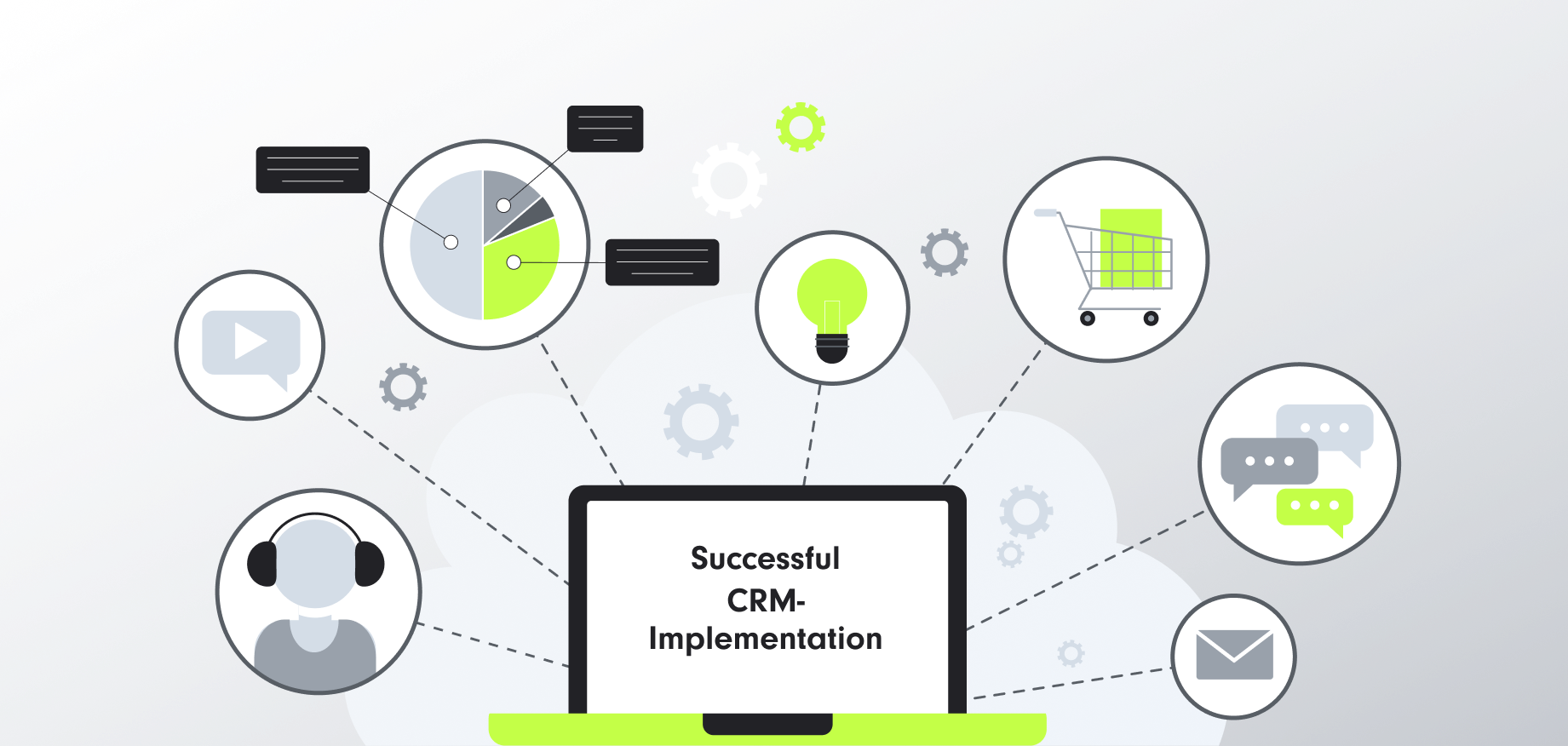
Implementing a Customer Relationship Management (CRM) system is a strategic initiative that can significantly improve how a business manages customer relationships, sales pipelines, marketing campaigns, and support operations. However, CRM implementation requires more than simply installing software. It involves planning, aligning internal processes, selecting the right platform, training teams, and continuously optimizing the system for long-term success.
A structured CRM implementation approach ensures that the system fits your organization’s workflows and provides measurable value. When implemented correctly, a CRM system becomes a centralized hub where customer information, sales activities, and service interactions are tracked and managed effectively.
Step 1: Pre-implementation stage
The pre-implementation stage is the foundation of a successful CRM deployment. This phase focuses on planning, defining objectives, and preparing the organization for the transition. Many CRM projects fail because businesses skip proper preparation and jump directly into technology selection.
The first step in this stage is defining clear business goals. Organizations should identify what they want to achieve with a CRM system. These goals may include improving lead management, increasing sales conversion rates, enhancing customer support, or gaining better visibility into customer interactions. Establishing measurable objectives helps guide the entire implementation process.
Another important task is analyzing existing workflows. Businesses need to evaluate how their sales, marketing, and customer support teams currently operate. This includes identifying inefficiencies, communication gaps, or manual processes that could be automated through CRM tools. Understanding current workflows ensures the new system supports real business needs rather than forcing teams to adapt to poorly designed processes.
Data preparation is also a critical part of this stage. Many companies store customer information across multiple spreadsheets, email systems, and databases. Before implementing a CRM system, organizations should:
-
Audit existing customer data
-
Remove duplicate or outdated records
-
Standardize data formats
-
Organize contacts, leads, and accounts
Clean and structured data ensures the CRM system starts with reliable information.
Another key activity during pre-implementation is building the implementation team. CRM implementation typically requires collaboration between several departments, including sales, marketing, customer service, and IT. Appointing a project manager or CRM administrator helps coordinate tasks and maintain accountability throughout the project.
Organizations should also define key user roles and permissions at this stage. Determining who will access specific data and features ensures security while maintaining operational efficiency.
Employee readiness is another important consideration. CRM adoption often involves changes in daily workflows, so businesses should communicate the benefits of the system early and involve employees in the planning process. When teams understand how the CRM will make their work easier, they are more likely to adopt it successfully.
Finally, organizations should create a CRM implementation roadmap. This roadmap outlines major milestones such as system selection, configuration, data migration, training, and launch. A well-planned roadmap helps ensure the project stays on schedule and within budget.
Step 2: Choosing the right CRM platform
Selecting the right CRM platform is one of the most important decisions in the implementation process. The chosen system must align with business goals, support team workflows, and provide the flexibility needed for future growth.
Businesses should start by identifying core CRM requirements. These requirements vary depending on the organization but may include features such as:
-
Contact and lead management
-
Sales pipeline tracking
-
Marketing automation
-
Task and activity management
-
Customer support ticketing
-
Reporting and analytics
-
Workflow automation
Scalability is another important factor when selecting a CRM system. A platform that works for a small team today should also be able to support business growth in the future. As companies expand, they may need additional features such as advanced reporting, integrations with other tools, and larger user capacity.
Integration capabilities should also be considered. Most businesses rely on multiple digital tools, such as email platforms, marketing software, accounting systems, and project management tools. A CRM platform should integrate seamlessly with these tools to ensure smooth data flow across the organization.
User experience is equally important. If the CRM platform is complicated or difficult to use, employees may avoid using it, which reduces its effectiveness. A well-designed CRM system should offer intuitive navigation, clear dashboards, and easy access to key customer information.
One platform that addresses many of these needs is Corexta. Corexta provides businesses with a unified workspace where teams can manage customer relationships, projects, and internal collaboration in a single platform. This integrated approach reduces the need for multiple disconnected tools and simplifies operational workflows.
With Corexta, businesses can manage leads, track customer interactions, and organize sales pipelines while also coordinating tasks and projects across teams. This makes it particularly valuable for organizations that want to align sales activities with broader operational processes.
Another advantage of Corexta is its flexibility. Businesses can customize workflows, automate repetitive tasks, and configure the system to match their unique operational structure. This adaptability ensures that the CRM system supports existing processes rather than forcing teams to completely change how they work.
Security and data protection are also important considerations when choosing a CRM platform. Businesses must ensure that the system includes proper access controls, secure data storage, and reliable backup options.
Ultimately, the best CRM platform is one that aligns with your business strategy, supports team collaboration, and provides the insights needed to make data-driven decisions.
Step 3: CRM implementation with Corexta
Once the CRM platform has been selected, the next stage is configuring and deploying the system. This is where the planning and preparation from the earlier stages are put into action.
When implementing CRM with Corexta, the first step is system configuration. This involves customizing the CRM environment to match the organization’s workflows. Businesses can create custom pipelines, define lead stages, set up automation rules, and configure user roles.
Sales pipelines are a key component of CRM configuration. Each stage of the pipeline should represent a specific step in the sales process, such as lead qualification, product demonstration, proposal creation, and deal closure. Defining these stages clearly helps sales teams track progress and prioritize opportunities.
Another critical task is data migration. Existing customer information must be transferred into the CRM system without losing accuracy or context. This process typically involves importing contacts, leads, company records, and past interaction histories. Data should be carefully reviewed during migration to ensure consistency and completeness.
After data migration, organizations should set up workflow automation. Automation helps eliminate repetitive manual tasks and improves operational efficiency. For example, the CRM system can automatically assign leads to sales representatives, send follow-up reminders, update deal stages, or notify teams about important customer activities.
Corexta also allows teams to create collaborative workflows that connect sales, marketing, and support operations. For instance, once a deal is closed, the system can automatically trigger onboarding tasks for the customer success team.
Integration with other tools is another important part of implementation. Corexta can connect with communication platforms, email systems, and productivity tools to ensure that customer interactions are tracked across multiple channels. This creates a comprehensive view of customer relationships.
Employee training is equally important during this stage. Even the most powerful CRM system cannot deliver results if employees do not know how to use it effectively. Training sessions should cover key topics such as:
-
Managing contacts and leads
-
Tracking sales opportunities
-
Updating customer records
-
Using dashboards and reports
-
Automating workflows
Hands-on training and practical demonstrations can help employees become comfortable with the system and understand how it fits into their daily responsibilities.
Another important aspect of CRM implementation is testing the system before full deployment. Businesses should conduct pilot testing with a small group of users to identify potential issues, workflow gaps, or usability challenges. This testing phase allows organizations to refine configurations before rolling out the system company-wide.
Once testing is complete, the CRM system can be launched across the organization. At this stage, teams begin using the platform to manage real customer interactions and sales activities.
Step 4: Post-implementation stage
CRM implementation does not end once the system is launched. The post-implementation stage focuses on monitoring performance, improving adoption, and continuously optimizing the system.
One of the first priorities after deployment is ensuring user adoption. Employees must consistently use the CRM system to record customer interactions, update deal progress, and track activities. Management should encourage adoption by integrating CRM usage into daily workflows and performance metrics.
Regular training sessions can help reinforce best practices and introduce new features. As teams become more familiar with the CRM platform, they may discover additional ways to improve efficiency through automation and customization.
Another important post-implementation activity is performance monitoring. CRM analytics and reporting tools provide insights into key business metrics such as:
-
Lead conversion rates
-
Sales pipeline health
-
Customer acquisition costs
-
Customer satisfaction levels
-
Revenue forecasting
Analyzing these metrics helps businesses identify strengths and areas for improvement.
Data management remains a continuous responsibility after implementation. Businesses should regularly review and clean CRM data to remove duplicates, update outdated records, and maintain data accuracy. High-quality data ensures reliable insights and better decision-making.
Feedback from employees is also valuable during the post-implementation phase. Sales representatives, marketers, and support agents interact with the CRM system daily, so their insights can help identify usability issues or opportunities for improvement.
Organizations should also evaluate whether the CRM system is meeting its original objectives. If the goal was to improve lead conversion rates or streamline customer support processes, leadership should review performance metrics to determine whether those improvements have been achieved.
Over time, businesses may choose to expand the capabilities of their CRM system. This may include adding advanced automation workflows, integrating additional tools, or implementing new reporting dashboards.
Continuous optimization ensures that the CRM system evolves alongside the business. As customer expectations change and organizations grow, the CRM platform should adapt to support new strategies and processes.
CRM Implementation Mistakes to Avoid

Implementing a CRM system can significantly improve how a business manages customer relationships, sales processes, and internal collaboration. However, many organizations fail to realize the full benefits of a CRM because of common implementation mistakes. These mistakes can lead to low adoption rates, inaccurate data, inefficient workflows, and wasted resources.
Understanding these potential pitfalls before starting the implementation process helps businesses avoid costly setbacks and ensures the CRM system delivers meaningful results. Below are some of the most common CRM implementation mistakes and how organizations can prevent them.
Ignoring user adoption
One of the most common reasons CRM implementations fail is poor user adoption. A CRM system can only deliver value if employees consistently use it to manage customer interactions, update records, and track sales activities.
Many organizations focus heavily on technical setup but overlook the human side of implementation. When employees feel that the CRM adds unnecessary work or disrupts their daily workflow, they may avoid using it or only update it partially. This leads to incomplete data, inaccurate reports, and reduced effectiveness of the system.
User adoption should be prioritized from the beginning of the implementation process. Businesses can improve adoption by:
-
Involving team members during the planning stage
-
Clearly explaining how the CRM will benefit their daily work
-
Providing comprehensive training and onboarding sessions
-
Offering ongoing support and resources
-
Gathering feedback and making adjustments based on user experience
Leadership also plays an important role in encouraging adoption. When managers actively use the CRM and emphasize its importance in performance evaluations and decision-making, employees are more likely to integrate it into their routines.
Ultimately, a CRM system should simplify tasks rather than complicate them. When employees see how the platform improves efficiency, adoption naturally increases.
Data quality issues
A CRM system is only as valuable as the data stored within it. Poor data quality is one of the biggest challenges businesses face after implementing a CRM. If the system contains duplicate records, outdated information, or incomplete customer profiles, it becomes difficult for teams to rely on the data for decision-making.
Data quality issues often arise when organizations migrate large amounts of data from spreadsheets, legacy systems, or multiple databases without proper preparation. Inconsistent data formats, missing information, and duplicate entries can quickly reduce the effectiveness of the CRM.
To avoid these problems, businesses should perform a thorough data audit before migration. This process includes:
-
Removing duplicate contacts and records
-
Standardizing data formats such as phone numbers and addresses
-
Updating outdated customer information
-
Organizing leads, accounts, and contact details properly
After implementation, companies should establish data governance policies to maintain long-term data quality. These policies may include setting clear guidelines for entering new data, assigning responsibility for data maintenance, and scheduling regular data cleanup activities.
High-quality data enables businesses to generate accurate reports, personalize customer communication, and make better strategic decisions. Without reliable data, even the most advanced CRM system cannot deliver meaningful insights.
Overcomplicating the system
Another common mistake is overcomplicating the CRM system with unnecessary features, complex workflows, or excessive customization. While modern CRM platforms offer many powerful tools, implementing too many features at once can overwhelm users and slow down adoption.
Some businesses try to automate every possible process immediately or create complex pipelines with too many stages. This can make the system difficult to navigate and discourage employees from using it regularly.
A better approach is to start with essential features that address the organization’s most important needs. For example, the initial implementation may focus on:
-
Contact and lead management
-
Sales pipeline tracking
-
Activity logging
-
Basic reporting
Once employees become comfortable with the system, additional features such as advanced automation, integrations, and analytics can be introduced gradually.
Simplicity is key during the early stages of CRM implementation. A well-structured system that is easy to use will deliver better results than a highly complex system that employees struggle to understand.
Lack of clear goals
Many CRM implementations fail because organizations start the project without clearly defined objectives. When businesses implement a CRM simply because competitors are using one or because it seems like a necessary technology, they often struggle to measure success.
Without clear goals, it becomes difficult to determine whether the CRM system is improving business performance or delivering value. Teams may also use the system inconsistently if they do not understand its purpose.
Before implementing a CRM, organizations should define specific and measurable goals. These goals might include:
-
Increasing lead conversion rates
-
Reducing sales cycle length
-
Improving customer response times
-
Enhancing collaboration between departments
-
Increasing customer retention rates
Clear goals guide the configuration of the CRM system and help teams focus on the activities that matter most. They also allow businesses to measure performance using key metrics and determine whether the implementation is successful.
Regularly reviewing these goals ensures that the CRM continues to support evolving business strategies and customer expectations.
Underestimating implementation time and costs
CRM implementation is often more complex than organizations initially expect. Many businesses underestimate the time, resources, and costs involved in configuring the system, migrating data, training employees, and integrating the platform with existing tools.
Rushing the implementation process can lead to incomplete setups, poorly configured workflows, and frustrated employees. It may also result in additional costs later when organizations need to fix issues or reconfigure the system.
To avoid this mistake, businesses should create a realistic implementation timeline that includes all major tasks, such as:
-
Data preparation and migration
-
System customization and configuration
-
Integration with other tools
-
Employee training and onboarding
-
Testing and quality assurance
Organizations should also allocate sufficient resources for ongoing support and system optimization after launch. CRM implementation is not a one-time project; it requires continuous improvement and maintenance.
Planning for the full scope of the project ensures that the CRM system is implemented effectively and delivers long-term value for the organization.
Build Quality Customer Relationships with the Right CRM
A modern CRM solution plays a critical role in helping businesses meet evolving customer expectations. Throughout this guide, you’ve explored the key elements of a successful CRM implementation—from understanding the implementation process and lifecycle stages to learning practical strategies, best practices, and common mistakes to avoid.
Choosing the right CRM platform can make a significant difference in how effectively your teams manage customer relationships and sales opportunities. With the right system in place, businesses can streamline workflows, organize customer data, and provide more personalized experiences that strengthen long-term relationships.
Corexta offers a flexible CRM environment designed to support growing teams and evolving business needs. With customizable CRM templates, intelligent assistance for handling sales inquiries, and seamless integrations with other business tools, Corexta helps teams manage leads, track opportunities, and collaborate more efficiently.
If you’re ready to improve how your business manages customer relationships and drives sales performance, now is the perfect time to upgrade your CRM strategy. Start using Corexta today and build stronger, more meaningful customer relationships that support sustainable growth. 🚀
FAQs About Implementing a CRM System
What does CRM implementation mean?
CRM implementation refers to the process of deploying a customer relationship management system within an organization and integrating it into daily business operations. This process involves selecting a CRM platform, configuring features, migrating customer data, training employees, and aligning the system with the company’s sales, marketing, and support workflows.
The goal of CRM implementation is to centralize customer information, improve team collaboration, and enable businesses to manage customer relationships more effectively.
How long does it take to implement a CRM system?
The time required for CRM implementation depends on several factors, including the size of the organization, the complexity of workflows, the amount of data being migrated, and the level of customization required.
For small businesses with relatively simple requirements, implementation may take a few weeks. Larger organizations with multiple departments, complex integrations, and extensive data migration may require several months to complete the process.
A well-planned implementation roadmap helps ensure the project stays on schedule and avoids unnecessary delays.
Why do CRM implementations sometimes fail?
CRM implementations often fail because of poor planning, lack of employee adoption, and unclear business objectives. Other common reasons include poor data quality, insufficient training, and overly complicated system configurations.
Successful CRM implementation requires strong leadership support, clear goals, proper training, and ongoing system optimization.
What departments typically use a CRM system?
CRM systems are used by multiple departments across an organization. The most common users include:
-
Sales teams, who manage leads, track opportunities, and close deals
-
Marketing teams, who analyze customer data and run targeted campaigns
-
Customer support teams, who manage service requests and resolve issues
-
Customer success teams, who focus on onboarding, retention, and relationship management
By centralizing customer data, CRM systems allow these departments to collaborate more effectively and deliver a consistent customer experience.
What are the key benefits of implementing a CRM system?
Implementing a CRM system provides several important benefits for businesses, including:
-
Centralized customer data for better visibility
-
Improved sales pipeline management
-
Enhanced collaboration between teams
-
More personalized customer interactions
-
Better reporting and data-driven decision-making
-
Increased customer retention and lifetime value
When implemented correctly, a CRM system becomes a strategic tool that helps organizations build stronger customer relationships and drive long-term growth.
How can businesses ensure a successful CRM implementation?
To ensure a successful CRM implementation, businesses should focus on careful planning, selecting the right platform, and prioritizing user adoption. Key best practices include defining clear goals, cleaning and organizing data before migration, providing thorough employee training, and continuously monitoring system performance.
Organizations should also treat CRM implementation as an ongoing process rather than a one-time setup. Regular updates, workflow improvements, and feedback from users help ensure the system continues to support business objectives as the company grows.
Read More: Monday vs. Asana vs. ClickUp: Which Saves Small Businesses the Most Money?