A strong social media strategy begins with planning. Without a plan, posting can feel random and inconsistent. Many brands and creators struggle to publish regularly and connect with their audience. That’s where a social media calendar comes in. It helps you organize what you will post, when you will post it, and where it will appear. With a good calendar, your content can support your goals, attract more viewers, and grow your online presence.
In 2026, artificial intelligence (AI) tools like Gemini have become popular helpers for planning and creating content. Gemini is an advanced AI model developed by Google. It can perform many tasks, like generating ideas, writing captions, helping with research, and connecting with other Google tools you already use. This makes it useful for building a social media calendar.
In this guide, you’ll learn what a social media calendar is, why it matters, and how to use Gemini to make one that works for you. We’ll break things into simple steps so you can start planning content with confidence and save time. Whether you’re a beginner or a small business owner, this guide will help you stay organized and consistent on social media.
What Is a Social Media Calendar?
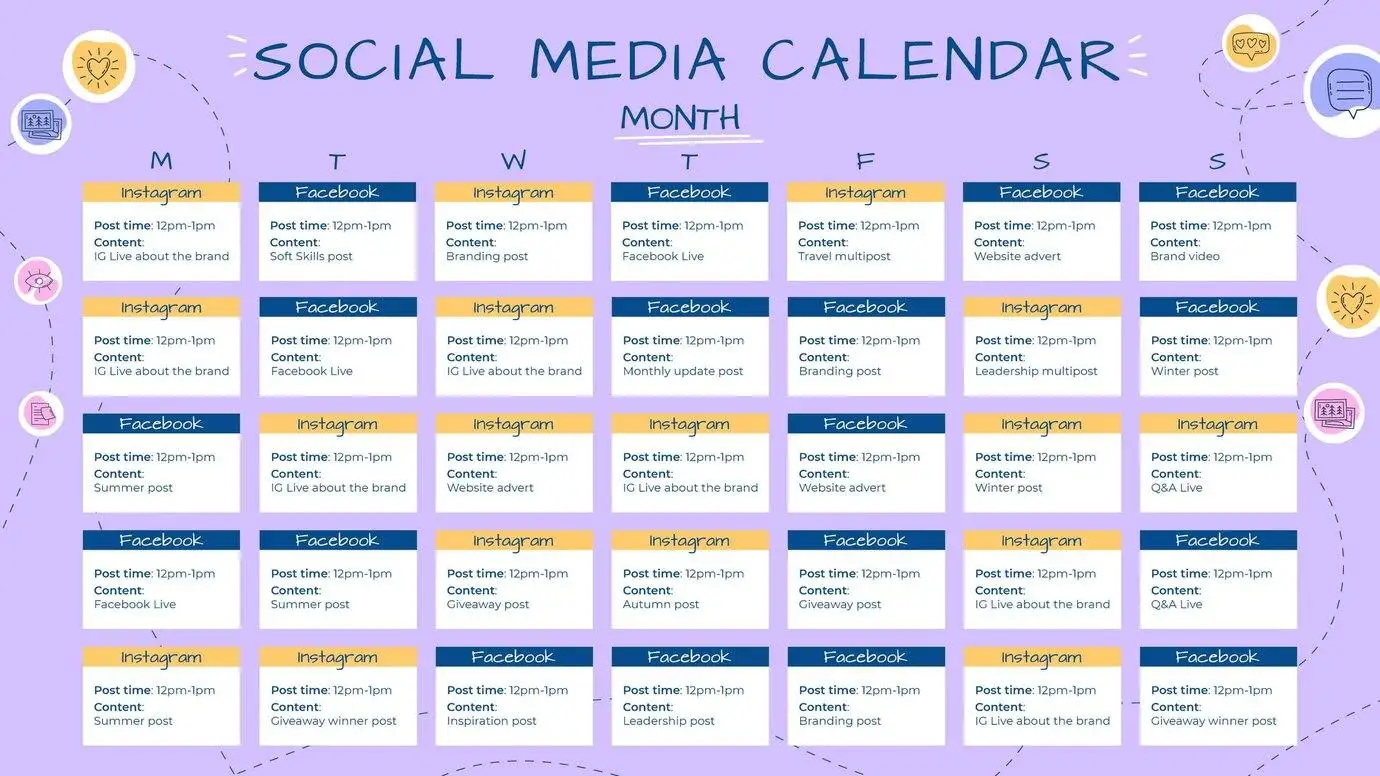
A social media calendar is a simple but powerful planning tool for your online content. It works like a regular calendar, but instead of showing appointments, it shows your planned posts. Each entry may include:
The date and time of the post
The platform where it will appear (like Instagram, Facebook, TikTok)
The type of content (image, video, text)
The caption and hashtags you plan to use
Any links or media files linked with the post
The main purpose of a social media calendar is to keep your posting consistent and organized. When you know what is going out and when, you can avoid last-minute stress and ensure your content aligns with bigger plans, such as holidays, product launches, or campaigns. Because everything is scheduled ahead of time, you can also review and adjust your plan as needed.
A social media calendar helps you stay focused on your strategy, save time, and improve your results on every platform you use.
Why Use Gemini for Your Social Media Calendar?
Gemini is Google’s advanced AI assistant that helps with research, writing, planning, and more. It can understand and generate text, create lists of ideas, and work with complex instructions. This makes it a valuable tool for planning social media content.
Here’s how Gemini can improve your social media calendar work:
1. Faster content planning
Instead of trying to come up with ideas on your own, Gemini can suggest post ideas, themes, and topics based on your goals or audience. This saves time and sparks creativity.
2. Smart writing help
Gemini can draft captions, suggest hashtags, and refine your text so it sounds clear and engaging. This means you spend less time writing and more time planning.
3. AI-powered research
Gemini can help find trending topics, popular hashtags, or relevant events to include in your calendar. This helps keep your content fresh and aligned with what your audience cares about.
4. Works with tools you already use
Gemini works with Google Workspace apps like Sheets, Gmail, and Calendar. This makes it easy to plan and build your calendar in an environment you are already familiar with.
Using Gemini does not replace your strategy, but it makes creating and maintaining a social media calendar much easier — especially if you plan to post regularly or manage multiple channels.
How to Create a Social Media Calendar With Gemini: Step-by-Step
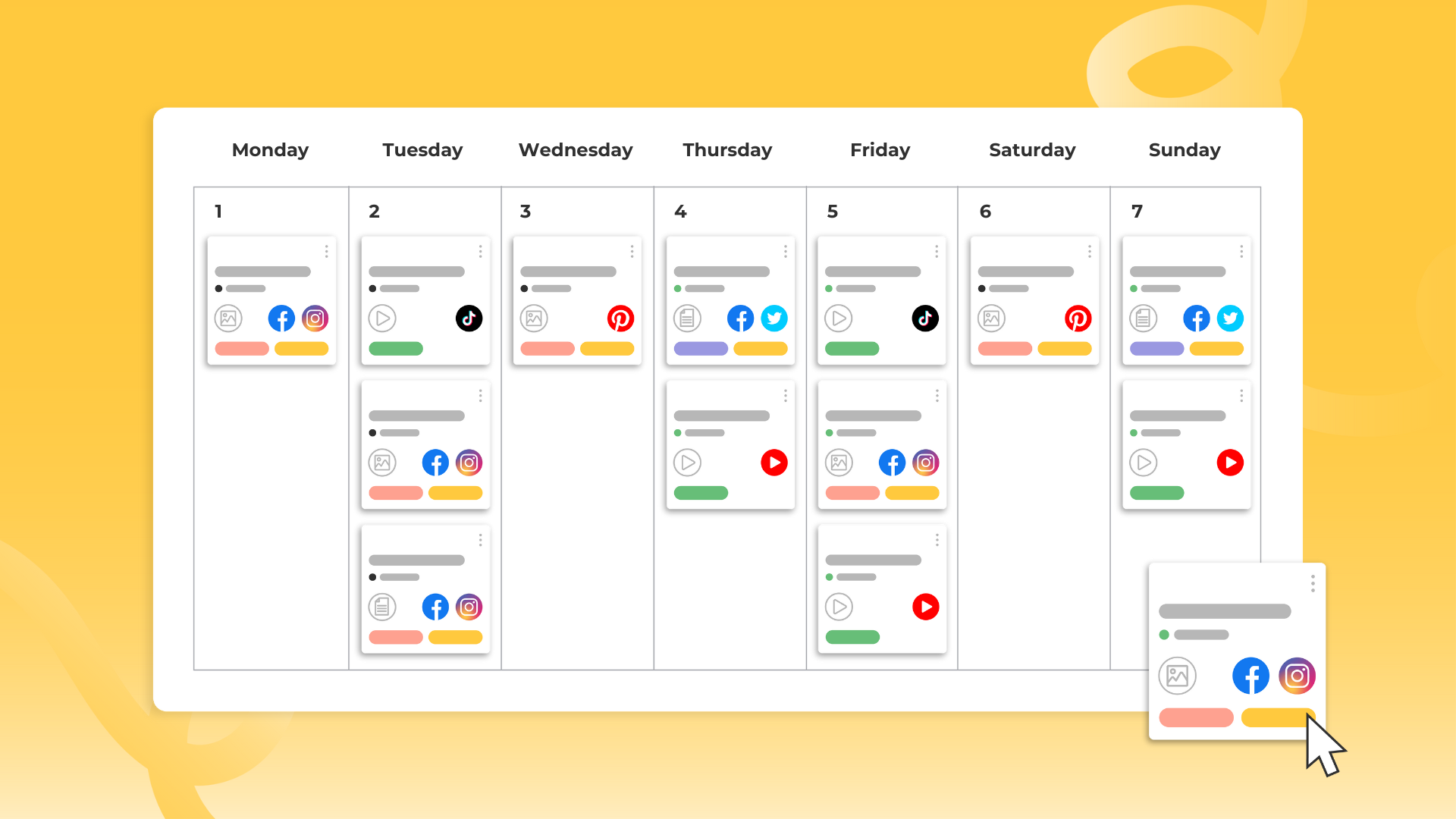
Creating a social media calendar with Gemini and Google Sheets gives you a powerful, organized way to plan, write, and schedule your content. Instead of working with scattered notes or random ideas, you can centralize the entire process — from brainstorming and drafting to refining posts and preparing hashtags — all in one spreadsheet powered by AI. Here’s a detailed step-by-step guide to help you build an effective social media calendar using Gemini inside Google Sheets.
Step 1: Set up Your Google Sheets Structure
The foundation of your social media calendar begins with a well-organized Google Sheet. This structure serves as the framework where all posts, ideas, and planning elements will live.

Start with a new sheet:
Create a fresh Google Sheets file and give it a clear name like “Social Media Calendar.”
In the first row, create headers that will represent each part of your content plan. Common columns include:
Date – When the content will post
Platform – Which network (e.g., Instagram, Facebook, LinkedIn)
Content Type – Image, video, text post, story, reel
Topic / Theme – What the post is about
Caption – The written text for your post
Hashtags – Relevant hashtags to use
Visual Notes – A reminder of what creative asset to use
Status – Draft, scheduled, published
Link to Final Post – For tracking performance or sharing afterwards
This layout ensures you’re capturing every detail you need to plan, create, and track your social content. It also gives Gemini clear categories to work from when generating ideas and copy.
Step 2: Enable Gemini AI in Google Sheets
Once your sheet structure is in place, the next step is to activate Gemini so it can help generate content and suggestions right inside the spreadsheet. Gemini integrates directly into Google Sheets for Workspace users, and appears as an assistant you can access from a side panel.
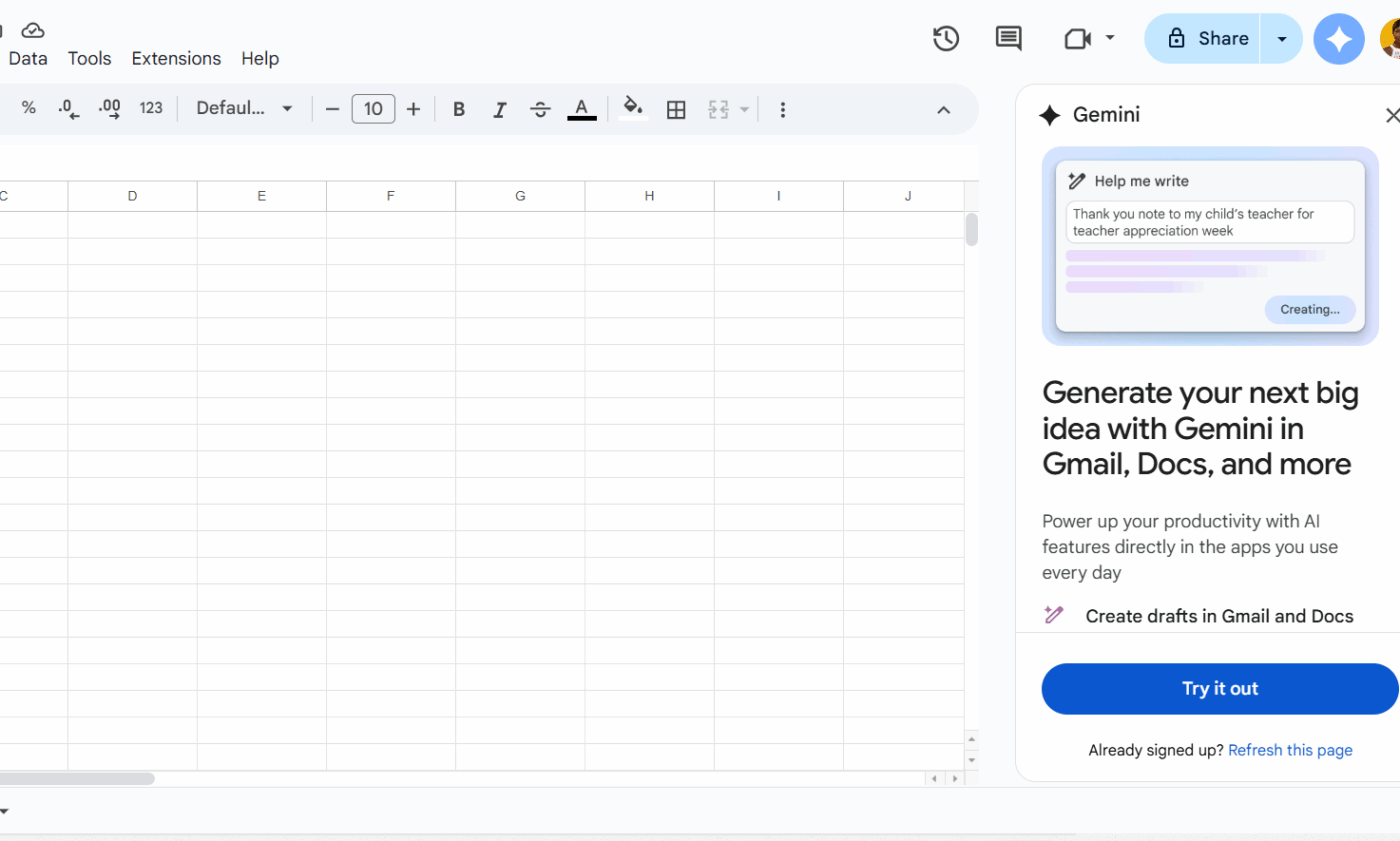
Here’s how to do it:
Open your Google Sheet in a browser (Chrome works best).
Look for the Ask Gemini icon — usually in the top right corner of the sheet or via the Help menu.
If you don’t see it, make sure your Google Workspace plan supports Gemini access and that it has been enabled by your admin.
Click the icon to open the Gemini side panel. You can now type prompts or choose suggested requests.
Once enabled, Gemini will understand your sheet’s structure and can generate text based on what you already have or what you ask it to create.
Step 3: Generate Content Ideas With Gemini Prompts
With your structure ready and Gemini enabled, you can begin brainstorming content ideas. This is one of the biggest benefits of using Gemini — it helps you go from a blank page to a list of actionable post ideas in minutes.
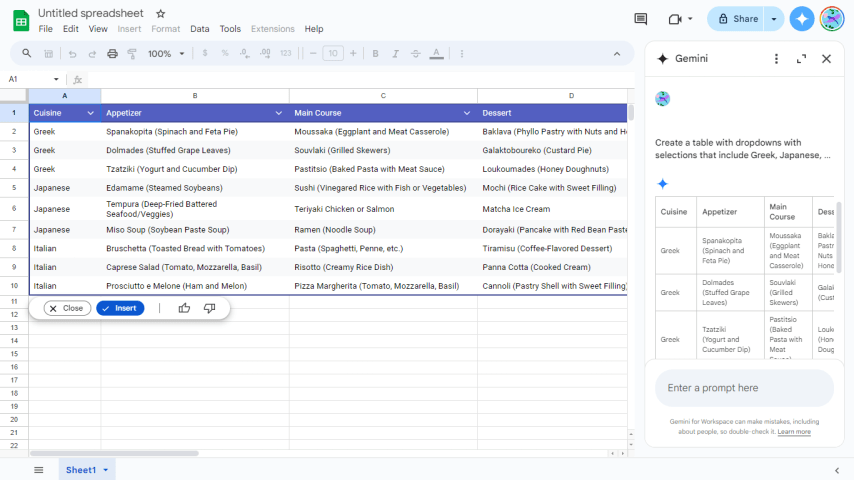
Use specific prompts:
In the Gemini side panel, type requests like:
“Generate 15 social media post ideas for Instagram focusing on summer fashion.”
“Create weekly content themes for Facebook and LinkedIn around sustainability topics.”
Gemini then uses the context from your prompts and provides a structured list of ideas that align with your campaign goals. Once you have the list, copy the ideas into your calendar under the Topic / Theme column.
You can also ask Gemini to refine or expand specific ideas, giving you variations for different audiences or platforms.
Step 4: Build Your Posting Schedule
Now that you have a list of content ideas, it’s time to turn them into a full schedule.
Planning your schedule:
Assign a date and platform to each idea in your calendar.
Try to create a rhythm or theme for each week — for example, “Tip Tuesday,” “Feature Friday,” or “Behind-the-Scenes Saturday.”
Having a recurring pattern helps your audience know what to expect and makes planning easier. Observe how different types of posts distribute across the calendar — don’t overload a single day with too many posts unless it aligns with a special event or campaign launch.
If you need help with timing, ask Gemini:
“Based on this list of content ideas, suggest a posting schedule for the next 30 days with platform, date, and time.”
Gemini will take what you provide and help structure it into a logical schedule, effectively turning your idea list into a strategic publishing plan.
Step 5: Add Captions and Hashtags With AI
Once your dates and topics are set, the next step is to fill in the content that your audience will see — the written words and hashtags that make your posts engaging.
Draft captions with Gemini:
For each planned post, use Gemini prompts like:
“Write three creative caption options for a post about our summer product launch on Instagram.”
“Generate a catchy caption and five relevant hashtags for a LinkedIn post about industry insights.”
This lets you compare different tone options and pick the best version. After generating, paste the final text into your Caption and Hashtags columns.
Tips for better outputs:
Be specific in your prompt about tone (friendly, professional, educational, fun) and audience.
Provide context (like product names or campaign goals) to get relevant and tailored copy.
Using Gemini this way saves hours of writing time and helps ensure your posts are consistent in style and messaging.
Step 6: Review and Refine Your Calendar
Before content gets finalized or scheduled, review the entire calendar for gaps, clashes, or tone mismatches.
Checklist for review:
Are all dates filled?
Do captions match the topic and platform?
Are hashtags relevant and searchable?
Is there variety in content types (images, videos, tips, quotes)?
Ask Gemini to help with quality control:
“Review the caption text in column E and suggest improvements for clarity and engagement.”
“Check the hashtag list for trends related to sustainability topics.”
This refinement step helps polish your calendar and prevent errors or duplication before publication. It also ensures each post is aligned with your brand voice and strategy.
Step 7: Collaborate and Reiterate
Creating a calendar is not a one-person job — especially if you’re working with a team. Use Google Sheets built-in sharing and collaboration features to make sure everyone can contribute.
Collaborate effectively:
Share the sheet with team members and assign editing or commenting permissions.
Ask reviewers to leave comments directly where changes are needed.
Schedule time in your workflow for regular iterations — revise weekly or monthly based on performance and feedback.
Gemini can also assist in collaboration:
“Summarize the comments on this sheet and suggest actions to improve our next batch of content.”
“Create a weekly summary report of scheduled posts with notes for design and copy.”
Using AI for collaboration helps keep everyone aligned and speeds up decision-making.
10 Best Gemini Prompts for Social Media Calendar Planning
Using well‑crafted prompts with Gemini can dramatically boost your ability to plan, write, and research social media content. These prompts can help you brainstorm ideas, draft captions, find hashtags, and shape an entire calendar with clear and engaging posts. The key is to be specific in your instructions so Gemini can produce content tailored to your audience, brand, and campaign goals. Below are high‑impact prompts you can use inside Gemini — especially when paired with tools like Google Sheets for your social media calendar planning.
1. Prompts for Content Ideation
These prompts help you generate original post ideas based on your niche or audience focus. They’re especially useful when starting your social calendar or planning seasonal content.
• Generate 15 social media post ideas for a (B2B software) company targeting project managers around the theme of improving team productivity.
This asks Gemini to focus on content that speaks directly to a defined audience (project managers) with a specific topic (team productivity), making your calendar more strategic and relevant.
• Create 10 educational post concepts about (financial literacy) for millennials that would work for a TikTok video series.
By naming the platform and audience, this prompt ensures the ideas reflect trends and formats that perform well on TikTok.
• Suggest five behind‑the‑scenes content ideas that humanize a (family‑owned restaurant).
Behind‑the‑scenes content builds connection and trust, and asking Gemini for human‑focused concepts can help grow engagement.
• List eight user‑generated content prompts for a (pet supply brand) to encourage audience engagement and photo submissions.
User‑generated content (UGC) prompts can help increase interaction and authenticity. This Gemini prompt targets that interaction directly.
2. Prompts for Caption Writing
Once you have ideas, you need captions that are engaging and on‑brand. These prompts help draft effective copy that matches tone, purpose, and platform format.
• Write three Instagram caption variations for a post about our (new product launch). Include an exciting hook, a key benefit, and a clear call‑to‑action.
This prompt guides Gemini to deliver multiple options with structure: a hook, benefit, and CTA — boosting performance potential.
• Draft a Twitter/X thread with five tweets explaining the concept of supply chain logistics to a non‑expert audience.
By specifying “thread” and a topic that can be broken into steps, you get series content that’s easy to publish and valuable for your followers.
• Create a LinkedIn caption that positions our (marketing agency) as a thought leader on the topic of (AI in advertising), citing a recent trend.
This directs Gemini to write professional, insight‑driven copy for LinkedIn that establishes credibility and relevance.
3. Prompts for Hashtag Research
Hashtags help your posts get discovered. These prompts guide Gemini to suggest smart tag combinations for different goals — broad reach, niche communities, or trending topics.
• Suggest 20 hashtags for a post about (vegan baking) on Instagram, mixing popular tags that have over 1M posts with niche tags that have under 50k posts.
This approach helps create a hashtag strategy that can both expand reach and tap into targeted communities.
• Create three distinct hashtag sets for a post about sustainable travel: one for broad reach, one for community building, and one for a specific location like (Bali).
By separating hashtag sets, this prompt helps you leverage different audience segments.
• What hashtags are currently trending for content related to the (gaming industry) this month?
Gemini can provide up‑to‑date trend‑based hashtags, helping you align your posts with current platform activity and interest.
How to Use These Prompts Effectively
Here are a few tips to get the most value from these prompts when building your calendar:
💬 Be clear and specific. Include your audience, platform, and content goal. Gemini performs best when the prompt sets a clear context.
🔁 Use follow‑up questions. Ask Gemini to refine, expand, or adjust tone based on initial outputs. This iterative workflow helps tailor results for your brand.
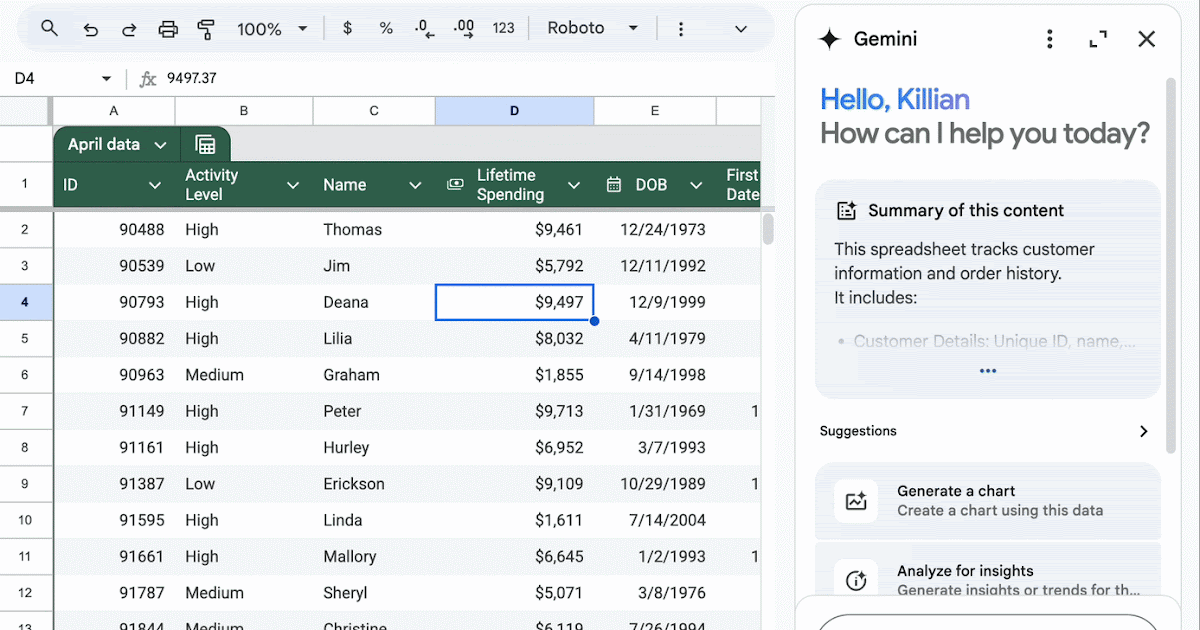
📊 Combine with your planning sheet. After generating ideas and captions, paste them into your calendar structure (like Google Sheets) so you always have an organized view of what’s planned.
Limitations of Using Gemini and Google Sheets for Social Media Calendars
Creating a social media calendar with Gemini and Google Sheets can be powerful, but it also has several limitations. Understanding these limits up front helps you plan better and avoid unexpected roadblocks. Below is an updated, in‑depth explanation of the key challenges you might face when relying on this setup for your content planning and scheduling.
1. Manual Data and Structural Limits of Google Sheets
Google Sheets is primarily a spreadsheet tool, not a dedicated social media planner. Even with AI features, many tasks remain manual and time‑consuming:
Manual setup and inputs: Despite Gemini’s ability to generate content, you still must enter dates, platforms, content types, and other details manually. There’s no automated tool to fully populate your calendar for you.
Complex formulas needed for advanced workflows: Building dynamic calendar views (e.g., filters, custom sorting, recurring schedules) often requires advanced formulas that many users find difficult to manage.
Limited task coordination: Sheets doesn’t manage task assignments, approvals, or status updates in an intuitive way. That means tracking content progress or editorial reviews can feel clunky.
These challenges make Google Sheets a less streamlined tool for collaborative, team‑based calendar management.
2. Limited Automation and Scheduling Capability
While Gemini can generate text and ideas inside Sheets, it cannot automate key social media calendar functions:
No native scheduling or publishing: Unlike full social media management platforms, you cannot use Google Sheets to automatically publish posts to social networks. Everything must be transferred manually to posting tools.
No in‑built reminders or alerts: Sheets doesn’t send reminders for deadlines or scheduled posting times. You cannot receive push notifications or deadline alerts directly from the calendar itself.
Switching between tools: Planning in Sheets means you constantly have to switch between your calendar, content creation tools, and publishing platforms — a workflow that interrupts focus and adds manual steps.
These gaps show that AI in Sheets is helpful for drafting and organizing content but not for executing or automating your social media workflow.
3. Limitations of Gemini’s AI Outputs
Gemini brings AI into your calendar, but its capabilities and reliability still have constraints:
Accuracy and hallucination risk: AI sometimes generates plausible but incorrect information. For content planning, this means captions or ideas from Gemini must always be reviewed and edited by a human before publishing.
Generic or repetitive suggestions: AI output can be formulaic or lack deeper creativity. Without human refinement, your calendar may feel predictable or not truly reflective of your brand voice.
Bias and ethical concerns: Like all AI models, Gemini may reflect biases from its training data. This can lead to unintentional stereotyping or inappropriate suggestions if prompts are not carefully crafted and reviewed.
Because of these limitations, AI assistance should be treated as a starting point — not a final, publish‑ready solution.
4. Feature Access and Subscription Barriers
Not all users have equal access to Gemini’s AI features inside Google Sheets:
Tier‑restricted functions: Advanced AI features may be limited to enterprise or premium plans. Users on basic plans might not see the same AI capabilities, creating inconsistent access.
Selective rollouts and admin controls: Some AI functions are available only through staged rollouts or need special admin settings enabled in Google Workspace. This can frustrate users who expect genie‑like AI features but cannot access them.
These access gaps mean that your team must confirm feature availability before relying on Gemini inside Sheets for calendar planning.
5. Context, Memory, and Reliability Issues
AI tools like Gemini sometimes struggle with deep context and persistent memory, especially in long spreadsheets:
Limited context awareness: Gemini may not always fully understand the full structure or long history of a sheet, leading to errors or inconsistent outputs when asked to interpret complex data.
Inconsistent behavior across sessions: AI models don’t carry rich “memory” like a human collaborator would. This can lead to repeat prompts and re‑explanations for tasks you’ve already completed.
This means that longer or more complex calendars might require repeated guidance and supervision.
6. Disconnected Tool Ecosystem
Finally, using Gemini with Google Sheets often exposes workflow fragmentation:
Work sprawl: Planning lives in Sheets, your visuals might be in Drive, team chat happens in email, and publishing takes place in another tool entirely. This separation increases context‑switching overhead.
Limited third‑party integrations: Without built‑in links to social scheduling or analytics platforms, you might export or copy data manually, increasing the risk of errors and friction.
This lack of seamless integration can slow down your entire social media process and make it harder to scale.
Managing Social Media Calendars With Corexta
Managing a social media calendar is more than just planning posts. For many teams and agencies, content planning needs to be tied into broader business goals, client projects, deadlines, performance tracking, and team workflows. Corexta is an all‑in‑one business management platform that helps you do just that — plan, organize, and manage your social media calendar in the context of your wider operations.
Corexta is a unified business platform that brings together project management, task tracking, team collaboration, client handling, and more into one central workspace. It’s designed to help agencies and teams coordinate all work — including social media content planning — within a single system.
Rather than using separate tools for content planning, team communication, project timelines, and reporting, Corexta lets you connect these functions, which makes your social media planning part of a broader business workflow.
Unified Calendar and Campaign Planning
One of the key advantages of using Corexta for social media calendar management is that it allows you to plan content alongside other business deadlines and campaigns, not in isolation. It offers a visual calendar where you can schedule tasks, content ideas, and deliverables and link them to specific client or internal projects. This helps ensure that your social posts align with broader marketing campaigns, product launches, or business milestones.
For example, when planning posts for a seasonal campaign, you can see those dates alongside project task deadlines, approvals, and client deliverables — giving you a comprehensive timeline view rather than just a standalone content list.
Task and Workflow Integration
Instead of simply listing posts on a calendar, Corexta integrates your social media tasks into your daily and weekly workflows:
Task Management Tools: Translate each planned post into a task that can be assigned to a team member with clear due dates, priorities, and status updates.
Visual Work Views: Tools like Kanban boards or timelines help you see tasks, content assignments, and upcoming deadlines in visual formats that are easy to manage.
Real‑Time Updates: The platform tracks when tasks are completed, which helps ensure your calendar stays on track with execution.
This means your social media calendar becomes part of your team’s operating rhythm, where every content item is treated like a project deliverable.
Collaboration and Communication
Corexta’s built‑in communication features help teams stay aligned on content planning and execution:
Internal Chat and Notifications: Team members can discuss content ideas, revisions, and scheduling directly within the platform.
Task Comments and Files: Attach creative assets, briefs, and feedback to tasks tied to your social calendar.
Real‑Time Alerts: Notifications keep everyone updated on changes, approvals, and deadlines.
These collaboration tools reduce the need for scattered emails or chats across multiple apps, centralizing all content planning communication in one place.
Dashboard and Performance Tracking
Another benefit of managing your social media calendar with Corexta is the ability to track performance and key results in context. The platform offers dashboards that consolidate data from different parts of your workflow:
Project and Content KPIs: See how your content tasks are progressing alongside audience engagement or campaign results.
Visual Timeline Insights: Track what’s published, what’s pending, and what’s overdue right from the main dashboard.
Client and Campaign Metrics: If your social content supports client work or broader campaigns, you can link analytics and performance metrics directly to those efforts.
This integrated dashboard view helps you quickly spot bottlenecks and adjust your calendar based on real‑time data.
Flexibility for Broader Business Planning
Because Corexta is not just a content tool but a comprehensive business platform, it allows social media planning to fit into larger organizational processes:
Timeline Linkage: Coordinate social content with HR schedules, finance deadlines, and client activities without switching tools.
Campaign‑Focused Workflows: Tie social content tasks to revenue‑driving projects and ensure deadlines are aligned with business goals.
Scalability: Whether you’re a small team or a growing agency, Corexta’s customizable roles, permissions, and workflows adapt to your needs.
This level of flexibility helps ensure that your social media calendar is not an isolated task list but a strategic part of your bigger business picture.
Who Benefits Most From Corexta?
Corexta is especially valuable for:
Agencies — where content, client projects, deadlines, and billing are interconnected.
Growing teams — that need more than just a posting calendar and require task management, collaboration, and reporting in one place.
Cross‑functional teams — where social media intersects with product launches, campaigns, and other business operations.
Managing a social media calendar with Corexta goes beyond scheduling posts. It embeds your content planning into a full business and project management ecosystem, where tasks, team communication, deadlines, performance metrics, and client workflows live together. This makes it easier to coordinate complex campaigns, collaborate efficiently, and ensure your content strategy supports bigger organizational goals. Try Corexta FREE today!
Read More: 15 Proven Ways to Manage Multiple Clients