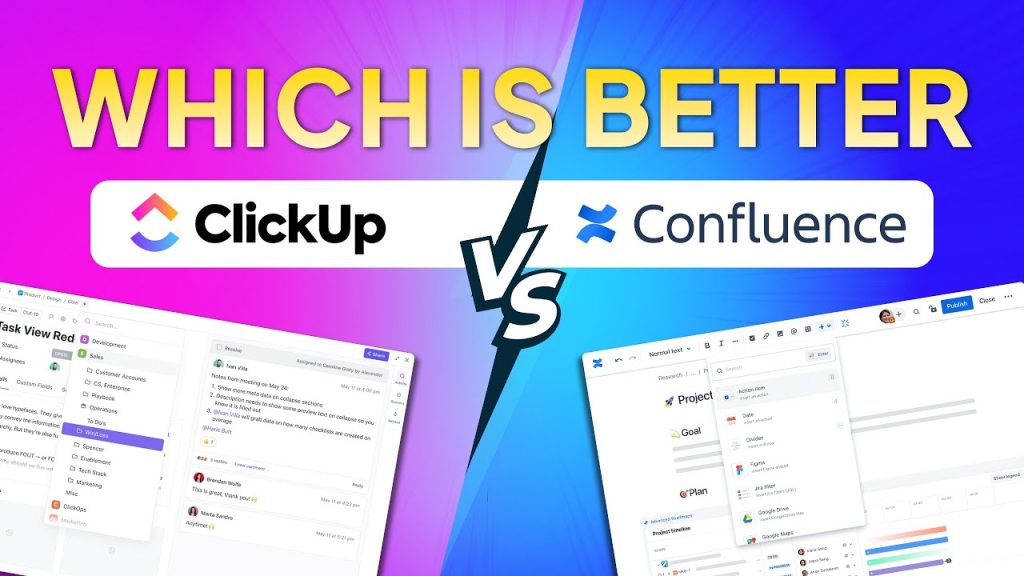
Choosing the right collaboration and project management tool is essential for modern teams. As organizations grow and projects become more complex, businesses need platforms that help teams organize tasks, share knowledge, collaborate in real time and maintain transparency across workflows.
Two widely used tools in this space are ClickUp and Confluence. Both platforms are designed to improve team productivity, but they serve slightly different purposes. ClickUp focuses heavily on project and task management, offering a comprehensive workspace where teams can plan projects, track tasks, manage goals and collaborate. Confluence, on the other hand, is primarily built for documentation and knowledge management, enabling teams to create, organize and share information in a centralized knowledge base.
Despite their different strengths, many organizations compare these tools when choosing a collaboration platform. Teams want to know which solution better supports project execution, knowledge sharing, integrations and pricing flexibility.
What Is ClickUp?
ClickUp is a cloud-based productivity and project management platform designed to help teams manage tasks, collaborate on projects and track progress in one centralized workspace. It combines multiple productivity tools—such as task management, documentation, reporting and communication—into a single platform.
The software is widely used by startups, agencies, product teams and enterprise organizations because it allows teams to organize work across multiple departments while maintaining visibility into project progress.
ClickUp supports multiple workflow styles including Agile, Scrum and traditional project management methods. Teams can create projects, break them into tasks and subtasks, assign responsibilities and track deadlines while collaborating through comments, documents and dashboards.
The platform also provides customizable views—such as list view, board view, calendar view and timeline view—so teams can visualize work in a format that suits their workflow.
ClickUp Features
ClickUp provides a wide range of collaboration and project management capabilities designed to streamline workflows and improve productivity.
1. Task and Project Management
At its core, ClickUp allows teams to create tasks, assign owners, set priorities and track deadlines. Projects can be broken down into subtasks and dependencies to ensure work progresses smoothly.
Key task management features include:
Task hierarchies (Spaces → Folders → Lists → Tasks → Subtasks)
Task assignments and due dates
Priority labels
Dependencies and relationships
Recurring tasks
Task comments and collaboration
These capabilities help teams organize complex projects and keep everyone aligned on deliverables.
2. Multiple Workflow Views
ClickUp allows users to visualize work through different views, including:
List view for structured task management
Kanban board view for workflow visualization
Calendar view for scheduling
Gantt charts for project timelines
Mind maps and whiteboards for brainstorming
This flexibility allows different teams—such as marketing, development or operations—to manage projects in a way that suits their processes.
3. Collaboration Tools
ClickUp integrates several communication features directly within the workspace, enabling teams to collaborate without switching tools.
Examples include:
Real-time task comments
Document collaboration
In-app video recording
Team chat and mentions
File attachments
These features help teams share updates and feedback without relying on separate communication platforms.
4. Docs and Knowledge Management
ClickUp includes a built-in document editor where teams can create wikis, documentation and project notes. These documents can be linked to tasks and workflows, enabling teams to maintain context while working on projects.
Teams often use ClickUp Docs to create:
Internal knowledge bases
SOP documentation
Product roadmaps
Meeting notes
5. Time Tracking and Reporting
The platform also includes time tracking and reporting tools to help teams monitor productivity and resource allocation.
Key reporting features include:
Native time tracking
Custom dashboards
Agile reporting
Goal tracking
Workload management
Managers can use these insights to monitor project progress and identify potential bottlenecks.
6. Integrations and Automation
ClickUp integrates with many popular productivity tools, allowing teams to connect their workflows with other platforms.
Examples include integrations with:
Slack
Google Drive
GitHub
Zoom
Microsoft Teams
Automation features also allow users to create rules that automatically update task statuses, assign work or send notifications.
ClickUp Pricing
ClickUp offers several pricing tiers designed to accommodate individuals, small teams and large organizations.
Free Forever Plan — $0 per user/month
The Free plan provides basic project management functionality suitable for individuals or small teams getting started with the platform.
Key features include:
Unlimited tasks
Collaborative documents
Kanban boards
Native time tracking
Real-time chat
Email in ClickUp
Sprint management
Two-factor authentication
In-app video recording and 24/7 support
However, this plan has some limitations, including restricted storage and limited advanced functionality.
Unlimited Plan — $10 per user/month (billed monthly)
The Unlimited plan is designed for growing teams that require more advanced features and greater customization.
Key features include:
Unlimited integrations
Unlimited dashboards
Unlimited Gantt charts
Unlimited custom fields
Goals and portfolios
Resource management tools
Teams (user groups)
Guests with permissions
Unlimited storage
This plan removes many limitations from the free version and supports more advanced project workflows.
Business Plan — $19 per user/month (billed monthly)
The Business plan provides more advanced collaboration and administrative features for larger teams.
Key capabilities include:
Advanced public sharing
Custom exporting
Agile reporting
Unlimited teams
Enhanced automation and management features
This plan is typically used by organizations that need deeper reporting, security and workflow customization.
Enterprise Plan — Custom pricing
The Enterprise plan is designed for large organizations with advanced security and compliance needs. Pricing is not publicly listed and is provided through a custom quote.
Enterprise features generally include:
Enterprise security controls
Advanced permissions
Dedicated support
Custom onboarding
Large-scale workspace management
What Is Confluence?
Confluence is a team collaboration and knowledge management platform developed by Atlassian. It is primarily designed to help organizations create, organize and share internal documentation in a centralized workspace.
Many companies use Confluence as a corporate wiki or internal knowledge base where teams can store documentation such as project plans, policies, meeting notes and technical documentation.
The platform allows users to create pages and organize them into “spaces,” which act as structured content hubs for teams or departments. This structure makes it easier for organizations to maintain a single source of truth for internal knowledge.
Confluence is commonly used alongside other Atlassian tools—such as Jira—to connect documentation with project tracking and development workflows.
Confluence Features
Confluence includes several features that support documentation, collaboration and knowledge sharing across teams.
1. Pages and Spaces
Content in Confluence is organized using pages and spaces.
Pages contain the actual documentation or information.
Spaces function like folders where related pages are grouped together.
This structure helps teams create organized knowledge bases for departments such as engineering, marketing or HR.
2. Real-Time Collaboration
Multiple users can collaborate on a page simultaneously, allowing teams to co-edit documents and share updates in real time.
Collaboration features include:
Inline comments
Page mentions
Version history tracking
Notifications for updates
These capabilities make it easier for teams to work together on documentation and project plans.
3. Templates and Content Creation Tools
Confluence provides a library of templates designed for different use cases, including:
Project planning
Product requirements
Marketing strategies
Meeting notes
Technical documentation
Teams can quickly create structured documentation without starting from scratch.
4. Whiteboards and Visual Collaboration
Confluence includes built-in whiteboards that enable teams to brainstorm ideas and visually plan projects within the platform.
Whiteboards support collaborative planning and allow teams to move from brainstorming to documentation seamlessly.
5. Page Versioning and History
Every page created in Confluence maintains a version history. Users can review previous versions, compare changes and restore earlier versions if necessary.
This functionality helps teams track edits and maintain documentation accuracy.
6. Integrations and Macros
Confluence supports a wide range of integrations and macros that add dynamic functionality to pages.
For example, teams can embed live updates from issue-tracking systems or add status indicators to documents.
These features help transform static documentation into interactive and collaborative knowledge resources.
Confluence Pricing
Confluence offers four primary pricing plans designed for teams of different sizes.
Free Plan — $0 (for up to 10 users)
The Free plan is designed for small teams getting started with documentation and knowledge sharing.
Features include:
Pages and spaces
Template library
Databases and structured content
Up to 3 active whiteboards per user
10 automation rule runs per month
Apps and integrations support
Community support
2 GB of file storage
This plan supports up to 10 users and provides basic collaboration functionality.
Standard Plan — $5.42 per user/month
The Standard plan adds additional features for growing teams.
Key capabilities include:
Advanced permissions
Free guest access
100 automation rule runs per month
250 GB storage
AI-powered search and collaboration tools
Support during regional business hours
Up to 150,000 users per site
This plan provides improved scalability and collaboration features compared to the free version.
Premium Plan — $10.44 per user/month
The Premium plan is designed for larger teams that need more advanced management and support.
Additional features include:
Unlimited pages and spaces
Unlimited whiteboards
Advanced analytics and admin controls
1,000 automation rule runs per user per month
Dynamic intranet features
Unlimited storage
24/7 premium support
99.9% uptime SLA
This tier enables organizations to manage knowledge at scale across multiple teams.
Enterprise Plan — Custom pricing
The Enterprise plan offers advanced security, governance and scalability for large organizations.
Enterprise features include:
Advanced identity and access management
Cross-product analytics with Atlassian Data Lake
Multiple sites (up to 150)
Unlimited automation
24/7 enterprise support
99.95% uptime SLA
Pricing is available through custom enterprise agreements.
ClickUp vs. Confluence: Features Compared
Both ClickUp and Confluence are powerful collaboration tools, but they are designed with different priorities in mind. ClickUp focuses on project management and task execution, while Confluence is primarily built for documentation and knowledge sharing within teams. Understanding how these platforms compare across core features can help organizations choose the right solution for their workflow.
Below is a detailed comparison of key features.
1. Project and Task Management
ClickUp
ClickUp is widely known for its robust project and task management capabilities. The platform is built to manage complex workflows and provide teams with flexible ways to track progress and organize work.
Some of its key project management features include:
Multiple workflow views: ClickUp offers more than 15 customizable views, including List, Board, Gantt, Timeline and Workload views, allowing teams to visualize projects in different formats.
Task hierarchy: Projects can be organized using a structured hierarchy of Spaces → Folders → Lists → Tasks → Subtasks, making it easier to manage large projects.
Custom statuses and fields: Teams can create customized workflows tailored to their processes.
Task dependencies: Users can map relationships between tasks to ensure that work progresses in the correct order.
Automation: Automated workflows reduce manual work and trigger actions when certain conditions are met.
Native time tracking and reporting: ClickUp includes built-in time tracking tools that allow teams to monitor productivity and resource allocation.
These features make ClickUp a full-scale project management platform suitable for agile teams, marketing teams, product teams and enterprise organizations.
Confluence
Confluence is not primarily a task management tool. Instead, it focuses on documentation and team collaboration. While it can support project planning, its task management capabilities are limited compared to dedicated project management platforms.
Key aspects include:
Document-based task tracking: Teams can embed tasks inside documentation pages or meeting notes.
Collaboration spaces: Confluence organizes information into “spaces,” where teams can manage project documents and resources.
Integration with Jira: For full project management functionality, Confluence typically works alongside Jira, where tasks, sprints and issues are tracked.
Because of this structure, Confluence is better suited for teams that want to document project details, while task execution is managed in other tools within the Atlassian ecosystem.
Overall: ClickUp provides a far more comprehensive project management environment, whereas Confluence serves primarily as a supporting documentation tool.
2. Documentation and Knowledge Sharing
ClickUp
ClickUp includes a built-in documentation tool called ClickUp Docs, which allows teams to create, edit and collaborate on documents within the same workspace where tasks are managed.
Key documentation capabilities include:
Real-time collaborative editing where multiple team members can edit a document simultaneously.
Task linking within documents, enabling teams to convert ideas or discussions into actionable tasks.
Rich content support, allowing users to embed images, videos and other media directly in documents.
Centralized documentation connected to workflows, so project plans and tasks remain linked.
This integration between documents and tasks allows teams to move seamlessly from planning to execution.
Confluence
Documentation is where Confluence truly excels. It was originally built as a team wiki and knowledge management platform, and many organizations use it as their central knowledge base.
Important documentation features include:
Structured page organization: Content is organized using pages within spaces, creating a structured knowledge repository.
Rich editing tools: Users can create detailed pages with text, images, tables and multimedia content.
Macros and dynamic content: Macros allow teams to embed live data, task lists or external integrations into documents.
Templates for standardized documentation, such as product requirements, meeting notes or project plans.
Because of these capabilities, Confluence remains a top choice for companies building internal documentation systems, wikis and knowledge bases.
Overall:
Confluence is stronger for large-scale documentation and knowledge management.
ClickUp provides documentation features that are deeply integrated with project workflows.
3. Integration Ecosystem
ClickUp
ClickUp offers a broad ecosystem of integrations designed to connect the platform with many other productivity and development tools.
Key integration capabilities include:
Connections with popular apps, such as Google Workspace, Slack, GitHub and Trello.
Zapier integrations, enabling connections with thousands of additional applications.
Custom integrations through ClickUp’s API, allowing organizations to build workflows tailored to their needs.
Automation across third-party tools, where actions in external apps can automatically update tasks in ClickUp.
This flexibility allows ClickUp to act as a central hub for project management across multiple software tools.
Confluence
Confluence also offers integrations, but its ecosystem is more focused on the Atlassian product suite.
Major integration capabilities include:
Native integration with Jira, which links documentation directly to development tasks and issues.
Connections with other Atlassian tools, such as Trello and Bitbucket.
Marketplace apps and plugins, which extend functionality with additional features.
While Confluence integrates well within the Atlassian ecosystem, teams that rely on many external tools may find ClickUp’s integration flexibility more extensive.
Overall:
ClickUp provides a broader range of third-party integrations.
Confluence delivers deep integration within Atlassian products.
4. Pricing
Pricing is another important factor when comparing ClickUp and Confluence.
ClickUp Pricing
ClickUp provides multiple pricing tiers designed to support teams of different sizes.
Free Forever Plan: Basic project management tools for individuals or small teams.
Unlimited Plan: $10 per user/month with unlimited storage, integrations and dashboards.
Business Plan: $19 per user/month with advanced features and reporting tools.
Enterprise Plan: Custom pricing for large organizations.
These pricing tiers allow businesses to scale their workspace as their team grows.
Confluence Pricing
Confluence also offers several pricing tiers for documentation and knowledge sharing.
Free Plan: Basic collaboration features for small teams.
Standard Plan: $6.05 per user/month, offering more storage and organizational features.
Premium Plan: $11.55 per user/month, which includes advanced analytics and administrative controls.
Enterprise Plan: Custom pricing for large enterprises.
Overall:
ClickUp tends to provide more project management features across its pricing tiers.
Confluence offers a lower entry price for documentation-focused teams.
ClickUp vs. Confluence on Reddit
Reddit discussions often provide honest feedback from real users who have used these tools in their daily workflows. The platform contains many discussions where professionals compare ClickUp and Confluence based on usability, features and pricing.
Many users highlight ClickUp’s all-in-one workspace approach, where documentation, tasks, whiteboards and collaboration tools exist within a single platform.
For example, one Reddit user described ClickUp as a centralized workspace that combines multiple productivity tools:
“ClickUp is designed to consolidate Docs, project management, Whiteboards, and team Chat into one platform.”
Some users appreciate this unified environment because it reduces the need to switch between multiple applications.
However, other Reddit discussions mention that ClickUp can feel complex due to its large number of features. Some teams report spending significant time configuring workflows and training team members before fully adopting the platform.
There are also discussions about pricing concerns, with some users stating that workspace-level pricing and additional add-ons can increase costs for larger teams.
“They charge extra add-ons per user… pricing structure is completely rip-off.”
On the documentation side, some users mention that Confluence remains a stronger option for structured knowledge bases, especially for teams already using Jira and other Atlassian tools.
Overall Reddit sentiment generally highlights:
Why some users prefer ClickUp
Powerful task and project management tools
All-in-one workspace with docs, tasks and collaboration
Extensive integrations and automation
Why some users prefer Confluence
Strong documentation and wiki functionality
Structured knowledge management
Seamless integration with Jira and Atlassian tools
These community discussions show that the best choice often depends on whether a team prioritizes project execution (ClickUp) or documentation and knowledge management (Confluence).
Which Project Management Tool Reigns Supreme?
When comparing ClickUp and Confluence, the better tool ultimately depends on what your team needs most: project execution or knowledge management.
ClickUp is designed as a comprehensive project management platform. It offers powerful features for planning, organizing and executing projects. Teams can create task hierarchies, track deadlines, manage workloads and visualize projects using multiple views such as Kanban boards, Gantt charts and timelines. These capabilities make ClickUp particularly valuable for teams that need to manage complex workflows, track deliverables and monitor productivity in real time.
Confluence, on the other hand, excels as a documentation and knowledge-sharing platform. It allows teams to create structured documentation, organize information into spaces and pages, and collaborate on internal knowledge bases. Many organizations use Confluence as their internal wiki to store meeting notes, project documentation, product requirements and company policies.
Because of these differences, the tools serve slightly different purposes:
ClickUp is best for:
Project planning and task management
Workflow automation and reporting
Managing deadlines, milestones and team workloads
Teams that want an all-in-one workspace for executing projects
Confluence is best for:
Creating internal knowledge bases and wikis
Documenting processes and project details
Organizing information across departments
Teams already using the Atlassian ecosystem
In many organizations, Confluence is used alongside project management tools rather than replacing them. Teams often rely on a dedicated project management system to execute work while using Confluence to document knowledge and collaboration resources.
Overall, if your primary goal is managing projects, tasks and team workflows, ClickUp generally offers the stronger feature set. However, if your team’s focus is building a centralized documentation hub, Confluence remains one of the most effective platforms available.
Why is Corexta Considered the Best Alternative of These Two?

While ClickUp and Confluence are powerful tools, many teams struggle with the need to use multiple platforms to manage different aspects of their operations. One tool may handle project management while another handles documentation, finance or client communication.
This is where Corexta stands out.
Corexta is designed as an all-in-one business management and collaboration platform, combining project management, client management, financial tracking and team collaboration in a single workspace. Instead of switching between several tools, organizations can manage their entire workflow from one centralized system.
All-in-One Business Management Platform
Unlike tools that focus on only one aspect of collaboration, Corexta integrates multiple operational modules into one platform. This includes:
Project and task management
Client and lead management
Finance and invoicing tools
HR and employee management
Payroll and attendance tracking
Internal communication tools
By centralizing these functions, Corexta helps businesses eliminate scattered workflows and maintain better visibility across teams and projects.
Advanced Project and Task Management
Corexta provides comprehensive project management capabilities similar to traditional project tools but within a broader operational system.
Key features include:
Task management with assignments and deadlines
Kanban boards for visual workflow tracking
Gantt charts for project planning and scheduling
Real-time progress tracking for tasks and projects
Timesheets for tracking billable hours and productivity
These tools help teams plan projects effectively, monitor progress and ensure tasks are completed on time.
Integrated Client and Financial Management
One major advantage of Corexta is its ability to manage the entire client lifecycle within the same platform.
Businesses can:
Track leads and manage client accounts
Create proposals and contracts with e-signatures
Generate invoices and receive payments
Track project expenses and financial reports
This integration allows companies to move seamlessly from lead → project → billing → payment, without needing additional software.
Built-In Team Collaboration Tools
Effective collaboration is essential for modern teams, and Corexta includes communication tools directly inside the platform.
These include:
Internal team chat
Real-time notifications
Activity updates for tasks and projects
File sharing and document collaboration
By keeping communication within the same workspace as project management, teams stay aligned and reduce the need for external messaging tools.
HR and Workforce Management
Another feature that sets Corexta apart from most project management tools is its built-in HR management system.
Organizations can manage:
Employee records
Attendance and shift schedules
Leave requests and holidays
Payroll processing
This allows companies to manage both projects and workforce operations in the same platform.
Affordable and Scalable Pricing
Corexta also offers flexible pricing designed for small teams, growing businesses and large organizations.
Current pricing tiers include:
| Plan | Price | Key Limits |
|---|---|---|
| Free Plan | $0 | Up to 5 employees and 500 MB storage |
| Small Business | $9.99/month | Up to 15 employees and 2 GB storage |
| Medium Business | $19.99/month | Up to 30 users and 10 GB storage |
| Enterprise | $29/month | Unlimited users and 20 GB storage |
All paid plans include access to features such as project management, CRM tools, HR management, finance tools and collaboration capabilities.
Centralized Workflow and Higher Productivity
Because Corexta integrates project management, HR, finance and client management into one system, businesses can eliminate the complexity of juggling multiple tools.
This unified environment helps teams:
Reduce tool fragmentation
Improve workflow visibility
Automate repetitive tasks
Increase overall productivity
Many organizations choose Corexta specifically because it allows them to run their entire business operations from a single platform, rather than managing multiple disconnected tools.
While ClickUp and Confluence are strong solutions in their respective areas, Corexta offers a more comprehensive approach by combining project management, collaboration and business operations into one integrated platform. This makes it a powerful alternative for companies that want to streamline their processes and manage everything from projects to finances within a single system. Try Corexta free today!
Read More: How to Document Effective Project Requirements with Examples