Unexpected disruptions—cyberattacks, system failures, natural disasters, supply chain breakdowns, or even human error—can halt business operations in an instant. For modern organizations, the question is no longer if disruption will occur, but how prepared they are to respond and recover. This is where Business Continuity Management (BCM) becomes critical.
Business Continuity Management tools help organizations plan for disruptions, respond effectively during incidents, and recover operations with minimal downtime and financial loss. As businesses become more digital, distributed, and compliance-driven, relying on spreadsheets or static documents for continuity planning is no longer enough. Dedicated BCM software provides automation, real-time visibility, structured workflows, and testing capabilities that ensure continuity plans actually work when needed.
In this guide, we’ll explore the 10 best Business Continuity Management tools, highlighting what each platform does best, their limitations, pricing models, and ideal use cases. Whether you’re a small team building your first continuity plan or a global enterprise managing complex risk environments, this list will help you identify the right BCM solution for your needs.
What Is Business Continuity Management Software?
Business Continuity Management software is a specialized platform designed to help organizations prepare for, respond to, and recover from operational disruptions. It centralizes all continuity-related activities—such as risk assessments, business impact analysis (BIA), recovery strategies, response plans, and testing—into a single, structured system.
Unlike traditional documentation-based approaches, BCM software transforms business continuity into an active, ongoing process. It allows teams to model potential threats, identify critical business functions, define recovery objectives, and assign responsibilities through automated workflows. During an incident, the software supports coordinated response efforts, communication, and real-time decision-making.
Most Business Continuity Management tools include features such as:
Business impact analysis to identify critical processes and dependencies
Risk assessment and mitigation planning
Continuity and recovery plan creation and version control
Incident and crisis response management
Automated alerts, notifications, and escalation workflows
Plan testing, simulations, and audits
Compliance reporting for standards like ISO 22301, SOC 2, or regulatory requirements
Ultimately, Business Continuity Management software ensures that continuity planning is not a one-time exercise but a living system—embedded into daily operations, continuously updated, and ready to activate when disruption occurs.
Business Continuity Management Software Tools at a Glance
Before diving into detailed reviews of each tool, it’s helpful to see how the top Business Continuity Management (BCM) software solutions compare at a high level. Most BCM platforms include features for planning, risk evaluation, incident response, plan testing, and reporting—however, they differ significantly in specialization, scalability, and workflow integration.
Here’s a snapshot to help you quickly identify which types of tools might be the best fit for your organization:
| Tool | Best For | Highlighted Features | Pricing |
|---|---|---|---|
| Corexta | Teams wanting unified work management + customizable BCM workflows | Workflow automation, plan documentation, dashboards, real-time collaboration | Varies (tiered plans) |
| Fusion Risk Management | Enterprise organizations needing dedicated BCM + risk intelligence | Risk monitoring, business impact analysis, crisis management | Custom pricing |
| LogicManager | Mid-market companies with risk-based BCM needs | BIA workflows, recovery plans, exercise management | Custom pricing |
| Everbridge 360 | Organizations prioritizing crisis communication | Incident alerts, mass notification, cross-channel alerts | Custom pricing |
| Archer | Enterprises requiring GRC-integrated BCM | Compliance, risk modules, centralized BCM | Custom pricing |
| Riskonnect | Organizations wanting BCM + managed services | BIA, recovery planning, risk integration | Custom pricing |
| ServiceNow Business Continuity Management | IT-centric operations already on ServiceNow | IT-integrated response, crisis coordination | Custom pricing |
| Quantivate | Financial institutions and regulated industries | Centralized continuity plans, reporting, compliance | Custom pricing |
| ParaSolution | Organizations needing bilingual support | BCM planning, tests & exercises, documentation | Custom pricing |
| SAI360 | Global enterprises needing combined EHS + risk management | Integrated continuity, safety & compliance features | Custom pricing |
This glance provides a starting point—your final choice should align with your organization’s size, continuity maturity, regulatory requirements, and internal workflows.
Top 10 Business Continuity Management Tools
1. Corexta (Best for teams that want customizable BCM workflows + work management in one place)

Corexta is a unified business management platform that brings a wide range of operational functions into a single cloud-based workspace. It is designed to help teams eliminate tool sprawl and streamline communication, planning, task tracking, and resource coordination across departments. Corexta combines modules for project management, client relationship management, HR and finance workflows, task and time tracking, payroll, asset management, and internal communication features into a centralized system. It enables teams to build customized workflows that mirror their internal business continuity processes, reducing manual effort and improving cross-functional visibility. With real-time updates, automated notifications, and configurable roles and permissions, Corexta supports both regular business operations and continuity-focused coordination across teams and functions.
Best features
• All-in-one platform: Corexta unifies project planning, HR, CRM, finance, payroll, and collaboration tools, so teams can manage BCM planning alongside everyday work without switching between separate apps.
• Workflow customization: Users can tailor workflows and task pipelines to match specific business continuity procedures and approval processes.
• Visual project tracking: Tools like Kanban boards and Gantt charts help visualize workloads, critical tasks, and dependencies, which is useful for continuity planning and crisis coordination.
• Real-time collaboration: Built-in chat and notification systems keep teams aligned and informed during disruptions or when executing continuity tasks.
• Comprehensive modules: The platform provides features across client management, finance tracking, HR operations, and time logging—enabling operational continuity and centralized documentation.
Limitations
• Learning curve: Due to the scope of features, new users may require time and guidance to fully adopt and configure the platform’s modules for their continuity needs.
• Not a dedicated BCM product: Corexta is primarily an all-in-one operational tool rather than a specialized business continuity management system, so advanced BCM-specific capabilities (like built-in simulations or crisis communication workflows) may not be as mature as in dedicated platforms.
• Customization depth: Some users note that deeper customization or third-party integrations may be limited compared to purpose-built solutions.
Pricing
Corexta offers tiered subscription plans based on team size and feature access:
• Free plan – Basic features with up to 500 MB storage and support for a small number of users.
• Small Business – $9.99 per user/month, includes up to 15 employees, 2 GB storage, and core task, project, HR, CRM, finance, and collaboration tools.
• Medium Business – $19.99 per user/month, supports up to 30 users with additional payroll management and increased storage.
• Enterprise – $29 per user/month, unlimited users, 20 GB storage, full feature access including asset management and a dedicated account manager.
Ratings and reviews
Corexta receives highly positive feedback from users across multiple review platforms. On review aggregators, it consistently achieves high average ratings, with reviewers praising the platform’s usability, integrated feature set, and operational efficiency. Users particularly highlight how Corexta consolidates multiple business functions in one place, improving coordination and reducing the need for multiple subscriptions. Some reviews note that while the interface is intuitive, the variety of features can require time to learn fully. Overall ratings often reflect strong satisfaction with value for money and customer support responsiveness.
2. Fusion Risk Management (Best for enterprise organizations needing dedicated BCM with risk intelligence)
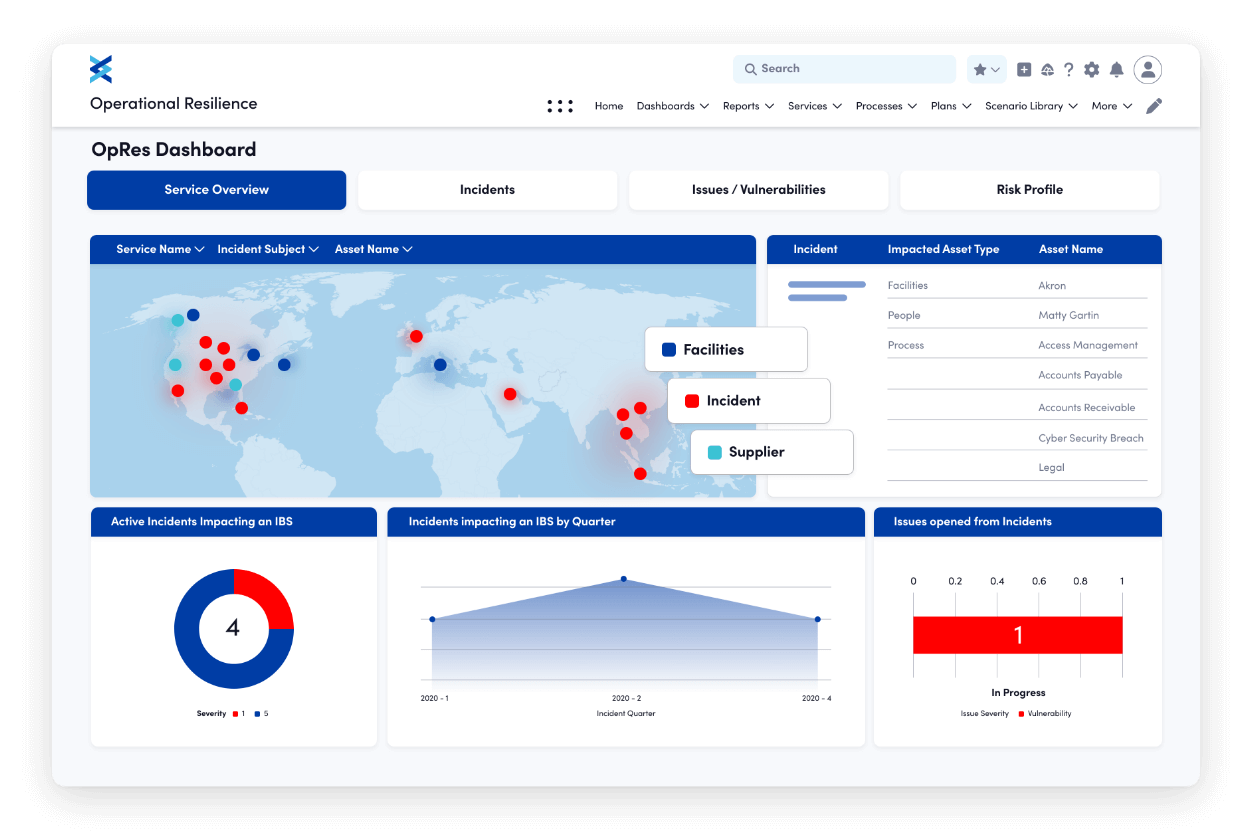
Fusion Risk Management is an enterprise-grade platform that unifies business continuity, operational resilience, risk management, crisis and incident response, IT disaster recovery, and third-party risk into a single continuity ecosystem. The software enables organizations to visualize dependencies between people, processes, and technology, and to analyze risk impact with real-time intelligence. Fusion is built to support complex operational environments and compliance needs, making it suitable for large organizations with mature risk and continuity programs.
Best features
• Integrated business continuity and operational resilience workflows
• Risk visualization and dependency mapping
• Advanced business impact analysis
• Scenario modeling and stress testing
• Third-party risk integration
• Centralized dashboards for real-time risk and continuity status
Limitations
• Complex setup and configuration for smaller teams
• Requires dedicated resources to fully leverage advanced features
• Focused on enterprise environments, may be overkill for simple BCM needs
Pricing
Fusion Risk Management pricing is customized per organization but actual transaction data shows that annual contracts typically range from $7,000 up to $149,000 per year, with an average contract value around $92,898 annually for the software portion. This means smaller enterprise deals may start near the lower end, but comprehensive implementations often approach the higher end of that spectrum. The final cost depends on user count, modules chosen, and implementation services.
Ratings and reviews
Fusion Risk Management is widely regarded as a robust BCM and resilience solution, with reviewers praising its risk-centric approach, integration depth, and enterprise scalability. Many users highlight the platform’s analytical capabilities and ability to tie continuity planning directly to operational risk. Some feedback cites a steep learning curve and the need for training during initial deployment.
3. LogicManager (Best for mid-market companies seeking a risk-based BCM approach)
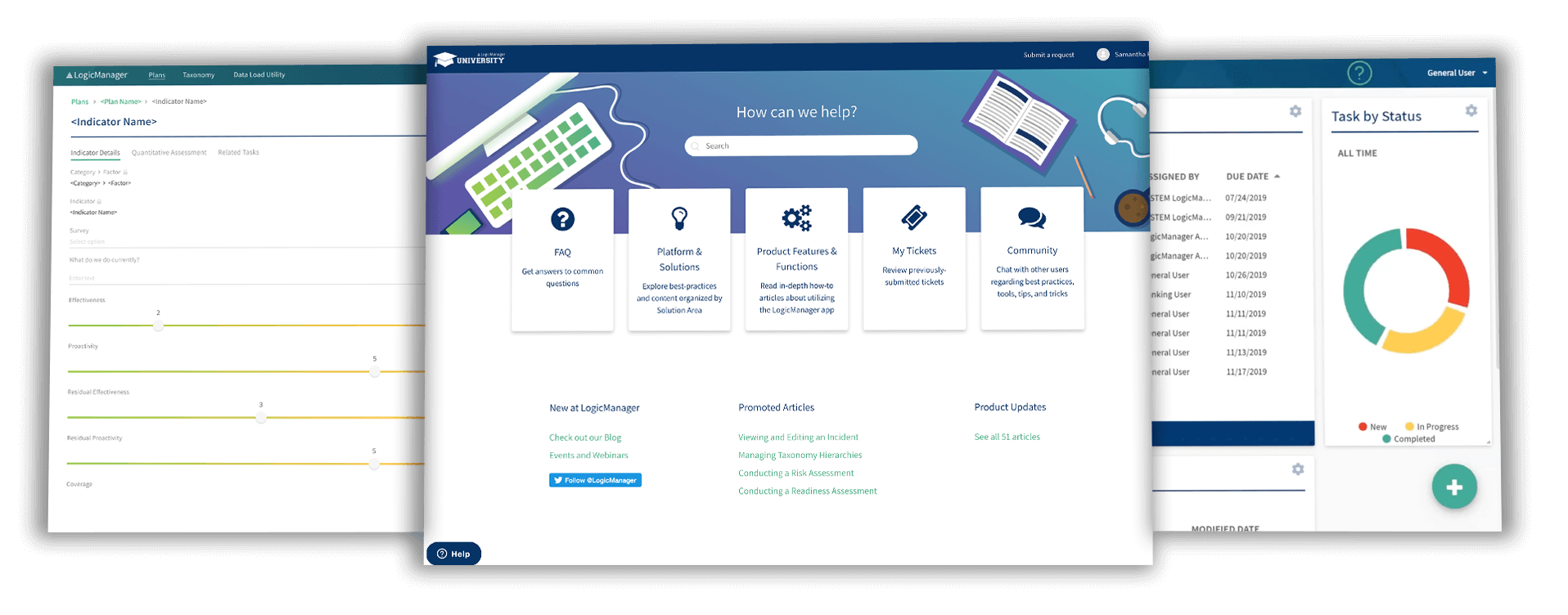
LogicManager is a governance, risk, and compliance (GRC) platform with an integrated business continuity management capability. It helps organizations conduct risk assessments, perform business impact analysis, manage continuity plans, track exercises and testing, and generate audit-ready reporting. Its risk-based approach embeds continuity planning into broader risk and compliance functions, making it suitable for mid-market companies that want structured resilience without overcomplex enterprise tools.
Best features
• Risk-driven approach to business continuity
• Centralized planning and documentation
• Automated testing and exercise scheduling
• Dashboards for readiness and risk exposure
• Audit trails and compliance reporting
Limitations
• Fewer native crisis communication features compared to dedicated tools
• Less suited to very large distributed enterprises
• Some users find advanced configuration requires support
Pricing
LogicManager’s pricing is not publicly listed in a fixed format but actual reported pricing tiers indicate several annual contract levels: • Essentials: starting at $10,000 per year, • Professional: starting at $30,000 per year, • Enterprise: starting at $150,000 per year. These figures reflect real pricing benchmarks for common implementation scopes.
Ratings and reviews
LogicManager is often praised for its structured risk-based continuity model and strong support. Users value the consultative onboarding process and the comprehensive nature of the GRC platform. Some reviews mention the user interface learning curve and the work needed to tailor the system to specific workflows.
4. Everbridge 360 (Best for organizations prioritizing crisis communication)
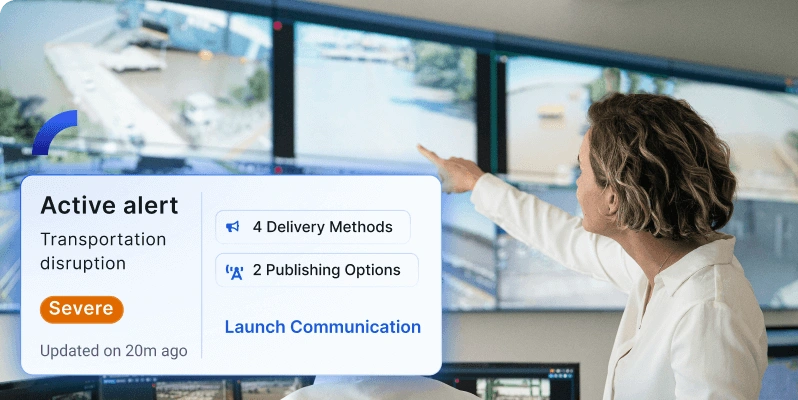
Everbridge 360 is a critical event management and mass notification platform built to support crisis communication, incident response, and business continuity coordination. It is designed to detect threats, send real-time alerts across multiple channels, and ensure stakeholders receive critical information during disruptions. Rather than focusing primarily on business impact analysis or planning documentation, Everbridge excels at rapid communication and response orchestration, which is essential for organizations where speed of alerting matters.
Best features
• Multi-channel mass notification (SMS, voice, email, app alerts)
• Real-time incident coordination and status updates
• Threat intelligence and situational awareness
• Scalable communication infrastructure for enterprises
Limitations
• Not a full end-to-end business continuity planning solution
• Advanced planning and recovery workflows typically require complementary tools
• Higher cost due to critical communication infrastructure focus
Pricing
Everbridge 360 pricing is based on contract size and the specific modules chosen. Actual market contract data shows a median annual spend of approximately $49,167 per year for core platform services, with typical deals ranging from about $9,734 to $91,943 per year depending on scope, user count, and notification volumes. Basic subscription offerings begin around $5,000 per year for foundational mass notification services, with full critical event management packages priced higher.
Ratings and reviews
Everbridge 360 is widely viewed as a leader in crisis communication, with reviewers highlighting its reliability, scalability, and effectiveness in real incident scenarios. Organizations that need to rapidly reach large audiences across different channels often emphasize its dependability. Some feedback notes that the platform’s full continuity capabilities may require integration with other dedicated planning systems.
5. Archer (Best for enterprises requiring GRC-integrated business continuity)

Archer is an integrated risk management platform that combines business continuity management with governance, risk, and compliance (GRC) functions. It enables organizations to connect continuity planning with enterprise risk, audit, policy, third-party governance, and incident management workflows. Archer’s configurability and modular design allow large enterprises to tailor risk and continuity processes closely to their operational and regulatory requirements. The continuity module supports risk assessments, business impact analysis (BIA), development of recovery strategies, and centralized documentation, all within a broader risk-aware framework. This deep integration helps ensure continuity planning is aligned with strategic risk management and compliance priorities.
Best features
• Integrated business continuity with enterprise risk and compliance functions
• Modular architecture that adapts to organizational needs
• Workflow automation for approvals, alerts, and escalation activities
• Centralized documentation and version control for continuity plans and risk artifacts
• Dashboards and reporting for visibility into resilience and risk posture
• Strong governance and audit trail capabilities
• Third-party risk and vendor management alignment
Limitations
• The platform’s complexity often requires dedicated resources and training to configure and maintain
• Implementation timelines can be long for large enterprises
• Interface and usability are frequently rated as less intuitive compared with modern SaaS-only tools
• Advanced customization may demand specialized technical expertise
Pricing
Archer uses a custom enterprise pricing model tailored to the organization’s scale, modules selected, and deployment approach. Actual cost data shows that basic enterprise agreements commonly start at around $55,000 per year for core GRC licensing, with additional fees for continuity, risk, audit, and other modules. Maintenance and hosting fees can further increase the annual spend, and complex enterprise environments often reach six-figure commitments.
Ratings and reviews
User feedback on Archer is mixed but generally positive among large enterprises. Reviewers praise its depth, configurability, and the ability to unify risk, compliance, and continuity functions. However, many also note the steep learning curve and the need for extensive training during initial deployment. The platform’s governance and documentation capabilities are frequently highlighted as strengths, while interface complexity and slower performance on large datasets are common critiques.
6. Riskonnect (Best for organizations that want managed BCM services with software)
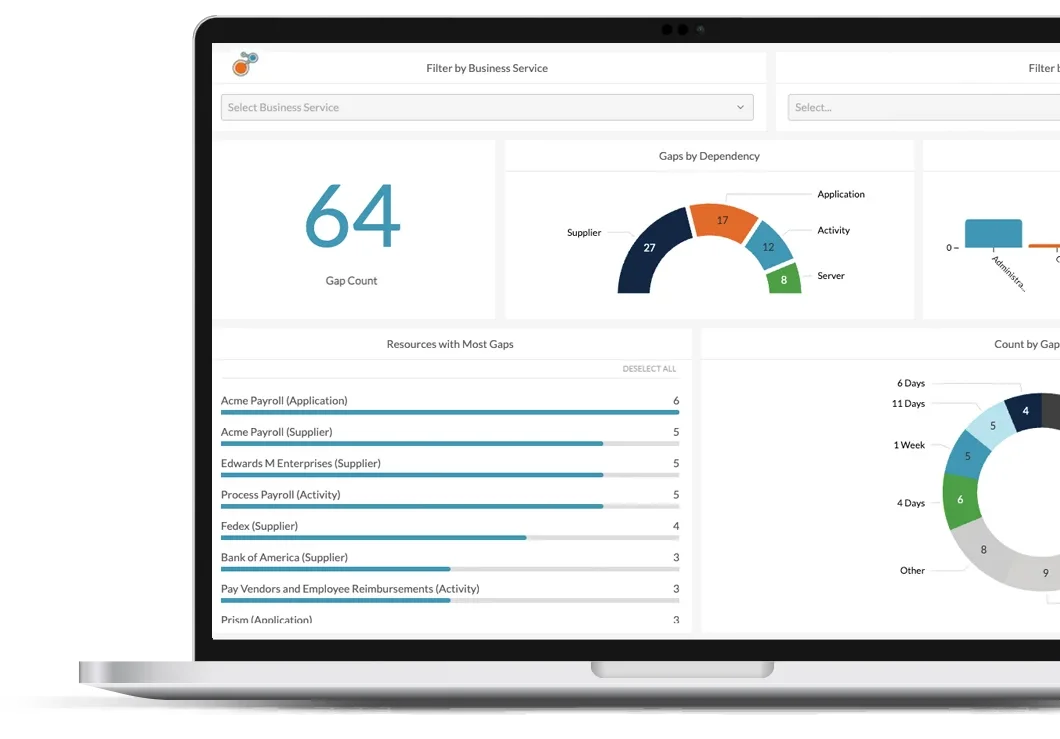
Riskonnect offers a business continuity and resilience platform that integrates continuity planning with broader risk management capabilities. The software is designed to support automated business impact analysis, continuity plan development, gap analysis, resilience testing, and reporting—all from a centralized location. In addition to the software itself, Riskonnect provides managed services and consulting support, helping organizations build, maintain, and mature their continuity programs. This hybrid approach suits teams that may lack internal expertise or dedicated continuity staff, as Riskonnect’s services effectively act as an extension of their continuity function.
Best features
• Automated business impact analysis with dependency mapping
• Centralized continuity planning and gap analysis tools
• Built-in templates and workflows for regulatory alignment
• Stress-testing and exercise capabilities
• Integration of resilience planning with broader risk and operational data
• Managed services and expert consultancy to support implementation and optimization
• Cloud-based access with mobile accessibility
Limitations
• Designed for large enterprises with significant continuity and risk needs
• Higher total cost due to licensing, services, and implementation support
• May be overly complex or feature-rich for small teams with simple BCM requirements
Pricing
Riskonnect uses a custom enterprise pricing model that varies significantly by organizational scale, modules selected, and the level of managed services engaged. Market pricing data indicates that enterprise implementations often begin at approximately $283,000 per year in licensing fees alone, with one-time implementation costs typically starting around $258,000, plus internal costs for deployment and administration.
Ratings and reviews
Riskonnect generally receives strong reviews for its integrated approach to continuity and risk management, ease of access through cloud delivery, and the combination of software plus expert support. Users appreciate the depth of its planning templates and resilience modeling, although some note that the complexity and price point are better suited to larger organizations.
7. ServiceNow Business Continuity Management (Best for IT-centric organizations with an existing ServiceNow ecosystem)

ServiceNow Business Continuity Management is part of the broader ServiceNow platform, integrating continuity planning with IT operations, risk, and incident response workflows. It enables organizations to conduct business impact analysis, prioritize business services, develop and maintain continuity plans, and coordinate response activities through a unified, automated system of action. Because ServiceNow’s BCM module sits on the ServiceNow cloud platform, it leverages existing configuration management database (CMDB), operational data, and workflow automation capabilities, making it particularly suited for IT-centric teams and enterprises already invested in the ServiceNow ecosystem.
Best features
• Integrated continuity planning with ITSM, risk, and operational workflows
• Automated business impact analysis and plan maintenance
• Operational resilience dashboards and reporting
• Exercise management to test continuity plans
• Crisis management and recovery task tracking
• Emergency notifications via integrations (e.g., mass communication tools)
• Single platform for IT and business continuity activities
Limitations
• Not sold as a standalone product—requires ServiceNow platform investment
• Implementation complexity and need for ServiceNow expertise
• Higher total cost for organizations outside the ServiceNow ecosystem
• Training and configuration may require third-party support
Pricing
ServiceNow Business Continuity Management costs depend on the licenses and modules activated within the ServiceNow GRC or overall platform. Typical annual contract figures for ServiceNow implementations range broadly, commonly between $50,000 and $500,000 per year, depending on company size, active modules, and customization needs. Plans on average hover around $130,080 annually for comprehensive packages, although prices vary based on negotiated terms.
Ratings and reviews
ServiceNow’s BCM capabilities are generally well-reviewed, with users noting strong integration with IT workflows and visibility into risks across the enterprise. Review data shows ServiceNow often scores slightly above peers in market satisfaction, reflecting its comprehensive feature set and ecosystem advantages. Some users cite complexity and high cost as challenges, particularly for organizations without an existing ServiceNow investment.
8. Quantivate (Best for financial institutions and regulated industries)
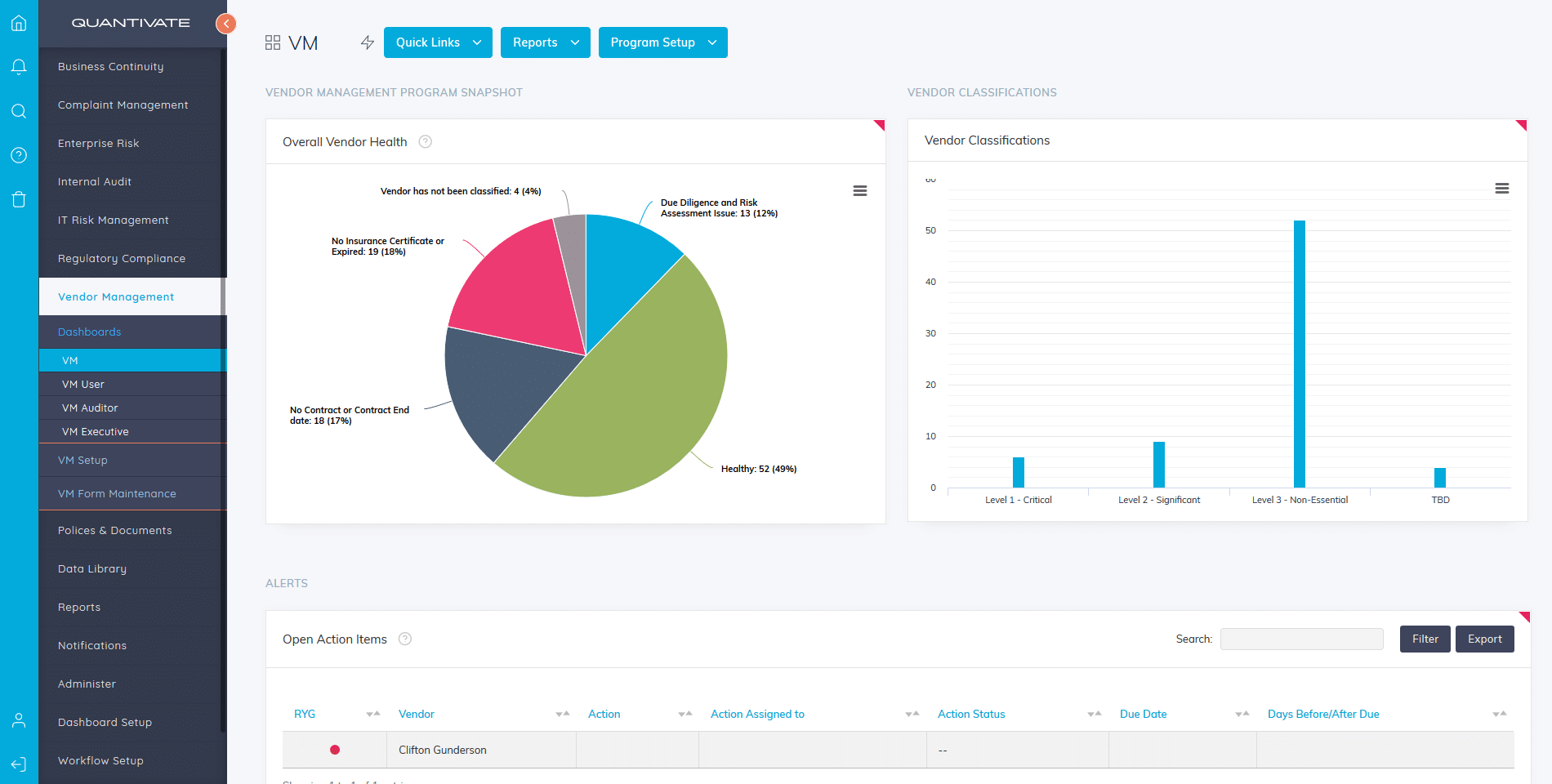
Quantivate is a governance, risk, and compliance platform that includes business continuity management as a core module. It is designed specifically for organizations operating in highly regulated environments such as banking, credit unions, insurance, healthcare, and financial services. Quantivate focuses on aligning business continuity planning with regulatory compliance, audit readiness, and enterprise risk management. The platform supports business impact analysis, continuity plan creation, testing, issue tracking, and reporting, all within a structured and policy-driven framework.
Best features
• Business impact analysis aligned with regulatory requirements
• Centralized continuity plan management
• Integrated risk, compliance, and audit workflows
• Built-in testing and exercise management
• Regulatory reporting and documentation support
• Role-based access control and approval workflows
Limitations
• Interface is more compliance-focused than visually intuitive
• Limited real-time crisis communication capabilities
• Less suitable for organizations outside regulated industries
• Customization options are more structured than flexible
Pricing
Quantivate offers fixed annual subscription tiers based on organization size and modules selected. Typical pricing starts at $25,000 per year for small regulated organizations, with mid-tier packages around $60,000 per year, and enterprise deployments commonly priced at $120,000 per year or more depending on scope.
Ratings and reviews
Quantivate is consistently rated well among financial and compliance-focused organizations. Users appreciate its regulatory alignment, structured workflows, and audit readiness. Some reviewers note that the platform prioritizes compliance depth over modern UI design, but overall satisfaction is strong within its target industries.
9. ParaSolution (Best for organizations needing bilingual support)
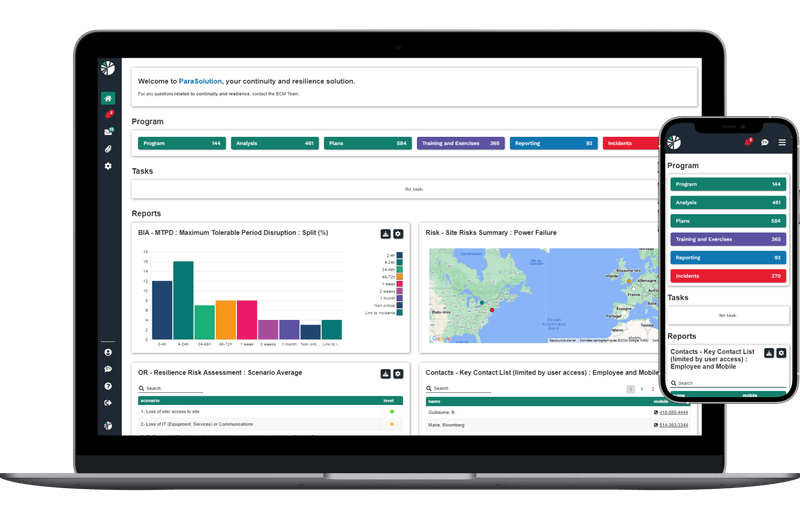
ParaSolution is a business continuity and resilience management platform known for offering full bilingual support, particularly in English and French. The software helps organizations perform business impact analysis, develop continuity and recovery plans, conduct exercises, and track resilience maturity over time. ParaSolution is often adopted by organizations operating in bilingual regions or multinational environments where regulatory and operational documentation must be maintained in multiple languages.
Best features
• Fully bilingual interface and documentation support
• Business impact analysis and recovery planning tools
• Continuity plan lifecycle management
• Exercise and testing coordination
• Compliance and audit reporting
• Cloud-based deployment with secure access
Limitations
• Smaller ecosystem compared to large enterprise vendors
• Fewer third-party integrations
• Limited advanced analytics and visualization
• Best suited for continuity planning rather than crisis communication
Pricing
ParaSolution uses a fixed subscription pricing model. Entry-level plans typically start at $12,000 per year, while standard professional packages average around $30,000 per year. Large enterprise or multi-entity deployments can reach $75,000 per year, depending on user count and complexity.
Ratings and reviews
ParaSolution receives positive feedback for usability, bilingual capabilities, and customer support. Users frequently highlight its clarity and ease of use for continuity documentation and testing. Some reviews mention limited scalability for very large global enterprises, but overall satisfaction is high among mid-sized organizations.
10. SAI360 (Best for global enterprises needing integrated EHS and risk management)

SAI360 is an integrated risk management platform that combines business continuity management with environmental, health and safety (EHS), compliance, ethics, and enterprise risk functions. It is built for large, globally distributed organizations that require a unified approach to risk and resilience. The business continuity module supports business impact analysis, recovery planning, testing, and performance tracking while integrating continuity data with broader risk and compliance programs.
Best features
• Integrated BCM, EHS, and enterprise risk management
• Business impact analysis and recovery strategy planning
• Centralized dashboards for global risk visibility
• Testing, exercises, and maturity assessments
• Strong governance and audit documentation
• Scalable architecture for multinational organizations
Limitations
• Complex implementation requiring structured onboarding
• Higher cost compared to standalone BCM tools
• Interface may feel heavy for teams only focused on BCM
• Requires dedicated administration for optimal use
Pricing
SAI360 operates on a structured enterprise licensing model. Annual subscriptions typically begin at $40,000 per year for core risk and compliance modules. Organizations adding business continuity and EHS capabilities commonly spend between $90,000 and $150,000 per year, with large global deployments exceeding $200,000 annually depending on scale.
Ratings and reviews
SAI360 is well regarded among large enterprises for its comprehensive risk coverage and global scalability. Reviewers highlight its ability to unify multiple risk disciplines into one platform. Some feedback notes a learning curve during implementation, but overall ratings reflect strong confidence in its governance and resilience capabilities.
Build Business Continuity into Your Daily Workflow with Corexta
Corexta is designed to help organizations weave business continuity planning and execution into everyday work rather than treating continuity as an isolated or occasional task. At its core, Corexta combines essential business functions—such as project and task management, resource tracking, team communication, and operational reporting—into a single centralized workspace. This unified structure makes it easier for teams to document continuity plans, assign responsibility, update procedures, and monitor critical tasks as part of their routine operational flow.
Business continuity in Corexta starts with defining critical processes and mapping the people and resources that support them. Teams can create custom fields, templates, and workflows that reflect the unique continuity requirements of their organization. Continuity plans, risk assessments, and recovery procedures can be linked directly to actionable tasks and work items, allowing team members to see their continuity responsibilities alongside their regular duties. This helps eliminate the disconnect that often happens when continuity planning sits in a separate document or platform.
Communication and visibility are built into the platform’s real-time collaboration tools. Notifications, comments, and dashboards ensure that updates to continuity plans are visible to the right stakeholders, and escalation paths can be automated so that issues or delays are flagged promptly. For example, if a continuity task is overdue or a risk threshold is reached, automated alerts can notify team members and managers according to predefined rules. This ability to trigger real-time updates and reminders ensures continuity activities remain active and actionable.
Corexta also supports cross-departmental alignment. Continuity plans often require cooperation between operations, IT, HR, finance, and other departments. In Corexta, all of these groups can work within the same system, enabling transparency and reducing the risk of silos. Reports and dashboards let leadership monitor continuity readiness across functions, track completion rates of critical tasks, and identify gaps that require attention.
Moreover, Corexta’s flexibility allows organizations to tailor continuity planning to their scale and complexity. Small teams can focus on essential continuity workflows and run simple risk assessments without unnecessary overhead, while larger enterprises can build robust, multi-stage continuity processes that integrate with broader business objectives. By embedding continuity planning into daily work, Corexta helps organizations maintain resilience, improve responsiveness to disruptions, and ensure that continuity planning evolves as business operations change. Build a business continuity program that’s actually ready when you need it. Start using Corexta today.
Frequently Asked Questions
How does business continuity management software differ from project management tools?
Business continuity management (BCM) software and project management tools may seem similar because they both organize work, assign tasks, and track progress. However, their primary purposes differ significantly. BCM software is focused on preparing for, responding to, and recovering from disruptions that could impact critical business operations. It includes modules for risk assessment, business impact analysis, continuity plan creation, testing and exercising, incident response workflows, and compliance reporting. The primary goal of BCM software is resilience and uninterrupted operation during adverse events.
On the other hand, project management tools are designed to plan, execute, and monitor projects with defined start and end points. These tools track tasks, deadlines, resources, and deliverables associated with completing specific initiatives. While a project management tool might be used to help execute parts of a continuity plan, it does not inherently include continuity-specific features like scenario modeling, crisis communication, continuity testing frameworks, or recovery objective tracking. BCM software is typically more strategic and risk-focused, whereas project management tools are execution-focused.
Can small teams or startups benefit from BCM software?
Yes, small teams and startups can benefit from business continuity management software, though the extent and complexity of usage may vary. For smaller organizations, continuity planning does not have to be as elaborate as it is for large enterprises, but having a structured system for planning and responding to disruptions still provides a competitive advantage. BCM software helps small teams identify key operational dependencies, assess risk, and document recovery steps in a way that keeps plans up to date and easy to follow when needed.
Without a formal system, small businesses often rely on spreadsheets or informal documents that can quickly become outdated or overlooked. Continuity software helps centralize this information, provides automated reminders for plan reviews and testing, and offers audit capabilities that support investor, customer, or regulator confidence. Many modern BCM platforms offer tiered pricing and scalable features, making them accessible to startups and small teams with limited budgets. For these organizations, the focus tends to be on ensuring basic resilience, protecting revenue streams, and maintaining service availability to customers.
What’s the difference between business continuity planning and disaster recovery?
Business continuity planning and disaster recovery are related but distinct concepts within organizational resilience. Business continuity planning is holistic and focuses on maintaining essential business functions during and after a disruption. It covers all aspects of operations including people, facilities, supply chain dependencies, communication protocols, and business processes. The goal is to ensure that the organization can continue to deliver critical services or quickly restore them with minimal impact on stakeholders.
Disaster recovery, on the other hand, is typically a subset of business continuity that concentrates specifically on restoring IT systems, data, and technical infrastructure after a disruption like a cyberattack or hardware failure. Disaster recovery plans detail backup procedures, data restoration steps, and technical recovery sequences. While continuity planning encompasses disaster recovery as one of its components, continuity is broader and includes non-technical areas such as human resources, facilities, and communication strategies.
How often should organizations test their business continuity plans?
Organizations should test their business continuity plans on a regular and structured basis. A common best practice is to conduct formal tests at least once per year. However, the frequency of testing should be influenced by factors such as industry risk profile, regulatory obligations, organizational changes, and the complexity of operations. High-risk industries or organizations with frequent system changes may choose to conduct testing bi-annually or quarterly.
In addition to scheduled tests, organizations should test continuity plans whenever there are significant changes to business processes, technology infrastructure, personnel, or external conditions. Testing can take many forms, including tabletop exercises, simulated disruption scenarios, walk-throughs, and full activation drills. Effective testing not only verifies that plans work but also identifies gaps, improves team readiness, and drives continuous improvement. Regular testing ensures that continuity plans remain relevant, actionable, and effective when an actual disruption occurs.
Read More: 13 Best AI Tools for Generative Engine Optimization (GEO) in 2026