AI agents are transforming the marketing landscape by automating repetitive tasks, improving decision-making, and enabling teams to operate with greater precision and speed. Whether it’s generating content, optimizing campaigns, managing customer interactions, improving search performance, or driving conversions—AI agents provide marketers with scalable, intelligent support.
Today’s marketing teams face a constant challenge: increasing output while maintaining quality. AI agents help bridge that gap. They analyze massive datasets, personalize content in real time, predict customer behavior, and streamline workflows—allowing marketers to focus on strategy instead of manual processes.
From AI-powered content creators to chatbots, CRM intelligence, ad optimization systems, and project management automation tools, these platforms help businesses:
Reduce marketing costs
Improve campaign accuracy
Deliver hyper-personalized customer experiences
Launch initiatives faster
Scale operations without additional hiring
In this guide, we break down the 11 best AI agents for marketing, their use cases, strengths, limitations, pricing, and ratings—so you can find the right tools to power your growth and stay ahead in a competitive digital world.
Top AI Agents for Marketing at a Glance
| AI Agent | Best For | Key Strength |
|---|---|---|
| Corexta | AI-powered marketing project management | Automates workflows, planning, and team collaboration |
| HubSpot AI | CRM intelligence & customer lifecycle automation | Predictive insights and customer data unification |
| Jasper AI | High-quality AI content creation | Brand-consistent, multi-format AI writing |
| Drift AI | Conversational marketing & chatbots | Real-time sales and customer support automation |
| MarketMuse | Content strategy & SEO optimization | Deep content scoring and topic clustering |
| Grammarly | Writing enhancement & editing | Contextual suggestions for clarity and tone |
| Botpress | Custom AI chatbot development | Developer-ready platform for advanced conversational bots |
| Reply.io | Automated sales engagement | AI-driven outreach personalization and lead scoring |
| Algolia | Site search & AI-powered discovery | Lightning-fast search and relevance optimization |
| Lexica.art | AI-generated images and creative assets | High-quality visual generation for marketing |
| Albert.ai | Fully autonomous digital ad management | Hands-free optimization of paid campaigns |
Each of these tools brings unique capabilities that can transform different parts of your marketing ecosystem.
The Best AI Agents for Marketing
1. Corexta (Best for AI-powered marketing project management)

Corexta is positioned as an “all-in-one” project and agency management platform — and among the 11 AI agents, it stands out for marketing/project workflow automation, team collaboration, and unified business operations.
🔎 Overview
Corexta is more than just a project management tool: it combines project & task management, client/CRM, HR, finance/invoicing, team communication and collaboration, resource/time tracking, and more — all within a single platform. This makes it especially appealing for marketing agencies, small-to-mid sized teams, or any business juggling multiple workflows and needing a unified dashboard.
Because everything lives in one place, agencies don’t need separate tools for e.g. finance + HR + project management + CRM. That reduces tool overlap, reduces cost, and simplifies workflows — which can lead to improved efficiency, fewer errors, and better coordination across teams.
✅ Best Features — Why Corexta Works Well for Marketing & Agencies
All-in-one business management: Corexta covers essentially every major business need — from project planning and client management to HR/ payroll, finance, invoicing, and asset management. That makes it ideal for agencies that handle clients, campaigns, billing, employee tasks — all at once.
Flexible project & task management: You get Kanban boards, Gantt charts, detailed task management (with deadlines, dependencies), time tracking, progress tracking, and resource allocation. This gives marketers clarity over what needs to be done, who is doing it, and when — which is critical when running multiple campaigns.
Integrated client/CRM & financial management: You can manage clients and leads, handle proposals, contracts, invoices and payments, track expenses and revenue — all from one dashboard. That’s huge for agencies managing multiple clients and campaigns.
Team collaboration & communication tools: Internal chat, real-time notifications, role-based permissions, customizable access, support for multiple employees — this helps keep everyone aligned: project managers, creatives, finance, HR.
Scalability & customization: Works for small teams or larger agencies. As the team grows, you can scale the number of users, storage, and use more advanced modules (HR, payroll, asset management).
Affordability: Corexta has a free plan (with limited capacity) and reasonably priced plans for small businesses, making it accessible for startups or growing agencies.
⚠️ Limitations — What to Watch Out For
Learning curve for new users: Because Corexta packs many functions, first-time users (especially from small teams or non-technical backgrounds) may find the setup and initial navigation a bit overwhelming. Many reviews mention a “steep learning curve” initially.
Potential feature overload for small teams: For very small teams or solo freelancers, many of Corexta’s modules may never be used — so the “all-in-one” may feel overkill.
Limited third-party integrations (in some cases): While Corexta integrates with common tools (payment gateways, communication, basic CRM), if your agency uses niche software, integration might be limited or require extra work.
💲 Pricing (as of 2025)
According to Corexta’s own pricing structure:
| Plan / Tier | Price / Month (USD) | For Whom / Capacity |
|---|---|---|
| Free Plan | $0 | Up to ~5 employees, limited storage (500 MB), basic project & CRM/HR features. |
| Small Business | $9.99 / month | Up to ~15 employees, 2 GB storage, full project/CRM/finance/HR/collaboration tools. |
| Medium Business | $19.99 / month | Up to ~30 users, 10 GB storage, includes more advanced features (e.g. payroll). |
| Enterprise | $29.00 / month | Unlimited users, 20 GB storage, full feature set including asset management, dedicated account manager, advanced support. |
They also typically offer a free trial — useful to test how the platform works before committing.
⭐ Ratings & User Reviews (Real Feedback)
On review platforms like G2, Corexta has multiple 5/5 reviews. Users highlight that the unified interface (project + finance + HR + CRM) “greatly boosted our team’s productivity.” One commenter called it a “Game-Changer for our agency.”
On Capterra, reviews are also very positive, often giving 5.0/5 across ease-of-use, features, value-for-money, and support. Users appreciate how it centralizes communications and tasks — reducing the need for multiple disconnected tools.
Common praises: improved organization, fewer tools to manage, streamlined workflows, helpful for teams managing multiple projects and clients.
Common criticisms: the initial learning curve can be steep; some users would like deeper customization or more integration flexibility.
Because of these mixed—but mostly very positive — reviews, Corexta seems especially well-suited for small-to-mid agencies or marketing teams who want to unify their operations, reduce tool fragmentation, and improve efficiency.
🧑💼 Is Corexta a Good Fit for Marketing Agencies / Marketing Teams?
Yes — especially if your marketing work involves multiple clients, different campaign tasks (content, scheduling, finances, billing), team collaboration, and project management. In those cases, Corexta becomes more than a “project manager” — it’s your central hub that ties together client management, team tasks, billing/invoicing, HR (if you hire staff), and more.
2. HubSpot AI (Best for AI-driven customer relationship management)

🔎 Overview
HubSpot AI refers to the AI-powered capabilities built into HubSpot CRM / HubSpot’s platform — features that help automate and enhance customer relationship management, sales, marketing, and service workflows. It taps into CRM data (contacts, deals, interactions) and applies AI to enrich data, surface insights, automate tasks, and reduce manual work.
HubSpot AI is especially useful for businesses that want to unify sales, marketing, and customer service data — and leverage AI to manage leads, interact with customers, track behavior, and streamline workflows without juggling many disconnected systems.
✅ Best Features
AI-powered data enrichment & insights: HubSpot AI can automatically enrich CRM records (e.g. from emails, calls, web, public data), which saves time on manual data entry and improves data completeness.
Smart CRM views & customizable data models: Offers flexible ways to view data (tables, Kanban, calendar, custom objects), making CRM more adaptable to your business structure.
AI-driven automation & workflows: Automate follow-up emails, lead nurturing, tasks, and sales workflows based on customer behavior or data triggers.
Unified marketing, sales, service, support stack: Because HubSpot covers multiple Hubs (CRM, Marketing, Sales, Service), AI tools are integrated — helping marketing, sales, and support work off the same data.
Scalable plans suitable for small to larger teams: From a free CRM ground up to enterprise-level AI-enabled plans, HubSpot offers flexible pricing for different business sizes.
⚠️ Limitations
Advanced AI features locked behind higher-tier plans: While the free/foundation CRM is generous, many of the AI-driven features (enrichment, predictive analytics, advanced workflows) require paid tiers.
Cost can escalate quickly: For professional/enterprise levels (especially with many contacts/users), pricing may become expensive for small businesses or startups.
Learning curve for full utilization: To get maximum value from AI-powered workflows, reporting, custom objects — users may need time to learn and understand the tools.
Dependence on data quality: AI insights and automation are only as good as the quality of CRM data. Dirty/incomplete data reduces accuracy and effectiveness.
Some integration/feature limitations reported by users — especially when trying to connect with niche third-party tools or expecting extremely advanced AI logic or automation.
💲 Pricing (as of 2025)
Based on HubSpot’s publicly shared pricing structure:
| Plan / Tier | Price / Month (Per Seat or Subscription Basis) | Notable Features |
|---|---|---|
| Free CRM | $0 | Manage contacts, basic CRM features, deal tracking, limited automation. |
| Starter | ~ US$10–50/month (per seat, depending on features) | Removes branding, basic automation, data enrichment, simple marketing/sales tools. |
| Professional | ~ US$50/month (per seat) and upward depending on features | Advanced CRM layout customization, duplicate merge, teams, more automation & AI insights. |
| Enterprise | ~ US$75/month (per seat) and up (with more advanced capabilities) | Custom objects, advanced AI insights, granular permissions, large team support. |
Note: Exact pricing may vary depending on number of users, contacts, and which “Hubs” (Marketing, Sales, Service, etc.) you subscribe to.
⭐ Ratings & User Reviews (Real Feedback)
HubSpot CRM (with AI) is widely praised for being easy to use, integrating marketing & sales features, and offering a scalable free-to-paid growth path.
Users often highlight the value of automation and integrated workflows — enabling marketing, sales, and service teams to work from the same data and tools.
On the downside: some report high costs when scaling, limited advanced AI capabilities unless paying, and sometimes a steep learning curve for more complex features.
In publicly shared user threads, criticisms include: over-hyped AI features, limited usefulness of some AI agents/workflows, unpredictable “AI credit” usage or costs. E.g.:
“…I’m disappointed. From the bad generate property AI to the useless workflow action generations… I feel like I wasted time.”
“Every time I use Hubspot’s AI it feels like wasted time.”
Overall: HubSpot AI is a strong choice when you want a unified CRM + marketing + sales + service platform — especially if your organization values integration, scalability, and automation over cutting-edge AI sophistication.
3. Jasper AI (Best for AI content generation)
🔎 Overview
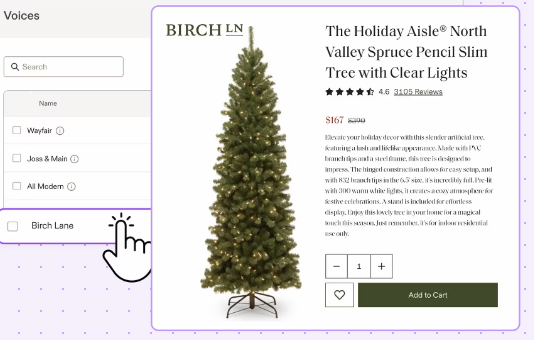
Jasper AI is an AI-powered content generation platform aimed at marketers, bloggers, agencies, and teams who need to quickly produce large volumes of written content — blog posts, articles, social media copy, marketing copy, ad copy, product descriptions, etc. Compared to a traditional writer, Jasper helps speed up content creation, overcome writer’s block, and scale output.
It’s particularly popular among marketing teams and content-heavy projects, where brand consistency, volume, and speed matter more than deep research or highly nuanced writing.
✅ Best Features
Fast content generation & volume scaling: Jasper can generate drafts almost instantly — helpful for teams that need many articles, posts, or marketing materials quickly.Brand voice and style control: You can define brand-specific voices, tone, and writing guidelines so content across different channels remains consistent.
Large template library: Dozens of built-in templates for blog posts, ads, social media posts, email copy, long-form content, etc. This helps speed up creation without building everything from scratch.
Multilingual support & versatility: Can help generate content in multiple languages, enabling global marketing efforts.
Integration & workflow-friendly: Works with common tools, allows extensions (e.g. browser extensions), and fits into content workflows (editing, SEO optimization, collaboration).
⚠️ Limitations
Cost — no permanent free plan: Jasper is paid-only (beyond a short trial). For individuals or small teams on tight budgets, the cost may be a barrier.
Quality not guaranteed — need editing & review: Content sometimes needs human refinement. For long-form content, factual accuracy, flow, and uniqueness often require manual editing and fact-checking.
Can feel formulaic or generic for niche topics or technical subjects: For specialized content (e.g. technical, scientific, legal), the output may be shallow or generic unless you provide detailed prompts and strong context.
Word limits / output limits matter: Some users complain about limitations on word counts per generation or per month (depending on plan), which may constrain large projects.
Risk of repetitive or “robotic” language if overused or with minimal editing: Over reliance on templates or default prompts can lead to content that lacks creativity, voice, or uniqueness.
💲 Pricing (as of 2025)
Typical pricing structure for Jasper AI (may vary slightly depending on promotions or user’s billing plan).
| Plan / Tier | Price / Month | Key Features / Limits |
|---|---|---|
| Creator / Basic | ~ US$49/month (or ~US$39/month if billed yearly) | Single user, basic content generation, templates, browser extension, core writing tools. |
| Pro / Teams | ~ US$69/month (or ~US$59 if billed yearly) | More seats/users, additional brand voices, collaboration features, advanced tools (e.g. long-form content support). |
| Business / Enterprise | Custom pricing (on request) | Unlimited or large scale use, API access, enterprise-grade security, team management, custom features, support. |
Note: Jasper does not offer a permanently free-tier; only a short free trial is available.
⭐ Ratings & User Reviews (Real Feedback)
On many review platforms, users consistently highlight Jasper’s value for speeding up content production and maintaining brand consistency.
Many appreciate the rich template library and flexibility across content types (blog posts, ads, social media, emails, etc.).
Downsides raised by users: output can be generic or require substantial editing, quality dips for technical/niche content, and cost can be steep for smaller operations.
For high-volume content teams (blogs, agencies, marketing departments), Jasper tends to deliver the best return: many report significant time savings and consistent output when combined with human editing.
Some user feedback suggests that for occasional or small-scale writing, the cost relative to benefit may not justify the subscription — especially given the need for human polishing.
4. Drift AI (Best for AI-powered chatbots and conversational marketing)

🔎 Overview
Drift (or “Drift AI” / “Drift Conversational Marketing”) is a conversational marketing platform that leverages AI-powered chatbots and live chat to engage website visitors in real time — qualify leads, route them, schedule meetings, and accelerate sales or support workflows. It’s especially popular with B2B companies, SaaS businesses, and any organization where real-time engagement and lead conversion are key.
By embedding chatbots on websites, Drift aims to reduce response time, catch leads immediately, turn visitors into qualified leads, and automate repetitive lead-gen or customer support tasks.
✅ Best Features
AI-powered real-time chatbots for lead qualification & routing: Automatically engages visitors, asks qualifying questions, captures lead data, and routes leads/sales-ready contacts to the appropriate team.
Meeting scheduling and automation built-in: Chatbots can schedule meetings, call-back, or demo requests — reducing friction and streamlining inbound lead flow.
Improved conversion rates & faster response to leads: Many users report increased conversion rates due to instant engagement, reducing lead loss by catching prospects immediately.
CRM and marketing stack integration: Can integrate with existing CRMs or sales tools, enabling captured lead data to feed directly into workflows and sales pipelines.
Scalable for mid-to-large teams or B2B use cases: For businesses with heavier traffic or lead volume, Drift offers features tailored toward enterprise sales workflows (routing, account-based marketing, multi-team support).
⚠️ Limitations
High cost for full features — can be prohibitive for small businesses or startups: Advanced features (multi-team support, routing, integrations) often require a premium/Premium or Enterprise plan, which can be expensive.
Customization & flexibility limitations for lower-tier plans: Lower or free-tier plans may offer only basic chat functionality — limited customization, less powerful routing or workflow automation.
Setup complexity & learning curve: Setting up advanced chatbots, routing logic, integrations and playbooks may require time and sometimes technical know-how.
Limited integration with certain marketing channels: For some companies, bad fit if they want omnichannel communication (e.g. social media, SMS, outside of website chat) — Drift excels in website live-chat, but may lag in broader messaging.
Occasional reliability issues (bugs, limited reporting, mobile notifications, or performance delays): Some users report bugs, delays in notifications, or limited analytics/reporting flexibility when scaling up.
💲 Pricing (as of 2025)
Pricing for Drift varies depending on features, team size, and plan type — and the full-featured versions tend to skew toward mid-to-large enterprises.
Drift offers a basic (free or low-cost) version with limited features, but key capabilities (lead routing, multi-team support, advanced automation) are locked behind premium plans.
Premium / paid plans for small-to-medium businesses start in a high price range (for example, some sources quote ~ US$2,500/month for advanced features) when billed annually.
For larger enterprises requiring enterprise-level features (multi-channel routing, account-based marketing automation, custom playbooks), pricing can scale up significantly (on request).
Because of this pricing, Drift tends to make the most sense when you have sufficient traffic / leads to justify the investment — e.g. B2B SaaS, enterprise sales, high-volume inbound.
⭐ Ratings & User Reviews (Real Feedback)
According to review platforms, Drift receives generally positive feedback for its effectiveness in lead generation and live-chat conversions: e.g. G2 rating ~ 4.4/5, Capterra ~ 4.5/5.
Many reviewers praise its ability to automate lead qualification, meeting scheduling, and accelerate sales pipelines — especially for B2B inbound-driven businesses.
On the flip side, criticisms often focus on cost, limited customization (especially for smaller teams), and complexity of setup and scaling.
Some mid-size or startup users mention that while the free/basic chat features are useful, you quickly hit limitations — forcing upgrade to expensive plans to unlock real value.
5. MarketMuse (Best for AI-powered content strategy and optimization)

🔎 Overview
MarketMuse is a content-intelligence and strategy platform that uses AI to help marketers, content teams, and SEOs research, audit, plan, and optimize content — aiming to improve organic search performance and content quality. It helps you analyze your site’s content inventory, find content gaps, compare against competitors, and generate data-driven content briefs and optimization suggestions.
In other words: MarketMuse isn’t primarily a content generator — it’s more of a strategist/optimizer. It helps you decide what to write (or update), how to structure it, and which topics to prioritize — so you maximize SEO potential and authority.
✅ Best Features
- Comprehensive content inventory & auditing — MarketMuse lets you keep track of all published pages, topics, and page-topic combinations on a site (“inventory”), updating regularly. This helps you see what content you already have, what’s outdated or under-optimized, and where opportunities lie.
- Topic modeling and gap analysis — The platform’s AI builds topic models: it suggests related subtopics, semantic keywords, and content structure to help you write content that covers a topic thoroughly. This improves chances of ranking well.
- Content briefs & strategy docs — MarketMuse can generate content briefs (with outlines, recommended keywords, related questions, structure suggestions) and strategy documents — useful for planning new content or updating old posts.
- SERP & competitor analysis — It analyzes search engine result pages (SERPs) and competitor pages so you can benchmark your content and identify gaps/opportunities relative to competition.
- Prioritization & optimize workflow — For content-heavy sites or those with lots of articles, MarketMuse helps prioritize what to work on: topics that are easy wins, content that needs updating, or areas where your site lacks coverage — saving time and focusing effort where it matters.
⚠️ Limitations
- Steep learning curve / complexity for new users — Some users report difficulty understanding how all the modules and data metrics work when they start; especially site inventory, tracking, and interpreting analytics need time and SEO knowledge.
- Cost can be high — may not suit small budgets — While there’s a free tier, advanced plans for serious content strategy or agencies are expensive. This can be a barrier for solo creators or small teams.
- Not a content writer — still need human writing — MarketMuse helps plan and optimize content, but writing/editing still requires humans (or a separate tool). AI-driven suggestions are only as good as how you implement them.
- User feedback on usability and value is mixed — Some users say that while functionality is strong, usability is poor and results don’t always justify the cost (especially when the site is small or traffic is low).
- Reliance on structured input and process — not ideal for spontaneous, creative writing workflows — If you prefer more flexible or creative-type content without strict SEO structure, MarketMuse can feel rigid.
💲 Pricing (as of 2025)
MarketMuse offers several plans, ranging from free to enterprise-level, depending on your content volume and needs.
- Plan Typical Features / Limits
Free 1 user, 10 queries/month, minimal functionality — good for occasional/low-volume content. - Optimize Moderate content output: limited number of content briefs/month, tracked topics (suitable for regular but modest content publishing).
- Research More capacity: more tracked topics, more briefs/month — suitable for teams or content-heavy operations.
- Strategy For large teams/agencies: high volume content planning, many tracked topics, multiple strategy docs — meant for heavy content operations or enterprises.
Because of this tiered structure, MarketMuse can scale — but smaller operations may find free/low tiers limiting, while serious content agencies may find the investment worthwhile.
⭐ Ratings & Reviews (user feedback)
- On review platforms, many users praise MarketMuse’s ability to uncover content gaps, optimize existing content, and provide deep SEO insights — especially useful for updating older content and improving search rankings.
- Some reviewers say it “gives an extra edge” when optimizing content: suggests extra keywords, insights, competitor analysis, and improves workflow for content teams.
- On the downside: some users report usability issues or find the interface cumbersome, and feel the tool may be “overkill” for small blogs or sites — for small-scale content efforts, ROI may be limited.
- Value-for-money is often debated: for high-volume or professional content operations, many consider it worth the cost; but individual writers or small teams sometimes find it expensive for what they get (especially if they need to manually write and polish content after using the tool).
6. Grammarly (Best for AI writing and editing)

🔎 Overview
Grammarly is one of the most widely adopted AI-powered writing assistants. It helps marketers, writers, and content creators by analyzing text for grammar, spelling, punctuation, clarity, tone, style, and even plagiarism — across platforms like browsers, word processors, email clients, etc. As such, it’s widely used to polish content: whether blog posts, marketing copy, emails, ad copy, or social posts.
Rather than generating brand-new content from scratch, Grammarly shines when refining, editing, and optimizing existing content for clarity, tone, consistency, and error-free writing.
✅ Best Features
- Grammar, spelling, punctuation and basic writing correction — Real-time feedback to catch typos, grammatical errors, awkward phrasing, punctuation mistakes.
- Tone and style suggestions — Helps adjust the tone of writing (e.g., professional, casual, friendly), adapt style to audience or brand voice, improve readability and flow.
- Clarity, conciseness, and readability improvements — Marks complex or unclear sentences and suggests improvements for clearer, more impactful writing — useful for marketing content where clarity matters.
- Plagiarism detection (in higher-tier plans) — For content that needs to be original, Grammarly helps ensure text uniqueness — helpful when generating content from AI or repurposing/editing.
- Seamless integration across writing platforms — Works via browser extensions, integrates with document editors, emails, social media platforms, so you can polish copy wherever you write.
- Good for polishing both AI-generated and human-written text — Especially useful when you already use content generation tools (or write manually) but want to ensure high quality, consistency, and brand tone.
⚠️ Limitations
- Limited usefulness for original content generation — Grammarly isn’t designed to create full articles or copy from scratch; it improves existing text. So if you need full content creation, you’ll need a different tool (or write manually + polish with Grammarly).
- Free plan is basic — advanced features require premium — Many of the more useful features (tone adjustment, plagiarism check, advanced style suggestions) are locked behind paid plans.
- Tone adjustments or rewrites can sometimes feel mechanical or “robotic” — For nuanced writing (creative content, emotionally rich writing, brand-heavy voice), AI suggestions may not always capture subtlety or emotional depth.
- Not sufficient as stand-alone content tool for complex content — For long-form content, in-depth articles, or content requiring research and originality, Grammarly can only polish — content planning, research, and initial drafting must be done elsewhere.
💲 Pricing (2025)
According to recent data:
- Free plan — Basic grammar and spelling checks.
- Premium plan — Adds advanced features: tone/style adjustments, clarity suggestions, plagiarism detection, improved writing recommendations. Typical monthly subscription.
- Business / Enterprise plan — For teams: extra features like style guides, analytics, multiple-user support, centralized management.
Because of this range, Grammarly is accessible to both individuals and teams, though the free version is somewhat limited for serious marketing content work.
⭐ Ratings & Reviews (User Feedback)
Grammarly (or its upgraded version) is often praised for drastically improving writing clarity, correctness, and tone — especially useful for marketing copy, blogs, emails, and content where clarity and readability matter.
Many users find it valuable for polishing AI-generated or human-written drafts, ensuring content is professional and error-free — making it a go-to tool before publishing.
On the downside: for creative writing or content requiring nuanced voice, some feel Grammarly’s suggestions are too plain, mechanical, or generic.
Because it doesn’t generate substantial content on its own, some users view it as only half the solution — best paired with content generation or writing workflows for full content production.
7. Botpress (Best for AI chatbot development)

🔎 Overview
Botpress is an AI-driven chatbot development platform designed for building conversational agents — chatbots, virtual assistants, support bots, or custom conversational flows — for websites, apps, or other digital channels. What stands out is its flexibility: you get a visual drag-and-drop flow builder, but also full control via code/SDK if you need advanced customization. This makes it suitable for developers, businesses, or agencies that need powerful, customizable bots rather than simple out-of-the-box chatbot widgets.
Given its flexibility, Botpress is popular for companies wanting to build complex bots that integrate with CRMs, databases, APIs — beyond the limitations of basic rule-based chatbots.
✅ Best Features
- Visual flow builder + full customization — Users can build bots via an intuitive drag-and-drop interface, or — for more complex logic — use code/SDK for custom behaviors. This hybrid approach suits both non-technical and technical teams.
- Support for advanced conversational capabilities — Includes features like natural language understanding (NLU), slot-filling, memory/context management, fallback logic, integration with external APIs/knowledge bases — suitable for robust bots beyond simple Q&A.
- Multichannel deployment and integrations — Bots built with Botpress can be deployed to websites, messaging platforms, custom UIs, and integrated with CRMs or backend systems.
- Open-source / self-hosting option (for full control & data privacy) — For organizations concerned about data privacy, security, or compliance, Botpress allows self-hosting or private deployment, giving control over data and infrastructure.
- Scalability and advanced analytics/insights — For teams, Botpress offers conversation analytics, performance metrics, custom dashboards — helps track bot effectiveness, fallback rates, user engagement.
⚠️ Limitations
- Steeper learning curve and requires developer involvement for advanced bots — While simple bots are possible, complex conversational flows, integrations or custom logic often need coding skills — less ideal for non-technical marketers.
- Initial setup and maintenance overhead — Because of its flexibility, bots may require more time to design, test, monitor, and maintain — especially when used for critical customer-facing or business workflows.
- Enterprise-level features and support come with higher cost — For advanced deployments (team collaboration, high message volume, enterprise support, compliance), the paid plans or add-ons become significantly more expensive.
- Not “instant out-of-the-box” for non-developers — Those expecting a plug-and-play chatbot with minimal customization may find Botpress too involved or complex; simpler no-code alternatives may suit better.
- Cost variability due to “AI Spend / token usage” when using large language models (LLMs) — Since Botpress often relies on external LLM providers for generative AI capabilities, usage-based costs can vary, making budgeting harder.
💲 Pricing (as of 2025)
Botpress offers multiple pricing tiers: from a free pay-as-you-go plan to more advanced paid plans.
- Pay-as-You-Go (Free) plan: $0/month + AI-usage spend. Includes basic visual studio, limited usage, a small monthly AI-credit. Good for experimentation, small bots, or prototyping.
- Plus plan: Paid plan (moderate monthly fee) — adds features such as human handoff, conversation insights, no branding, higher usage limits.
- Team plan: For teams needing collaboration, higher capacity (more bots/messages/storage), advanced analytics, role-based access — suitable for business-scale chatbot deployment.
- Enterprise plan: Customized plan with premium support, higher limits, compliance, dedicated infrastructure — suited for large organizations, high-volume bots, strict privacy/security needs.
Because AI usage (LLM calls, token usage) is billed separately (on top of plan fees), actual cost depends heavily on how intensively you use bots (number of messages, complexity, integrations, usage frequency).
⭐ Ratings & Reviews (User Feedback)
- Many developers and companies value Botpress for its flexibility, open-source nature, and ability to build sophisticated bots — especially when they need integrations, multilingual support, complex conversation flows, or data privacy.
- Users highlight that it supports deployment across various channels (web, messaging, custom UI), integrations with external APIs/CRMs/DBs — making it a robust choice for enterprise-grade chatbot solutions.
- On the flip side, many note the steep learning curve — non-developers often struggle to get full value, and setting up advanced bots can be time-consuming.
For small projects or casual use, some feel simpler no-code/chatbot tools may provide a better balance between usability and functionality.
8. Reply.io (Best for AI-powered sales engagement)

🔎 Overview
Reply.io is a sales engagement platform that helps sales and outreach teams automate cold-email outreach, follow-ups, multi-channel communication (email, LinkedIn, calls), and manage leads — with elements of AI-assisted personalization, task automation, and tracking to help scale outreach efficiently.
For businesses that rely on outbound sales, lead generation, and nurturing across channels, Reply.io promises to reduce manual workload, improve outreach consistency, and help scale sales efforts without exponentially increasing headcount.
✅ Best Features
Automated multi-channel outreach workflows: Enables sequence-based messaging across email, LinkedIn, calls — with automated scheduling, follow-ups, and reminders. This ensures prospects are contacted at optimal intervals without manual tracking.
Personalization at scale: Combines templated messages with dynamic variables (e.g. name, company, custom fields) and — depending on setup — can leverage AI or data enrichment tools to customize messages, improving response rates versus generic mass outreach.
Lead/contact management & tracking: Lets teams organize contacts, track stages of outreach, responses, engagement — giving visibility into where each lead stands, which sequences performed, and which need follow-up.
Automated follow-ups & reply detection: Automated logic to pause sequences once a reply is received; ability to schedule follow-ups at custom intervals; reduces risk of over-contacting and improves lead handling efficiency.
Integrations with CRMs and other sales tools: Works alongside common CRMs, databases, and tools — helps embed outreach into larger sales workflows rather than standalone tool.
⚠️ Limitations
Deliverability & personalization limits if overused: As with any mass outreach tool, abusing sequences or poor personalization may lead to lower deliverability, spam issues or lower response rates.
Potential compliance and regulatory concerns: Especially when using email/LinkedIn outreach at scale — risk of violating spam laws or platform terms if not used carefully.
Quality depends heavily on contact data quality: If contact lists are outdated, inaccurate or poorly segmented, outreach efficiency drops significantly.
Risk of being perceived as impersonal or spammy: Automated sequences — if not carefully tailored — may come off as generic; balancing automation with personalization requires oversight.
Not a full marketing suite — focused on outreach/sales only: Doesn’t handle content, ad campaigns, organic marketing, or deep analytics beyond engagement/tracking; for a full stack, you’ll need other tools in parallel.
💲 Pricing (as of last known)
Pricing for Reply.io typically depends on number of users/seats and usage volume. Commonly there’s a monthly subscription per seat. For small teams, this makes it accessible; for larger teams or high volume outreach, cost scales accordingly.
Base plans cover core outreach and sequence automation.
Higher-tier plans unlock more advanced features: larger volume limits, advanced analytics, integration capabilities, team management features.
For small businesses or teams — cost per seat may be reasonable; for teams doing high-volume outreach or needing deeper features, costs accumulate.
Exact pricing tiers fluctuate depending on user count, usage, and plan level.
⭐ Ratings & User Reviews
Users often praise Reply.io when it comes to saving time on outreach — especially for sales teams that need to contact many prospects and follow up consistently. Many report improved outreach scale without needing to hire many more people.
Criticisms generally hinge on outreach quality: low personalization or poor contact data often result in low response rates, making success heavily dependent on list quality and message crafting.
Some users caution that mass outreach — if done poorly — can hurt sender reputation (especially email deliverability) or brand reputation (if perceived as spam).
Reply.io works best for teams with good contact data, clear segmentation, and a plan for personalization + follow-up — who want to automate outreach and sales sequences to scale lead generation.
9. Algolia (Best for AI-powered site search and discovery)

🔎 Overview
Algolia is a hosted search-as-a-service platform that provides fast, relevant, and customizable search and discovery functionality for websites and apps. For marketers and site owners, Algolia’s AI-enhanced search can help improve user experience, enable powerful site search (product search, content search), and support discovery — which can drive engagement, conversions, and retention.
Rather than relying on default CMS search (which is often slow or poorly tuned), Algolia offers a robust search engine backend with relevance tuning, typo tolerance, faceted search, autocomplete, and advanced features to surface the right content/products quickly.
✅ Best Features
Lightning-fast and highly relevant search results: Optimized indexing and search algorithms make searches extremely fast — improving user experience and reducing bounce rate.
Typo tolerance, synonyms, and advanced search logic: Handles user errors, synonyms, variants — improving search success even when users make mistakes or use different phrasing.
Faceted search, filters, and dynamic indexing for content/product catalogs: Supports filtering by categories, tags, attributes — useful for e-commerce sites or content hubs.
Custom ranking / relevance customization and analytics: Allows site owners to influence search ranking (boost new items, popular items, etc.), and analyze search behavior to optimize content/product layout.
Scalability & easy integration: Works with many platforms, frameworks, and languages; suitable for small blogs to large enterprise-level e-commerce or content sites.
⚠️ Limitations
Cost — can become expensive at larger scale or high traffic: As search queries and indexed records grow, cost can rise significantly. For small/low-traffic sites, simpler search solutions might suffice.
Requires integration/developer work: Implementation requires some technical setup — not always plug-and-play for non-technical site owners or small teams with limited development resources.
Overkill for small/simple websites: For minimal content or small blogs, Algolia’s full power might be unnecessary; default CMS search may be enough.
Dependence on proper indexing and maintenance: Incorrect configuration or outdated indexes reduces effectiveness — requires maintenance to reflect content updates, product changes, etc.
💲 Pricing (as of latest info)
Algolia pricing is usage-based and depends on number of records indexed + number of search operations.
Entry-level or small websites: lower cost, manageable.
For medium to large websites (large catalog or high search volume), costs scale with usage — indexing many items and handling many queries increases monthly bills.
Many site owners on smaller budgets might need to estimate carefully whether improved search justifies cost.
Because of this usage-based model, cost-effectiveness depends heavily on site traffic, catalog size, and how important search/discovery is for user experience or conversion.
⭐ Ratings & User Reviews
Developers and site owners often highlight Algolia’s speed, relevance, and impact on user experience — especially for e-commerce or large content sites where search/discovery matters. Many report reduced bounce rate, improved conversion, and smoother user navigation after implementing it.
For large catalogs or content-heavy platforms, Algolia tends to pay off by enabling better search UX and helping users find relevant products or content quickly.
On the downside, smaller site owners or blogs sometimes consider it overkill due to cost and the effort required for integration; some report that for low traffic, ROI is limited.
Overall: widely regarded as a top-tier search solution when site search/discovery is critical; less ideal if search isn’t a central part of user experience.
10. Lexica.art (Best for AI-generated visual content)

🔎 Overview
Lexica.art is an AI-driven image generation and search platform. It allows users to generate high-quality images (illustrations, concept art, visuals) using AI — useful for marketing materials, social media visuals, creative campaigns, content thumbnails, ad creatives, and more. For marketing teams that need visuals but lack design resources or skill — Lexica.art offers a shortcut.
Because visuals strongly influence engagement, having fast access to customized AI-generated images can significantly speed up content production and reduce design costs.
✅ Best Features
AI-driven image generation — quick creation of visuals: Users can produce custom images based on prompts without needing a designer or extensive design skills — helpful for content marketing, social posts, ads, blog visuals, etc.
Style versatility and creative flexibility: From realistic images to stylized illustrations, concept art, abstract visuals — useful to match brand aesthetics or campaign themes.
Fast turnaround and cost-effective compared to hiring designers: For simple or moderate visual needs, generating images via AI saves time and money vs. hiring designers or using stock images.
Useful for marketing across channels: Good for blog post thumbnails, social media posts, ad creatives, visual content for newsletters — enabling consistent visual branding without heavy design overhead.
Ability to iterate and experiment fast: Marketers can generate multiple versions of visuals, tweak prompts, test different styles — useful for A/B testing creatives or matching campaign themes quickly.
⚠️ Limitations
Image quality and originality may vary: AI-generated images sometimes have artifacts, lack realism, or look generic; may need post-processing or manual editing for professional use.
Limited control / unpredictability: Getting exactly the desired style or composition may require many tries; AI prompt-based generation can be hit-or-miss.
License/usage and copyright / ethical concerns: Depending on platform’s licensing, there may be restrictions on commercial use, attribution, or reselling — must check terms carefully, especially for commercial campaigns.
Not a full design suite — lacks advanced design flexibility: For complex visual designs, branding consistency, layered editing, typography, or high-fidelity design work, AI images may not substitute for real designers.
Risk of “similar visuals everywhere” if widely used: As more marketers use same AI tool, AI-generated visuals may start to look generic or overused, reducing uniqueness.
💲 Pricing (as per last known)
Typically, AI-image generation platforms like Lexica.art use credit- or usage-based pricing (e.g. number of images generated, resolution, download size), though exact tiers vary over time.
Entry-level / low usage: low cost or pay-per-image — good for small campaigns or occasional visuals.
Higher volume: plans or bulk credits — more cost-effective per image but cost increases with usage.
For high-frequency campaigns (e.g. social media, ads, content hubs), subscription or bulk plan may be worth it; for small or occasional use — usage-based may suffice.
Because usage and volume vary significantly between users, cost-effectiveness depends on how often you generate visuals, need for high resolution or commercial licensing, and whether you combine AI visuals with designer edits.
⭐ Ratings & User Feedback
Many marketers and content creators appreciate Lexica.art (or similar AI image tools) for drastically reducing the time and cost to generate visuals — especially for social media, blogs, or ad creatives where speed and volume matter.
For quick-turnaround content (e.g. social posts, blog visuals), AI-generated images are often “good enough” and save significant overhead.
Criticisms mainly target quality and consistency: some generated images need post-editing, or fail to meet professional design standards; for brand-heavy campaigns or high-quality ads, results can feel “rough.”
For heavy use (many visuals per month), some users find cost or licensing unclear, or worry about originality and reuse across many campaigns.
Lexica.art can be a powerful tool for marketers needing rapid, affordable visuals — especially for high-volume or fast-turnaround content. But for high-stakes campaigns or brand-sensitive design, it’s best used as a supplement (with editing) rather than a full replacement for professional design.
11. Albert.ai (Best for AI-driven digital ad campaigns)

🔎 Overview
Albert.ai is a marketing and advertising platform that uses AI to automate campaign management across digital channels (e.g. search ads, social ads, display), optimize ad spend, perform audience targeting, and help marketers launch, monitor, and adjust campaigns with less manual oversight.
For businesses running paid advertising at scale (multiple channels, many audiences, frequent campaign adjustments), Albert.ai offers a way to leverage AI for optimization, targeting, and budgeting — potentially improving ROI and reducing manual workload.
✅ Best Features
Automated campaign management & optimization: Albert.ai can manage multiple ad campaigns, allocate budget dynamically, optimize bidding/targeting based on performance, and adjust ads in real time — reducing manual effort and potentially improving ROI.
Audience targeting and segmentation using AI insights: Uses data and behavioral signals to identify best-performing audiences, optimize targeting, and help deliver more relevant ads to likely converters.
Cross-channel ad orchestration: Allows marketers to run ads across various channels (search, social, display) in a coordinated way, giving unified control and analytics instead of disparate tools.
Data-driven decision making & insights: AI analyses performance data, detects trends, and recommends optimizations — helping marketers make smarter decisions without needing deep analytics expertise.
Scalability for large campaigns: Particularly useful for mid-to-large companies or agencies running many campaigns — can scale ad management without linear increase in manpower.
⚠️ Limitations
Cost — likely expensive for small businesses or low-budget campaigns: Given the automation and advanced features, the tool is more suited for companies with serious ad budgets; for small-scale advertisers, cost may outweigh benefit.
Less transparency — “black box” optimizations: AI-driven decisions (budget allocation, targeting changes) may lack full transparency, making it harder for marketers to understand exactly why changes happen. This can be a drawback for strict reporting or compliance needs.
Dependence on quality of initial data and assets: If ad creatives, targeting inputs, or data are poor, AI optimization may not succeed — AI can only optimize what’s given.
Risk of over-automation — reduced human control or oversight: Over-reliance on AI may lead to suboptimal creative decisions or ignores qualitative factors (brand voice, creative narratives) that AI may not grasp fully.
Not ideal for very small or occasional ad campaigns: For advertisers with small budgets or occasional ads, overhead and subscription may not be justified compared to manual advertising or simpler tools.
💲 Pricing (General Assessment)
Precise public pricing for Albert.ai is often not transparent — because cost depends heavily on ad spend, number of campaigns, and scale. Typically such platforms have a base subscription plus a percentage of ad spend or performance-based fee.
For mid- to large-scale advertisers or agencies, subscription plus performance fee model may fit — cost becomes justifiable.
For small advertisers, cost may be high relative to ad budget and may not yield sufficient ROI.
Because of this variability, it’s important to estimate based on your ad budget, campaign volume, and expected ROI before committing.
⭐ Ratings & User Feedback
Many mid-sized to large marketers and agencies report that platforms like Albert.ai help them manage advertising at scale — reducing manual overhead, improving performance, and giving more consistent optimization across campaigns.
Users appreciate being able to run multi-channel campaigns with less effort, while leveraging data-driven targeting and budget optimization.
On the downside: some advertisers express dissatisfaction when AI-driven changes lead to unexpected outcomes (e.g. budget allocation skewed, creative underperformance), especially if human oversight was limited.
For smaller businesses or limited ad spend, some find that the benefits are marginal compared to cost, and they may prefer manual control or smaller ad tools.
What Should You Look for in AI Agents for Marketing?
Choosing the right AI agents for marketing can dramatically improve how efficiently your team plans, executes, and optimizes campaigns. But with so many tools available, it’s important to evaluate each solution based on capabilities that genuinely impact performance, productivity, and ROI. Here are the key factors every business should consider:
1. Automation Capabilities That Reduce Manual Work
The best AI agents streamline repetitive tasks like campaign scheduling, reporting, lead scoring, keyword research, content generation, and customer interactions. Look for tools that can handle full workflows—not just individual tasks—to meaningfully reduce time spent on manual processes.
2. Accurate, Real-Time Data Insights
AI has the power to analyze complex datasets at scale. Strong AI agents provide:
Immediate performance insights
Predictive analytics
Audience behavior forecasting
Personalized recommendations
Automated optimization suggestions
This ensures every marketing decision is backed by data, not guesswork.
3. Multi-Channel Support
Your marketing efforts span multiple platforms—your AI agent should too. Ideally, it should support channels such as:
Social media
Email
Websites
Paid ads
Chatbots
SEO and content platforms
Multi-channel intelligence helps maintain brand consistency and prevents siloed marketing efforts.
4. Seamless Integration With Your Existing Stack
AI agents work best when they sync with tools like:
CRMs
Project management systems
Ad platforms
CMS tools
Analytics dashboards
The smoother the integration, the more reliable your data flow and automation capabilities.
5. Strong Customization & Flexibility
Each business has unique workflows. The ideal AI agent should allow you to adjust:
Rules
Triggers
AI behavior
Personalization levels
Automation workflows
Reporting formats
This ensures the technology fits your business—not the other way around.
6. Scalability for Growing Teams
As you scale, your AI tools must scale with you. Look for AI agents that offer:
Higher usage limits
Team collaboration features
Pipeline/project scaling
Enterprise-grade security
Load handling for large datasets
This prevents bottlenecks as your marketing operations expand.
7. Transparency and Ethical AI Use
Dependable AI agents provide clarity on:
How decisions are made
How data is used
What biases the system may carry
Where human review is needed
Transparent AI ensures compliance and maintains trust within teams and with customers.
8. Cost-Effectiveness and Clear ROI
AI should streamline work, not inflate costs. Choose AI agents that:
Directly reduce operational workload
Improve campaign performance
Lower cost per acquisition
Increase output without increasing headcount
A clear ROI path is essential for long-term scaling.
Maximize the Power of AI Agents with COREXTA
AI agents can improve your marketing—but to truly unlock their power, you need a central platform that helps you organize, monitor, and optimize all your AI-driven operations. Corexta is built precisely for this purpose.
Corexta combines project management, cross-team collaboration, and AI-supported workflow automation into one unified ecosystem. Instead of switching between fragmented tools, your marketing team gets a structured environment where strategy, content, analytics, and assets work together seamlessly.
With Corexta, you can:
Plan Marketing Campaigns With AI-Enhanced Precision
Map out content calendars, outreach workflows, SEO tasks, paid campaigns, and cross-channel deliverables with clarity—while AI suggestions help you improve timelines, resource allocation, and task efficiency.
Track Progress Across All AI Agents
Whether you’re using AI for content creation, chatbots, sales outreach, or ad optimization—Corexta keeps everything organized in one place. View timelines, dependencies, approvals, and results without juggling multiple dashboards.
Enhance Team Collaboration
Corexta acts as your centralized workspace for:
Assignments
Creative approvals
Asset storage
Reporting
Real-time updates
This keeps marketing, sales, and leadership aligned—especially during multi-channel campaigns.
Make Data-Backed Decisions Faster
With all projects and workflows structured inside Corexta, your analytics become cleaner and more actionable. AI insights become easier to apply because your workflow isn’t scattered across tools.
Build a Scalable Marketing System
As your organization grows, Corexta adapts:
More campaigns
More team members
More AI agents
Heavier workloads
Complex asset libraries
You’re never limited by tool fragmentation.
AI agents give you the automation, intelligence, and speed needed to compete in a modern marketing landscape—but Corexta gives you the structure, clarity, and scalability to use them effectively. Sign up for Corexta for free and see how it can help you turn AI-powered marketing into tangible business results!