Modern agencies operate at the intersection of strategy, creativity, and execution. Campaigns now span multiple platforms, require cross-functional collaboration, and demand faster turnaround times than ever before. While creative output remains the core value agencies provide, delivering that creativity efficiently depends heavily on structured project management.
However, many agencies still treat project management tools and creative tools as separate systems. Designers work in design platforms, strategists manage briefs in documents, account managers track timelines in spreadsheets, and project managers oversee delivery in standalone systems. The result? Fragmented workflows, missed context, duplicated effort, and delayed approvals.
Integrating project management and creative tools is no longer a “nice to have.” It’s essential for agencies that want to scale operations, improve visibility, reduce bottlenecks, and deliver consistently high-quality work. True integration brings structure to creative chaos—without restricting innovation.
The Integration Challenge for Agencies

1. They operate with siloed tools
Most agencies accumulate tools over time. A typical tech stack might include:
-
A project management platform for timelines and task tracking
-
A cloud storage system for creative assets
-
Design tools for visuals and branding
-
Communication apps for internal discussions
-
Separate tools for client feedback and approvals
-
Spreadsheets for resource planning and budgeting
While each tool may be powerful individually, they rarely communicate seamlessly with one another. This creates silos where:
-
Project timelines live in one system
-
Creative files live in another
-
Feedback is scattered across email threads and chat messages
-
Client comments are disconnected from actual deliverables
This fragmentation leads to several problems:
-
Team members waste time switching between platforms
-
Critical feedback gets buried
-
Version control becomes messy
-
Project visibility is limited to specific departments
Instead of a unified workflow, agencies end up managing disconnected pieces of work. As team size and client load grow, these inefficiencies multiply.
2. Creativity rarely follows a straight line
Unlike manufacturing processes, creative work is iterative. Concepts evolve. Clients change direction. Stakeholders add new feedback. Deadlines shift.
Creative workflows often include:
-
Multiple rounds of revisions
-
Experimentation with different visual or messaging directions
-
Cross-department collaboration (strategy, design, copy, media, analytics)
-
Last-minute pivots due to market changes or client input
When project management systems are rigid and disconnected from creative tools, they struggle to support this dynamic process. Tasks may be marked “complete” while designs are still evolving. Feedback cycles may happen outside the task system entirely. Project plans quickly become outdated.
The challenge isn’t just managing tasks—it’s managing creative iteration while maintaining accountability, clarity, and timelines.
Agencies must balance two opposing forces:
-
Structure and predictability
-
Flexibility and creative exploration
Without proper integration, teams either become overly rigid (stifling creativity) or overly chaotic (missing deadlines and overrunning budgets).
Why Integration Matters for Agencies
Integration between project management and creative tools isn’t just a convenience—it’s a strategic advantage. For agencies operating in fast-paced environments with demanding clients, fragmented workflows lead to inefficiency, miscommunication, lower quality, and burnout. Here’s why integration matters:
1. Improved Visibility Across the Workflow
When creative work and project timelines are connected, everyone—from strategists to designers to account teams—can see what’s happening at every stage. This visibility prevents misunderstandings about deadlines, reduces duplicated work, and ensures accountability.
With integrated systems:
-
Project timelines automatically reflect creative progress
-
Stakeholders can track revisions and approvals in context
-
Teams don’t need to manually update disparate tools
Visibility reduces friction and creates trust between internal teams and clients.
2. Faster and More Reliable Decision-Making
Timely decisions require accurate information. Integrated environments pull data from creative tools into project plans and vice versa. This connection allows project leads to make informed decisions based on real-time progress—not outdated status reports.
For example:
-
If a complex design task falls behind, project managers can see it and adjust resource allocations immediately
-
Account leads can notify clients proactively rather than reactively
The result? Less firefighting and more strategic planning.
3. Better Collaboration Across Roles
Agencies rely on cross-functional collaboration: strategy informs creative execution, creative work influences media planning, and analytics inform both. Silos slow this collaboration. Integration ensures that everyone works from the same live dataset—no more outdated spreadsheets or lost email threads.
This leads to:
-
Fewer miscommunications
-
Faster response and iteration cycles
-
Less time spent searching for files or updates
4. Enhanced Client Experience
Clients expect transparency, speed, and responsiveness. When agencies can easily share progress, incorporate feedback, and deliver high-quality work on time, client satisfaction increases. Integrated workflows make it easier to show progress without manual reporting or exporting.
5. Scalability Without Chaos
As agencies grow, complexity increases. Without integration, that complexity becomes unmanageable. Connected systems provide the structure agencies need to scale processes and workloads while keeping control and quality intact.
What Integration Between Project Management and Creative Tools Looks Like
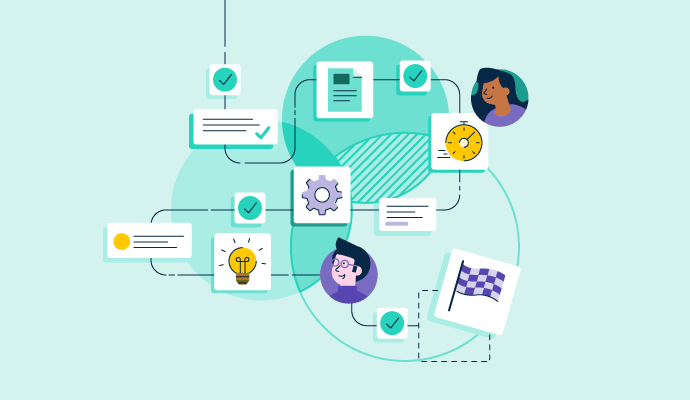
Integration isn’t just about exporting files or copying tasks between tools. True integration means connecting processes, contexts, and content so that work flows naturally from planning to creative execution to delivery.
Here are three real-world examples of what integration looks like in action:
Example 1: Smarter Resource Allocation
A common agency challenge is figuring out who’s overbooked and who has slack. When project management systems consume real-time creative workload data, agencies can:
-
See actual time spent on creative tasks
-
Forecast capacity based on project schedules
-
Reassign work to prevent bottlenecks
With integrations:
-
Designers’ task statuses update automatically
-
Project managers see creative progress alongside task timelines
-
Teams avoid crunch periods and burnout
This leads to better scheduling, more predictable delivery, and higher team morale.
Example 2: Cleaner Client Feedback Loops
Client feedback is critical—but messy if it lives in email threads, PDF comments, or scattered messages. With integration:
-
Feedback appears directly on relevant tasks or creative assets
-
Comments are threaded to specific deliverables
-
Changes are traceable to a single source of truth
This prevents:
-
Miscommunication about what was requested
-
Lost feedback
-
Duplicate or conflicting revisions
Instead of manual consolidation, agencies have a clean, contextual loop where every piece of feedback is actionable and visible.
Example 3: Automated Asset Management and Retrieval
Creative work generates a lot of files: drafts, final versions, exports, mockups, alternate formats, and more. Without integration, files live in shared drives, design tools, messaging apps—everywhere.
With integrated asset management:
-
Assets uploaded in creative tools automatically populate in the project management environment
-
Version history is tracked and accessible
-
Teams can tag and retrieve files based on project metadata, client, campaign, or date
Automated retrieval:
-
Saves time searching for the right file
-
Reduces duplicate uploads
-
Ensures the team works from the latest version
Integration turns static files into living project assets that serve the team rather than slow them down.
Step-by-Step: How Agencies Can Integrate Project Management and Creative Tools

Modern agencies thrive on collaboration, creativity, and consistency of delivery. Integrating project management with creative tools doesn’t happen overnight—it’s a structured process that combines planning, technology, and workflow alignment. Below is a practical, step-by-step guide agencies can follow to achieve real integration that drives performance, clarity, and quality.
1. Centralize Campaign Planning
Integration begins with planning. When campaign goals, deliverables, timelines, and resources are scattered across multiple platforms or documents, teams lose alignment before work even begins.
What to do:
-
Use a unified planning hub: Consolidate campaign briefs, timelines, deliverables, and kickoff documents in one centralized workspace. This becomes the source of truth for all stakeholders.
-
Define ownership: Assign owners for strategy, creative execution, review rounds, approvals, and deployment. Clear ownership reduces ambiguity.
-
Map dependencies: Identify how tasks interconnect—e.g., copy delivery before design mockups, QA before deployment.
-
Set milestones: Rather than only listing task-level deadlines, define major checkpoints to track overall campaign momentum.
Why this matters:
Centralizing planning provides structure and ensures that both project managers and creative teams operate from the same foundation. Done well, it minimizes confusion and accelerates execution from day one.
2. Connect Tasks to Creative Assets
Tasks are nothing without context. When designers, writers, and editors receive tasks without associated assets, the work becomes fragmented and inefficient.
How to connect:
-
Link assets directly to tasks: Integrate your design tools and asset repositories so that every task includes the latest creative files, references, and documentation.
-
Maintain version history: Ensure the system tracks drafts, review cycles, and final versions within task records—no more hunting through shared drives.
-
Use metadata tags: Apply tags such as campaign, client, deliverable type, or theme so files are discoverable and neatly categorized.
What it achieves:
-
Designers immediately see context when they open a task
-
Teams reduce miscommunication
-
Asset retrieval becomes faster
This connection turns passive storage into actionable workflow intelligence.
3. Streamline Feedback and Approvals
Feedback loops are where projects either thrive or stall. When clients or internal teams provide revisions outside the main workflow, feedback gets missed, misinterpreted, or duplicated.
Best practices:
-
Collect feedback in one place: Ensure comments and markups live directly inside the integrated workspace—not in email or chat.
-
Attach feedback to assets: Comments should float with the asset itself, not just with the task title.
-
Automate review reminders: Set up notifications for pending approvals and cooldown periods after feedback is submitted.
-
Track decision history: Keep a visible trail of who approved what and when—useful for accountability and future reference.
Benefits:
-
Less confusion between rounds of edits
-
Clear accountability for approvals
-
Faster turnaround with reduced bottlenecks
A streamlined feedback loop is a competitive advantage for agencies handling multiple stakeholders.
4. Automate Repetitive Workflows
Repetitive tasks—like updating statuses, moving files between folders, or notifying teams—consume time that creative and project teams could better spend on high-value work.
Automation opportunities:
-
Status updates: Automatically move tasks through stages when specific conditions are met (e.g., design ready → notify review team).
-
Asset syncing: Set up triggers so new files or versions automatically populate linked tasks or project folders.
-
Notifications: Automate alerts for approaching deadlines, stalled tasks, or feedback requests.
-
Recurring tasks: Templates and automation can generate repetitive task chains—like weekly client reports or post-mortem reviews.
Result:
Workflows become leaner and less prone to human error, leaving teams free to focus on creativity and problem-solving.
5. Track Agency Performance in Real-Time
Integration isn’t complete without ongoing visibility into performance. Agencies need to measure not only task completion but also the quality of process, time-to-delivery, resource utilization, and client responsiveness.
Performance tracking steps:
-
Dashboards: Set up dashboards that display key metrics—project statuses, bottlenecks, turnaround times, and workload balance.
-
Custom analytics: Tailor analytics to agency priorities, such as client satisfaction, on-time delivery, and creative throughput.
-
Alert triggers: Use real-time alerts for anomalies, like overdue deliverables or unassigned tasks.
-
Cross-team insights: Let stakeholders access summaries or detailed views based on role (leadership, account managers, creative leads, etc.).
Why it’s critical:
Real-time tracking transforms reactive management into proactive coordination. Instead of discovering issues after they escalate, agencies can anticipate and solve them before they impact quality or delivery.
Real-World Agency Use Cases
Real agency case studies show how integrating project management systems with creative workflows transforms operations, boosts productivity, and improves client satisfaction. Here are two detailed examples from agencies that successfully adopted integrated work systems to overcome real challenges and scale more efficiently.
1. New Reach
Background:
New Reach is a fast-growing marketing agency that found its growth outpaced its operational systems. The team was managing campaigns using a hodgepodge of spreadsheets, messaging apps, and disconnected tools that made coordinating work difficult and inconsistent. Project status, client communication, and creative deliverables lived in separate silos, leading to confusion and additional workload for team leads.
Challenge:
The main challenge was scaling the business without sacrificing quality. As New Reach brought on more clients and projects, leaders struggled to maintain clarity on deliverables, track progress, or delegate effectively. The founder was often pulled into day-to-day task tracking, creating a bottleneck.
Solution:
New Reach shifted to a unified work management platform that consolidated project planning, task tracking, asset management, and communication into one system. Standardized workflows replaced fragmented tracking methods, and real-time dashboards provided visibility into workload distribution and client health.
Outcome:
-
The agency scaled its operations and revenue consistently while maintaining service quality.
-
Dependence on the founder for detailed task supervision was significantly reduced.
-
Project assignments, deadlines, and creative assets became easier to manage and revisit.
This real-world example highlights how an integrated platform can help a rapidly expanding agency tame complexity and design repeatable processes that support growth.
2. Pharmacy Mentor
Background:
Pharmacy Mentor is a marketing and development agency serving hundreds of clients with a lean internal team. Before integration, its Client Relations group used multiple disjointed tools—including shared drives, email, and conventional office apps—to coordinate projects, handle client feedback, and track progress. This setup led to file sprawl, context switching, duplicated effort, and a lack of clear project visibility.
Challenges:
-
With just a few team members managing around 200 client accounts, internal communication and project tracking were chaotic.
-
Managers had to manually hunt for the latest files or status updates across tools, making coordination slow and error-prone.
-
Client input was inconsistent, due in part to passive forms and incomplete tracking of requests.
Solution:
Pharmacy Mentor consolidated task management, client communication, project tracking, and internal documentation within a single platform. This provided one central source of truth for every client engagement, team discussion, deliverable, and status update. Project automations and customizable forms replaced manual processes, and shared dashboards gave real-time visibility into work progress and goals.
Results:
-
Internal productivity doubled, as teams no longer required daily meetings just to sync work.
-
Revisions per client project decreased by about 20% due to clearer task assignments and better version tracking.
-
Internal communication improved dramatically, even across time zones.
-
Using structured forms dramatically increased client response rates and streamlined intake processes.
This case demonstrates how an integrated approach can eliminate tool sprawl, clarify project context, and improve both internal operations and external collaboration.
Common Roadblocks Agencies Face

Even with clear benefits, integrating project management and creative tools isn’t always straightforward. Agencies encounter several recurring challenges when attempting to unify workflows and systems:
Siloed Tools and Workflow Fragmentation
Many agencies accumulate tools over time—project boards, design platforms, chat apps, shared drives, and email threads. Without connection, these tools create silos that require constant context switching, wasting up to 40% of productive time as teams hop between apps to find files or updates.
Scattered Feedback and Approval Processes
When feedback lives in email threads, external docs, or multiple communication channels, tracking versions and approvals becomes a nightmare. Teams spend extra time consolidating feedback and reconciling conflicting comments instead of making meaningful progress.
Scope Creep and Misaligned Expectations
Without integrated tracking between creative deliverables and project plans, it’s easy for additional requests to slip in without clear scope adjustment. This can extend deadlines and inflate budgets, ultimately harming client relationships and profitability.
Resistance to Change and Adoption Barriers
Creative teams may resist adopting structured project management tools, especially if systems feel rigid or disconnected from their preferred workflows. Choosing a platform flexible enough to support visual work styles—such as Kanban boards, task cards, and interactive views—can help minimize resistance.
Jeopardized Creative Freedom
If integration is implemented with rigid process enforcement, it can inadvertently stifle creative flexibility. Too many mandatory checkpoints, approvals, or procedural steps can limit experimentation and slow ideation.
Future of Creative + Project Management Integration

The way creative teams collaborate with project management is evolving fast. Integration that once meant simple file sharing or ticket-based requests is now becoming fully connected workflows, powered by automation, real-time visibility, and cross-platform intelligence.
Here’s what the future holds for agencies looking to deepen the synergy between creative work and project execution:
1. Real-Time Collaboration Across Tools
Future integrations move beyond static exports or simple links. Creative files, comments, revisions, and project tasks will update instantly across systems. This means designers, strategists, and project managers can work in the tools they prefer while changes sync automatically—eliminating manual updates or version mismatch.
This level of synchronization fosters transparent workflows, faster reviews, and fewer misinterpretations.
2. Automated Creative Workflows with Triggers
Instead of manually moving tasks or notifying stakeholders, integrations will increasingly rely on event-based automation:
-
When a design phase is marked complete, the next task triggers automatically
-
Client feedback submitted in a review tool updates the project status
-
Revisions increment versions and notify relevant team members
This reduces bottlenecks and keeps complex creative work flowing smoothly without extra manual coordination.
3. AI-Assisted Creativity and Resource Planning
Artificial intelligence is already entering creative tech stacks, and the next wave will bring integration-level AI:
-
Predictive resourcing to anticipate workload peaks
-
Smart task prioritization based on deadlines and resource availability
-
Automated quality checks or suggestion prompts based on past project data
AI will help teams make faster decisions without sacrificing creative nuance.
4. Unified Dashboards with Cross-Functional Metrics
Agencies are increasingly demanding metrics that span both creative and operational domains. Future integration dashboards will offer both qualitative and quantitative insights—for example:
-
Time spent in creative iterations
-
Client turnaround times
-
Resource utilization and efficiency scores
-
Correlation of task adjustments with campaign outcomes
This empowers leadership to evaluate performance not merely on outputs, but on workflow health.
5. Seamless Cross-Tool Ecosystems
Rather than selecting one “single tool for everything,” agencies will adopt connected ecosystems where best-in-class creative tools are integrated with robust project platforms. Through APIs and middleware, creative assets, timelines, and approvals will move fluidly across systems, yet remain traceable and actionable.
The future isn’t about consolidating into one rigid tool; it’s about connecting the right tools in ways that feel natural and powerful for both creative and operational teams.
Master Creative Project Management with Corexta
Corexta is an all-in-one business management platform built to help agencies and teams centralize work, eliminate tool sprawl, and streamline operations—all within a single unified workspace. It brings project planning, creative execution support, client management, time tracking, and communication together so teams can operate with clarity and efficiency.
Centralized Project and Task Management
Corexta lets you manage projects from planning to execution in one place. Agencies can:
-
Visualize tasks using Kanban boards
-
Plan and adjust timelines with Gantt charts
-
Set milestones and dependencies
-
Track real-time progress, expenses, and earnings
This makes creative project planning transparent and keeps everyone aligned with deadlines and deliverables.
Integrated Time and Resource Tracking
With Corexta’s task and time tracking tools, teams can log hours directly against tasks and projects. This ensures:
-
Accurate billing for creative work
-
Insight into how much time specific creative phases require
-
Better forecasting for future work
Time logs—linked with project and client data—enable agencies to understand not just what work gets done, but how efficiently.
Client and Financial Operations in One Hub
Corexta goes beyond traditional project tools by integrating client management and financial processes. Agencies can:
-
Track leads, proposals, and invoices
-
Manage contracts with e-signatures
-
Process client payments and expense reports
This reduces administrative burden and ensures the financial side of creative delivery is as organized as the work itself.
Built-In Communication and Collaboration
Real-time collaboration is essential for creative teams. Corexta includes:
-
Internal chat channels
-
Real-time notifications
-
Integrations with tools like Slack and OneSignal
By keeping communication within or aligned to project context, agencies avoid scattered discussions and lost feedback.
Scalable Features for Growing Agencies
Corexta is designed to grow with your team. It offers scalable plans—from free tiers for small teams to enterprise solutions with customizable roles, permissions, and expanded capabilities. Agencies can adopt what they need today and expand as complexity increases.
Beyond Projects: HR, Assets, and More
Unlike traditional project tools, Corexta integrates HR, asset management, payroll, and recruitment. For creative agencies, this means:
-
Employee attendance and leave tracking
-
Asset lifecycle management
-
Centralized administrative operations
This broader operational integration ensures that project management doesn’t exist in isolation but as part of a holistic operational ecosystem.
By choosing a platform like Corexta, agencies can bridge the gap between creativity and execution, reduce tool silos, and gain real-time insights into project, client, and business performance—all essential foundations for sustainable growth.